Case study
Clox
A time tracking product I built for small trades crews. Workers clock in from their phones, managers review and approve hours, and approved time can be exported to payroll. I run the company and built the product end to end.
- Client
- Clox (my own company)
- My role
- Founder: product, design, front end and marketing
- Year
- 2026 to present
- Scale
- 481 TypeScript files, 19 app routes, 55 API routes, 365 tests
- Screens
- The live app and the crew app, signed in to the demo organization
- Works offlinePunches are stored on the device and synced when the connection returns
- 365 tests39 test suites covering overtime, pay periods, timezones, geofences, imports and payroll exports
- 19 app routes, 55 API routesPlus Stripe billing, four payroll integrations and four scheduled jobs
About the project
Clox is a time tracking product for small trades crews. Workers clock in from their phones, managers review hours and approve the week, and approved time can be exported to payroll. I founded the company and built the product end to end.
The main technical constraint is that workers are often using the app on a job site with a weak connection. At the same time, the hours being recorded feed into payroll. The interface therefore has to handle offline use without losing or duplicating punches.
When the phone is offline, punches are stored in an IndexedDB queue. Each one gets a UUID on the device, which is also used as the server-side idempotency key, so a punch that replays after a successful sync is recognized and ignored. When the connection returns, the queue uses the same server action as the normal online path. Clock in, clock out, breaks and project changes all use the same system.
Failed punches are handled according to the type of failure. Temporary errors are retried, invalid punches can be discarded, and anything that needs a human decision is held for review. Unknown responses are held for review as well, so no punch is dropped silently.
As with Keyset, the business logic lives in plain modules, separate from the framework. The 365 tests cover overtime, pay periods, timezone boundaries, geofences, CSV imports and payroll exports, with most of the logic tested without a browser.
Section by section
The application, screen by screen. These are the live app, signed in to the demo organization.
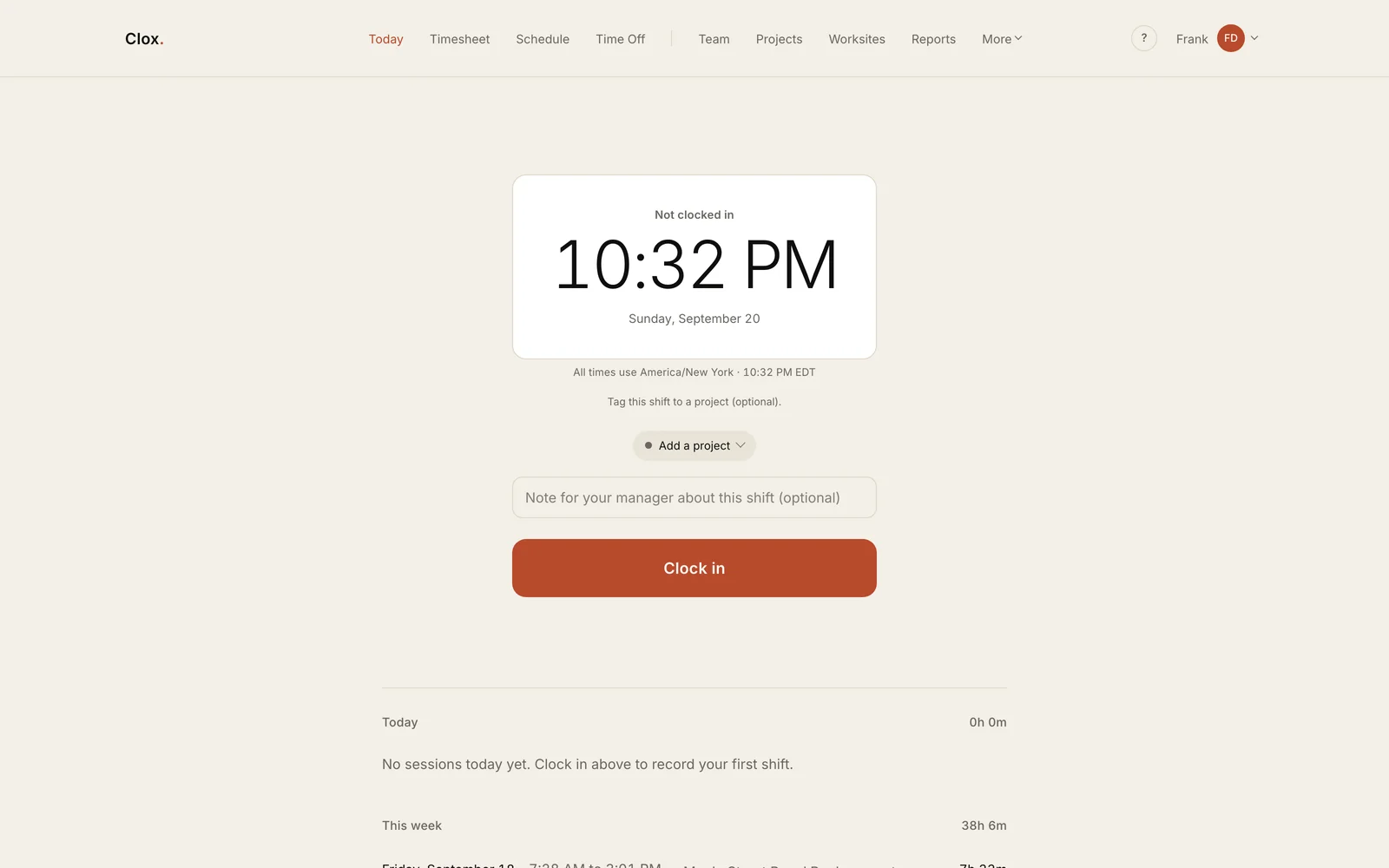
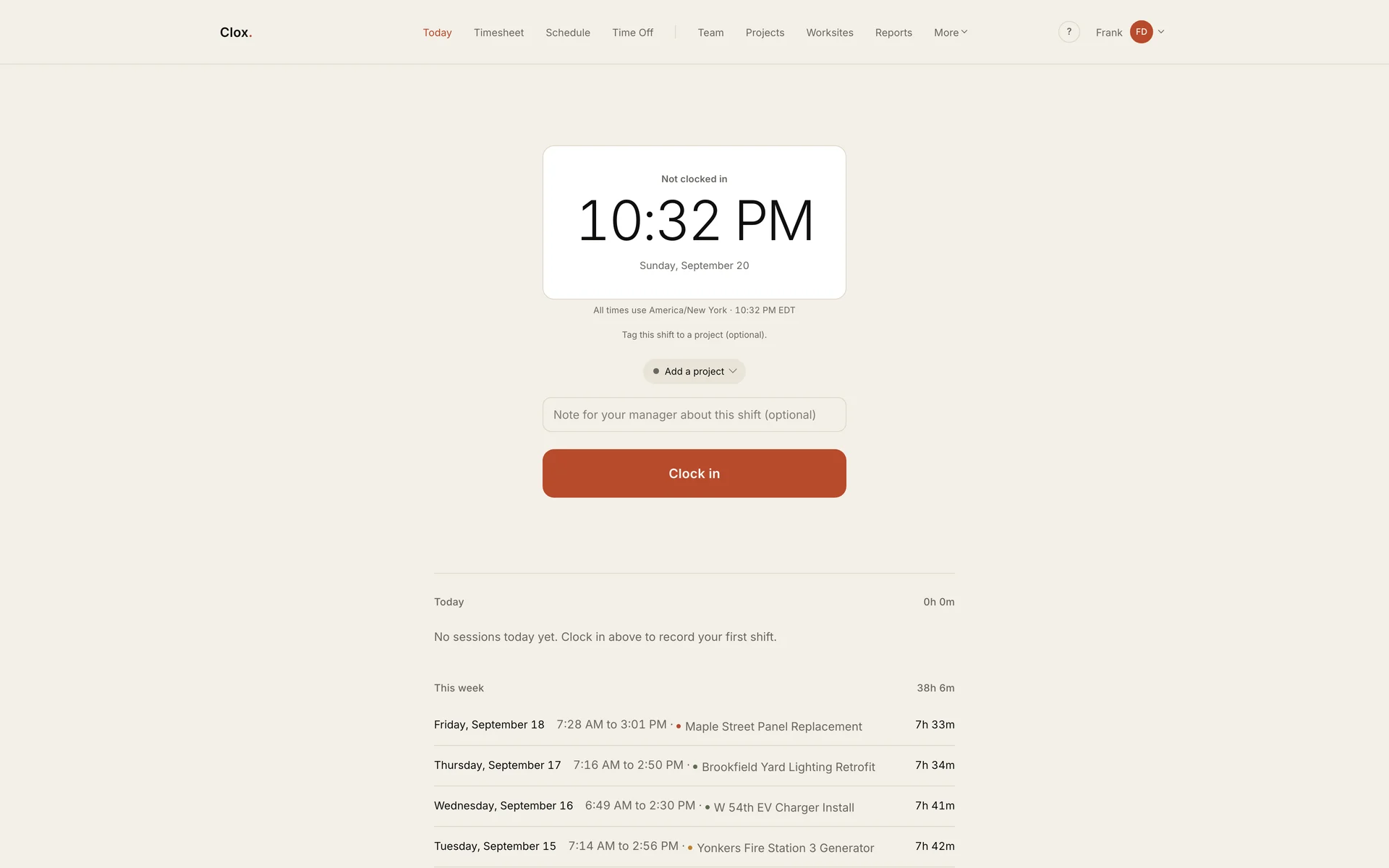
Clocking inThe primary action is the Clock in button. Workers can optionally select a project and add a note before starting. 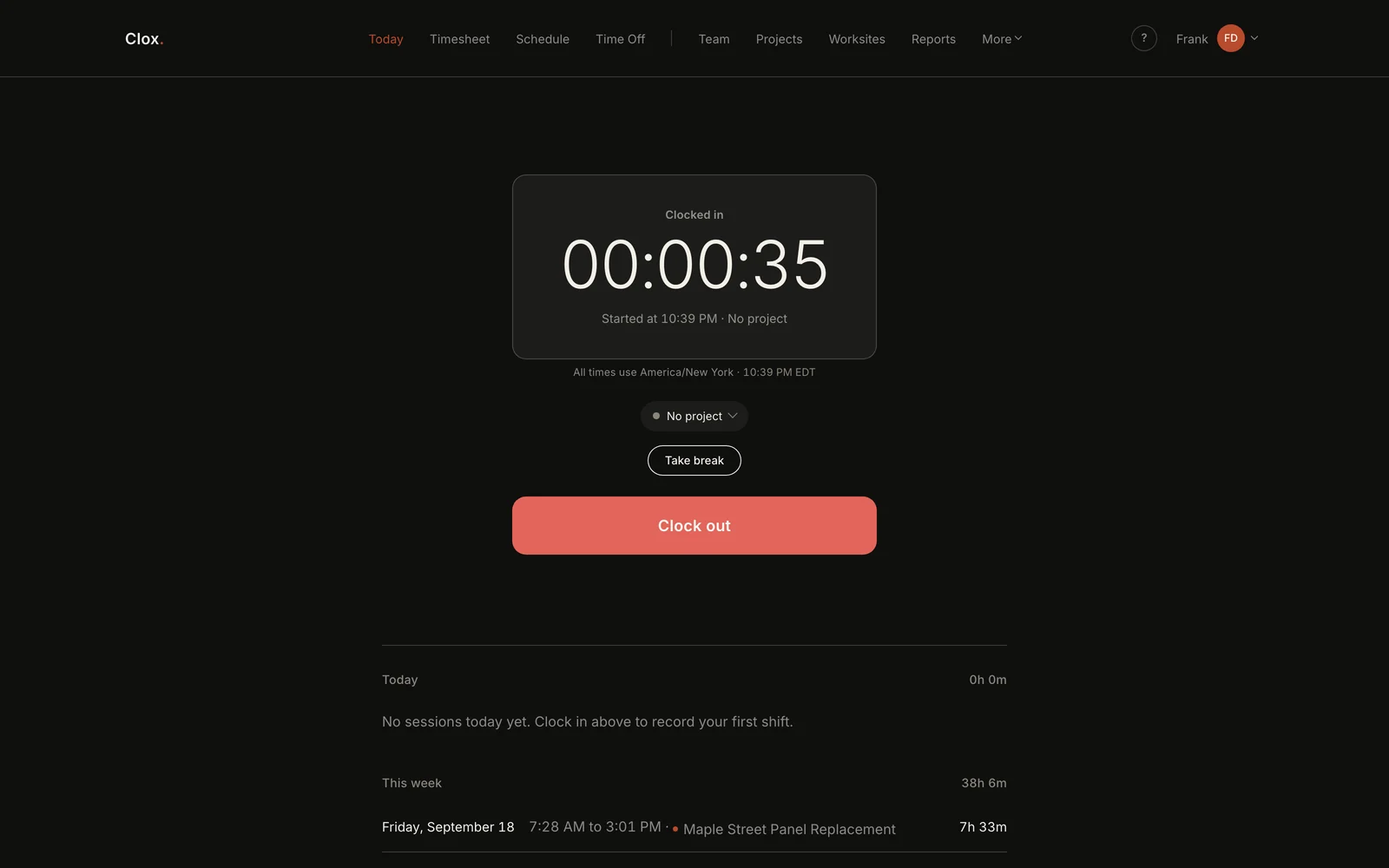
The same screen, on shiftAfter clocking in, the interface switches to a dark state and the primary action becomes Clock out. The timer counts from the server-recorded punch time, so reopening the page does not reset it. 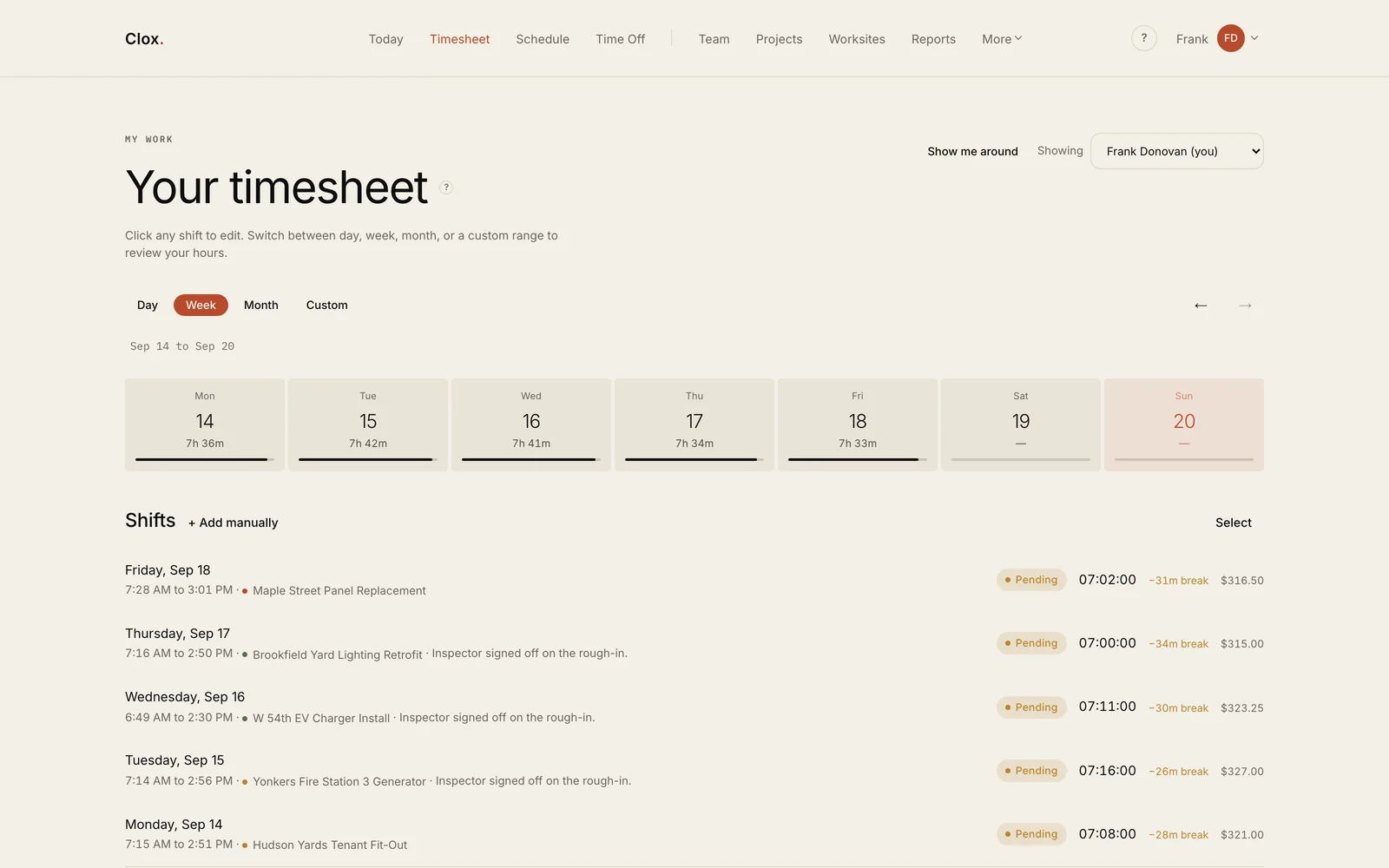
The weekThe timesheet shows daily hours and individual shifts, including projects, break deductions and pay. Forgotten clock-outs are flagged so they can be corrected before approval. 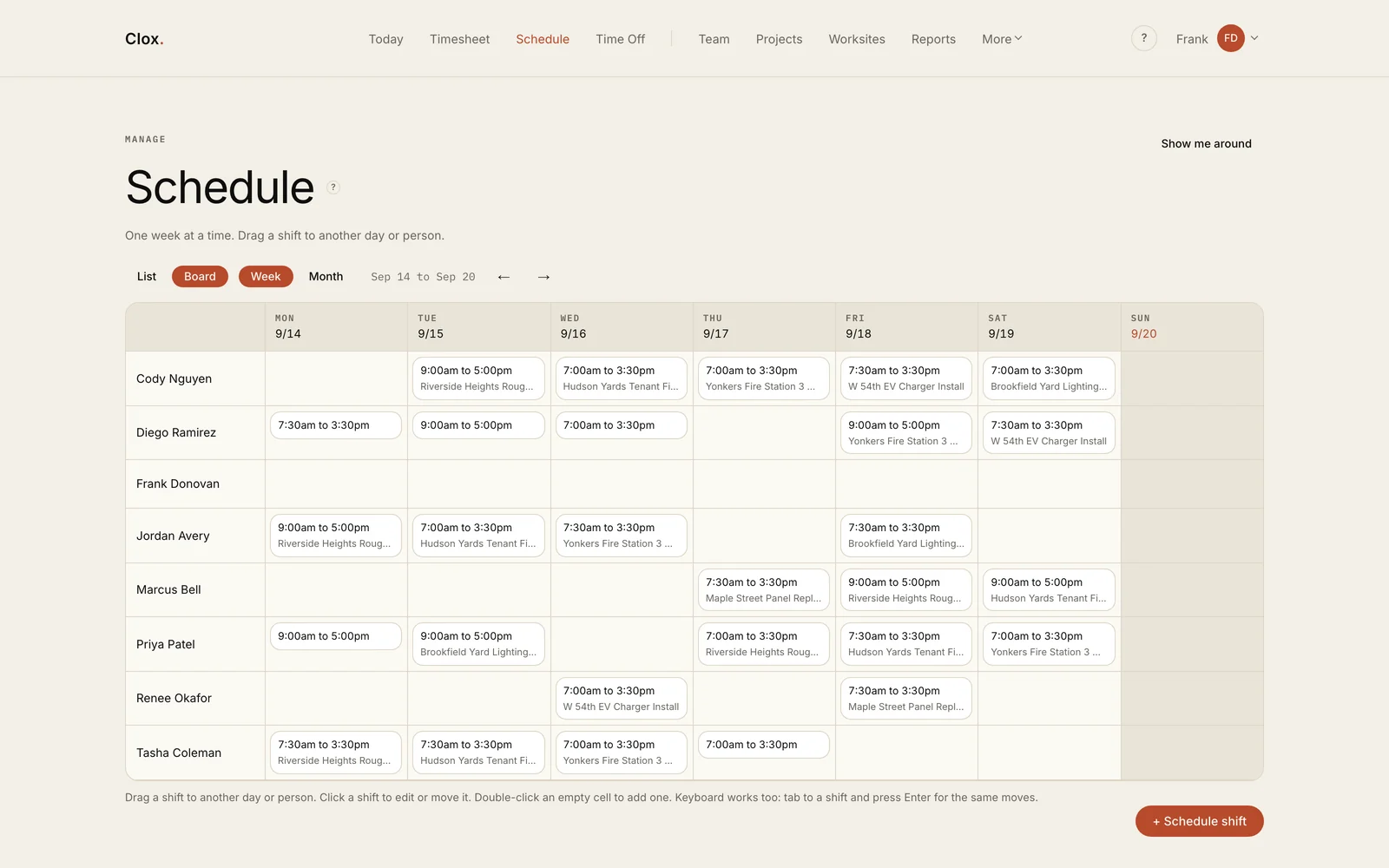
Building the schedulePeople are listed down the side and days run across the top. Shifts can be dragged between people and days, clicked to edit, or added to an empty cell. Dragging is built on pointer events, so touch behaves the same as a mouse, and the same moves work from the keyboard. Moving a shift preserves its duration across overnight and daylight saving changes. 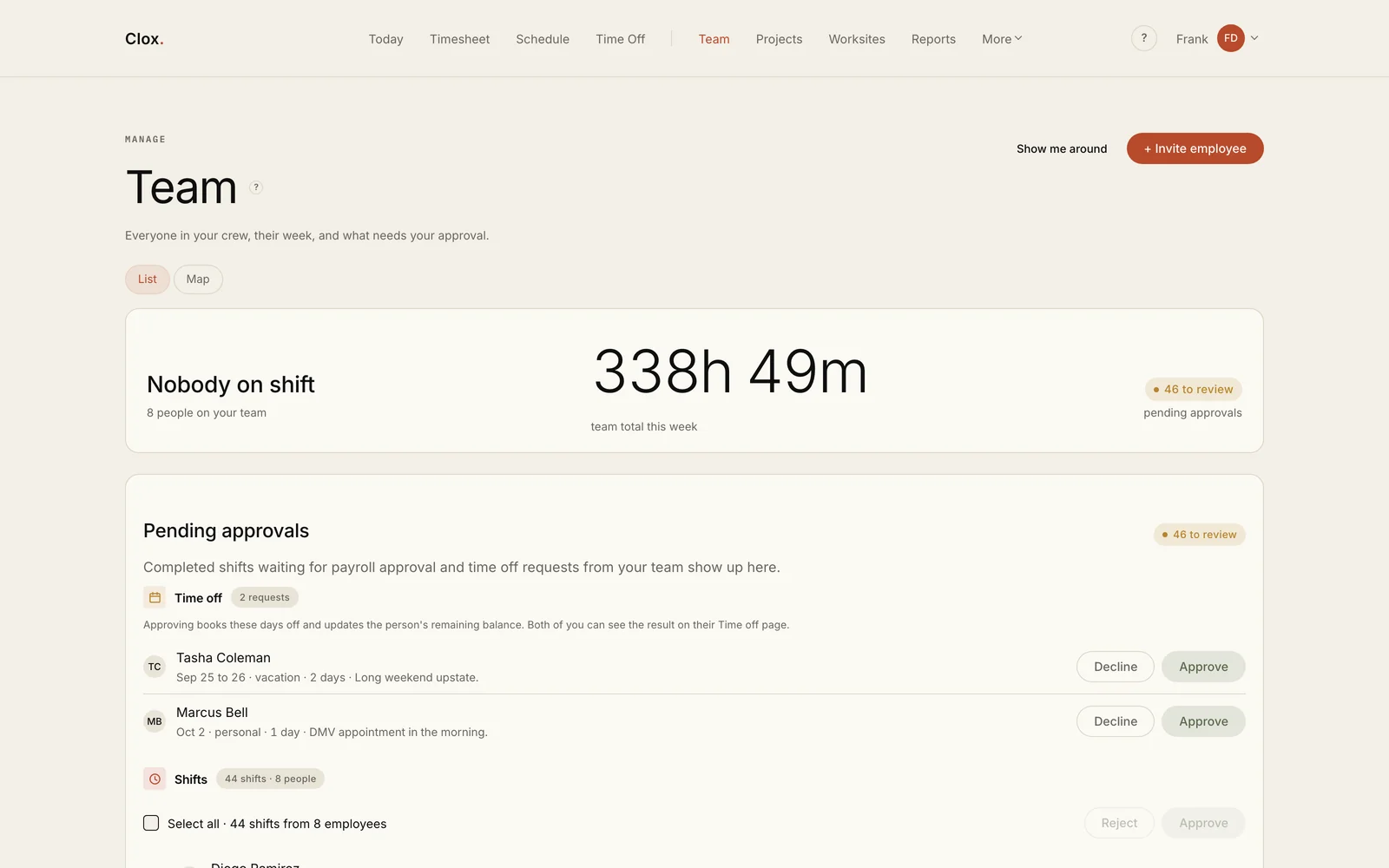
The approvals queueThe team screen shows who is working, weekly hours and items waiting for approval. Shifts can be approved individually or in bulk. 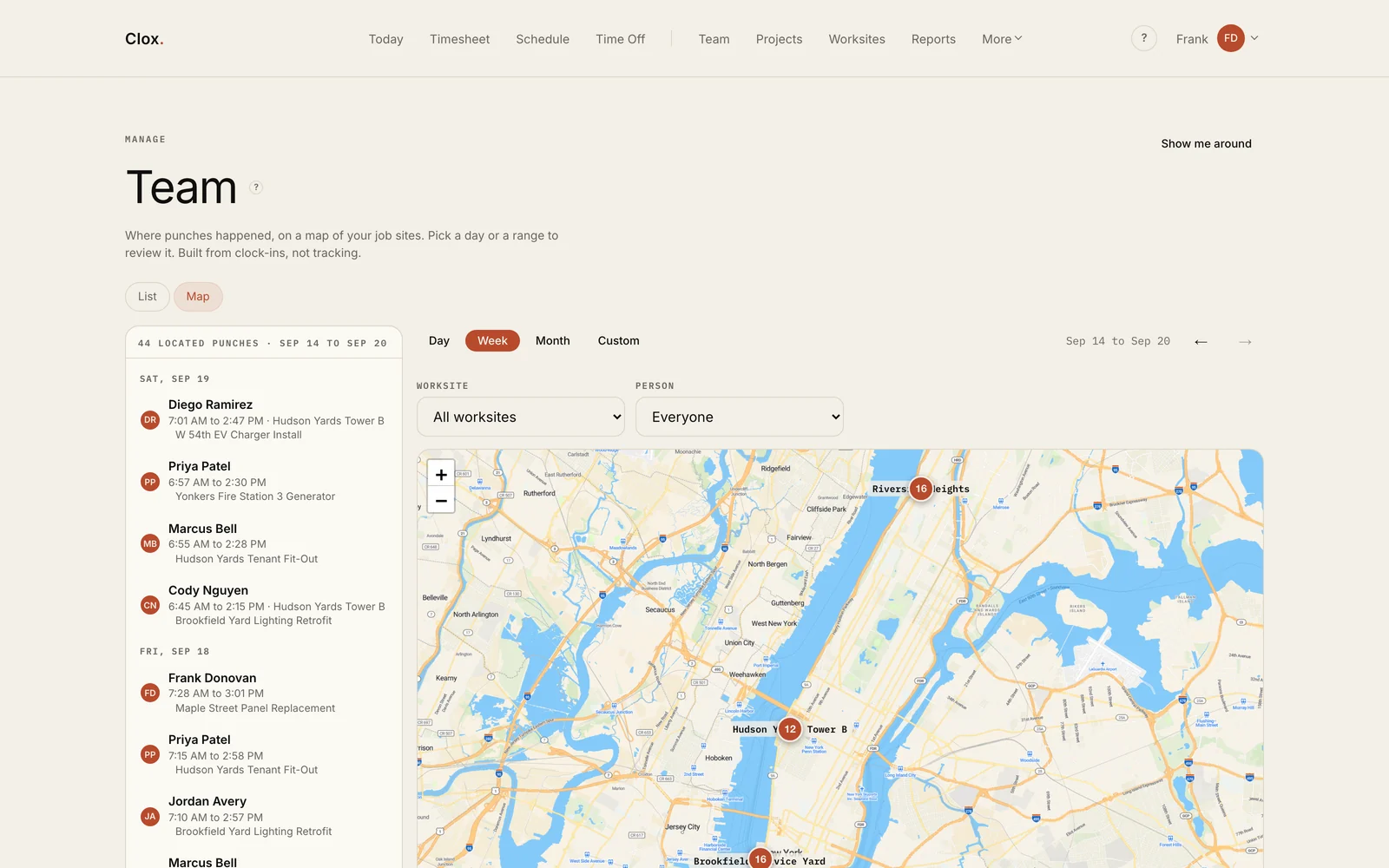
Where the punches happenedThe map shows where clock-ins happened during the week. Clox records location at the moment of the punch and does not track workers between punches. Punches outside an assigned worksite are refused. 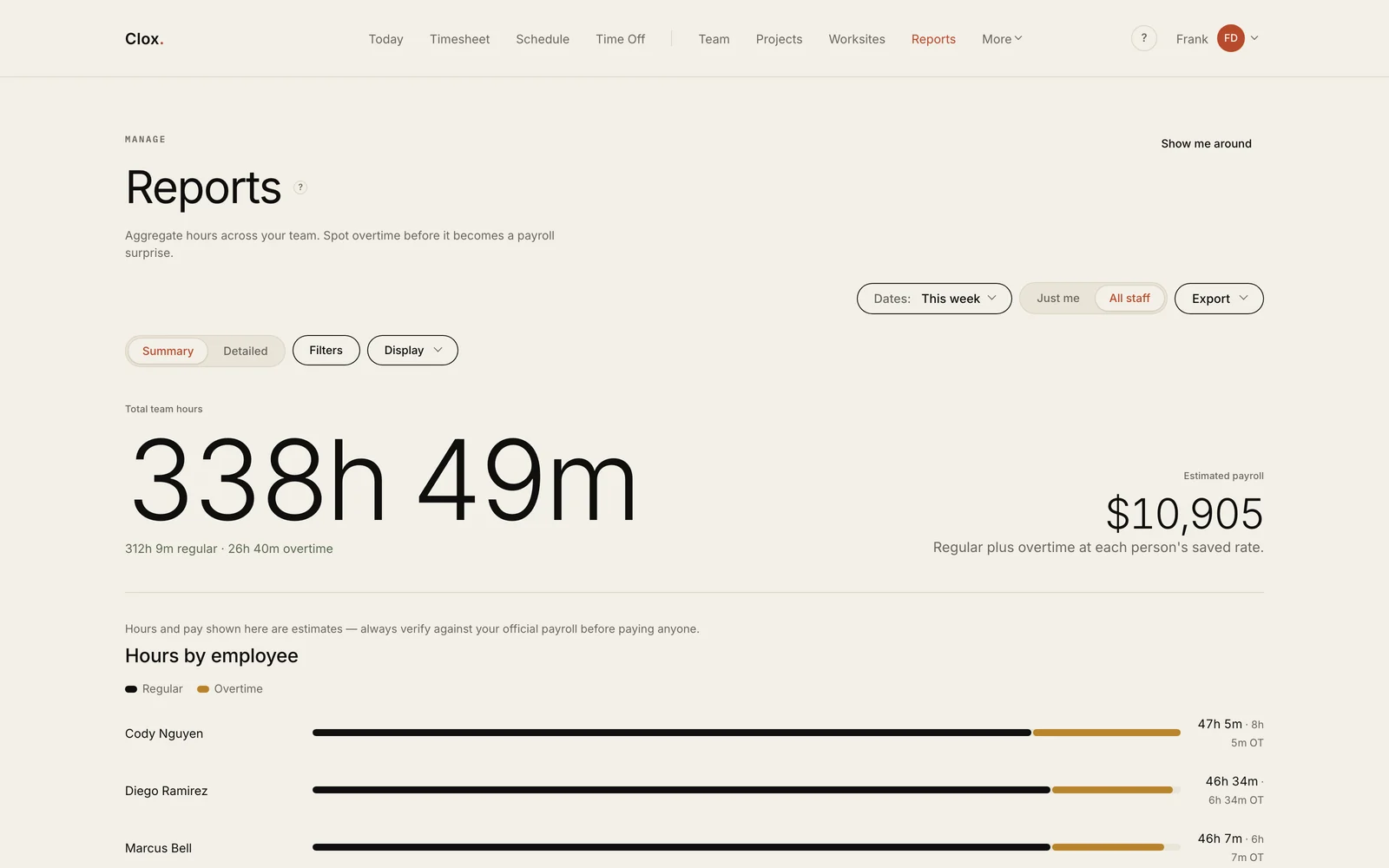
ReportsReports show total hours, estimated payroll and overtime by employee. Hours can also be grouped by project, client and task, then exported to ADP, Paychex, Gusto or QuickBooks. 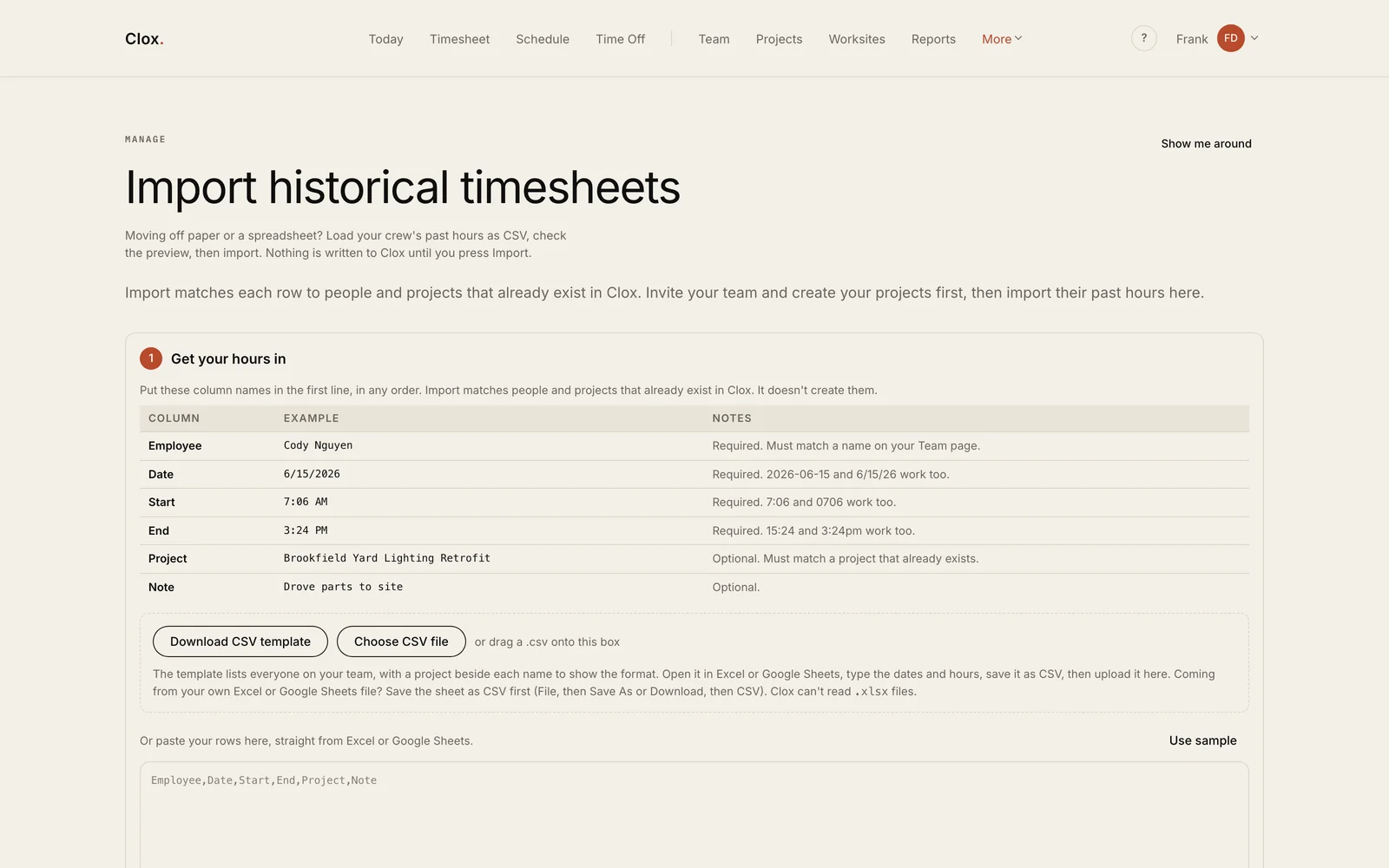
Getting last year inThe import tool accepts pasted spreadsheet data or CSV files. Existing people and projects are matched during the import, and nothing is written until the user confirms the preview. 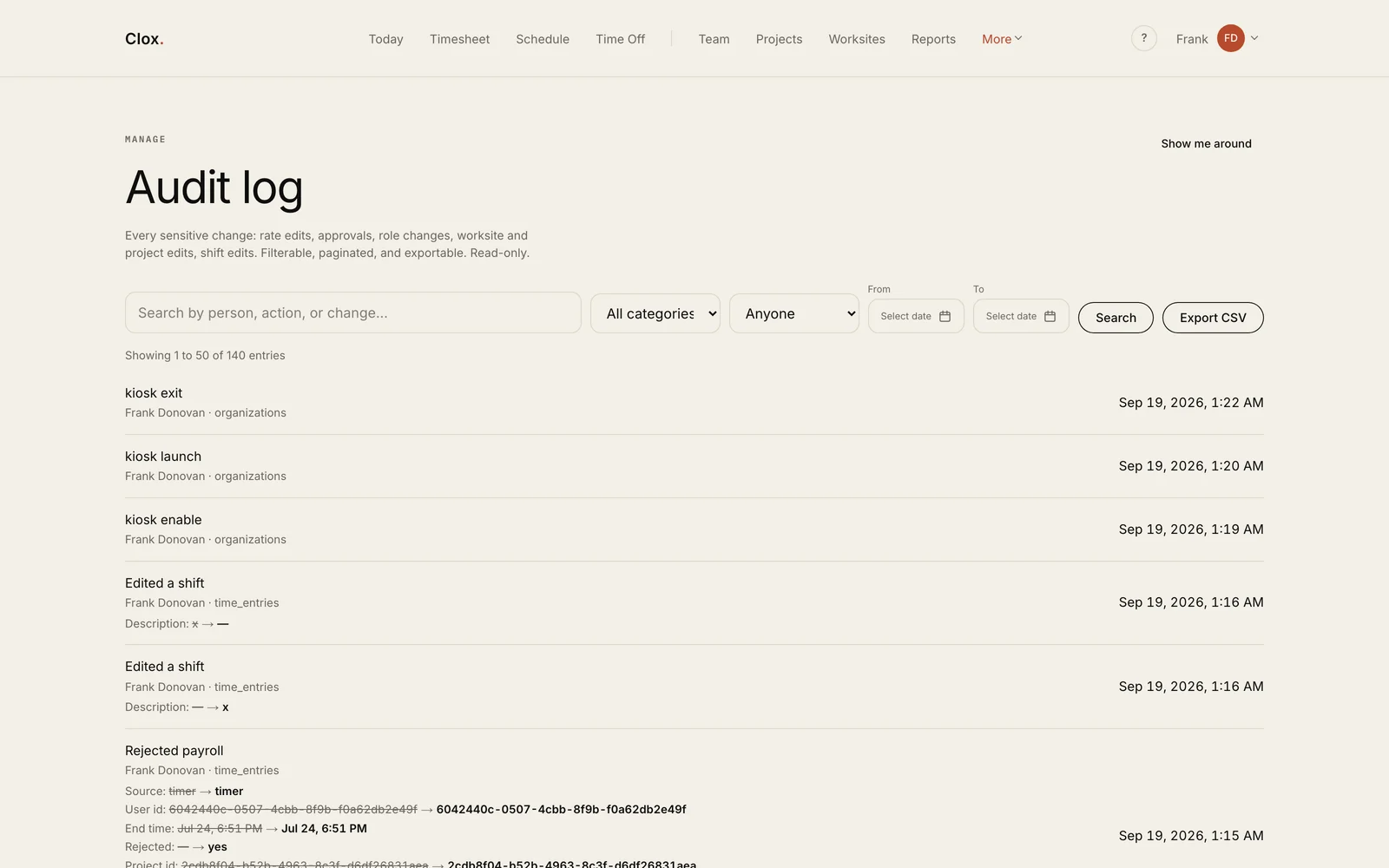
The audit logThe audit log records changes to rates, approvals, roles, worksites and shifts, including the values before and after each change. It can be filtered and exported to CSV.
The rest of the application
The rest of the application covers scheduling, projects, worksites, kiosk mode and billing. Access is controlled through eleven capabilities with role defaults and per-person overrides.
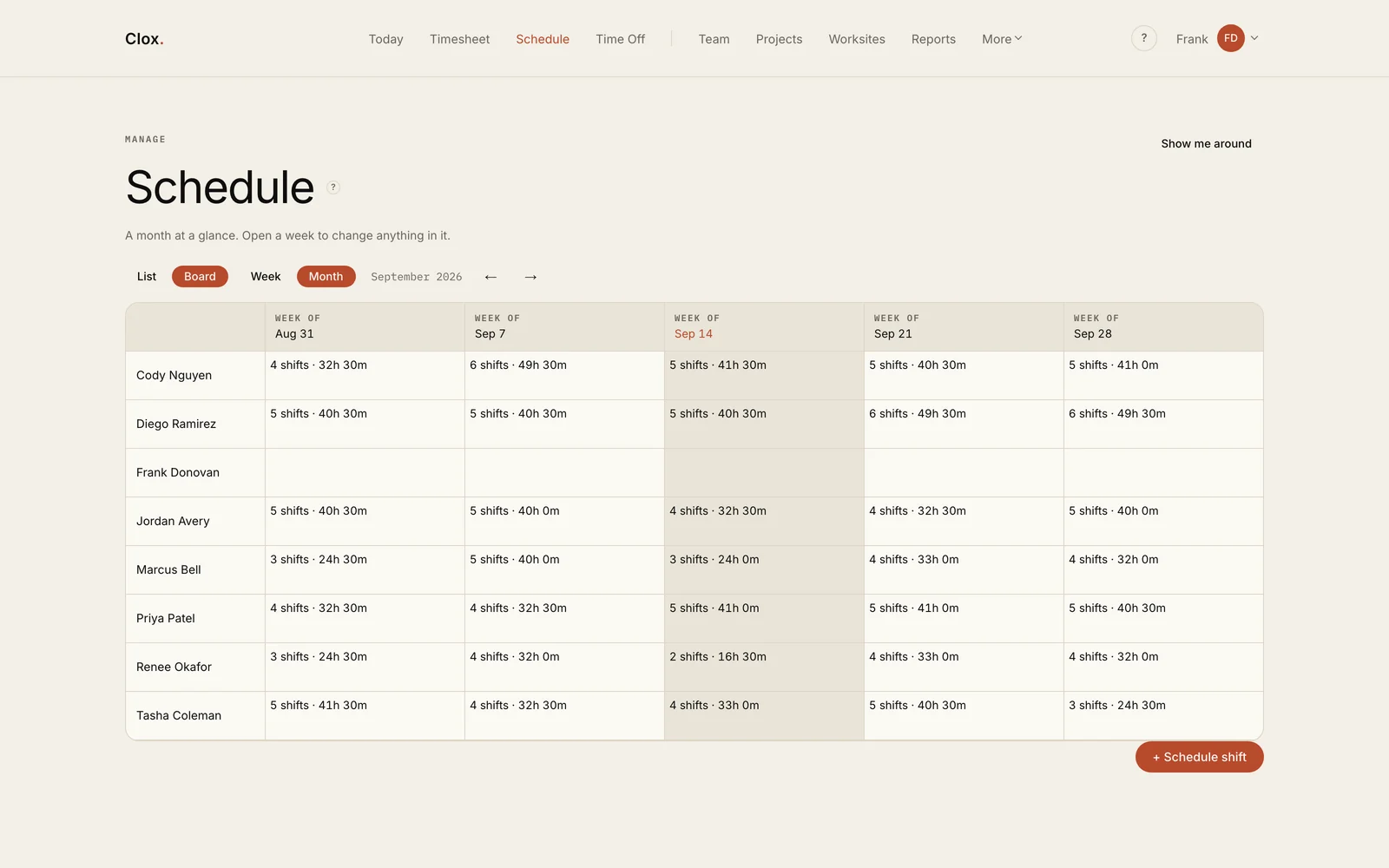
A month view of the schedule, with shift counts and total hours for each person. 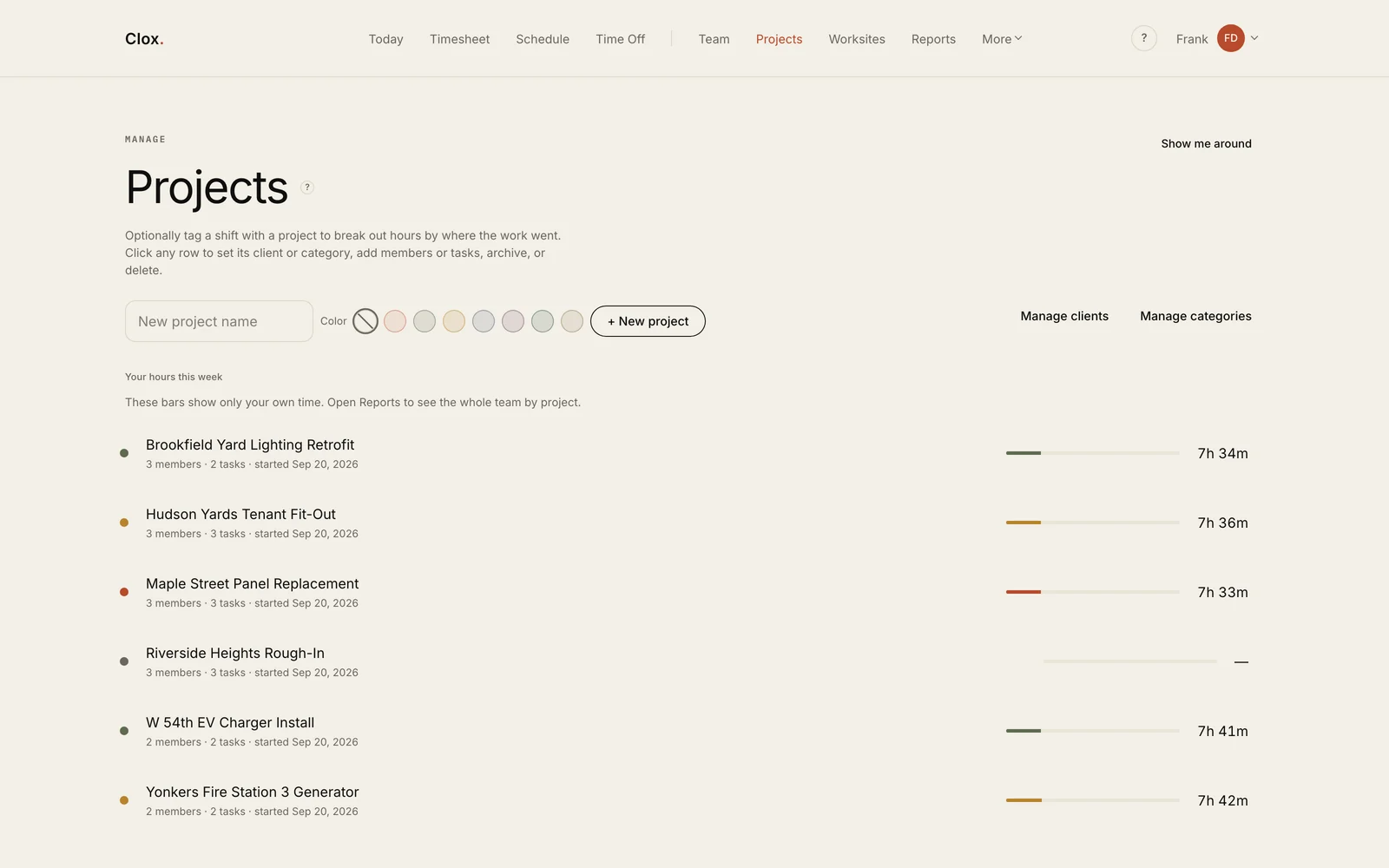
Hours by job. Assigning a shift to a project makes those hours available for job costing. 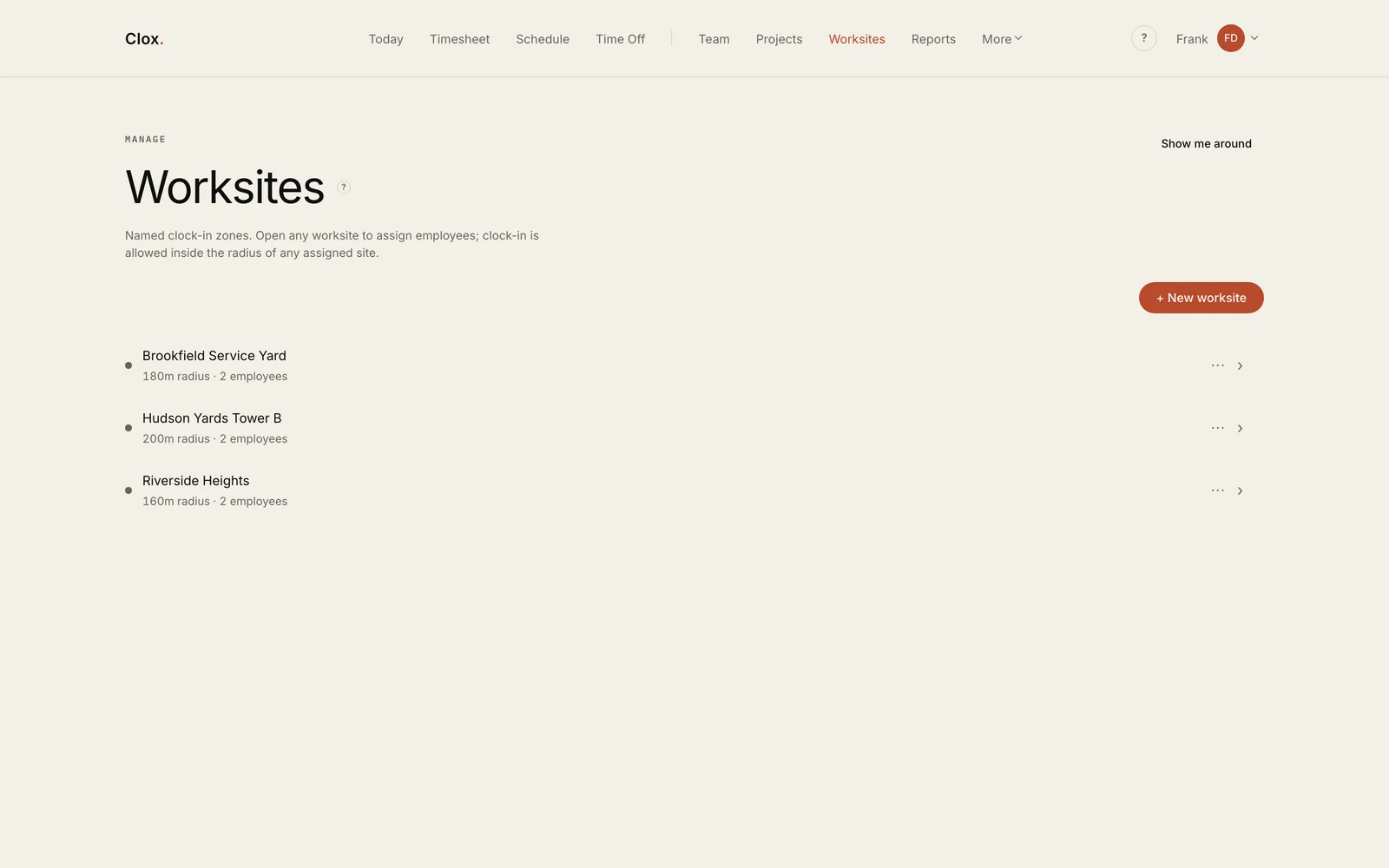
Named clock-in zones with a radius and assigned employees. 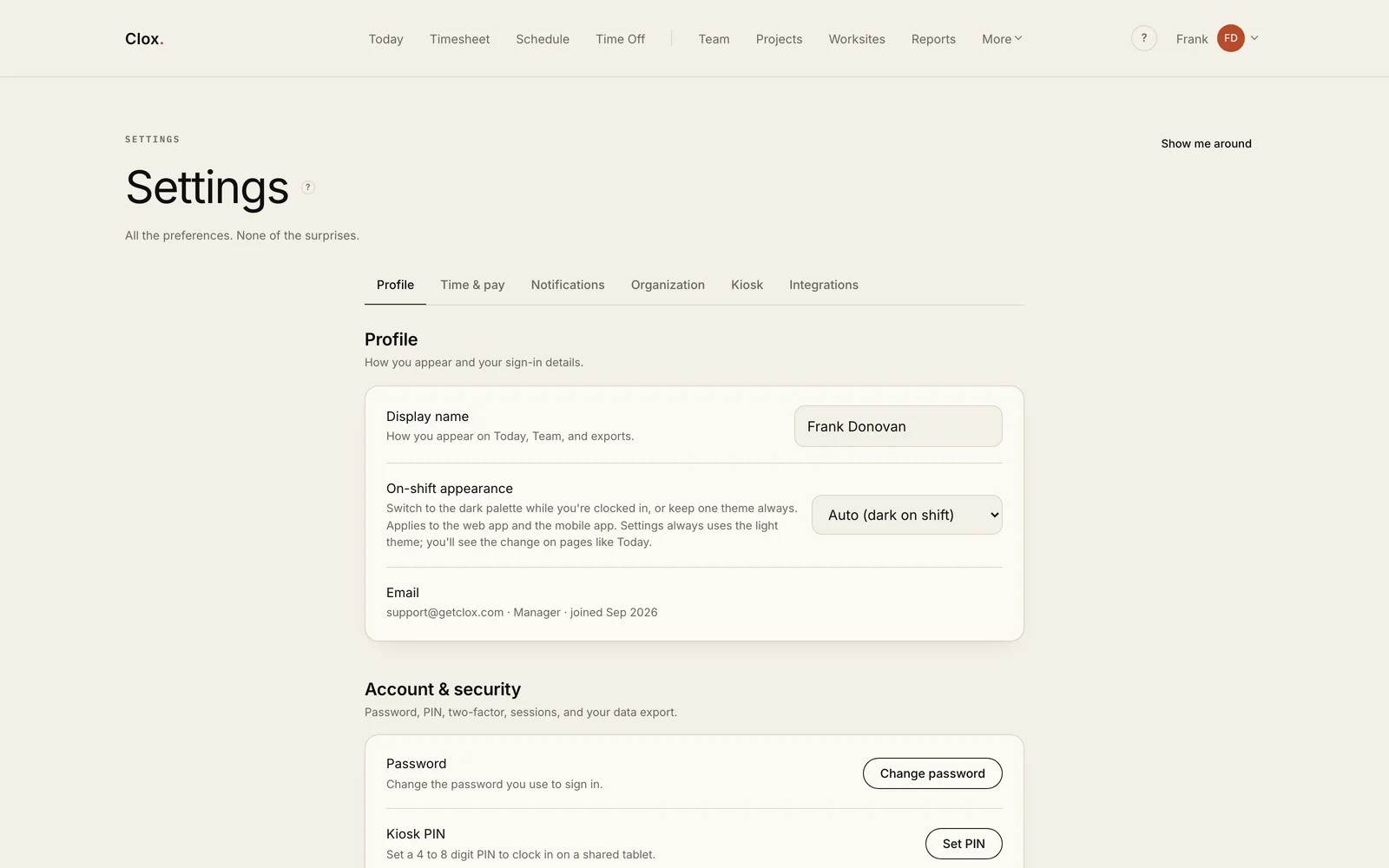
Organization settings, integrations and kiosk mode for shared tablets. 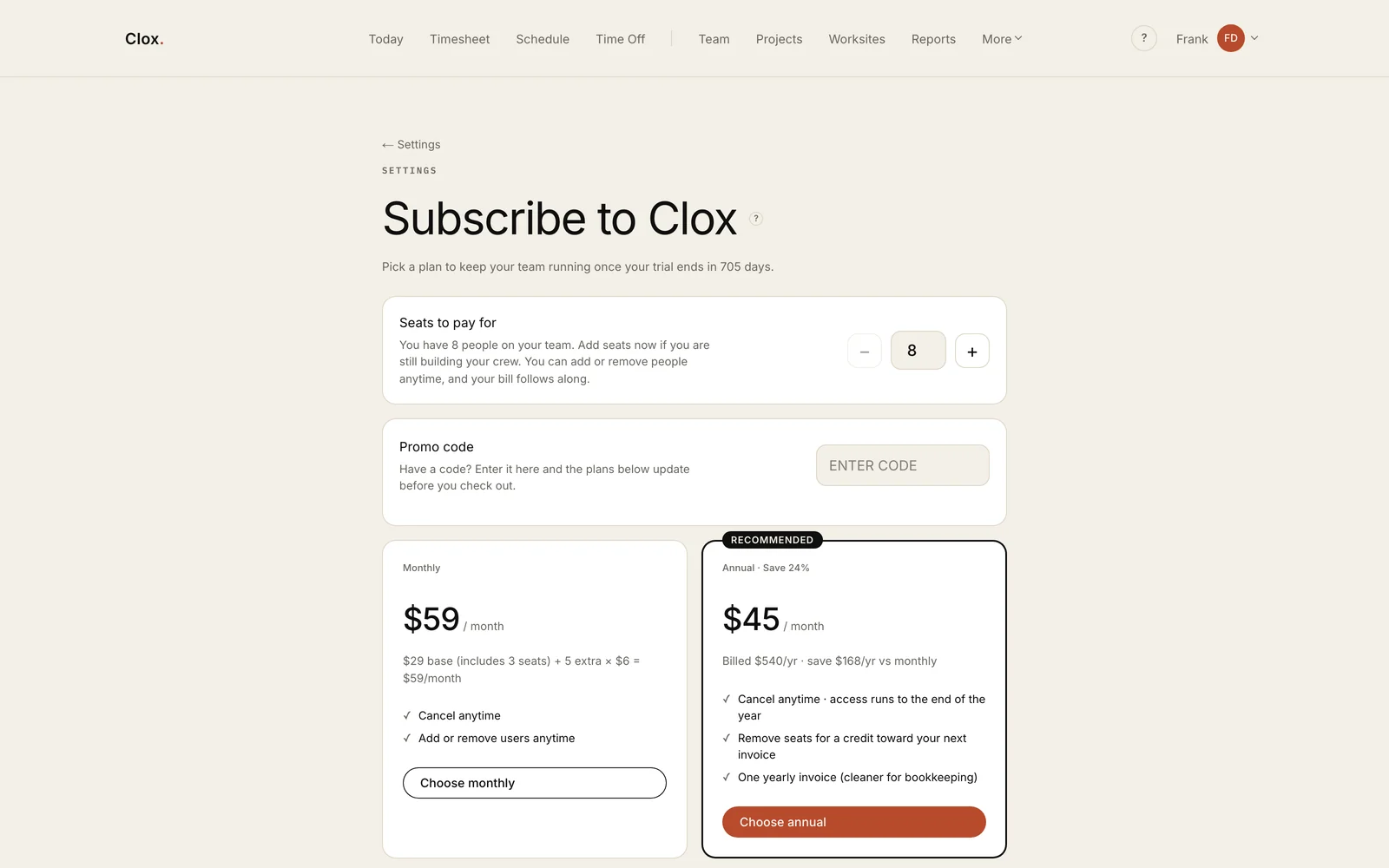
Stripe billing with seat counts, promo codes and monthly or annual plans.
The marketing site
The marketing site has a different job: explain the product and get crew owners into a trial. It uses the same stack as the application, and the phones, dashboards and map are built in HTML, CSS and SVG, with no image files.
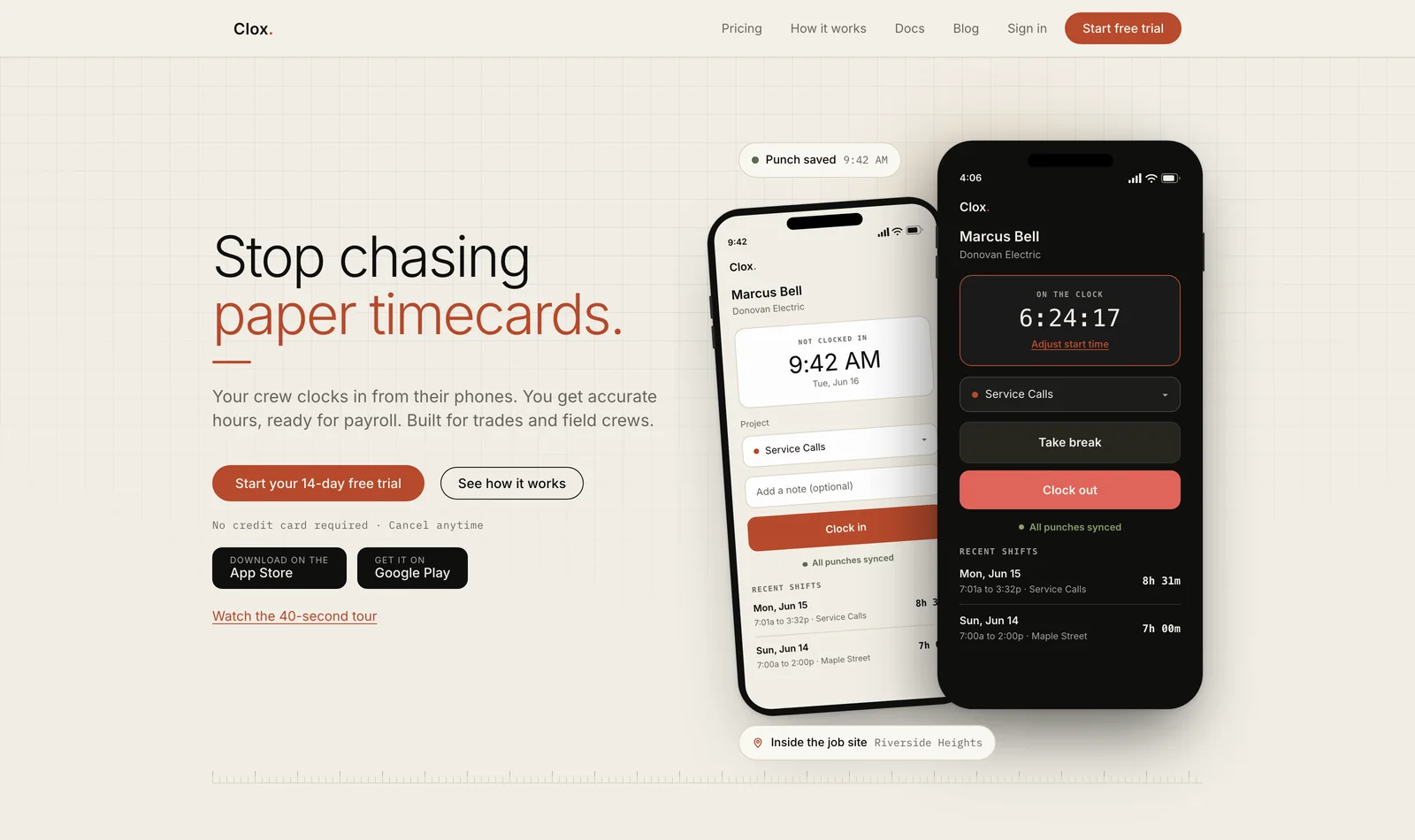
The homepage leads with the problem and a single primary action. The phone screens are built with CSS. 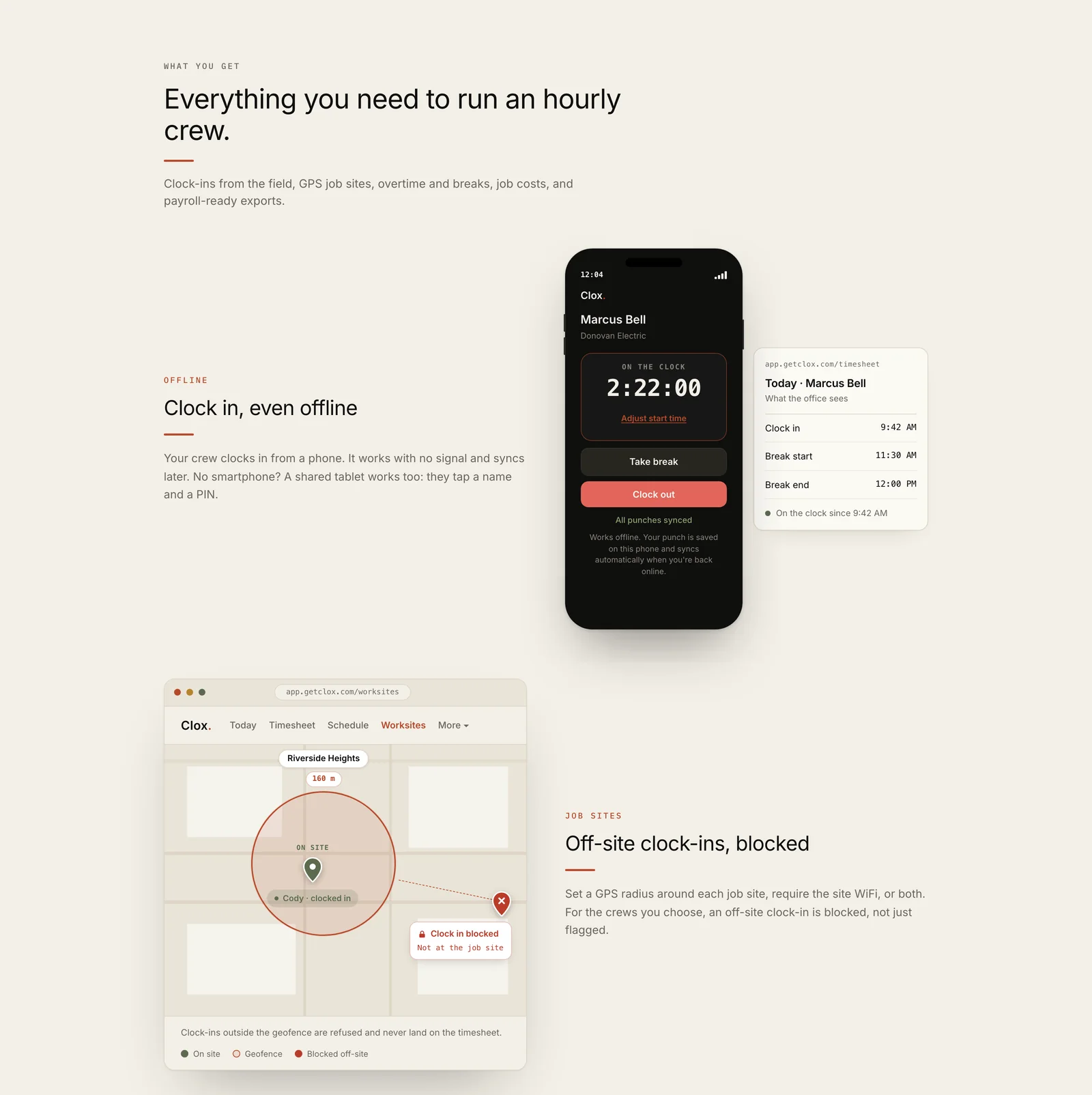
The three main features each get a row with a product visual built in the page, and the other three sit in cards below them. 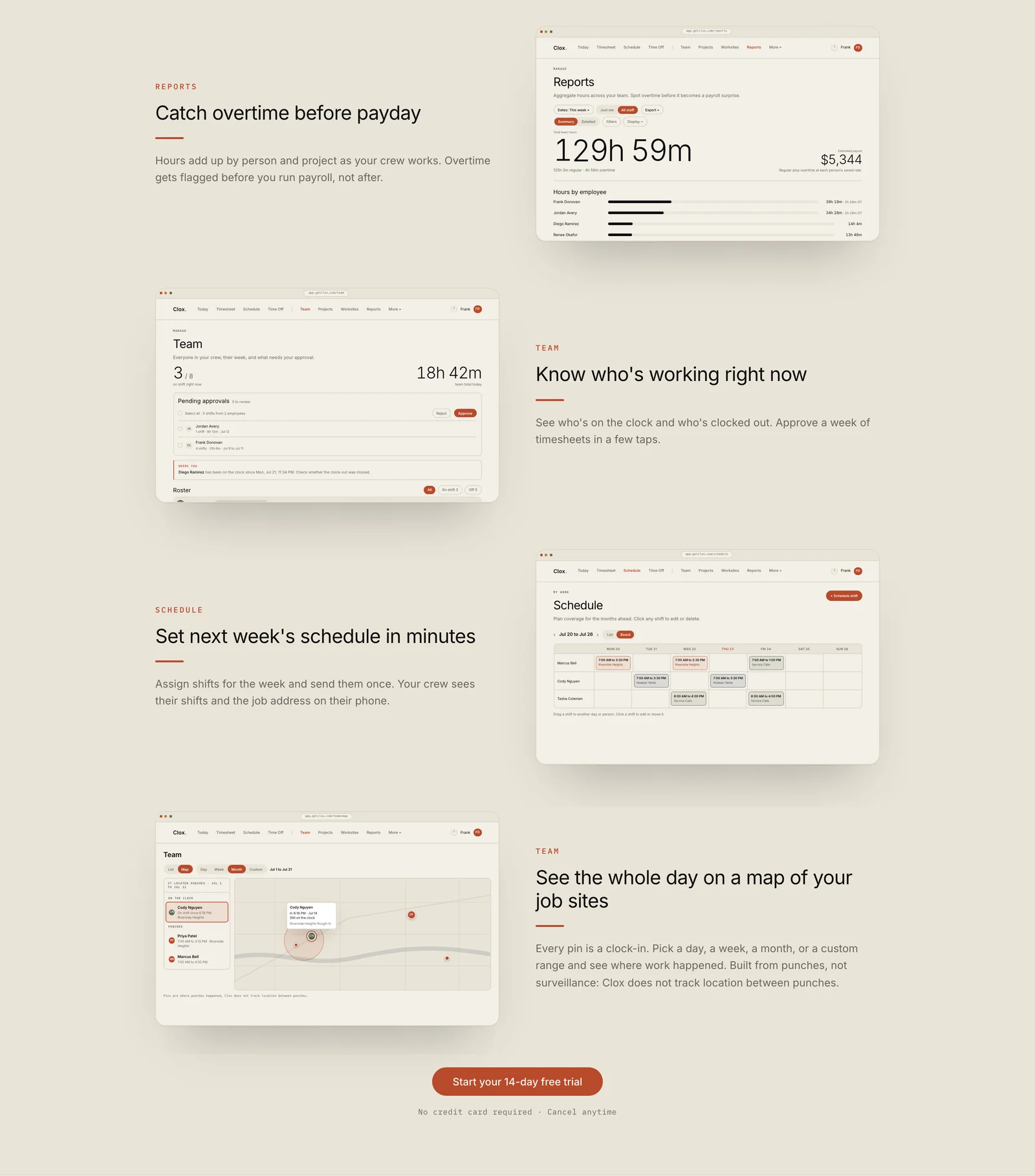
The product tour uses dashboard screens built directly in the page. 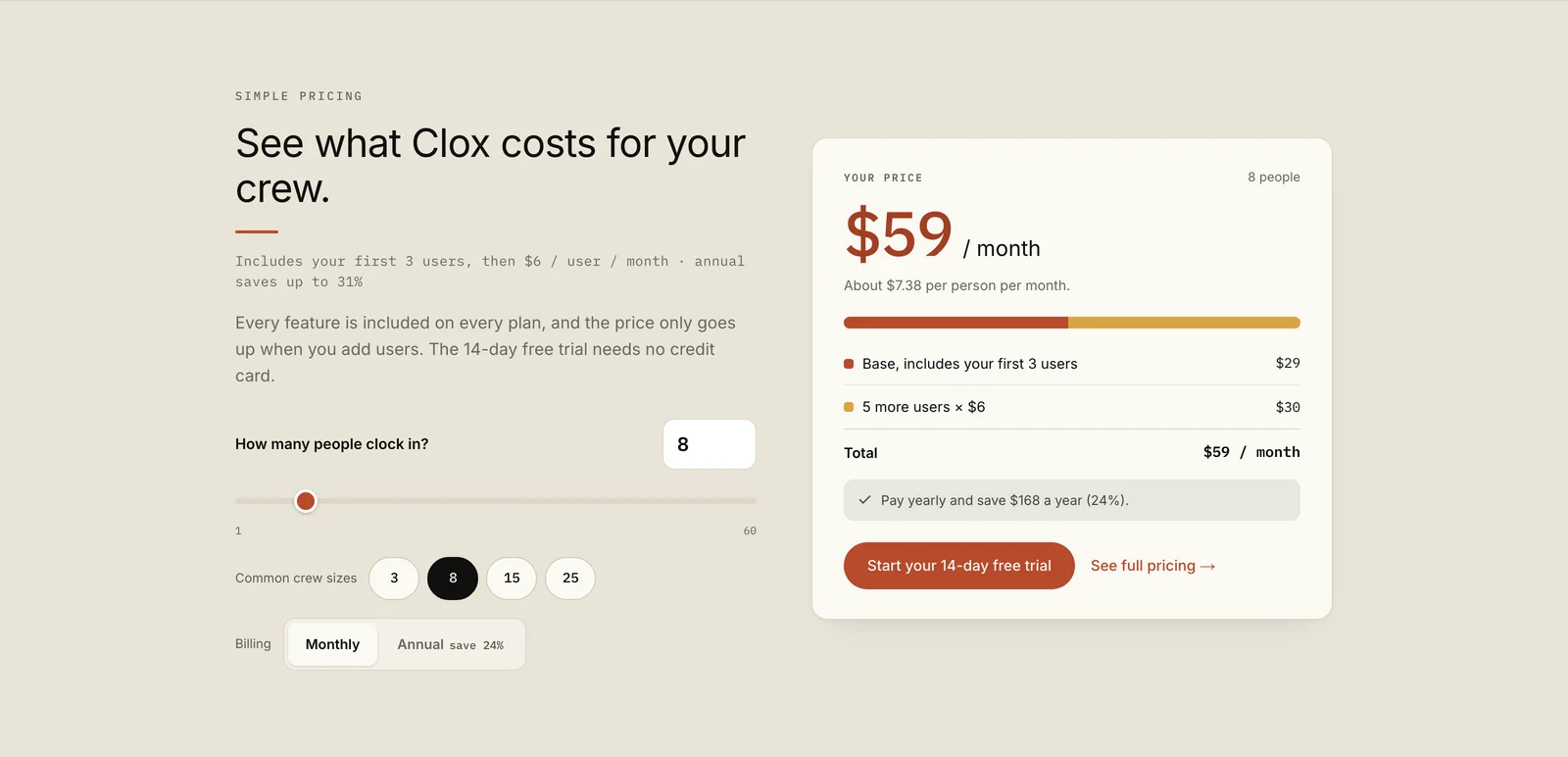
Visitors set their crew size and billing period, and the card shows the monthly price and how it adds up. 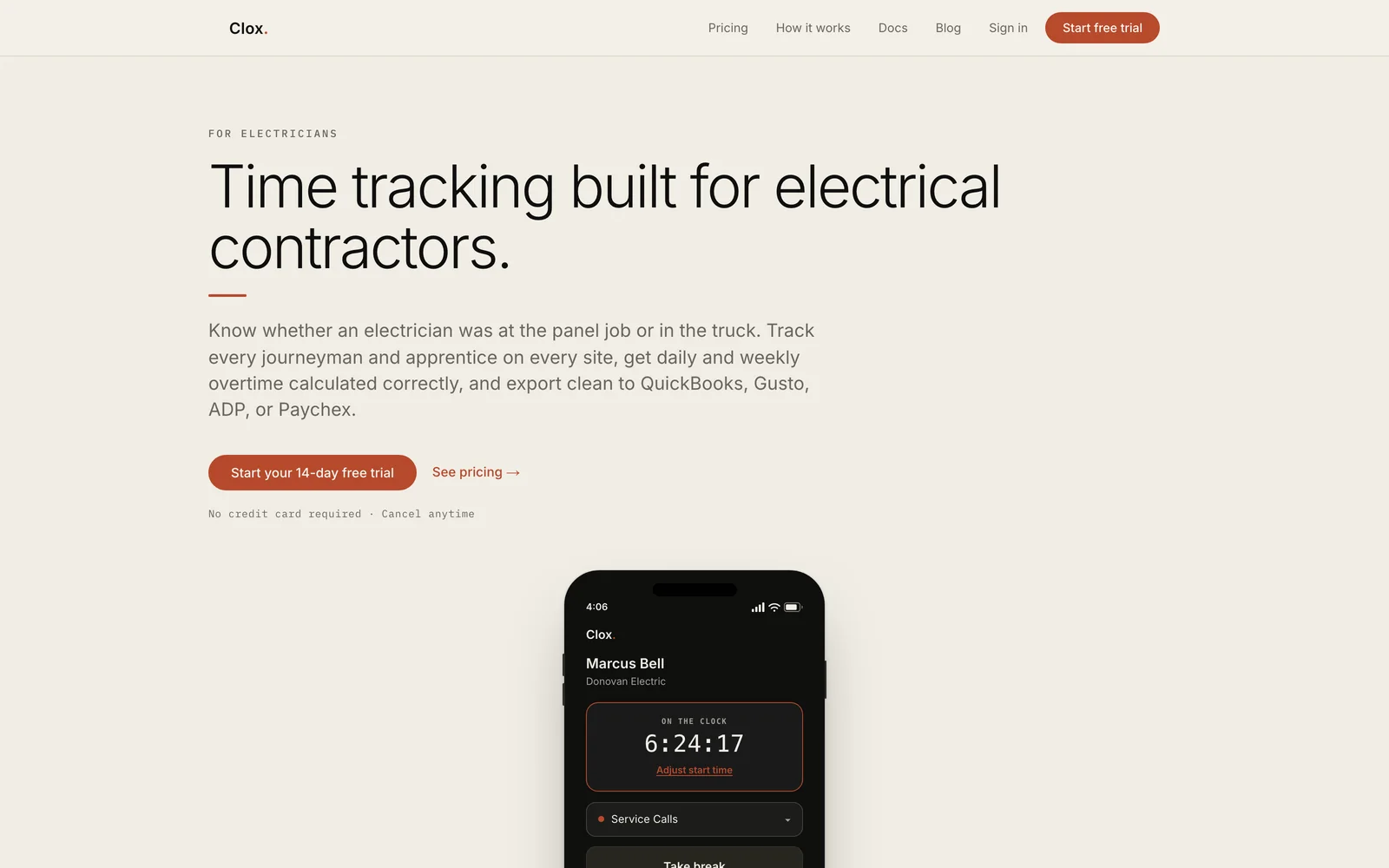
One of twenty trade-specific pages built around search demand for that industry. 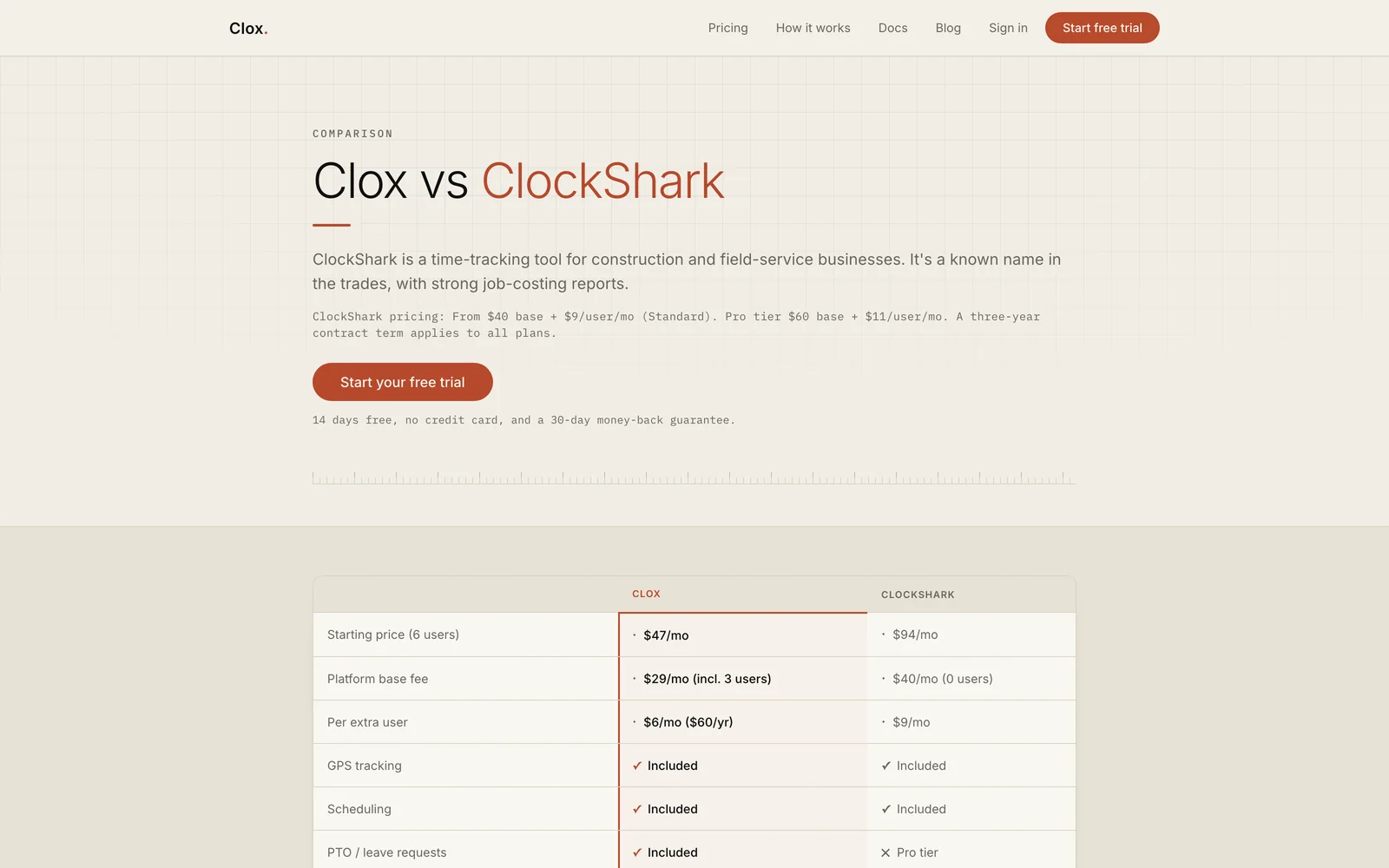
One of five comparison pages, each with a price and feature table.
On a phone
The crew app is built with Expo and React Native and shares the same Supabase project as the web app.
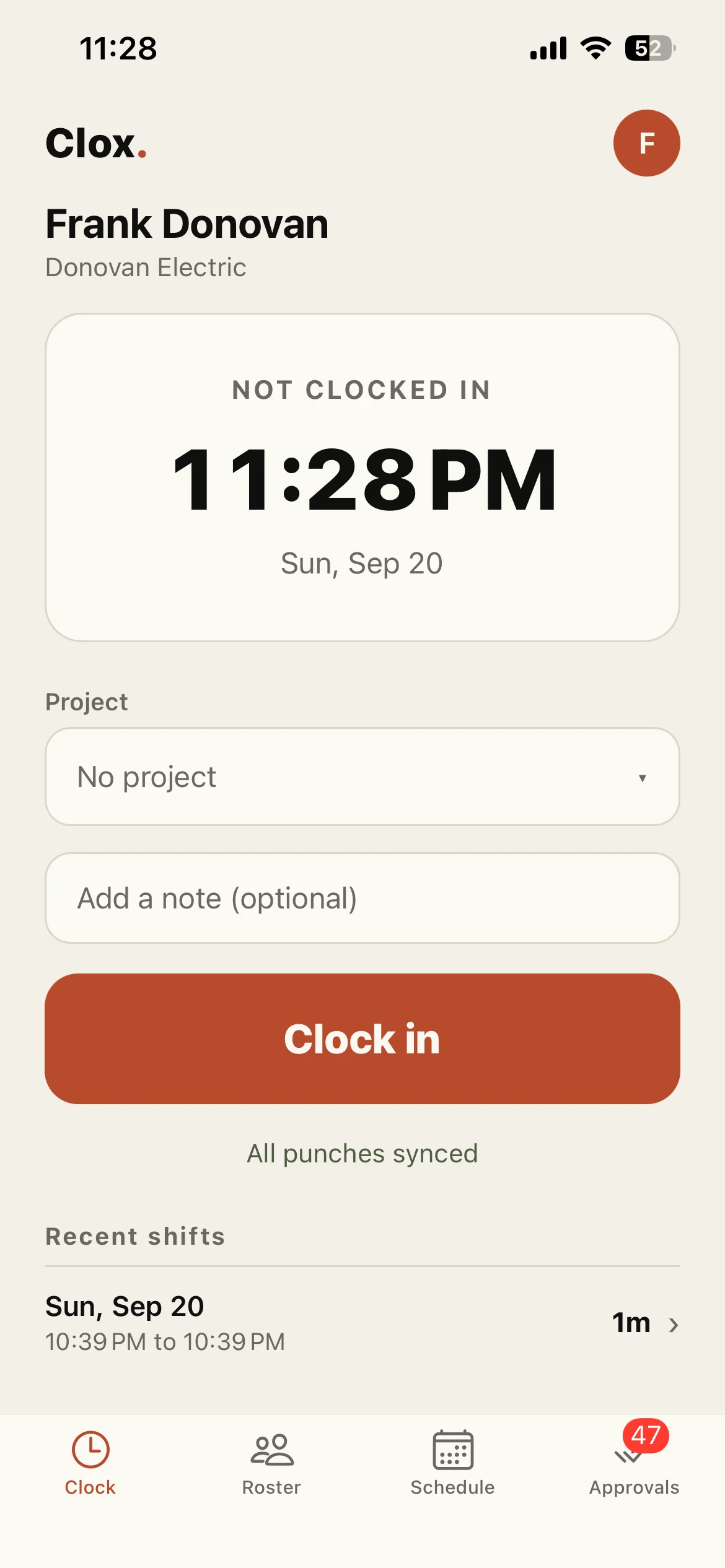
The clock screen when a worker is not on shift. The status below the button confirms that all offline punches have synced. 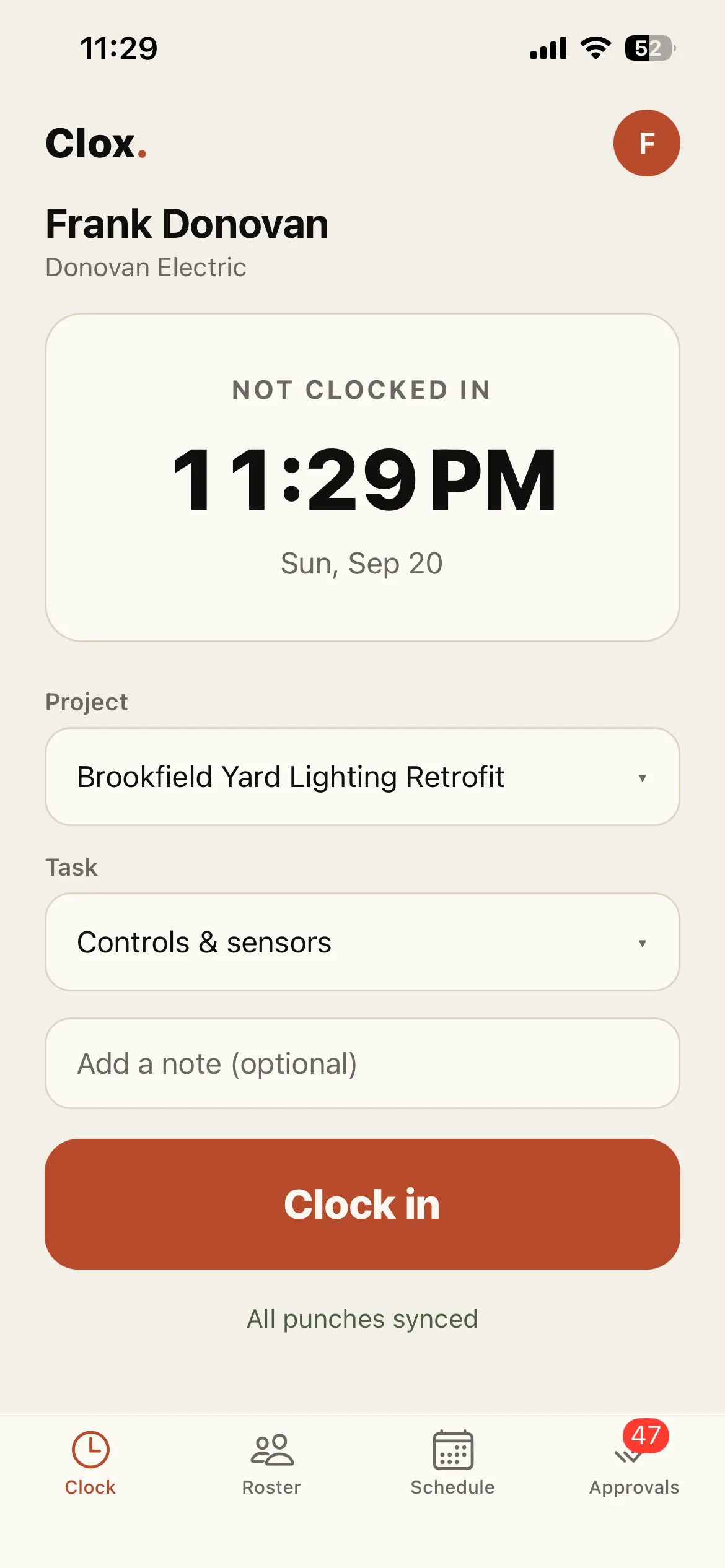
Workers can select a project and task before clocking in. Organizations can make this required. 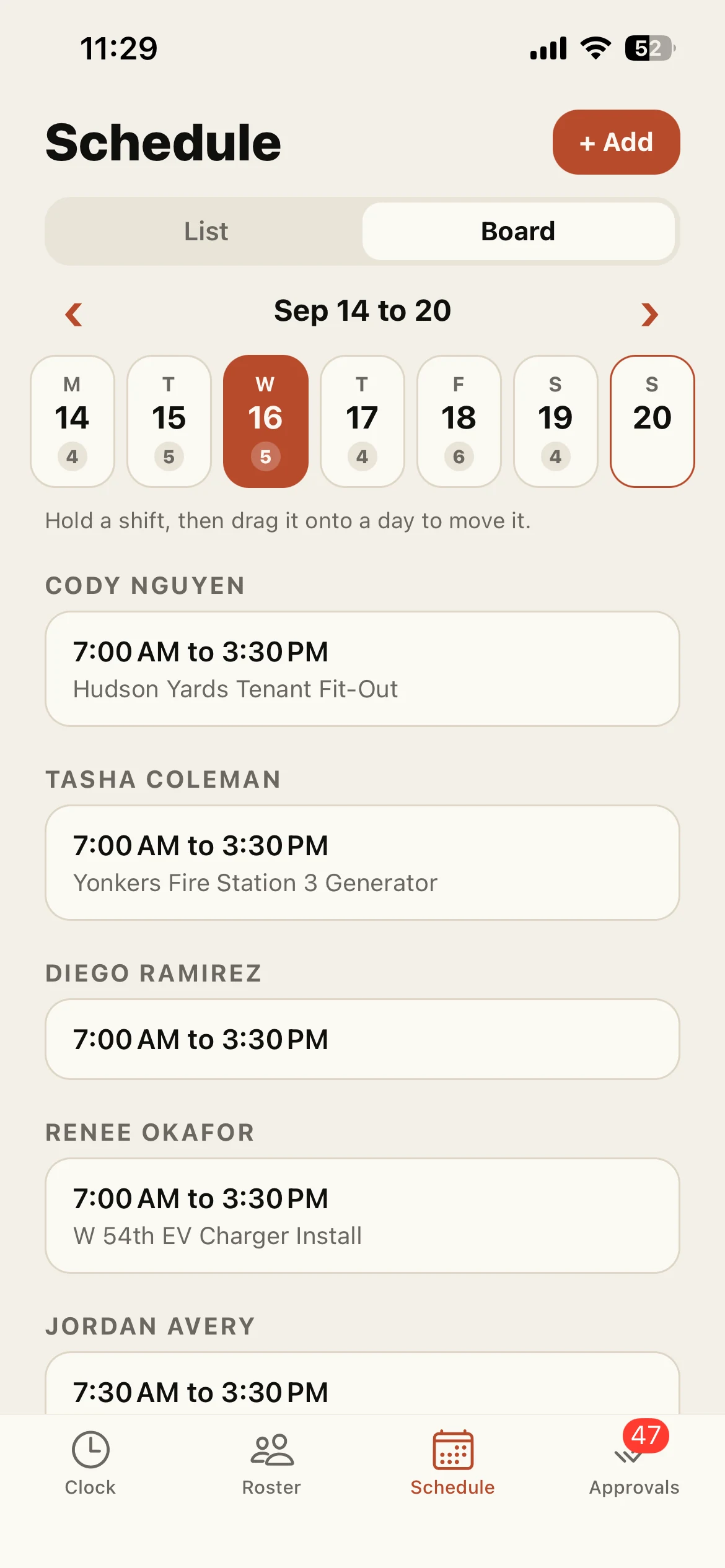
The schedule board also works on the phone. Hold a shift and drag it onto another day to move it. 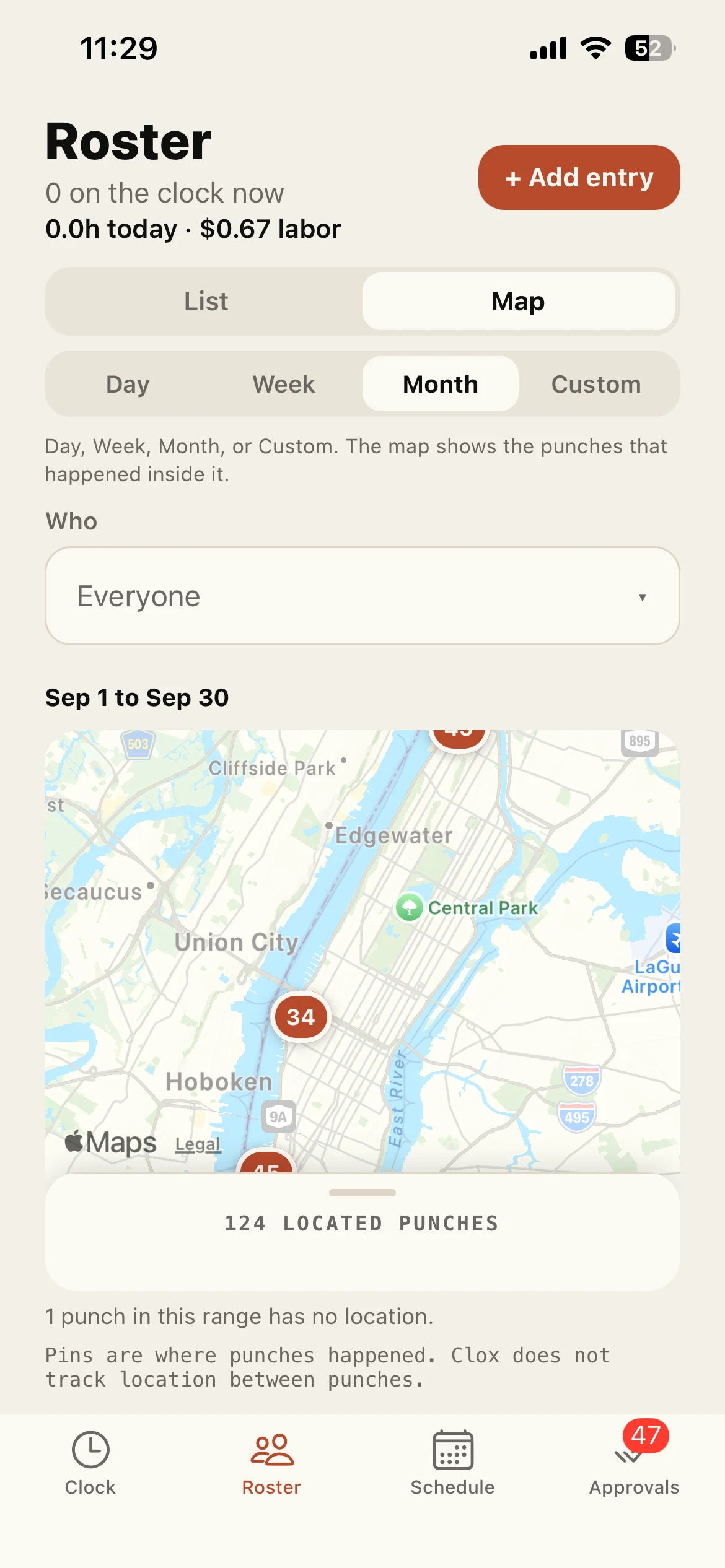
Punch locations for the month. Clox records location at each punch and does not track workers between punches. 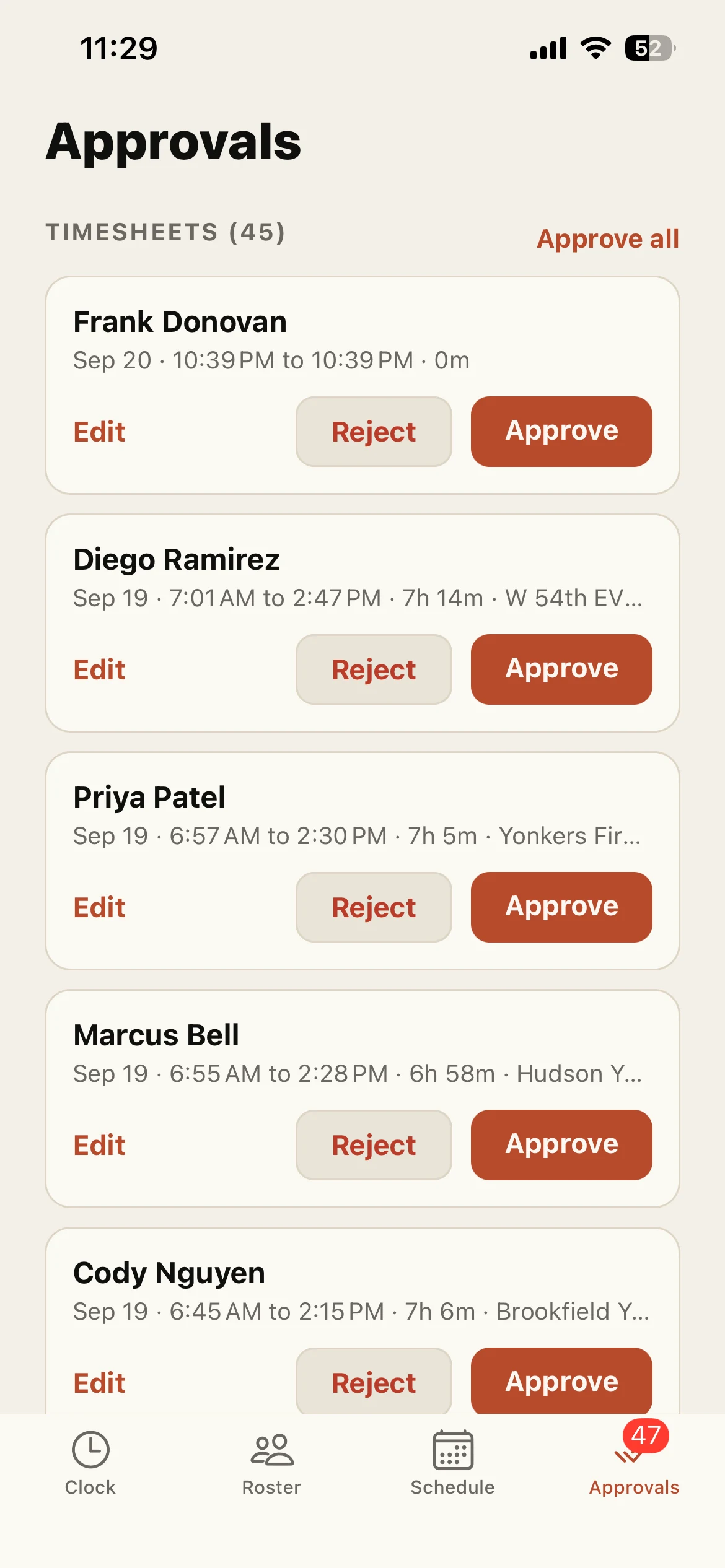
Timesheets waiting for review, with edit, reject and approve actions.
What went into it
Design
- The palette is paper, ink and one clay accent. Color is reserved for primary actions and overtime.
- The app switches to a dark state while a worker is on shift, making the current state easy to recognize at a glance.
- Navigation is based on eleven capabilities, with defaults by role and overrides for individual people.
- Kiosk mode supports shared tablets on site. Workers use a PIN to identify themselves and a manager PIN to exit.
- Hours use tabular numerals so columns line up, and screens identify the organization's timezone.
Build
- Next.js 16 App Router, React 19 and TypeScript in strict mode, with Tailwind and shadcn/ui. Server components handle reads and server actions handle writes across 35 action modules.
- Supabase Auth uses the SSR client with cookies refreshed in middleware. Authentication resolves once per render with React cache, using getUser, because getSession reads the cookie locally and can come back empty in the moment after sign-in.
- Postgres runs on Supabase through Drizzle, with database migrations stored in the repository.
- The offline queue uses IndexedDB directly. Client timestamps are validated so they cannot be in the future or more than one day old.
- 365 tests across 39 Vitest suites, with most business logic tested independently of the framework and browser.
- Payroll exports support ADP, Paychex, Gusto and QuickBooks, along with CSV and signed PDF. Spreadsheet formula characters are neutralized in exported text fields, so a value like a display name cannot execute when the file is opened.
- Stripe for billing, Upstash for rate limiting, Sentry for errors, PostHog for product analytics, Resend for transactional email, and Leaflet for maps.
- Four scheduled jobs handle abandoned shifts, Stripe reconciliation, trial reminders and weekly summaries.
- The crew apps use Expo and React Native and share the same Supabase project, with biometric unlock, camera, location, push notifications and over-the-air updates.
Marketing
- Twenty trade pages, five comparison pages, documentation and a blog, all built from the same components as the homepage and informed by search data.
- App Store listings, directory profiles and a Product Hunt launch.
- I also handle positioning, pricing, onboarding, SEO and support.
Tools used
- Next.js
- React
- TypeScript
- Supabase
- Postgres
- Drizzle
- Tailwind
- Stripe
- Expo
- Vitest