Case study
Keyset
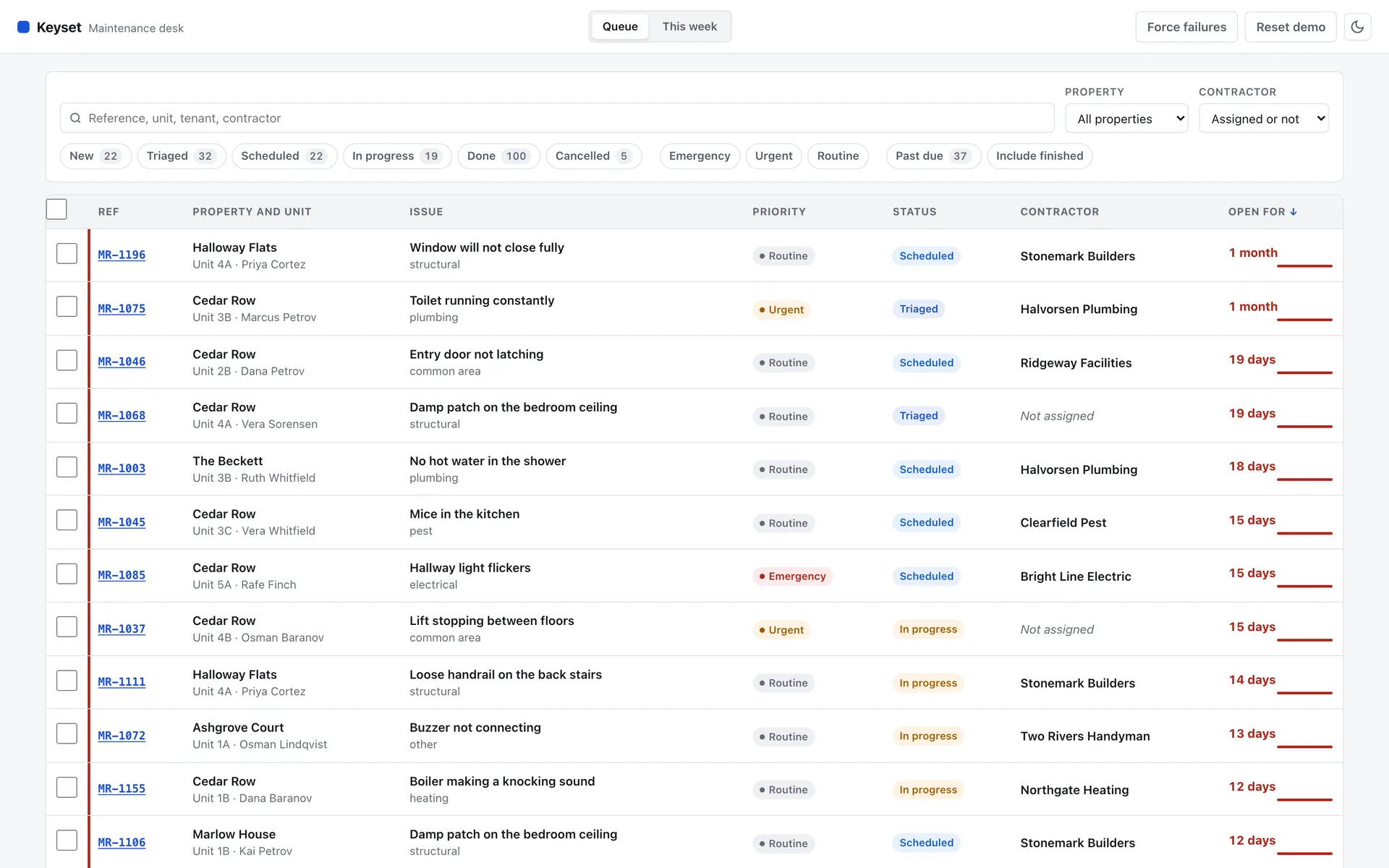
A maintenance desk for a property management company: 200 requests across five properties, filtered, edited in bulk and scheduled on a week board. I built it because I wanted a React and TypeScript application with enough state in it to be worth testing. The data is generated and there is no client.
- Client
- My own project. The data is generated.
- My role
- Design and development
- Year
- 2026
- Source
- github.com/MannyPachano/keyset
- Tests
- 132 across three suites
- 132 testsLogic, components, and browser tests covering four journeys and six accessibility checks
- 100 accessibilityLighthouse, with axe run against four separate states of the app
- No router, no CSS frameworkThe History API and hand-written CSS
About the project
I had not shipped a React application, and reading about it was not going to fix that. So I picked a problem with enough state to be awkward: a maintenance desk where a property manager triages repair requests, assigns contractors and books visits.
The rule I set was that all the logic lives in plain modules with no React in them. Filtering, sorting, pagination, dates and the reducer are ordinary functions, so they run under the bare Node test runner with nothing installed. Only rendering needs a toolchain. That is why most of the test suite kept working while the interface changed.
Saves are optimistic: the row changes immediately and rolls back if the request fails. There is a Force failures button in the header so you can see that happen. The data comes from a fixed seed, so everyone sees the same 200 requests.
Section by section
The app, screen by screen.
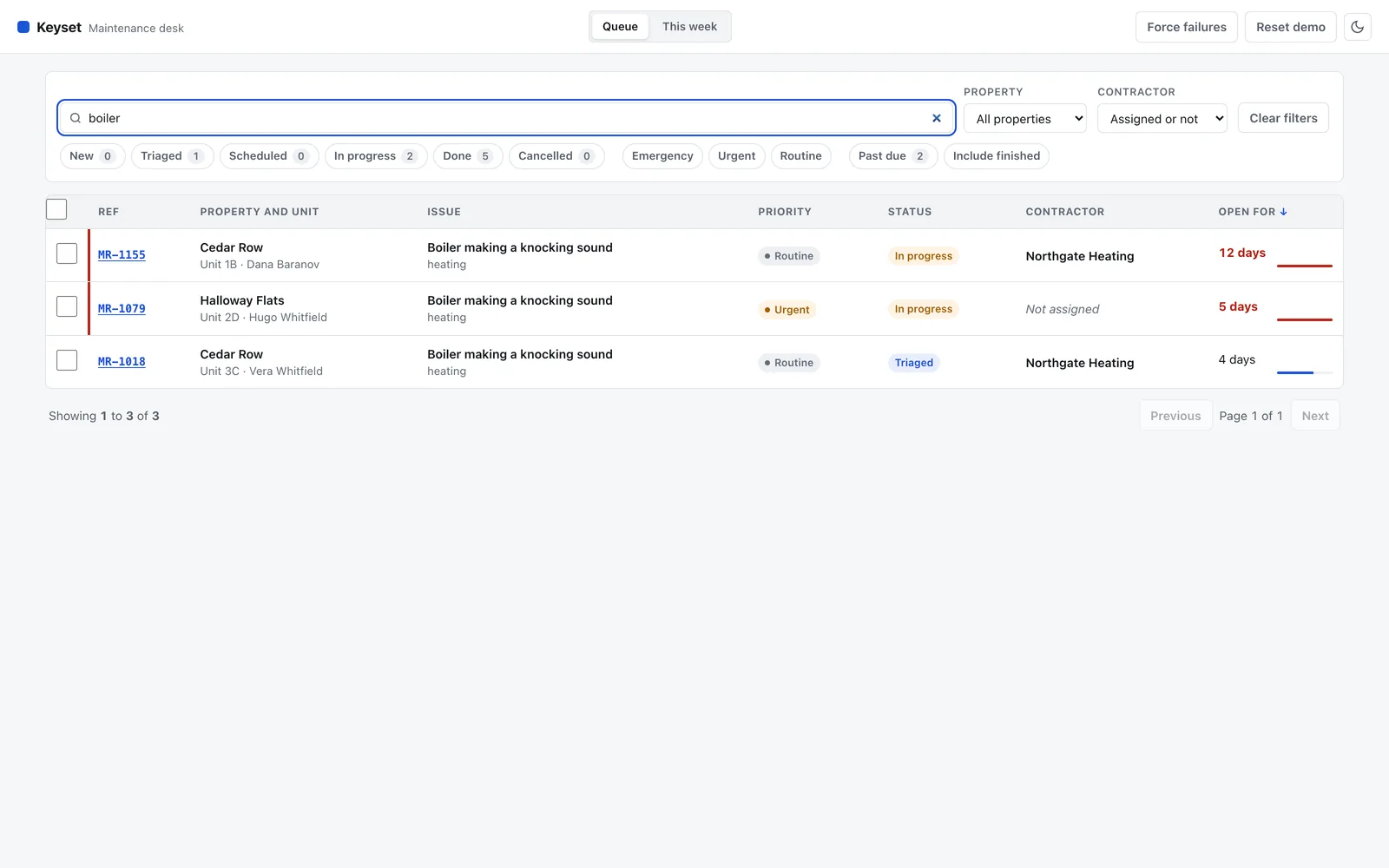
FilteringSearch matches reference, unit, tenant and contractor, and every term has to match. The status chips carry live counts that ignore the status filter itself, so clicking Done shows what Done contains. Filters go into the URL, so a narrowed queue is a link you can send. 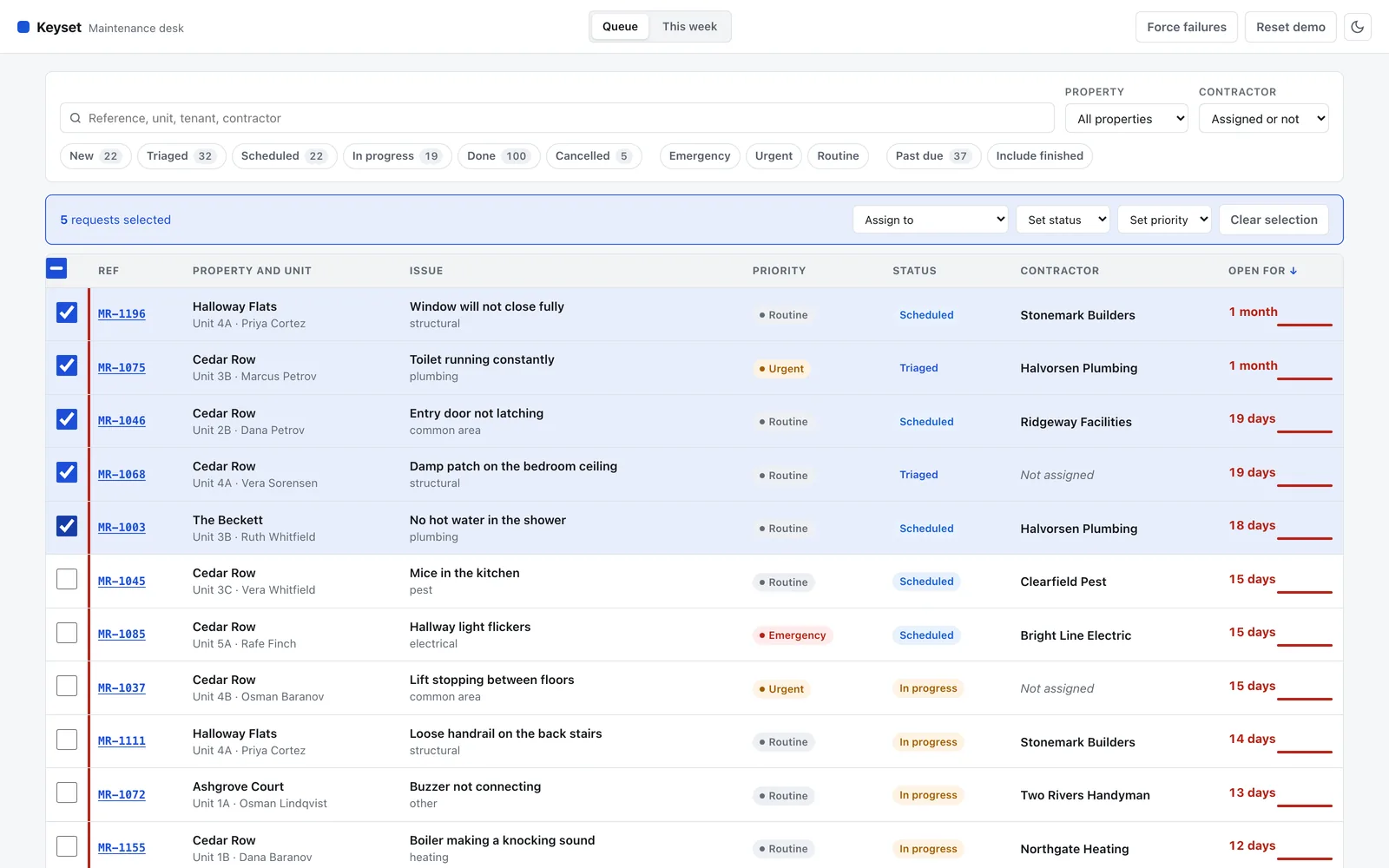
Selecting a rangeClick one checkbox, shift-click another, and everything between them is selected. The bar that appears assigns a contractor, sets a status or sets a priority for all of them at once. A change that pushes rows out of the current filter says so afterwards, with a button to show them. 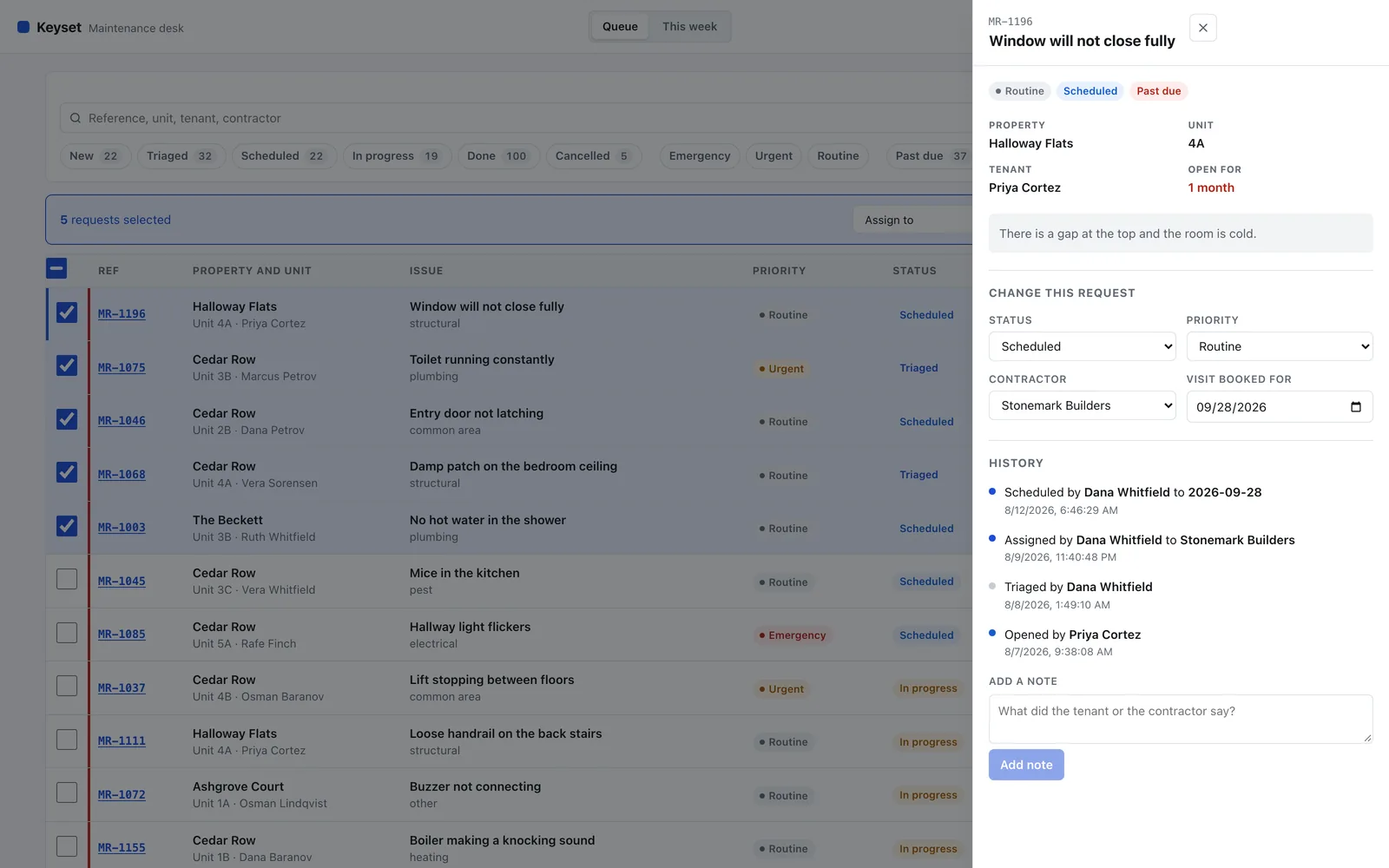
One requestEverything about a request in one panel: the property, the tenant, how long it has been open, and a history of every change with who made it. Opening it moves focus inside, Escape closes it, and Tab stays in the panel while it is open. 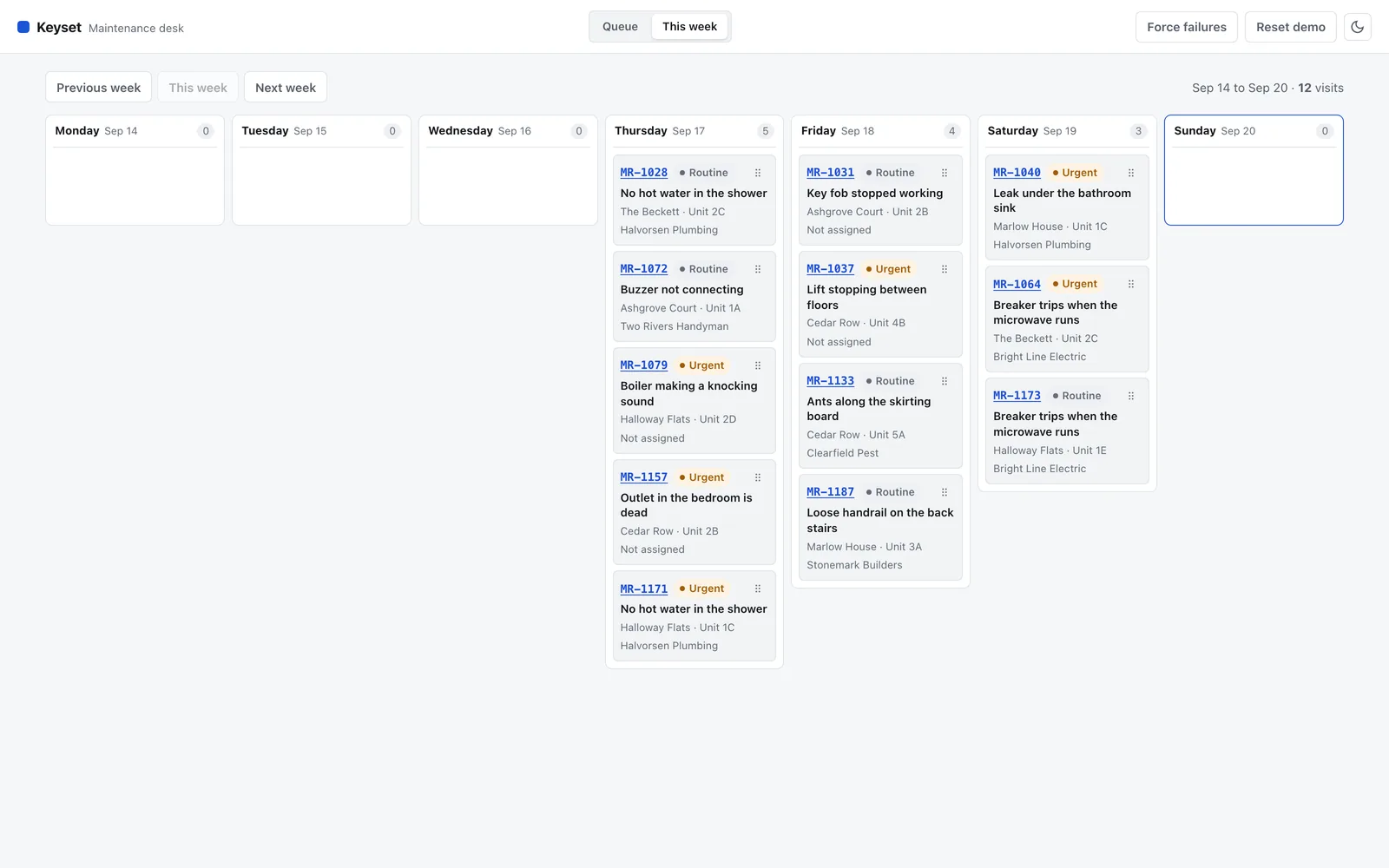
The weekScheduled visits laid out by day. Empty days stay on the board because they are drop targets. A day holding more visits than a crew can fit is flagged. 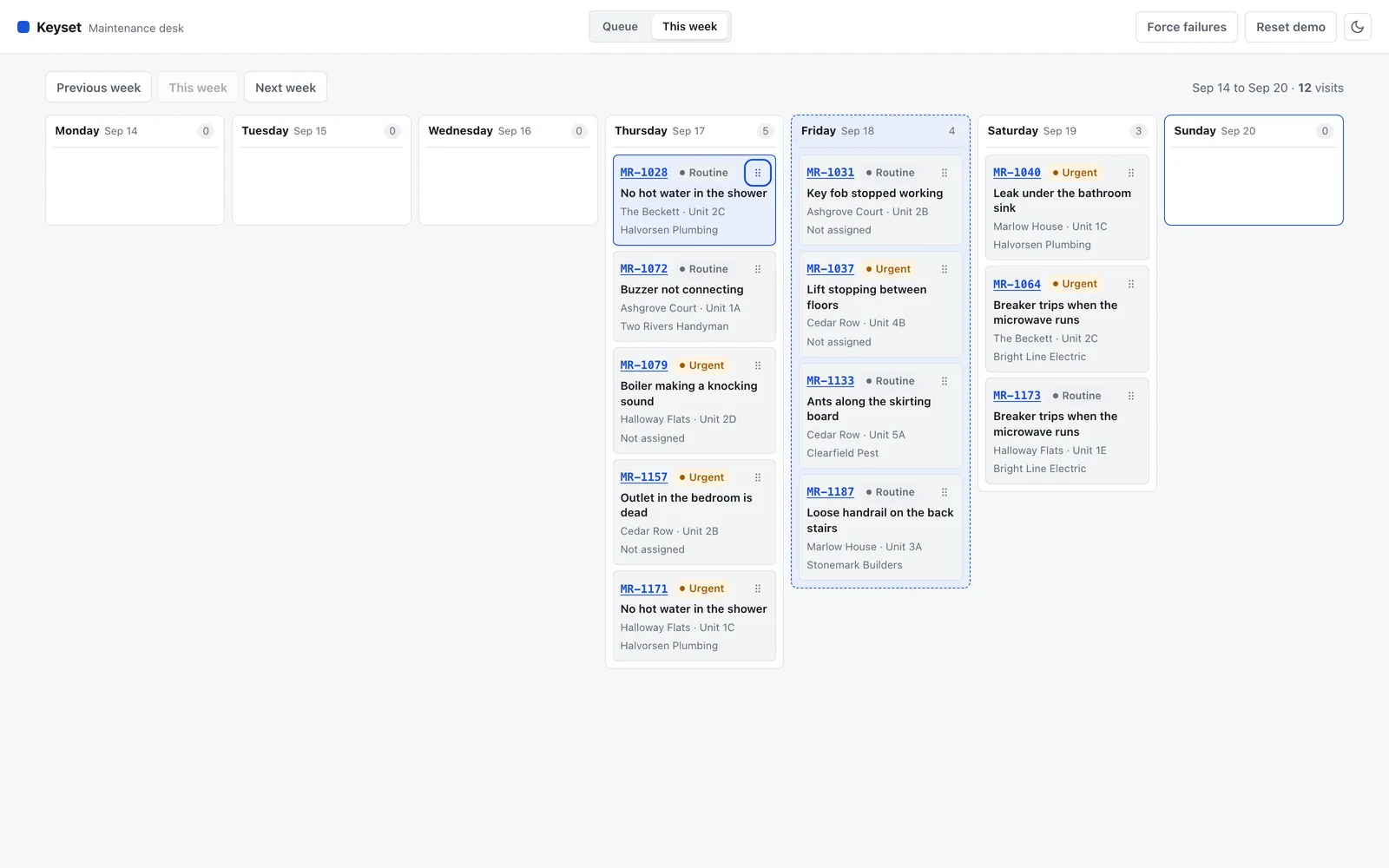
Moving a visit without a mouseEach card has a handle. Enter picks the visit up, the arrow keys choose a day, Enter drops it and Escape puts it back. Every step is announced. Drag on its own would have made rescheduling a mouse-only feature. 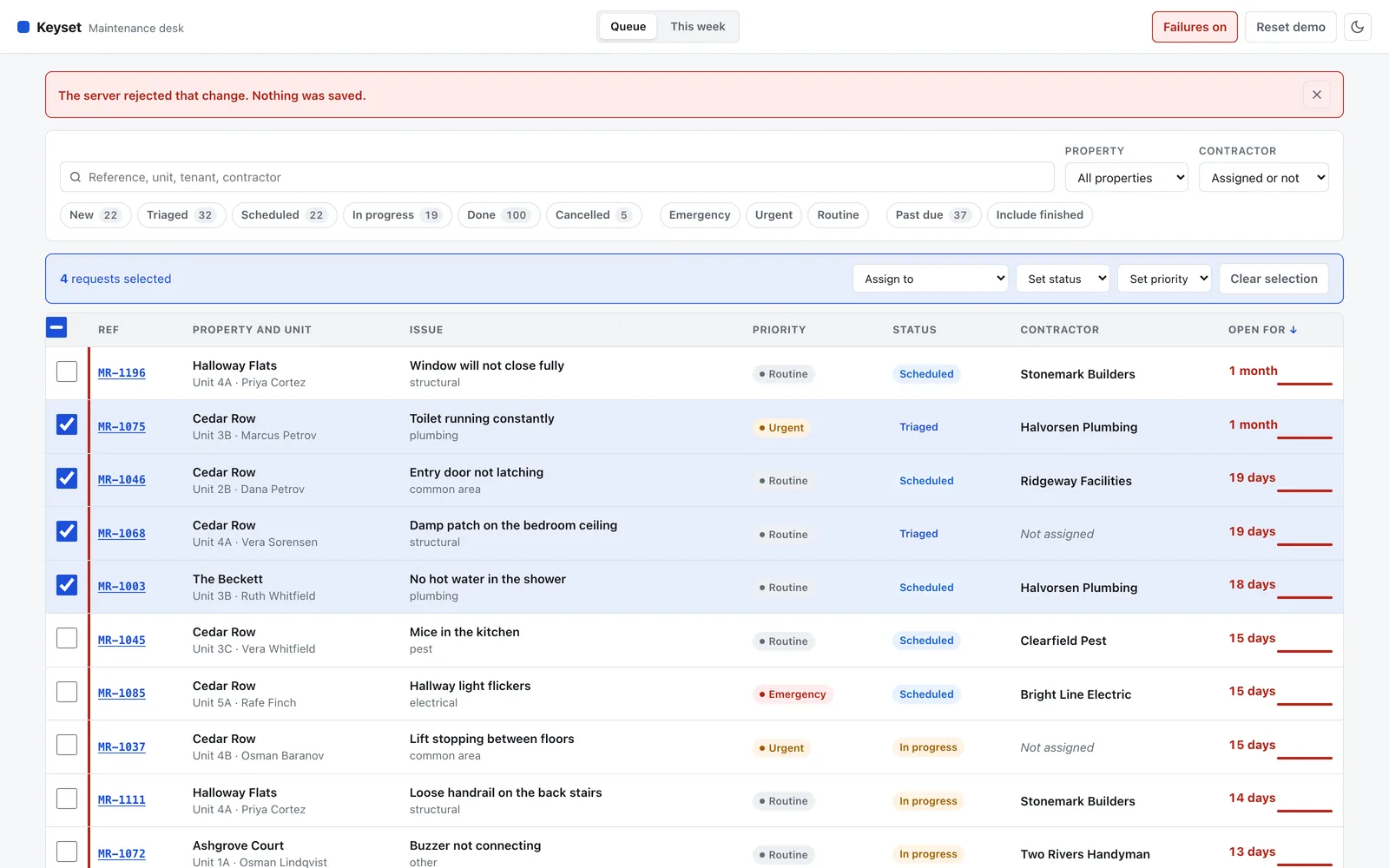
When a save failsThe row changes immediately and goes back exactly as it was if the request is rejected, field by field. The banner says what failed and that nothing was saved. Force failures in the header makes every save fail. 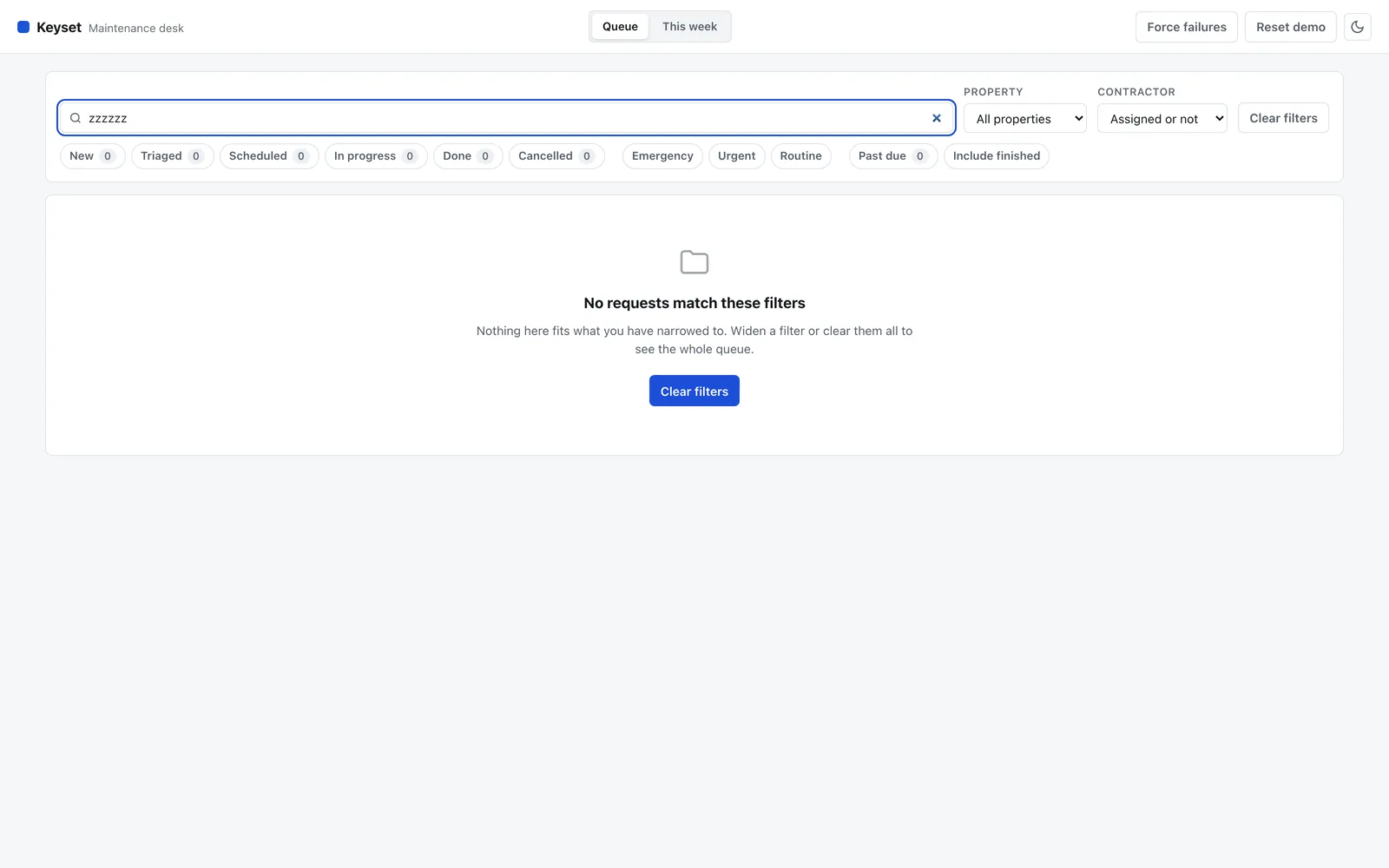
Nothing to showAn empty queue and a filter that matches nothing are different situations, so they say different things. This one names the filters as the reason and offers to clear them. 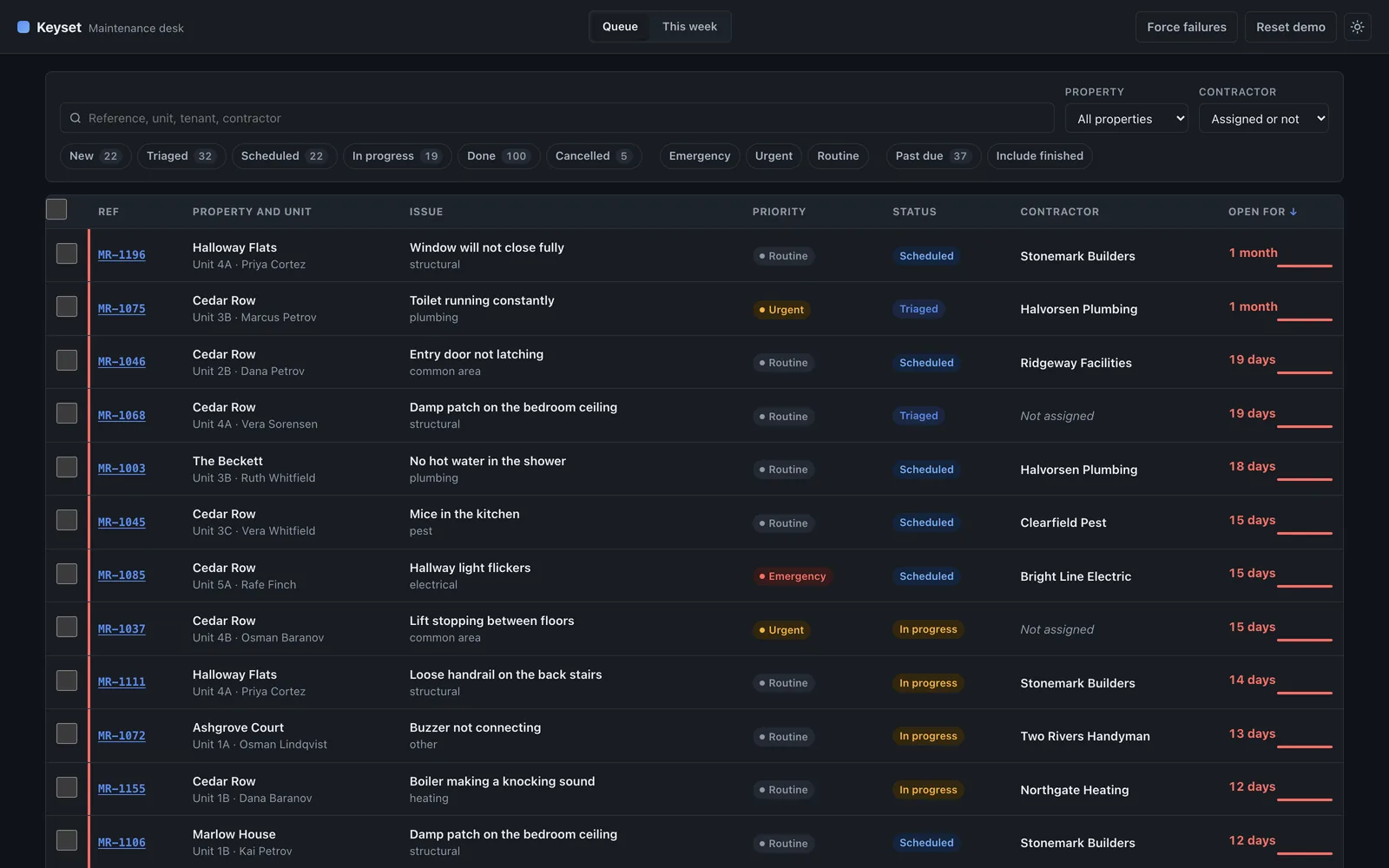
Dark themeThe theme follows the operating system until you pick one, and the choice is remembered. A small file loaded before the first paint sets it, so the page never flashes light before turning dark. Colors run through tokens, and both themes were measured against the 4.5 to 1 contrast minimum.
On a phone
On a phone the table becomes cards. A nine-column table at 390 pixels is unreadable however it is scaled.
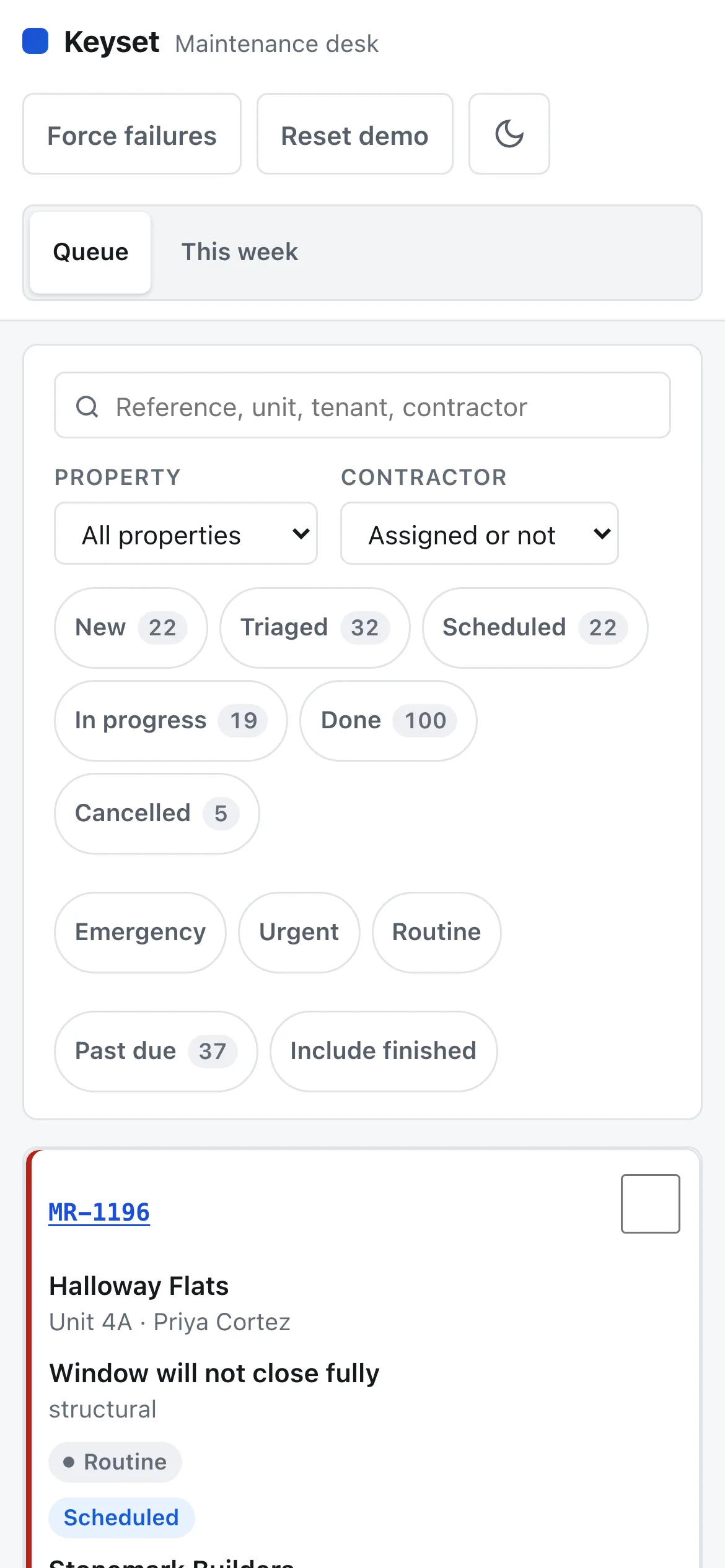
Each row becomes a card with the reference, the property, the issue and the status. The checkbox moves to the corner and the overdue marker runs down the edge of the card. 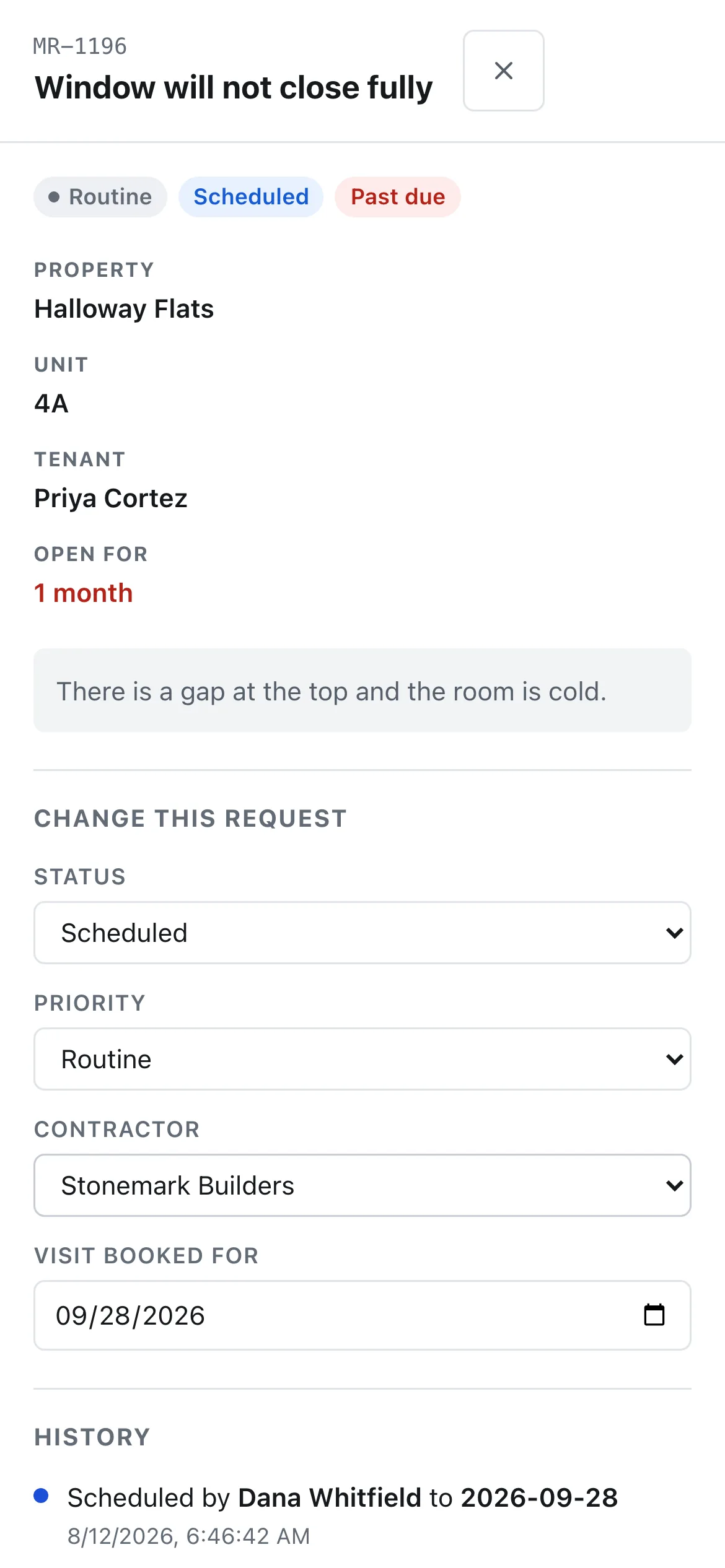
The detail panel fills the screen. The controls are the same ones as on desktop, at a size you can hit with a thumb. 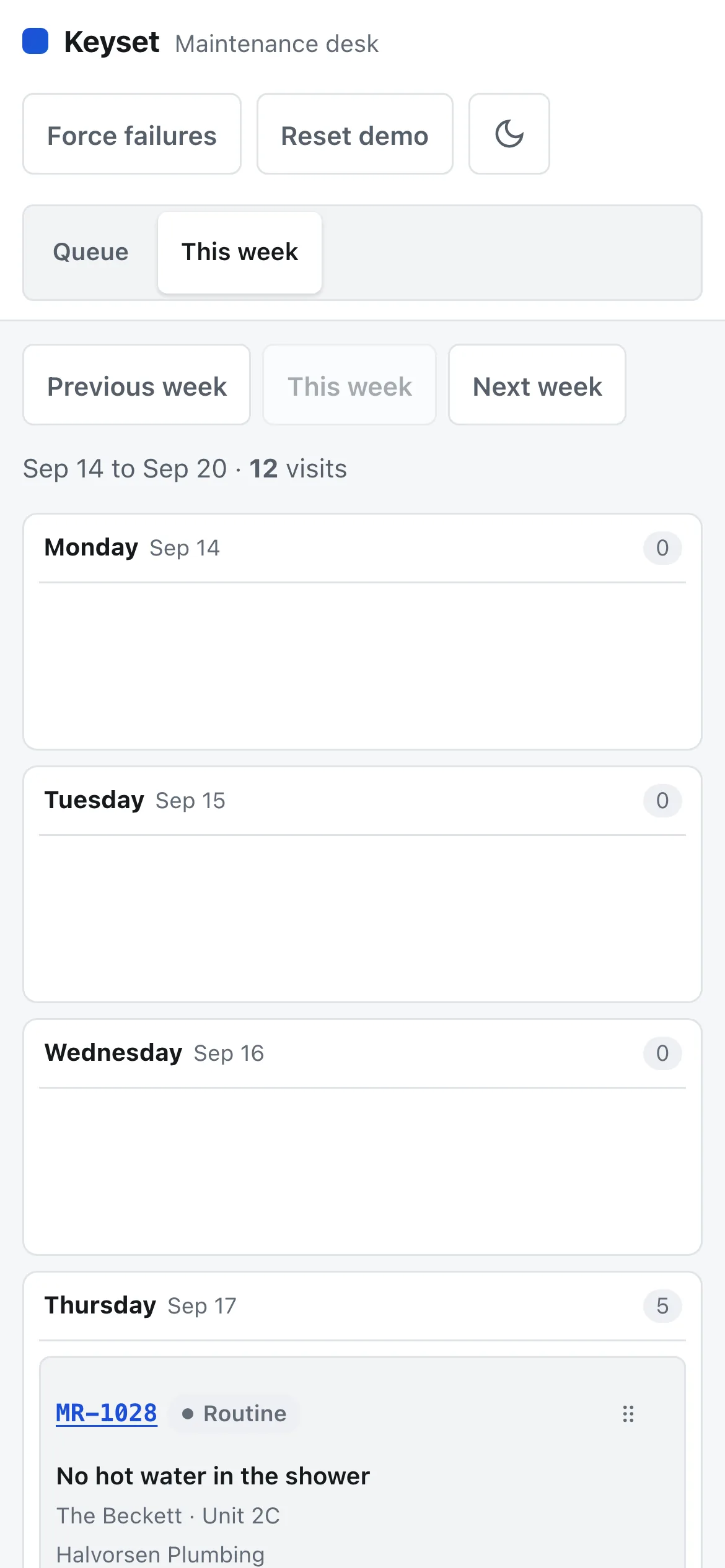
The week stacks one day per row, keeping the move handle and the visit count on every day.
What went into it
Design
- Status and priority are never color alone. Priority carries a dot and a word, so it still reads if you cannot separate red from amber.
- One accent color. Red is kept for overdue and for failures, so it means one thing.
- Figures use tabular numerals, so columns of days and counts line up.
- The bar under each age shows how much of the response window has been used: four hours for an emergency, two days for urgent, seven for routine.
- Every control is at least 24 pixels, and the ones used repeatedly on a phone are larger.
Build
- React 19 and TypeScript on Vite. No router: the view and the open request live in the query string and are set with the History API directly.
- All logic sits in plain modules with no React imports, so 88 of the tests run under the bare Node test runner with nothing installed.
- 34 component tests in Vitest and Testing Library, and 10 browser tests in Playwright: four journeys and six accessibility checks.
- The accessibility suite runs axe against the queue in both themes, the board, the open panel and a 390 pixel viewport, then measures tap targets and checks that nothing overlaps.
- A mock API with adjustable latency and failure rate, backed by localStorage, so the optimistic updates and the rollback have something real to fail against.
- Deployed on Netlify with a Content Security Policy that keeps script-src at self, which is why the theme script loads from a file.
Tools used
- React
- TypeScript
- Vite
- Vitest
- Testing Library
- Playwright
- axe
- Netlify