Case study
Universal Environmental Services
UES collects and recycles used oil and other automotive waste across 28 states. I audited the site, built the SEO roadmap, designed every page as a mockup for the client to approve, and rebuilt the website page by page: the homepage, the locations page, the service pages, the state pages and custom maps.
- Client
- Universal Environmental Services (Georgia, US)
- My role
- Web designer, developer and SEO consultant
- Year
- 2026 to present
- Live
- The whole site: the homepage, the locations page, all 28 state pages, every service page, and the about, contact, re-refinery, environmental, FAQ and news pages
- 28State pages built from a shared PHP template
- 53Facilities plotted on custom maps
- 46 sCSS timeline behind the truck animation
- Checked before launchEvery page compared with the old HTML and tested with Playwright before it went public
About the project
UES collects used oil, filters, antifreeze and oily water from more than 35,000 businesses. Its network includes 53 facilities across 28 states, more than 400 trucks and a re-refinery in Peachtree City, Georgia.
The old site made two important things harder to find than they should have been: whether UES served a customer's area and what happened after the waste was picked up.
I started with a site audit and four-month SEO roadmap, then connected Google Analytics 4 and Search Console so the work could be measured. From there, I began rebuilding the site around clearer service information, local coverage and clearer ways to request a pickup.
Each page started as a mockup, which the client reviewed and approved before I built it. The homepage and service pages use custom WordPress templates. The state pages are generated from shared facility and service data, so addresses, maps and coverage information can be maintained in one place.
I also replaced the old map plugin with custom inline SVG maps built from US Census boundary files. A Python script generates the geography, while the site data supplies the facilities, labels and state coverage.
All work is developed behind a preview gate on the live site. Before anything goes public, I compare the rendered HTML, verify file hashes and test the maps and mobile layouts with Playwright.
Section by section
The homepage was rebuilt around the questions a potential customer is most likely to have: what UES collects, whether service is available nearby, what happens after pickup and how to get started.
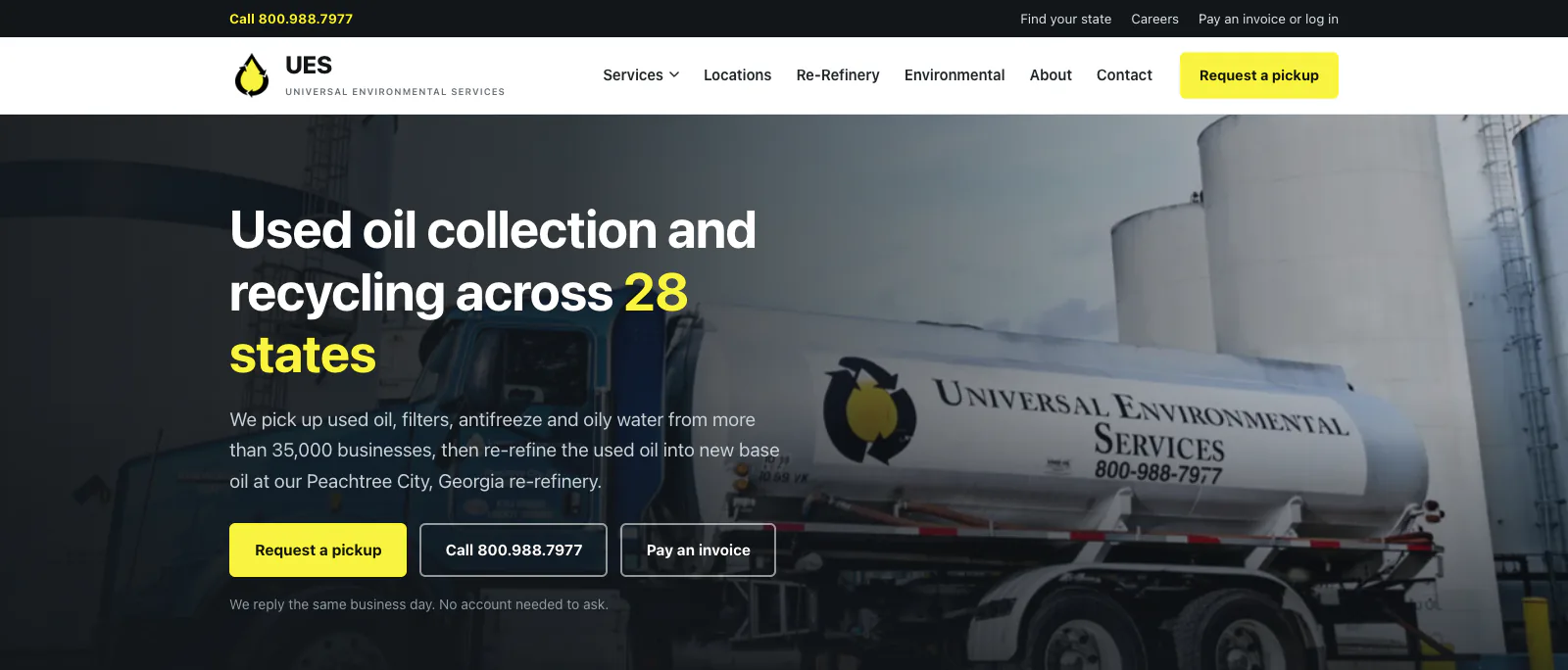
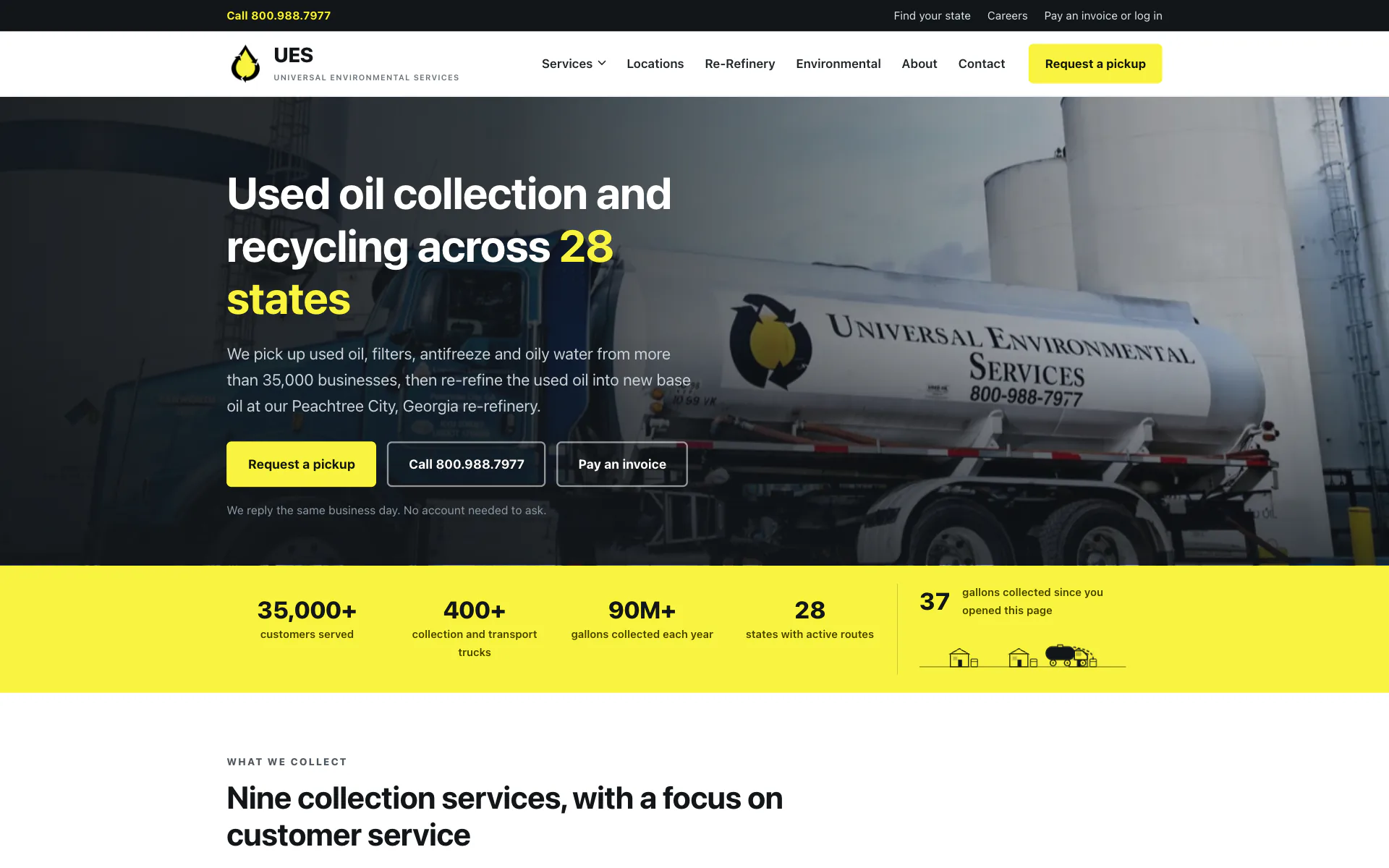
Header and heroThe first screen tells visitors what UES does, where it operates and how to request service. Customers can submit a pickup request or call directly. The numbers bar and the truck animationFour numbers establish the scale of the operation. Next to them, a counter estimates the gallons UES has collected since the page opened, and a CSS animation shows the truck moving through pickup, unloading, transport and re-refining. The animation switches off automatically for visitors who prefer reduced motion. 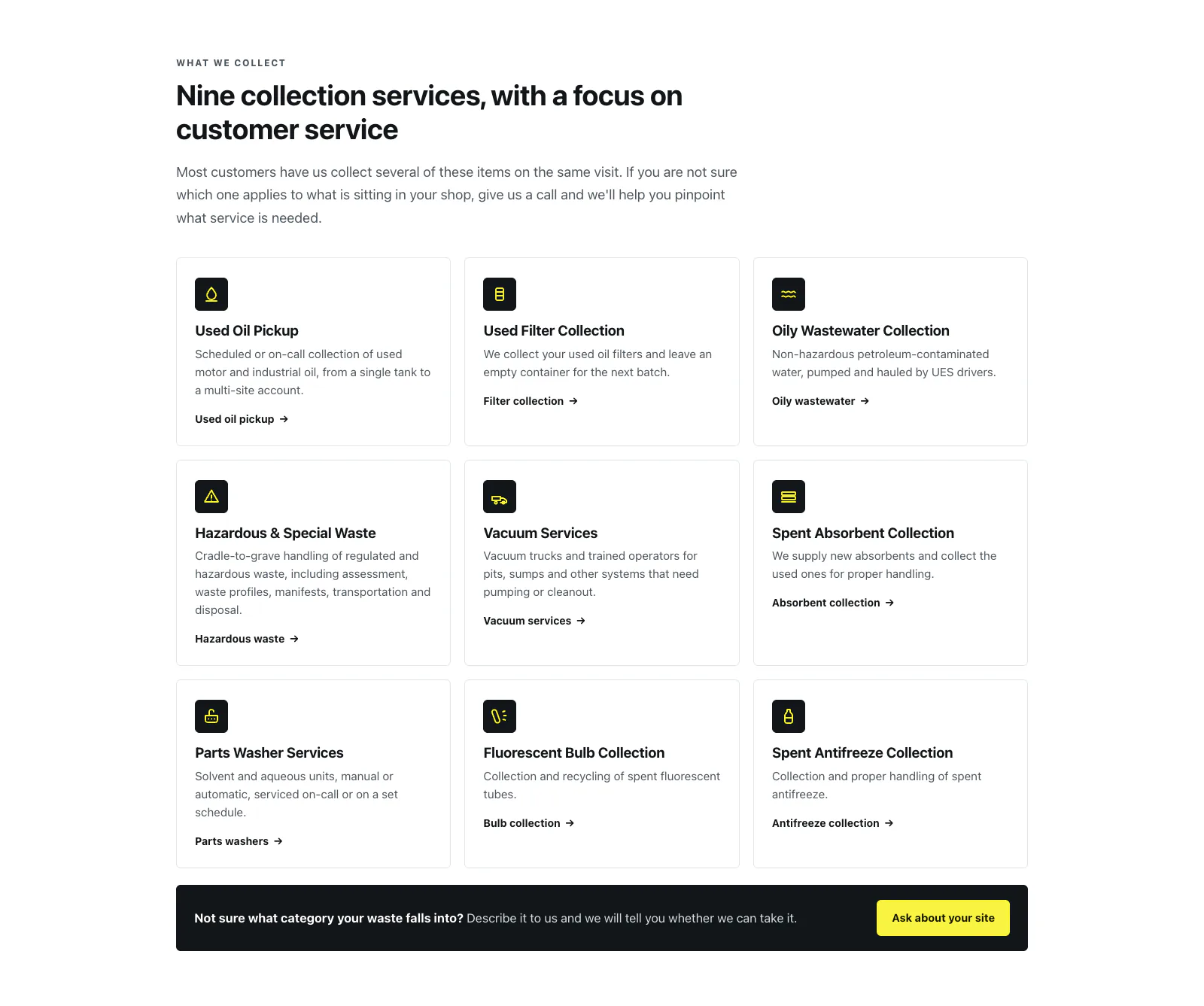
ServicesThe nine main services are easy to scan and each links to its own page. A separate prompt helps customers who aren't sure how their waste should be classified. 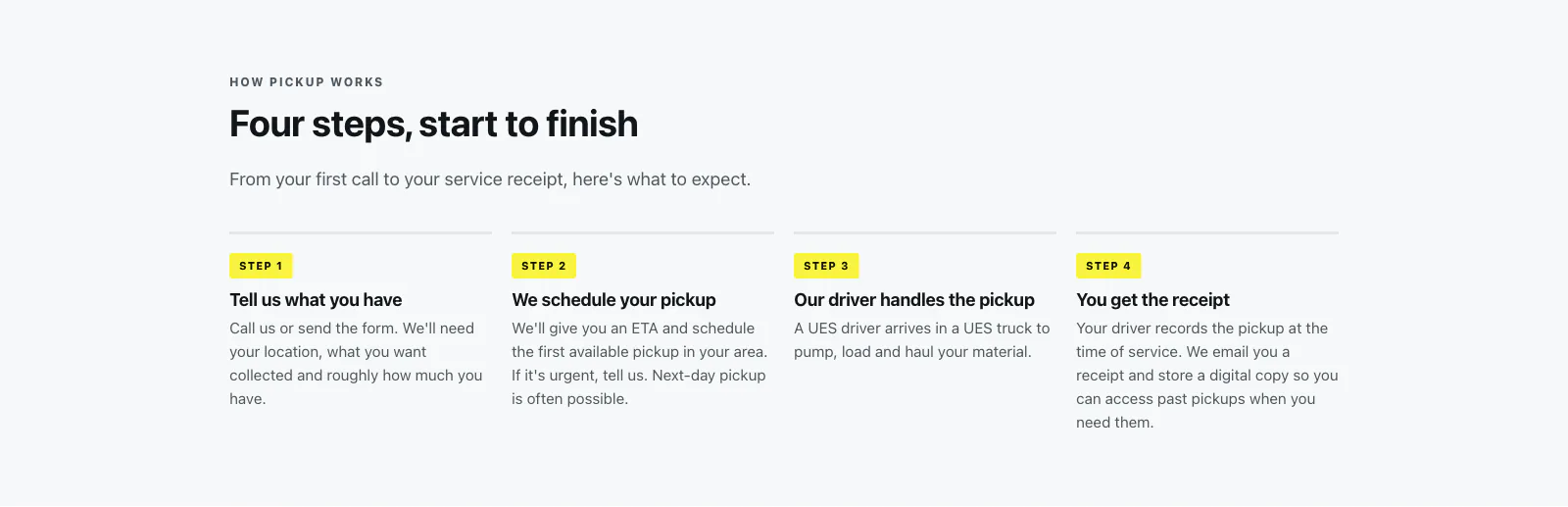
What happens after you callThe process is reduced to four clear steps, from telling UES what needs to be collected through receiving the service receipt. 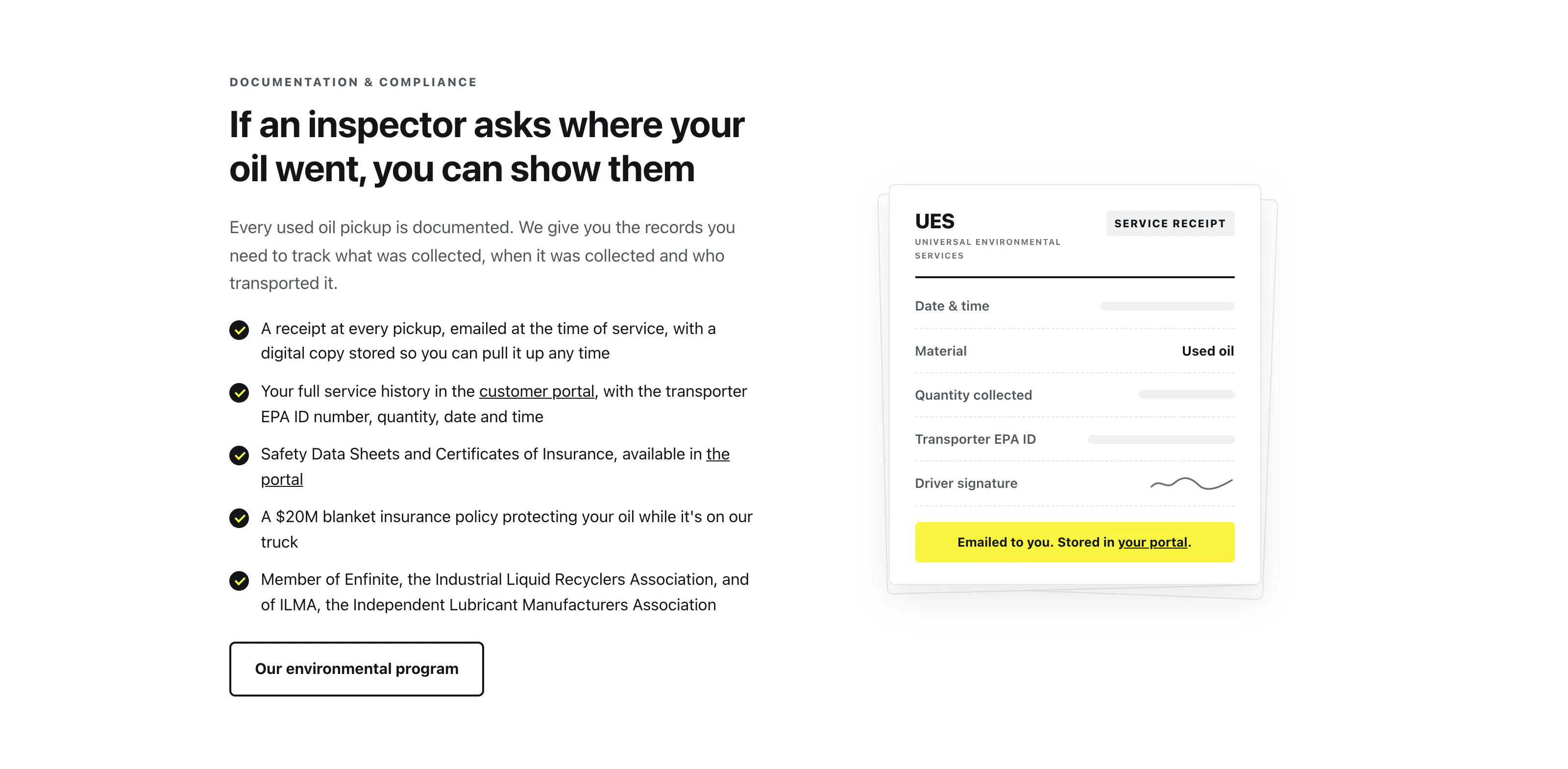
ComplianceReceipts, service history, safety data sheets, insurance and industry memberships are brought together so customers can quickly see what documentation they'll have after a pickup. 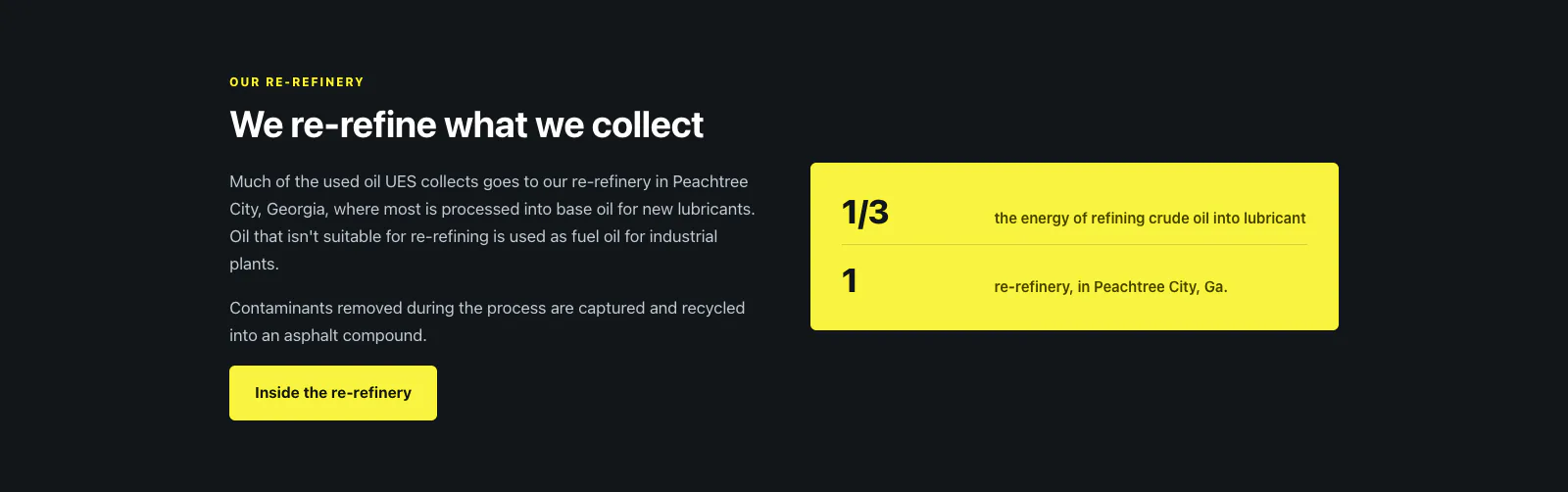
Re-refiningThis section explains what happens to collected oil after it leaves the customer and how it becomes new base oil at the Peachtree City re-refinery. 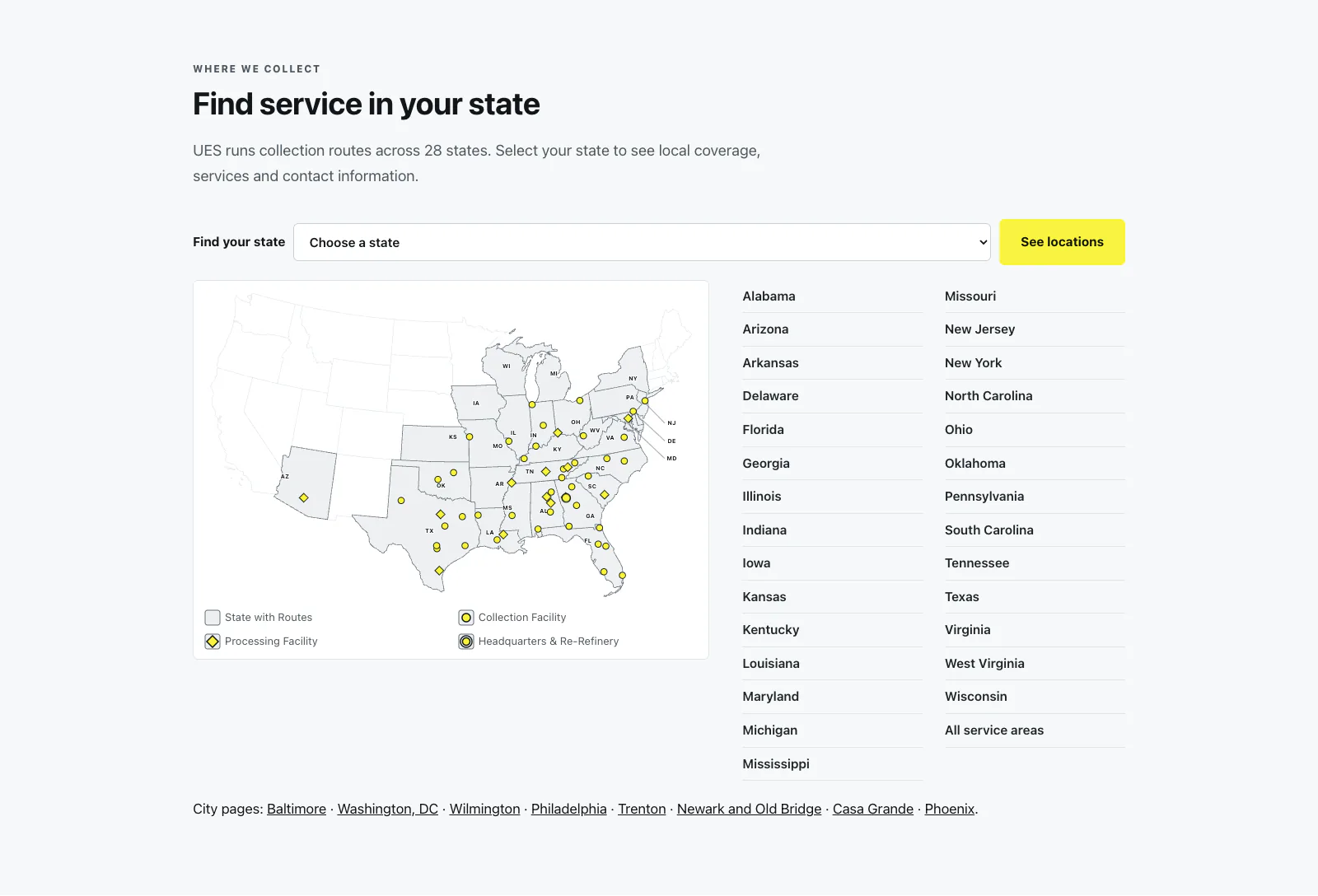
Service areasThe custom US map shows where UES operates and where its facilities are located. Visitors can open facility details from the map or go directly to their state page. 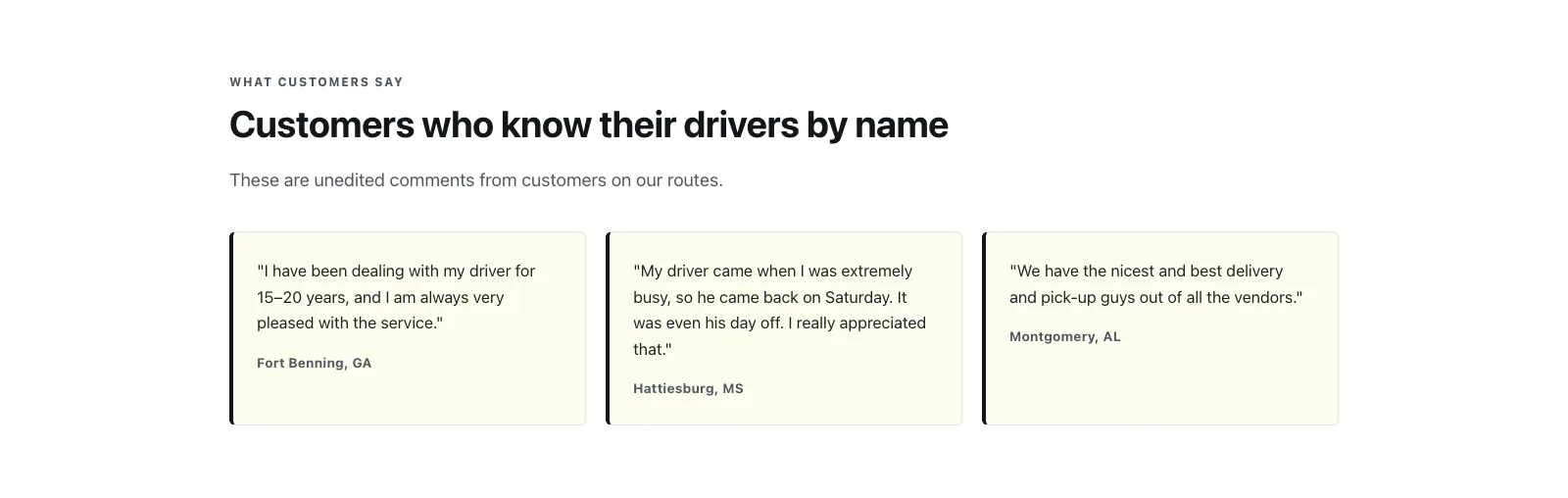
Customer quotesThree comments from businesses on UES collection routes. 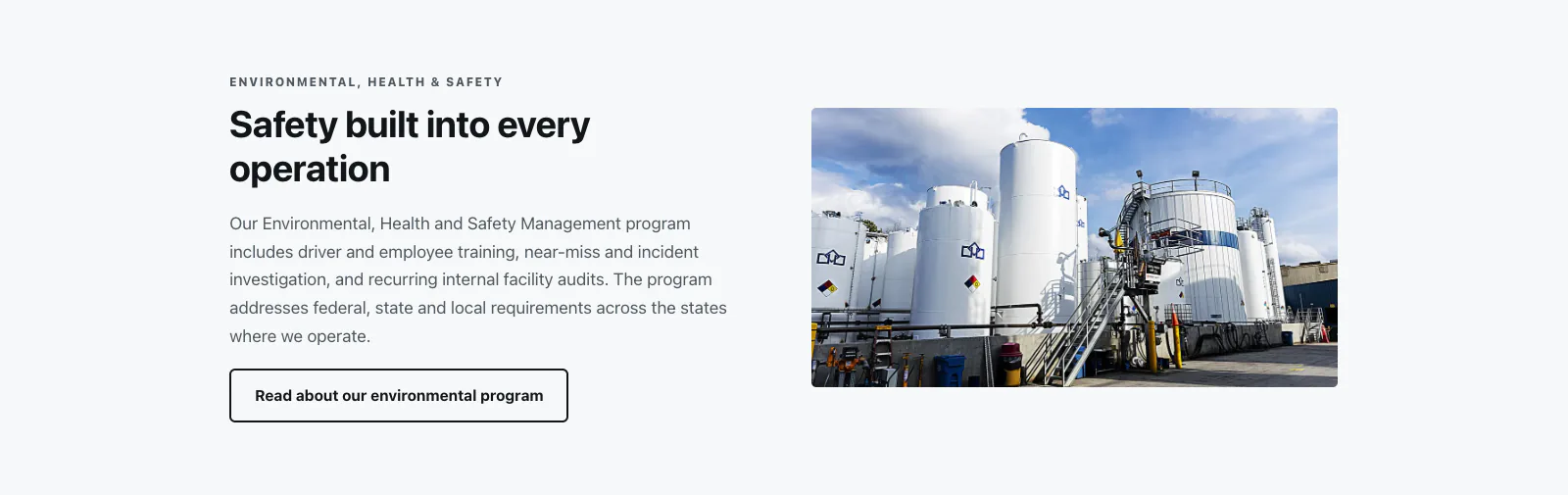
Environmental programA short introduction explains the broader environmental program and links to the full page for visitors who want more detail. 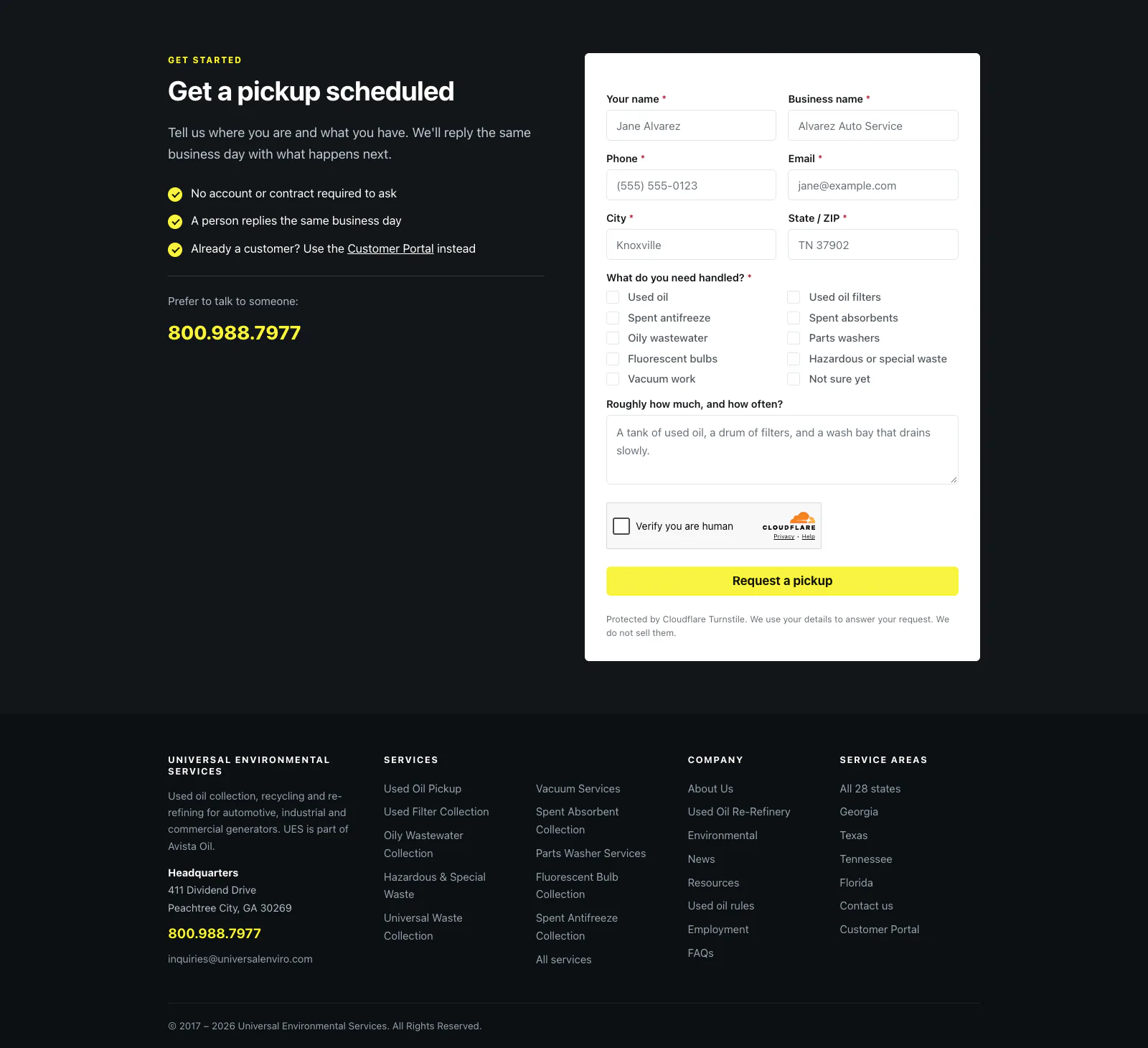
Pickup requestThe page ends with a short form that asks for the information the dispatcher needs. The phone number sits alongside it for customers who would rather call.
The locations page
The old locations page relied on a plugin map and copy that still said UES operated in 25 states. I rebuilt it around the information someone looking for local service needs.
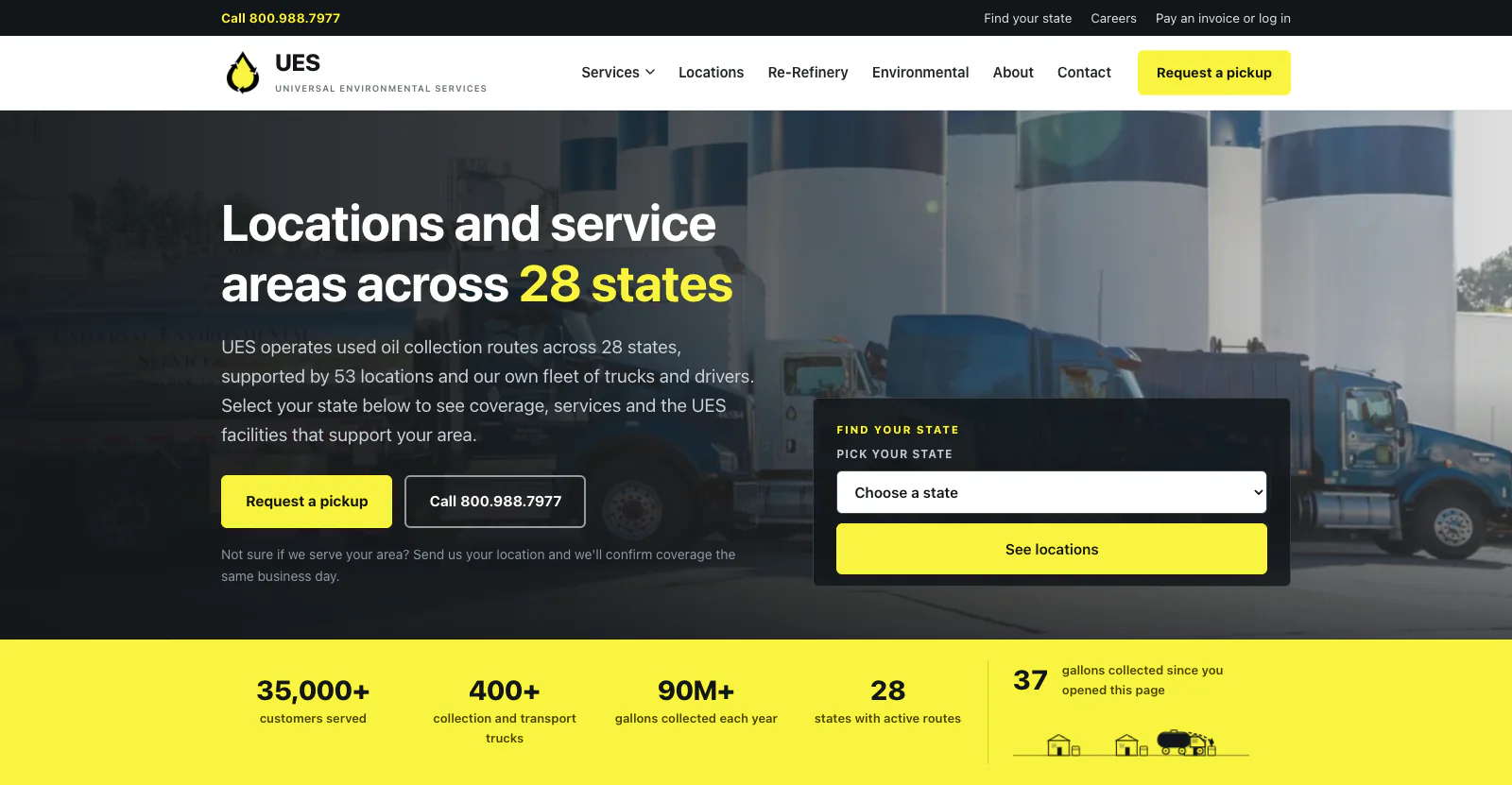
The top of the page: the headline, the two buttons, a state picker and the numbers strip. 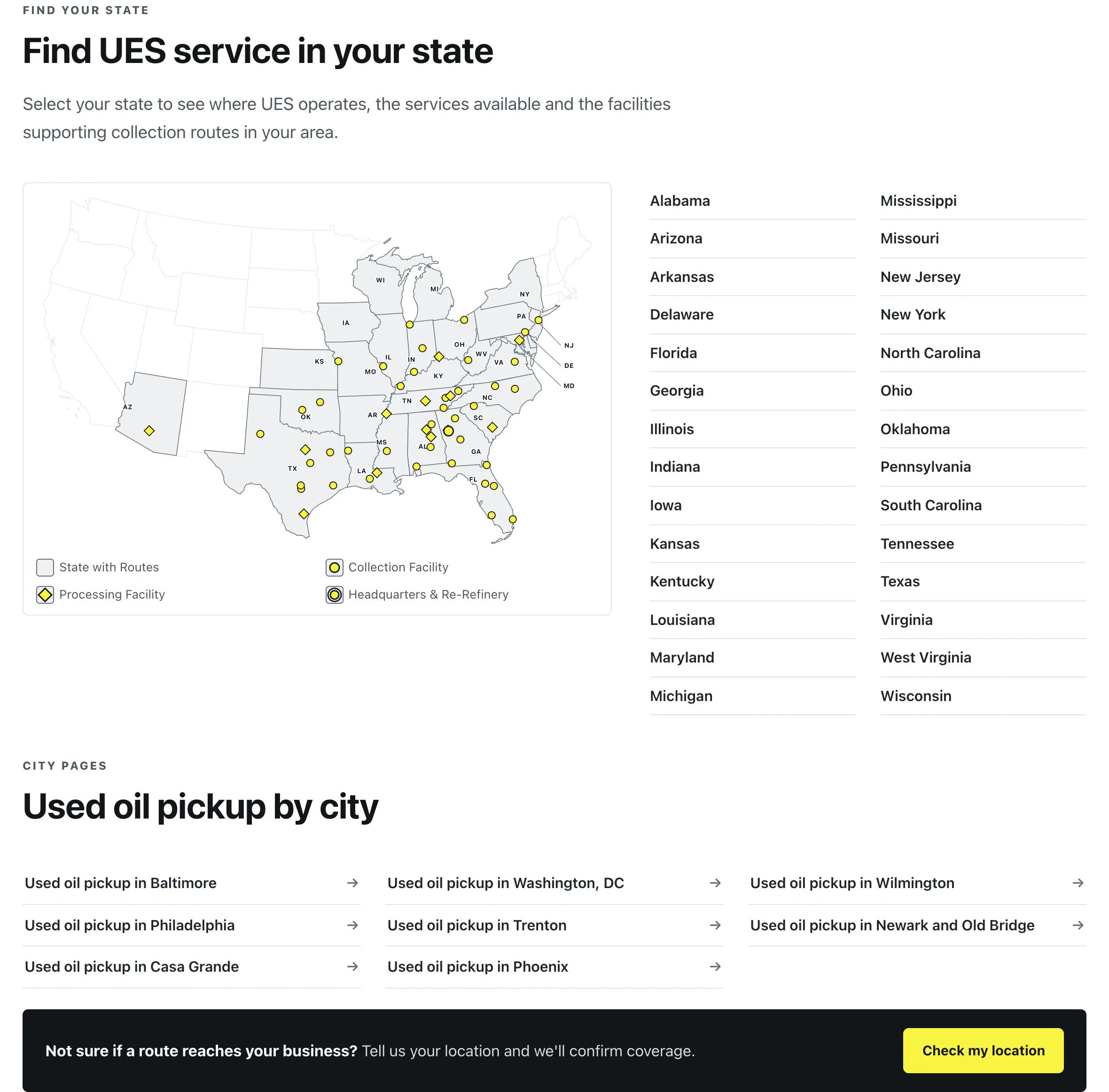
The custom US map appears near the top of the page and shows current service coverage and facility locations. Visitors can choose their state directly from the page or open a facility on the map. 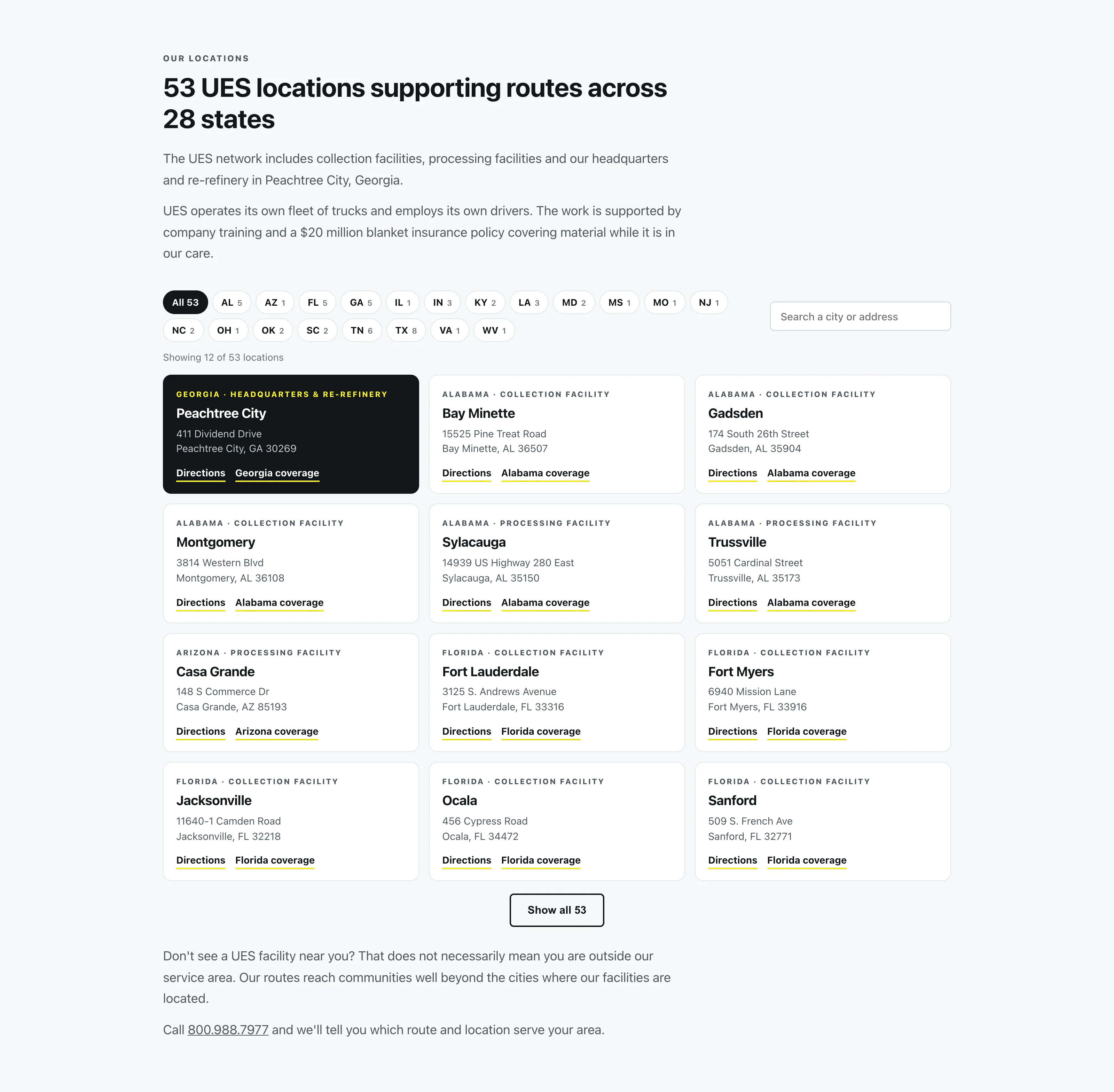
All UES facilities are also available as cards with the city, facility type, address, a directions link and the relevant state page. Visitors can filter the cards by state or search by city or address. The cards use the same source data as the maps and state pages, which keeps the information consistent across the site. 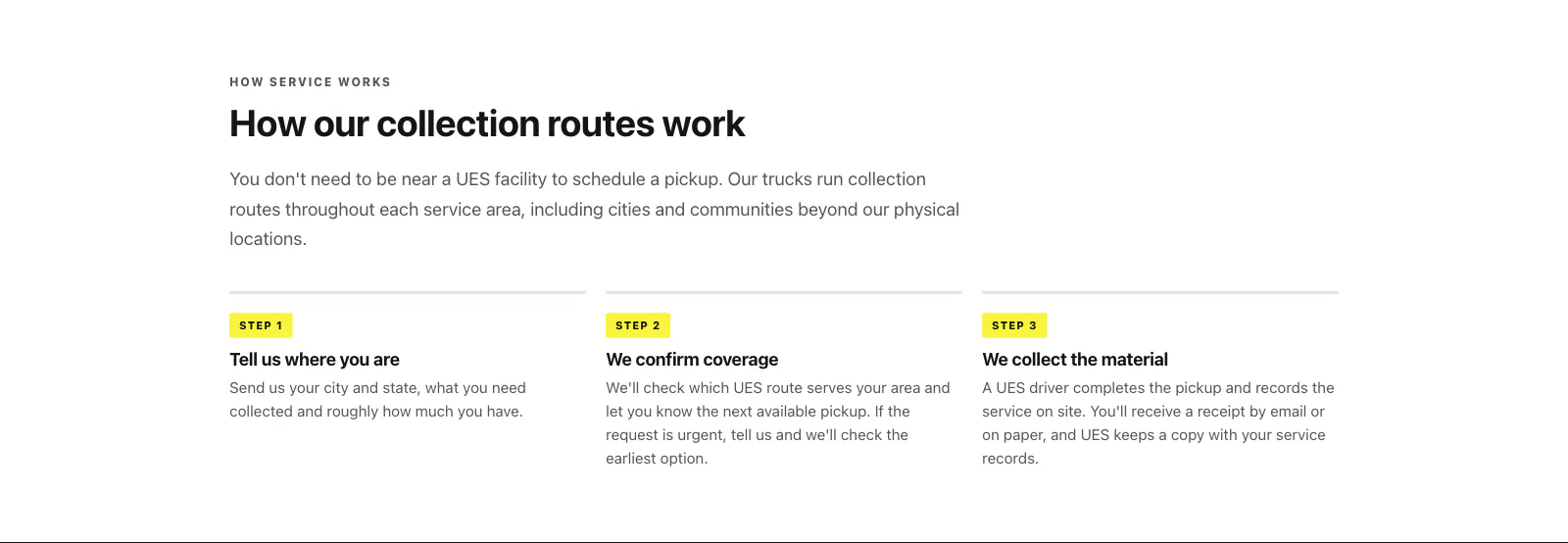
A short section below explains how collection routes work and why a customer doesn't need a facility in their own city to receive service.
State pages
UES serves 28 states, and each now has a dedicated page built from the same underlying system. The pages include a local introduction, nearby facilities and addresses, a state map, available services, common questions and the pickup form. States without a UES facility explain which nearby facility handles their service area. All 28 are live.
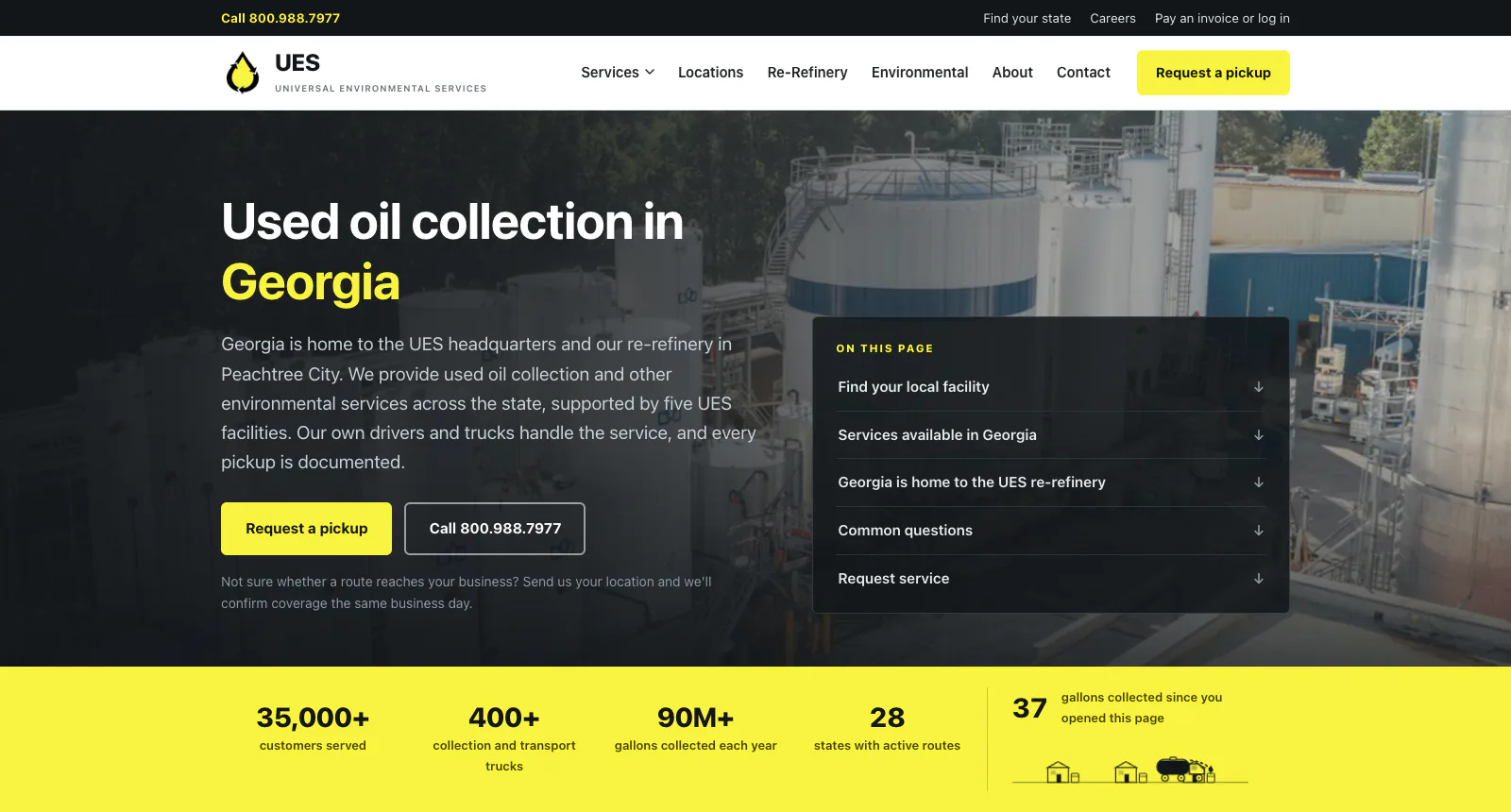
The top of the Georgia page: the state in the headline, a local introduction and an on-this-page list. 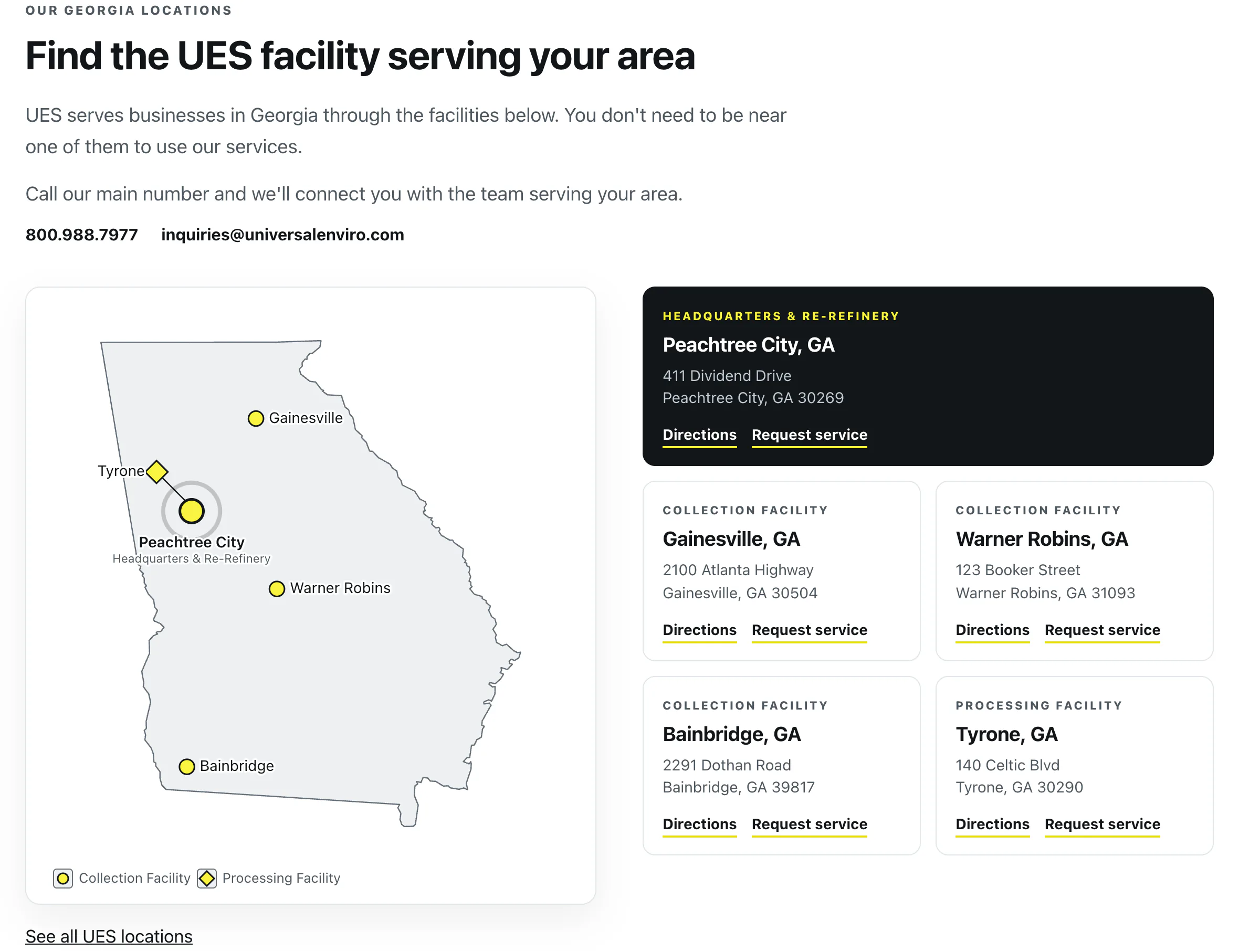
Facility cards and map pins are generated from the same data, keeping addresses and locations in sync. 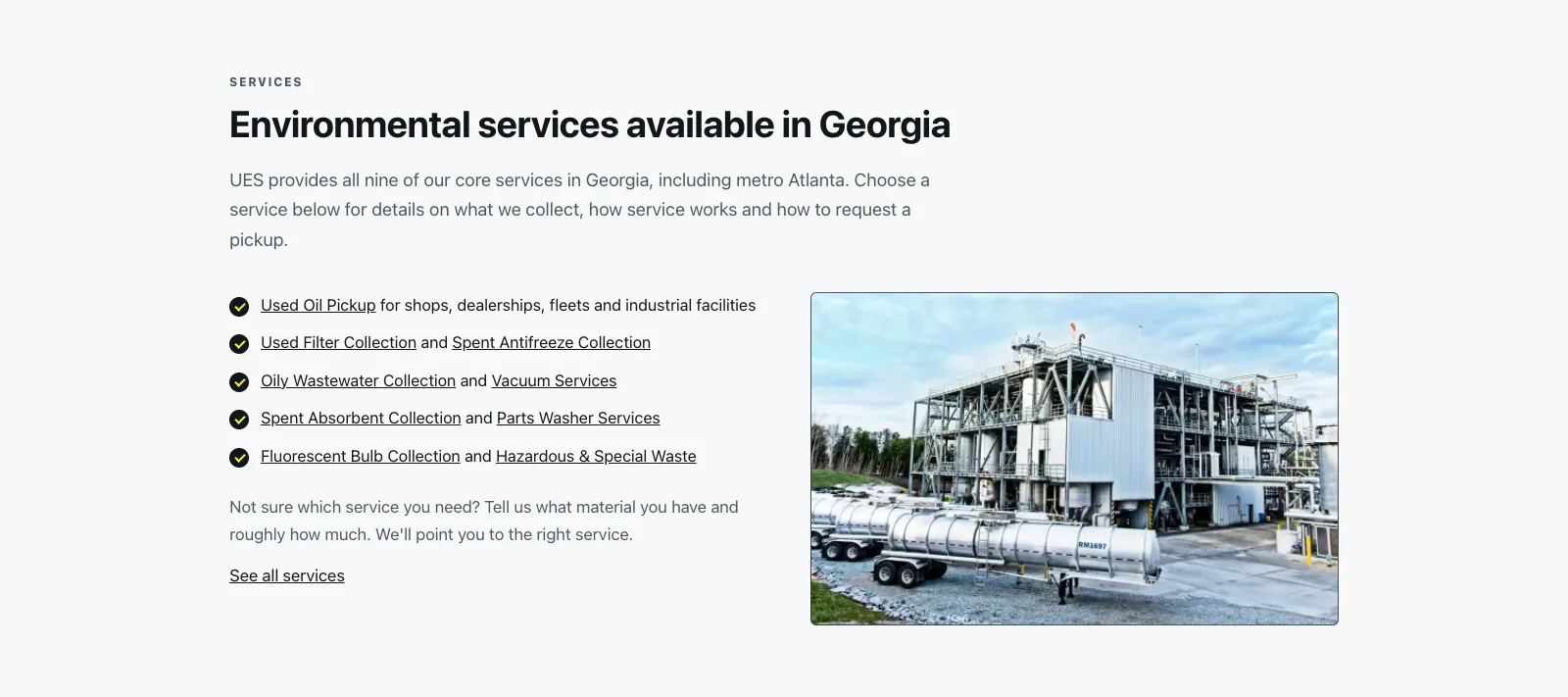
Each state page includes the services available through UES and links visitors to the full service pages for more information. 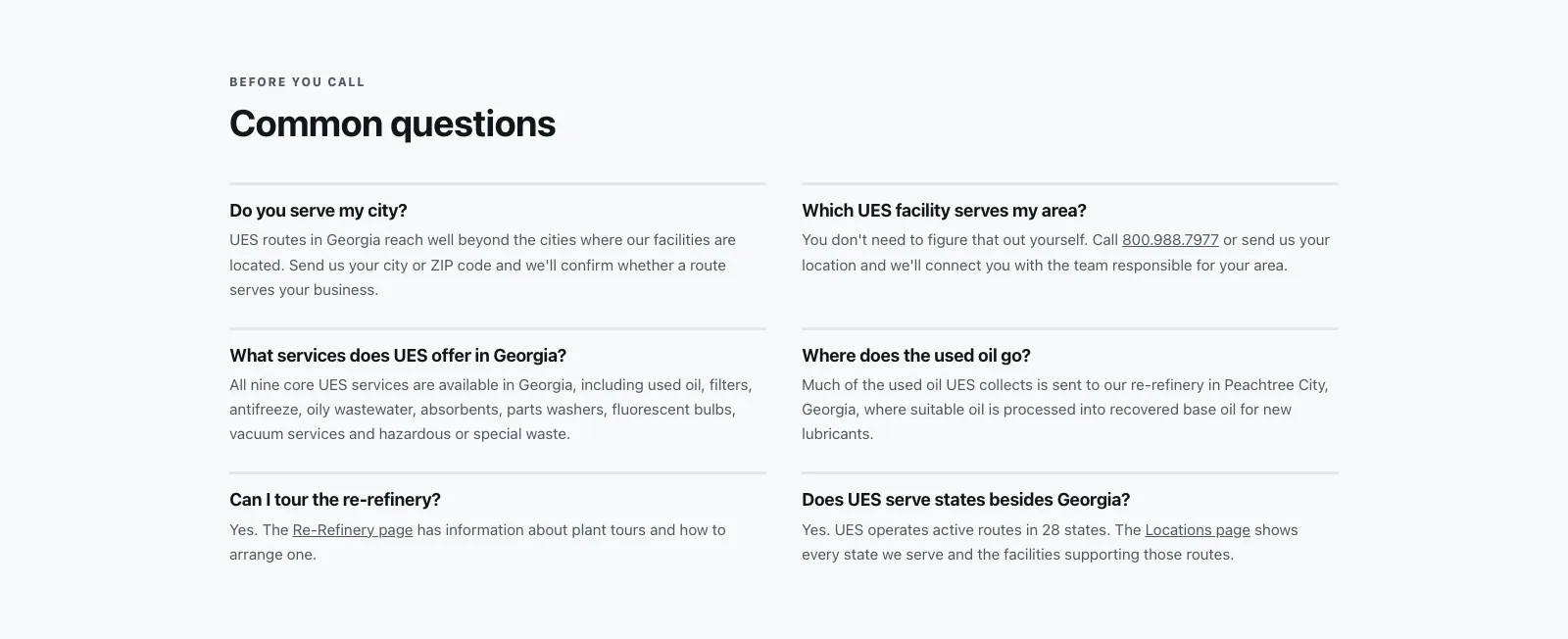
Short answers cover the questions customers are likely to have before requesting service.
The maps
The site's old mapping plugin has been replaced with custom inline SVG maps built from US Census cartographic boundary files. A Python script using pyshp and shapely converts the geographic data into paths that can be rendered directly by WordPress. Facility information is then added from the same data used throughout the state and locations pages. Pins open facility details on hover or keyboard focus. Headquarters and processing facilities use distinct markers, labels remain readable over state borders, and leader lines handle crowded areas along the East Coast. Because the maps are rendered directly on the page, they don't require a third-party mapping plugin or JavaScript library.
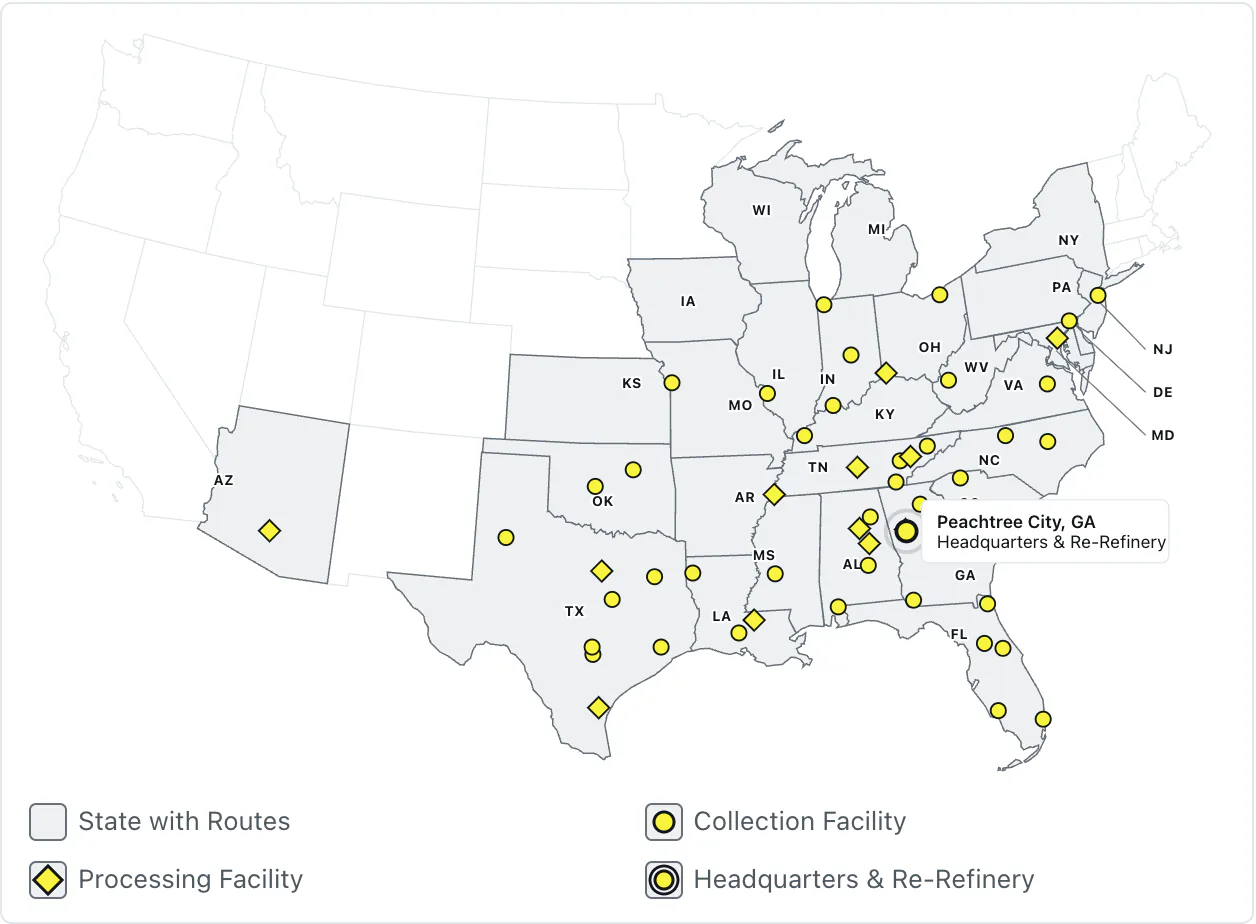
The US map with the popup for the Peachtree City headquarters open. 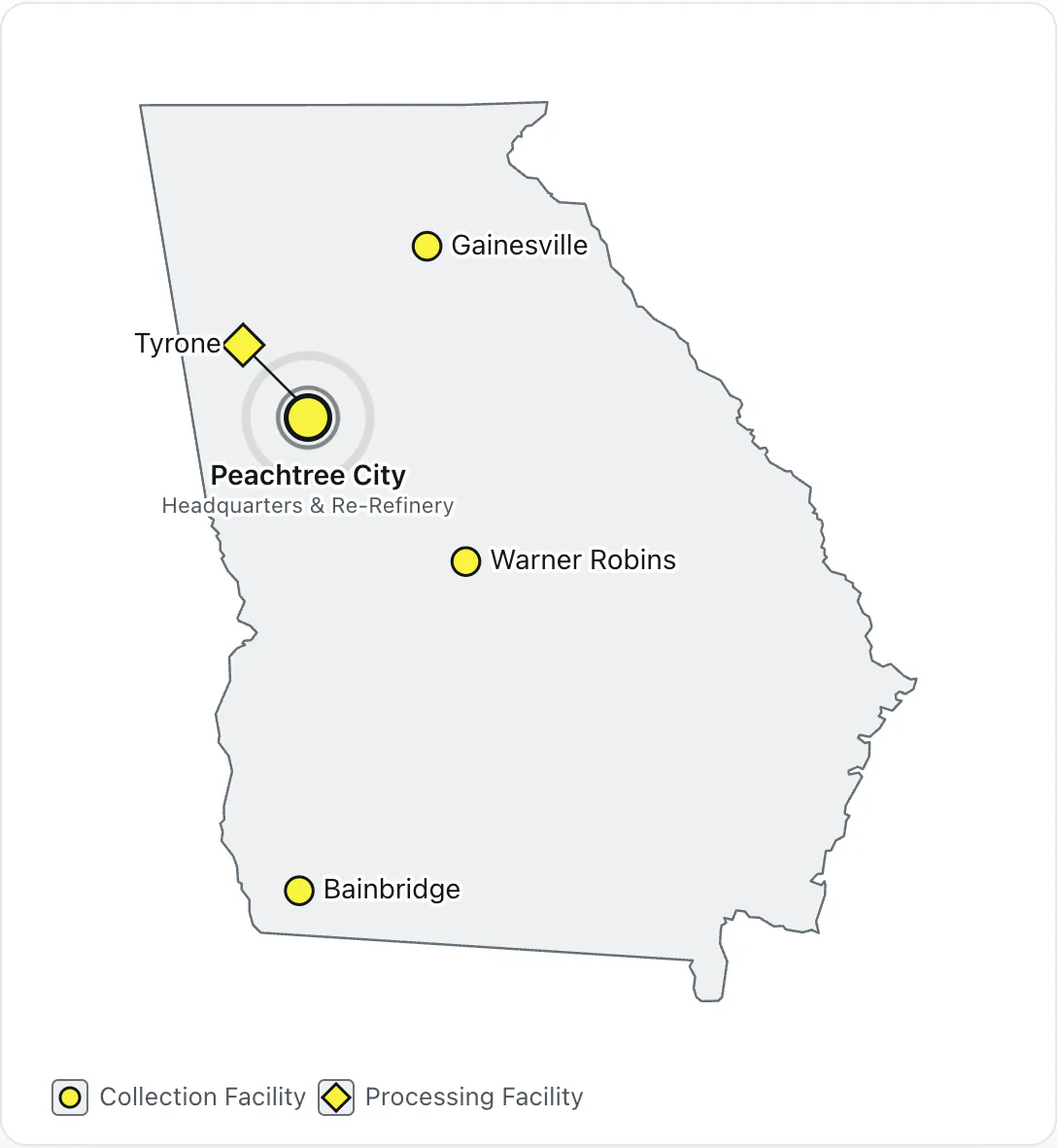
The Georgia map with the headquarters pin at Peachtree City and the diamond marker for the Tyrone processing facility.
Other pages on the same system
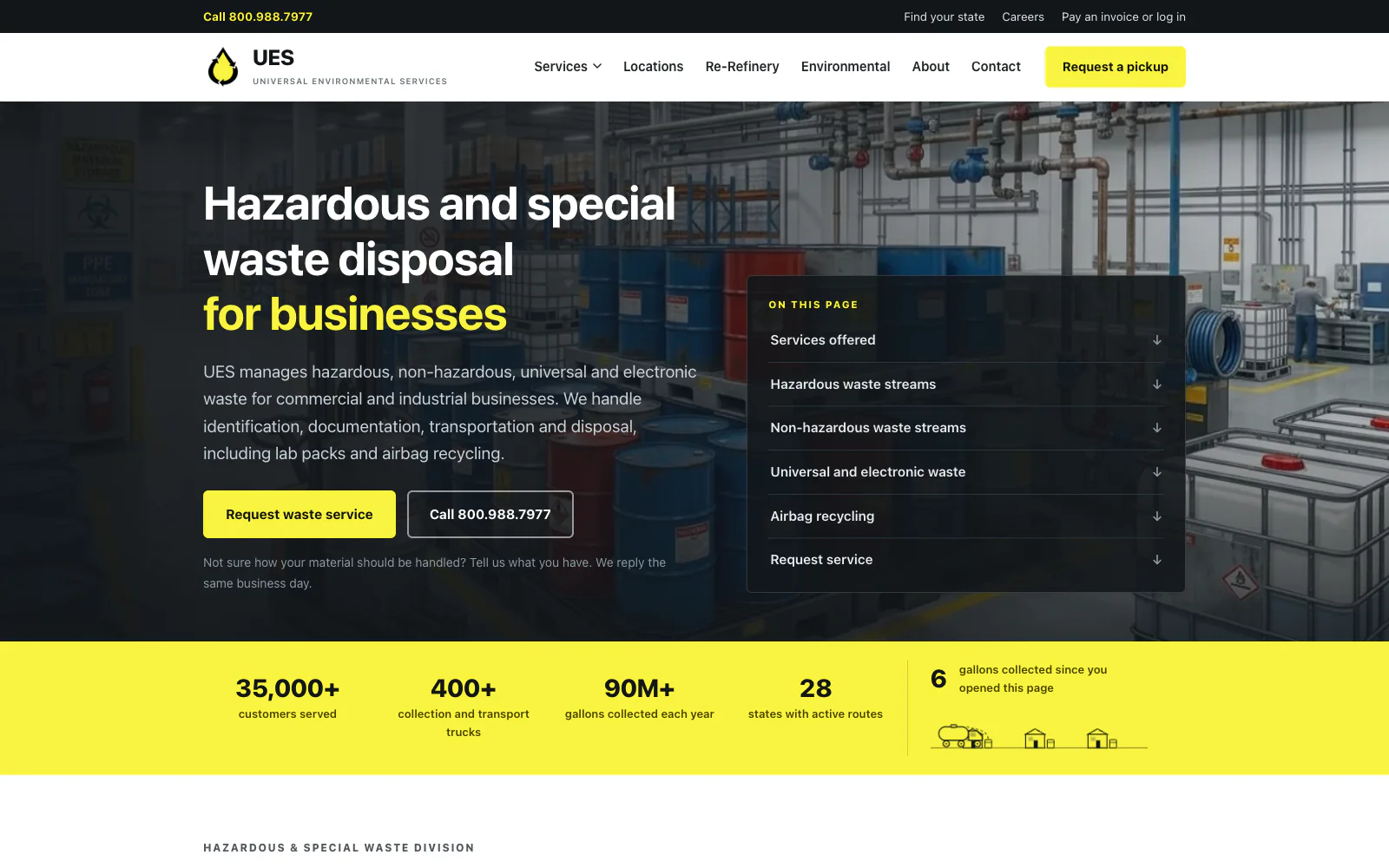
The hazardous waste page uses the same page structure while giving a longer service topic room for its own navigation and supporting information. 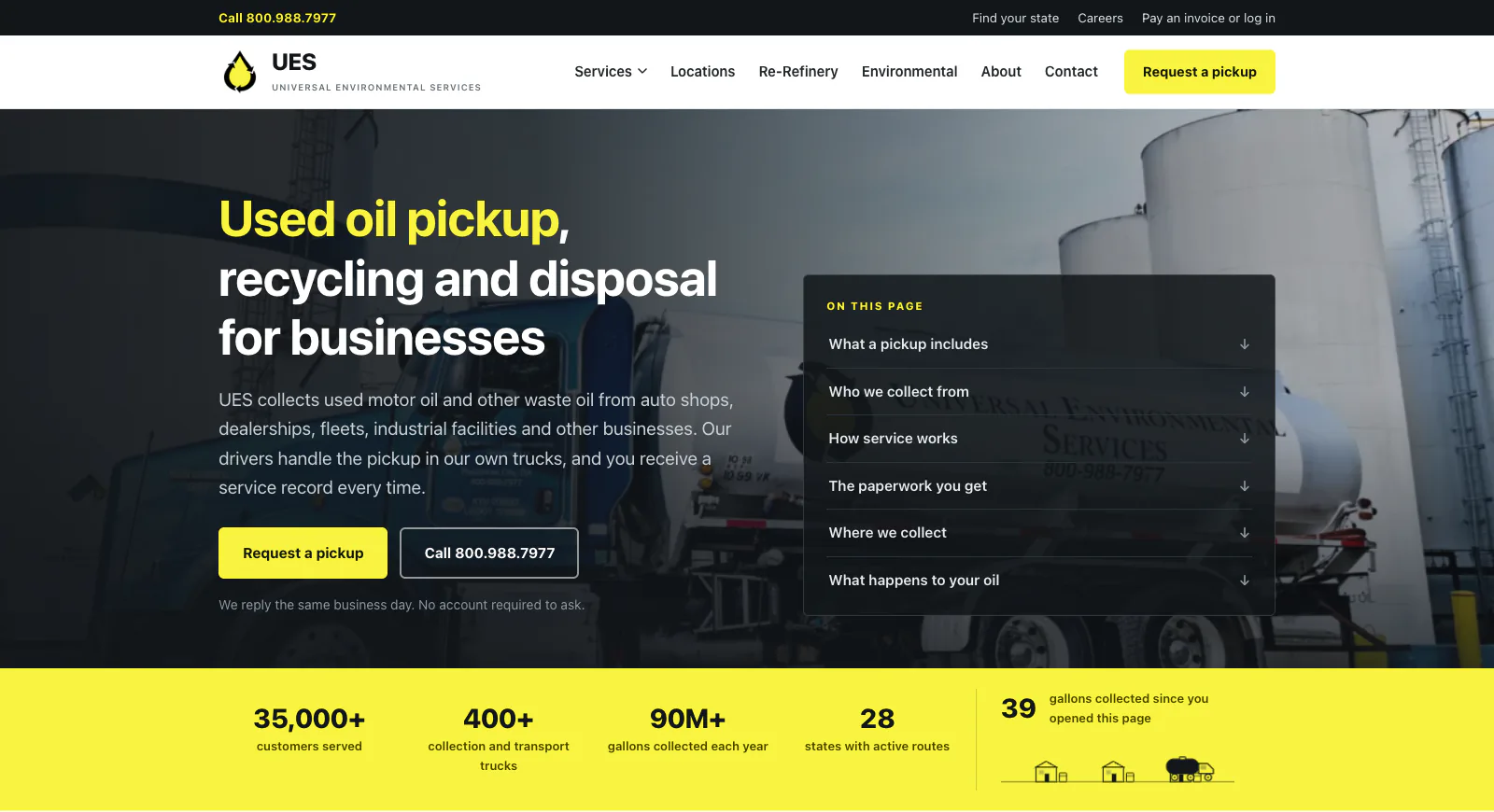
The main used oil service page explains collection and disposal, then connects visitors to local coverage through the US service map.
The locations page before and after
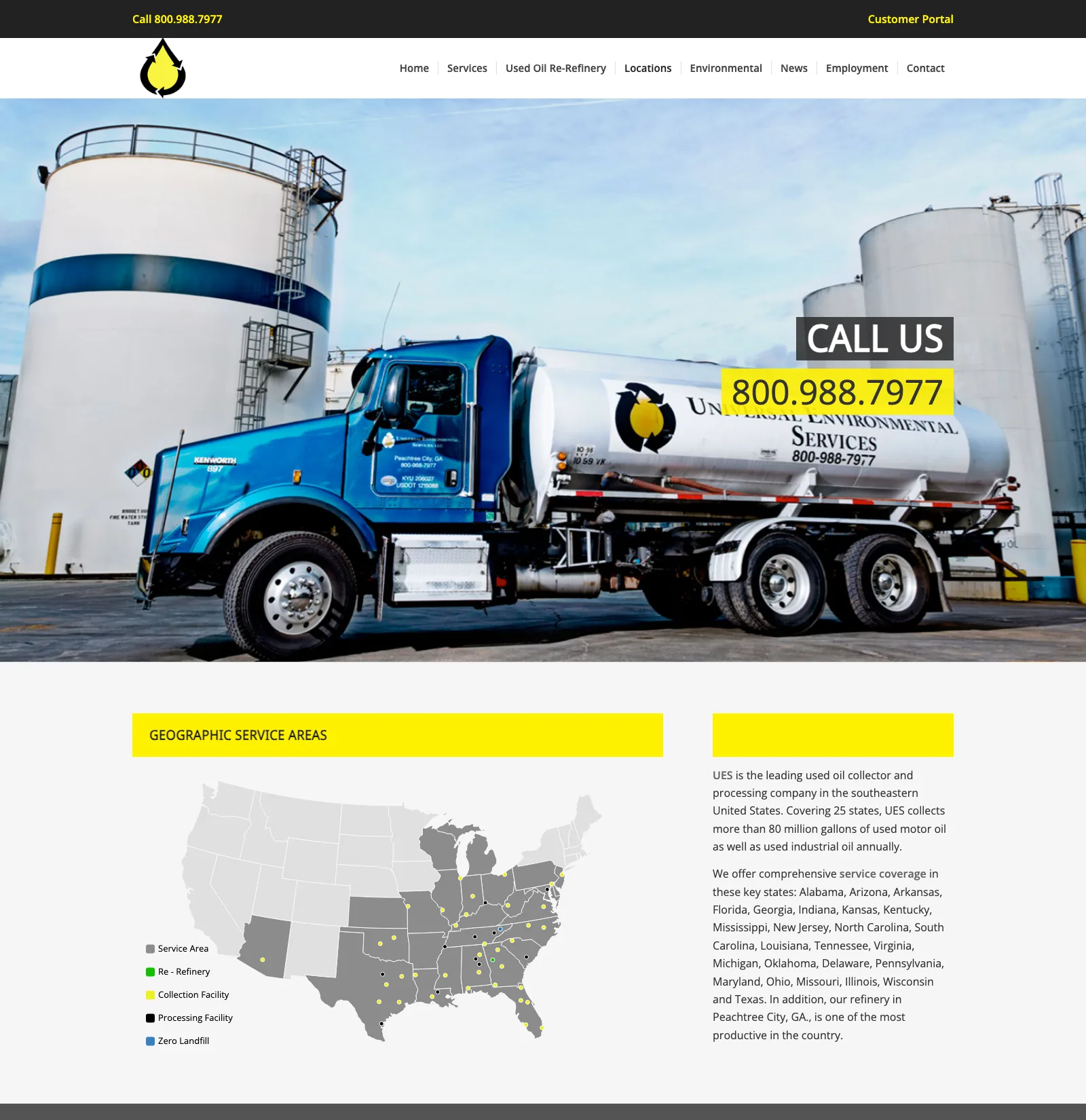
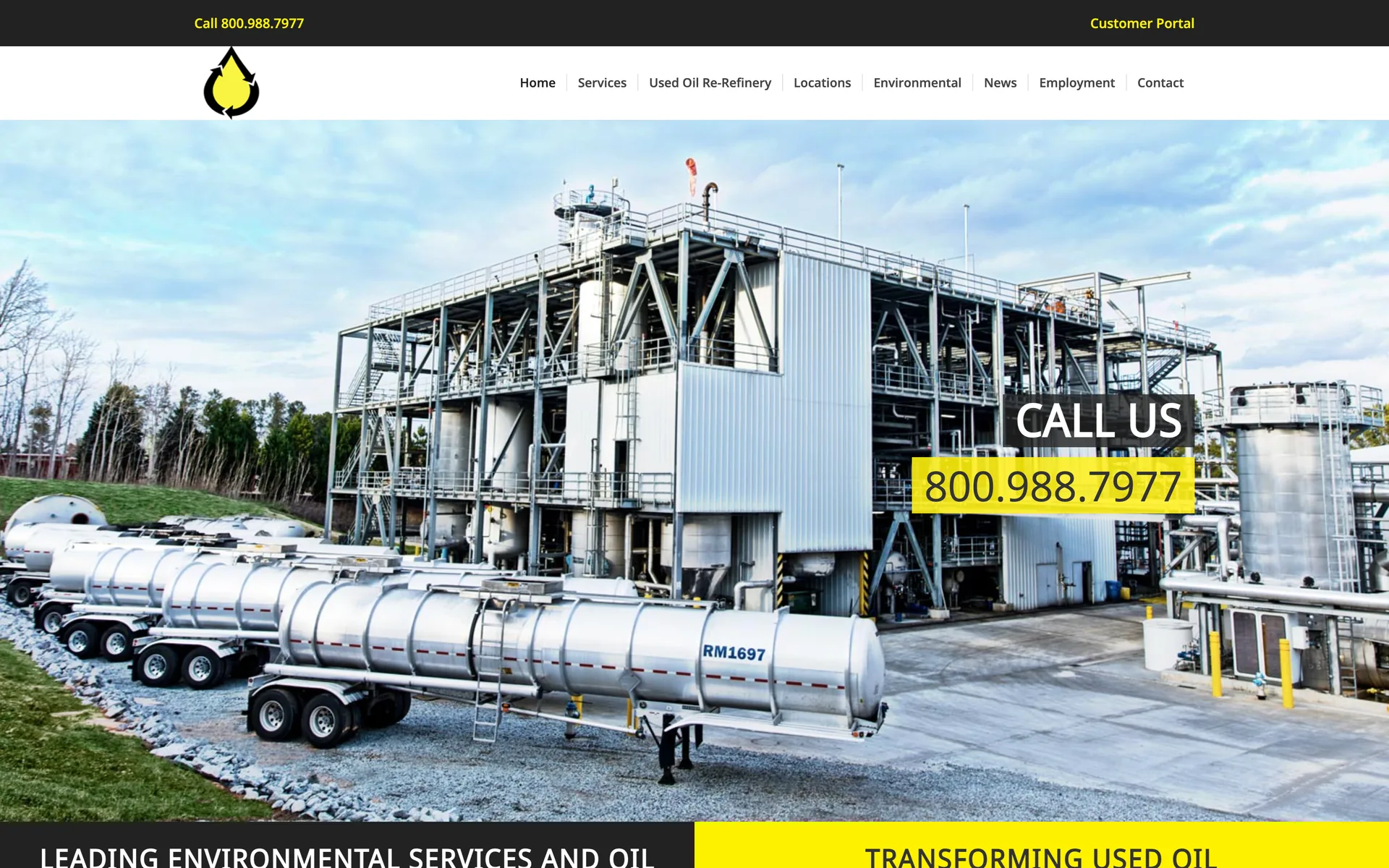
Before: the old page opened with a truck photo and phone number, followed by a plugin map and outdated coverage information. 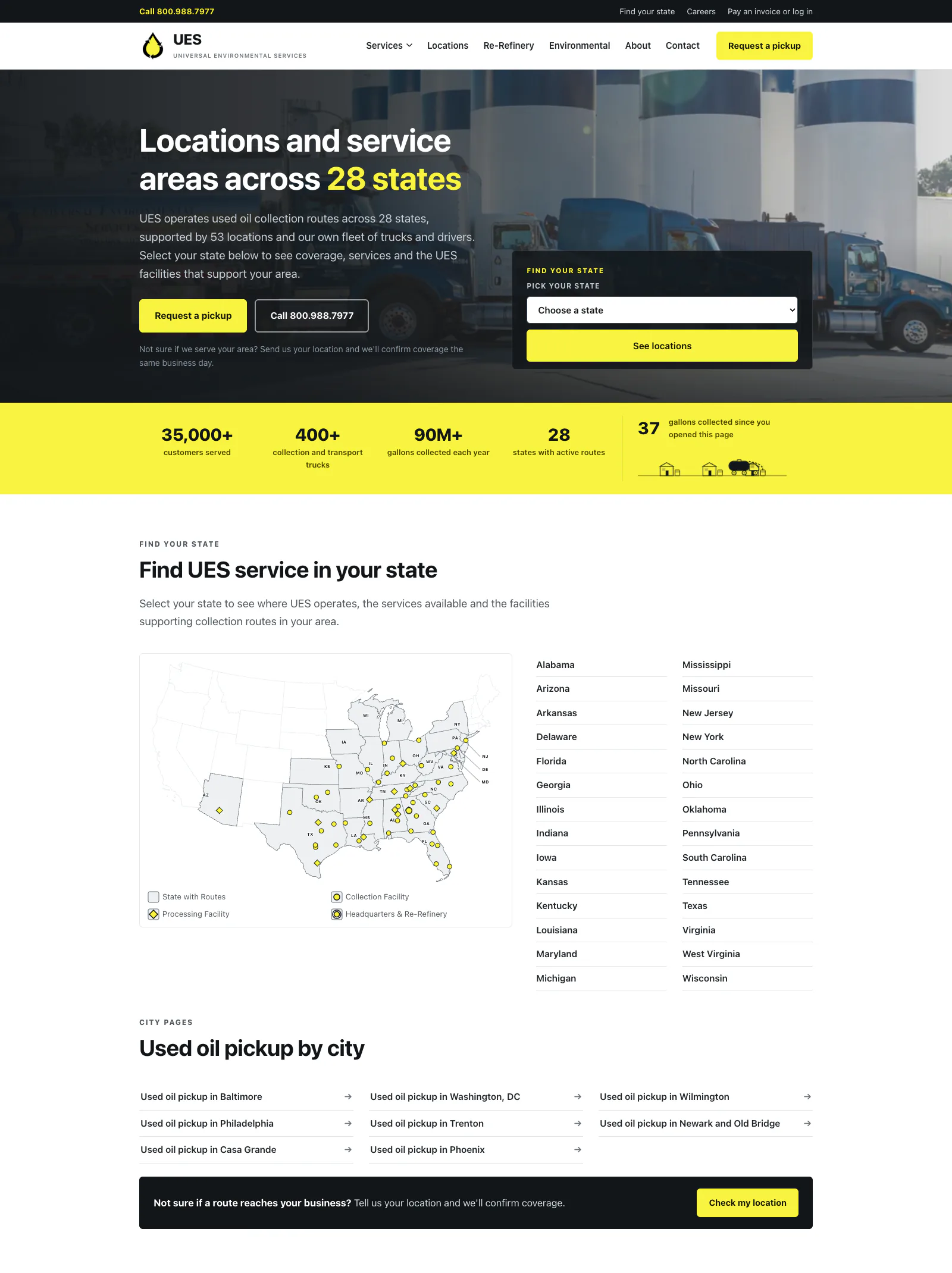
After: the new page puts service coverage first, shows every facility on the custom map and gives visitors direct access to the state pages.
On a phone
The mobile layouts were designed on their own. Animated sections stack, map pins become larger targets for touch, and the map keeps its legend and facility information on a phone.
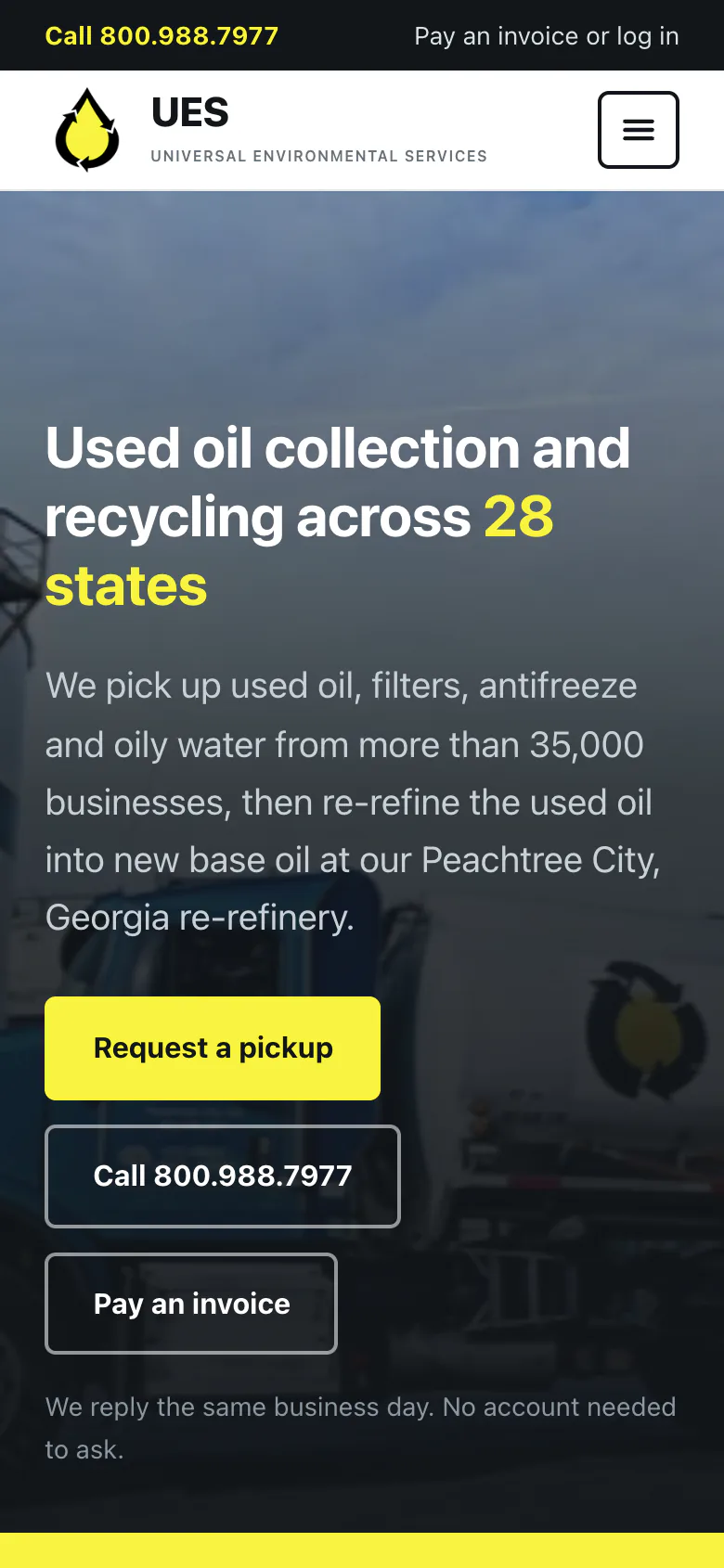
The first screen. 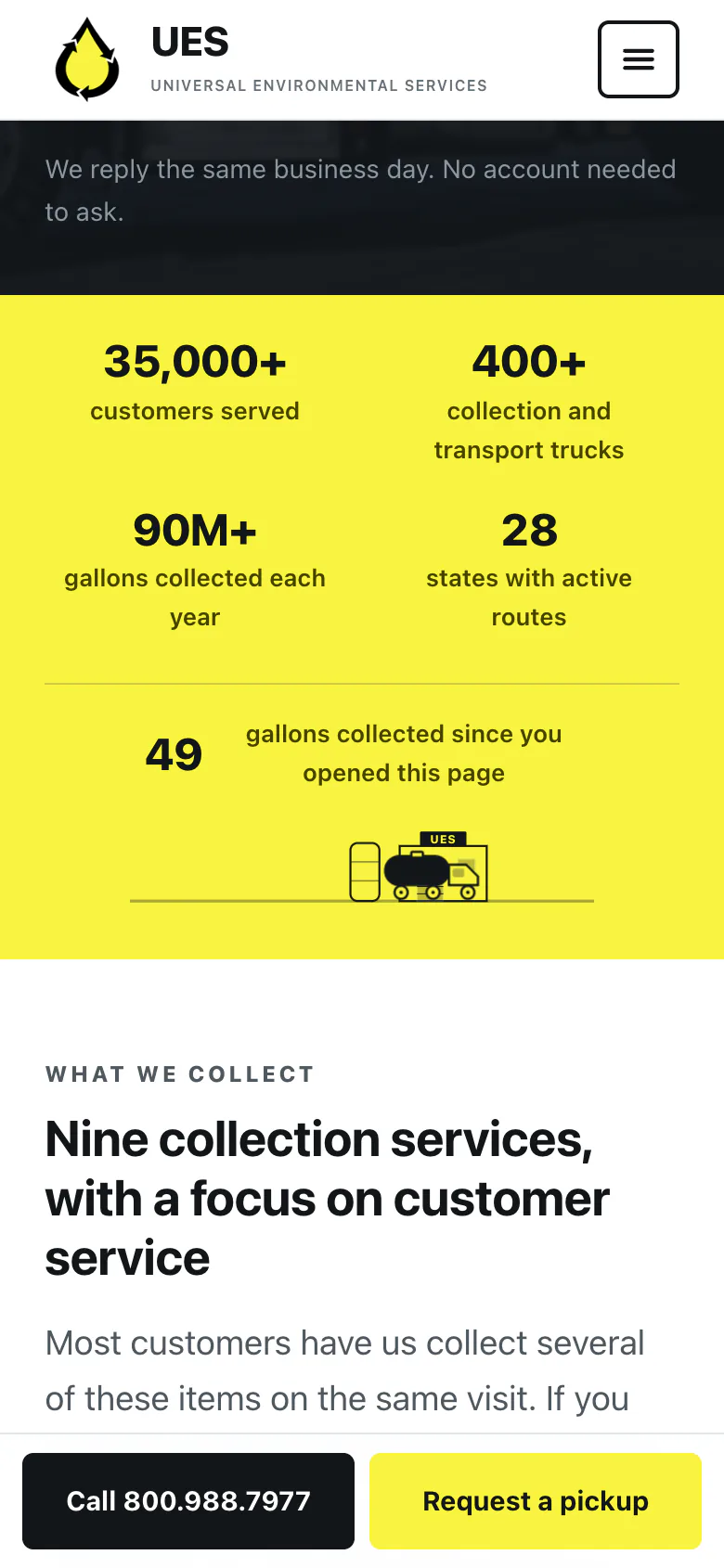
The numbers bar. 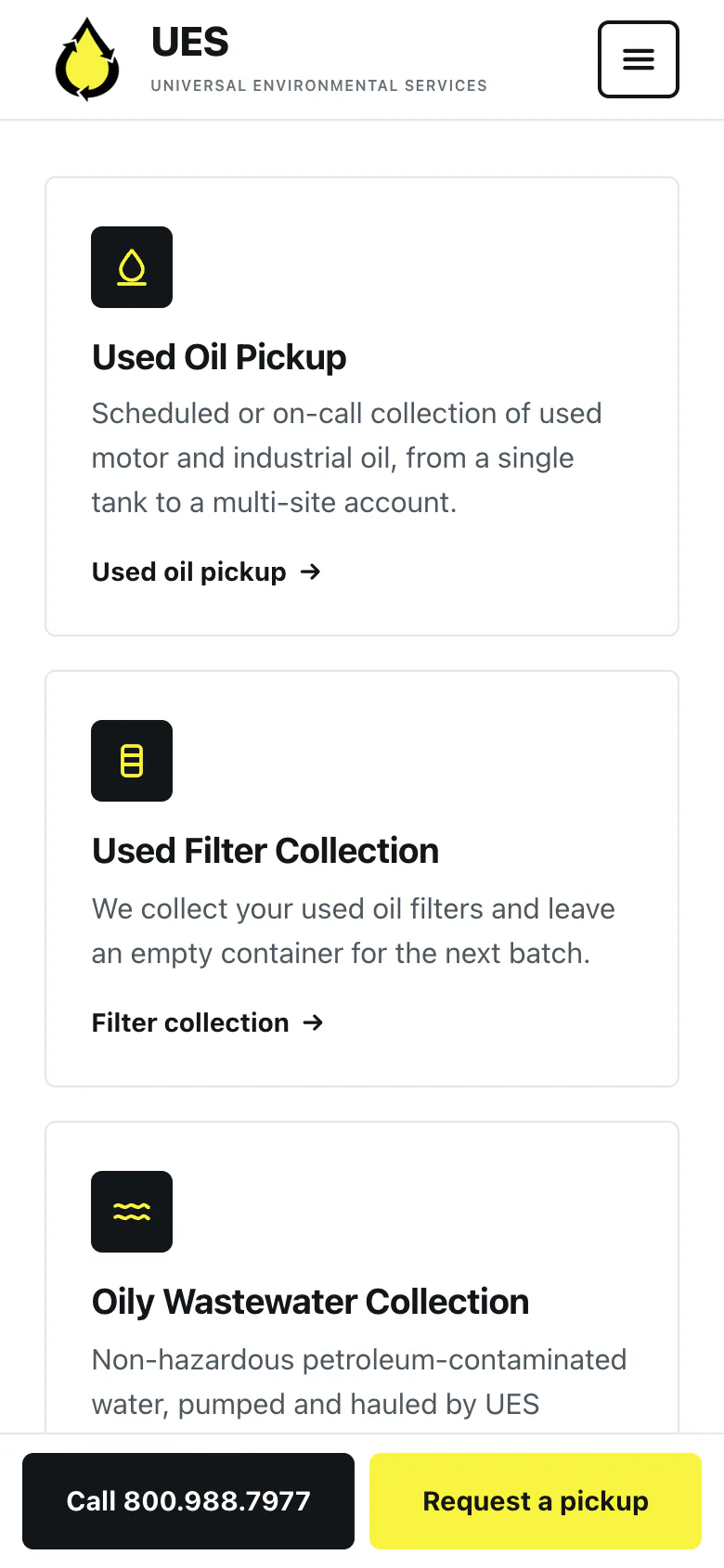
The services list. 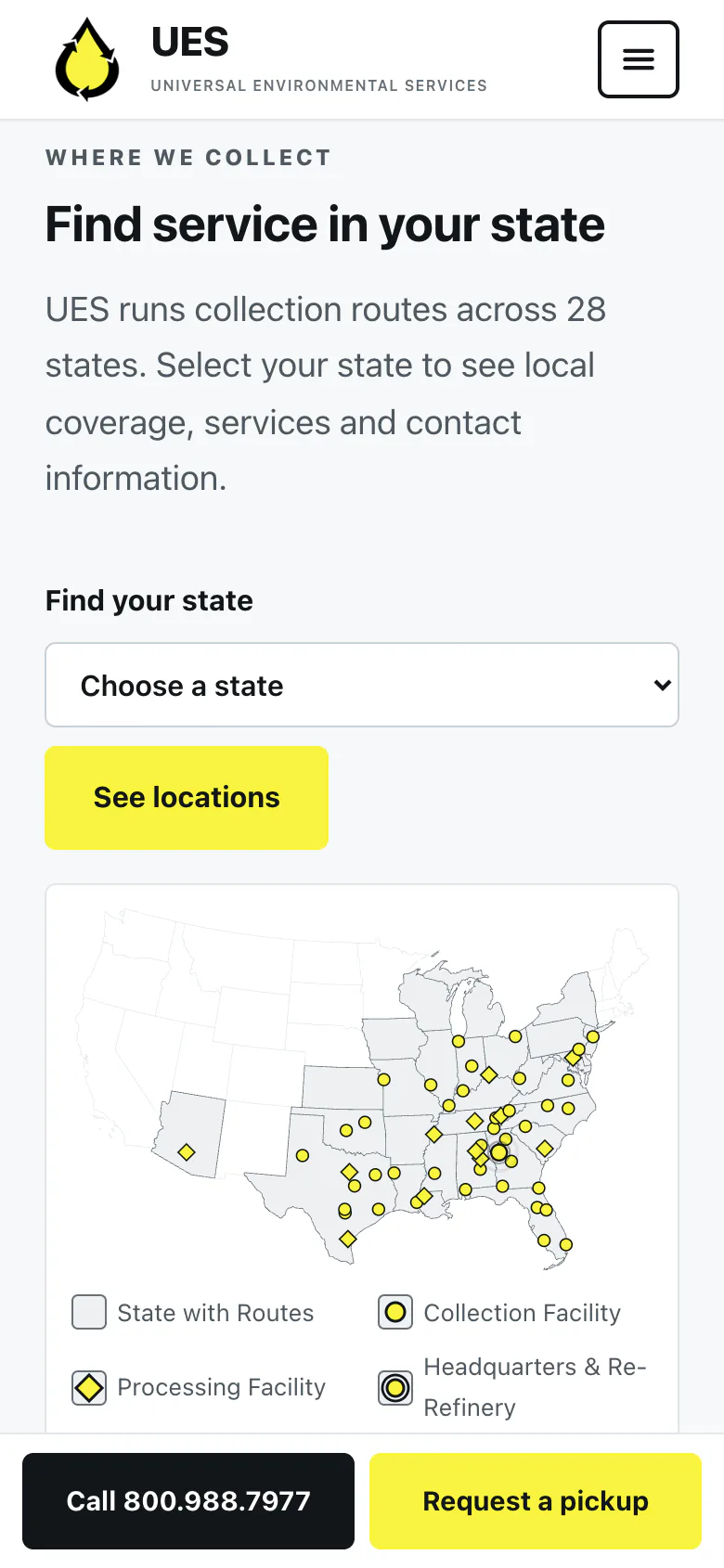
The US map.
For comparison, the old mobile homepage opened with a photo and phone number, while the services below used the same magnifying-glass icon for every category.
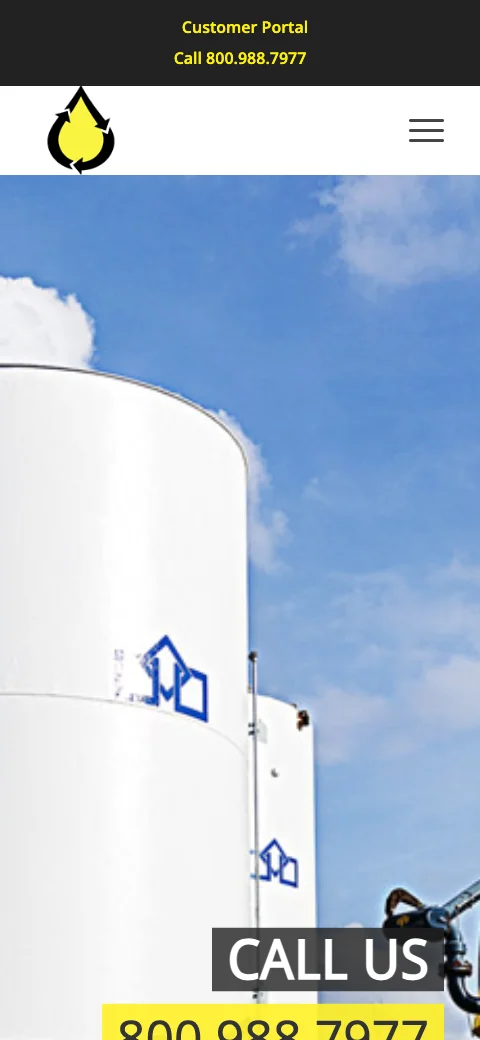
Before: the first screen. 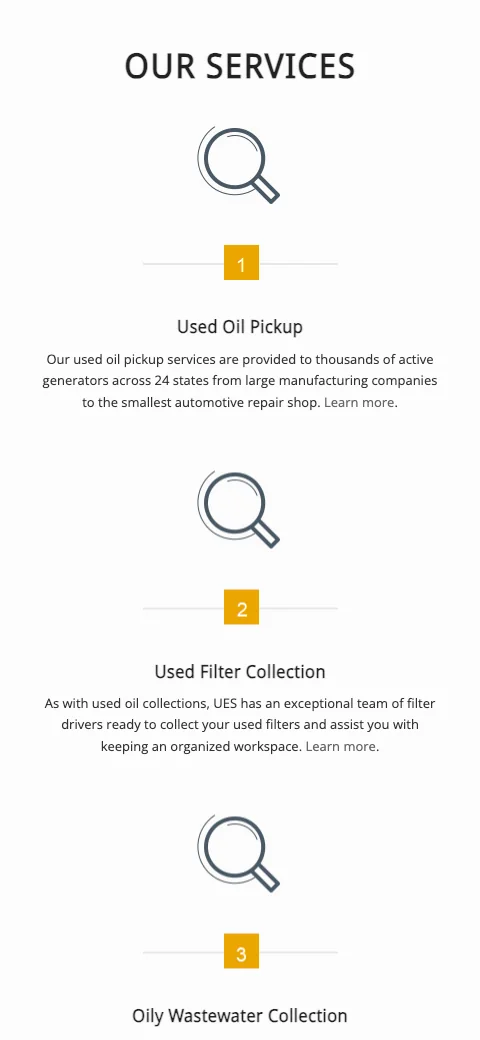
Before: the services list.
What went into it
Design
- The main goal was to make the site easier to understand quickly, especially for someone checking it from a phone at a shop or facility.
- The site uses black, white and the existing UES yellow. Large type and strong contrast keep important information easy to scan.
- Motion is used when it helps explain something, such as following the path of collected oil or showing the pickup process. Reduced-motion preferences are respected throughout.
- The maps have readable labels, clear facility markers and leader lines where locations sit close together.
Build
- The site runs on a WordPress child theme with custom templates for the homepage, locations, services and state pages.
- Shared data drives the state copy, facility lists and maps, which avoids maintaining the same information separately across dozens of pages.
- The geographic outlines come from US Census boundary files and are converted with Python into inline SVG paths. Map interactions are handled without a JavaScript mapping library, and the truck sequence runs entirely in CSS.
- Every live change stays behind a preview gate until approval. I use normalized HTML diffs to check the public page, SHA-256 hashes during file moves and Playwright to test the maps and mobile layouts before handoff.
Marketing
- The work began with a technical audit and four-month SEO roadmap.
- The SEO program covers the new service and state pages, local search across UES's service area, Google Business Profile verification and cleanup, and copy based on how customers search for waste pickup services in their area.
- Google Analytics 4 and Search Console track performance and leads, with reporting broken down by location. I'll add results to the case study once the rebuilt state pages have been live long enough to show a meaningful trend.
Tools used
- WordPress
- PHP
- HTML & CSS
- JavaScript
- SVG
- Python
- Playwright
- Git
- WPForms
- Google Business Profile
- Google Analytics 4
- Search Console