Landing page
Halstead Mechanical
An emergency caller needs a number a person answers. A bidding contractor needs evidence before spending a call. Splitting those into two sites doubles the maintenance for a company with no marketing staff, so I built this one-page concept in 2026 to carry both. Halstead Mechanical is an invented company and no figure on the page belongs to a real business.
- Client
- Halstead Mechanical (an invented contractor)
- My role
- Research, design and front-end development
- Year
- 2026
- Format
- One-page site, plus a process document
- Process
- halstead-mechanical.netlify.app/process
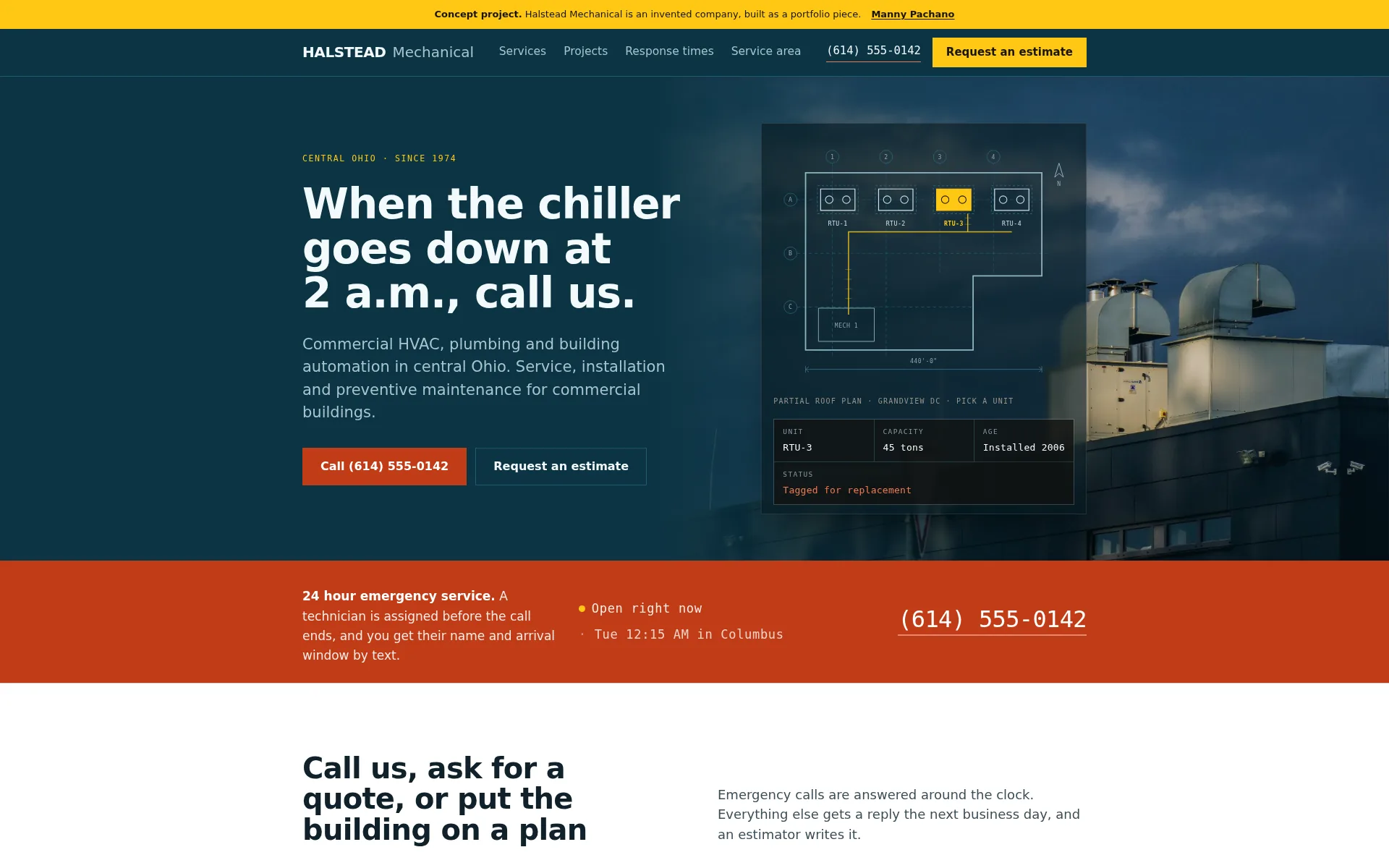
- Two routesAn emergency caller reaches the number in the first two screens, a bidding contractor reaches the evidence before the form
- Nine container queriesThe layout responds to the width of the page itself, so the same markup lays out correctly inside a scaled frame
- One HTML fileAbout 115 KB, hand-written, no framework and no build step
About the project
Two people arrive at a mechanical contractor's site and they want opposite things. One is a facility manager standing in a plant room with something broken, on a phone, who wants a number a person answers and a promise about how long. The other is a general contractor or owner's rep pricing a job, on a desktop, who wants to know whether this contractor handles the scope, the size and the delivery method before spending a call. Splitting into two sites doubles the maintenance for a company with no marketing staff, so both routes run down one page.
The split happens in the first screen and again in the strip underneath it. The urgent route never passes through a form: it gets a filled call button in the hero, a full-bleed emergency strip with a live Columbus clock, and a triage that turns a symptom into a verdict and a short list of what to have in front of you before you dial. The planned route answers the size question before it reaches the form, with four projects carrying square footage, tonnage and delivery method, then a chart of measured response times, then the counties covered.
The art direction is a drawing sitting on top of every photograph. The hero is a rooftop air handler at dusk with the roof plan laid over it. The plant room photograph sits directly above the building section that labels what is in it. The photographs show the weather, the scale and the wear of real equipment, and the drawings add the unit tags, dimensions and callout numbers. Both use the same petrol and cream colors.
Halstead Mechanical is not a real company. I invented it for the constraints: two intents on one page, a phone layout that has to work in a room with bad light, and enough technical specificity that a facility manager would believe it.
Section by section
The page, top to bottom.
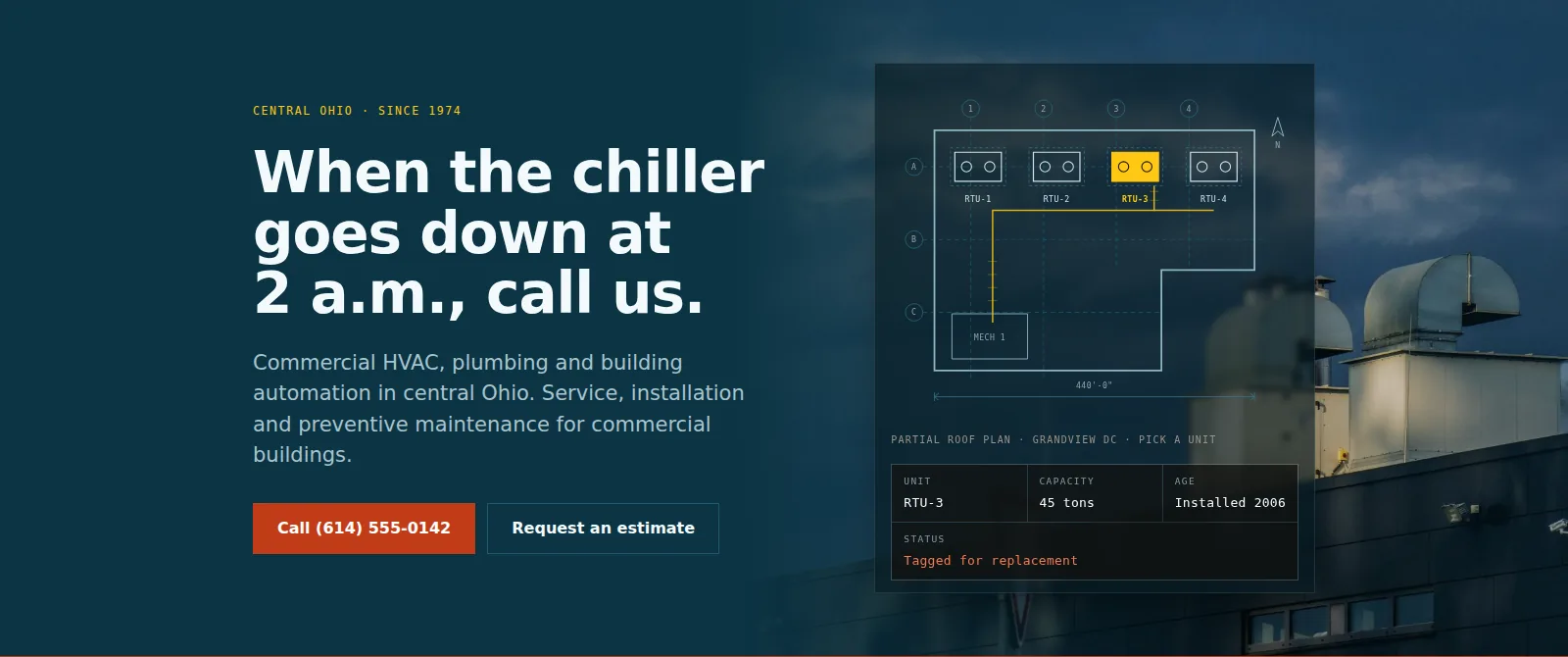
Hero and emergency stripThe headline names the emergency the visitor is in. Two primary actions sit in the first screen because the page serves two intents, with the call button filled in the alert color and the estimate button outlined beside it. The roof plan is drawn in SVG over the photograph, and its four units are clickable. The strip underneath is the only full-bleed alert color on the page, and its clock shows Eastern time, where the company is, whatever time zone the visitor is in. 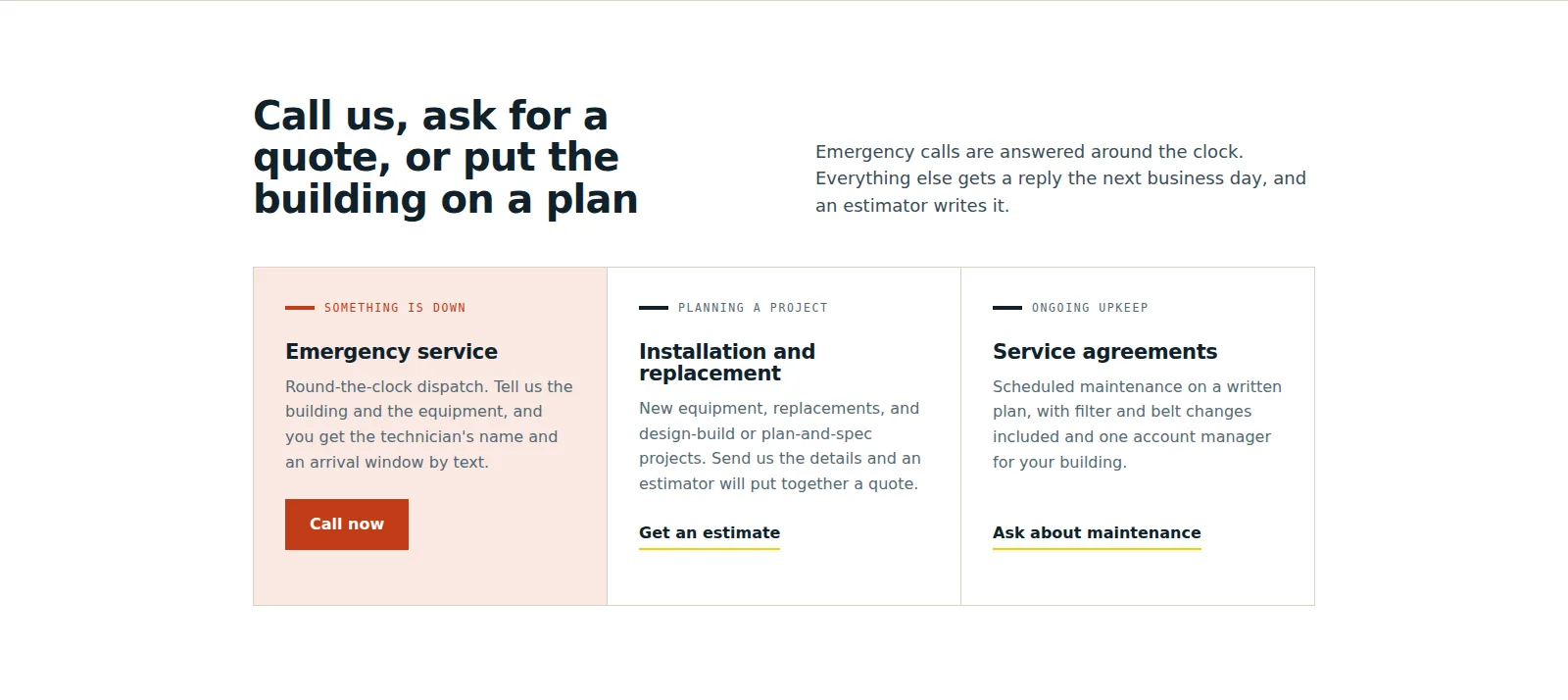
Three ways inEmergency, a project, ongoing upkeep, named the way a visitor names them. Each card states what happens next and carries its own action, so the section works as a decision. The emergency card is the only one with a filled button and a tinted ground. 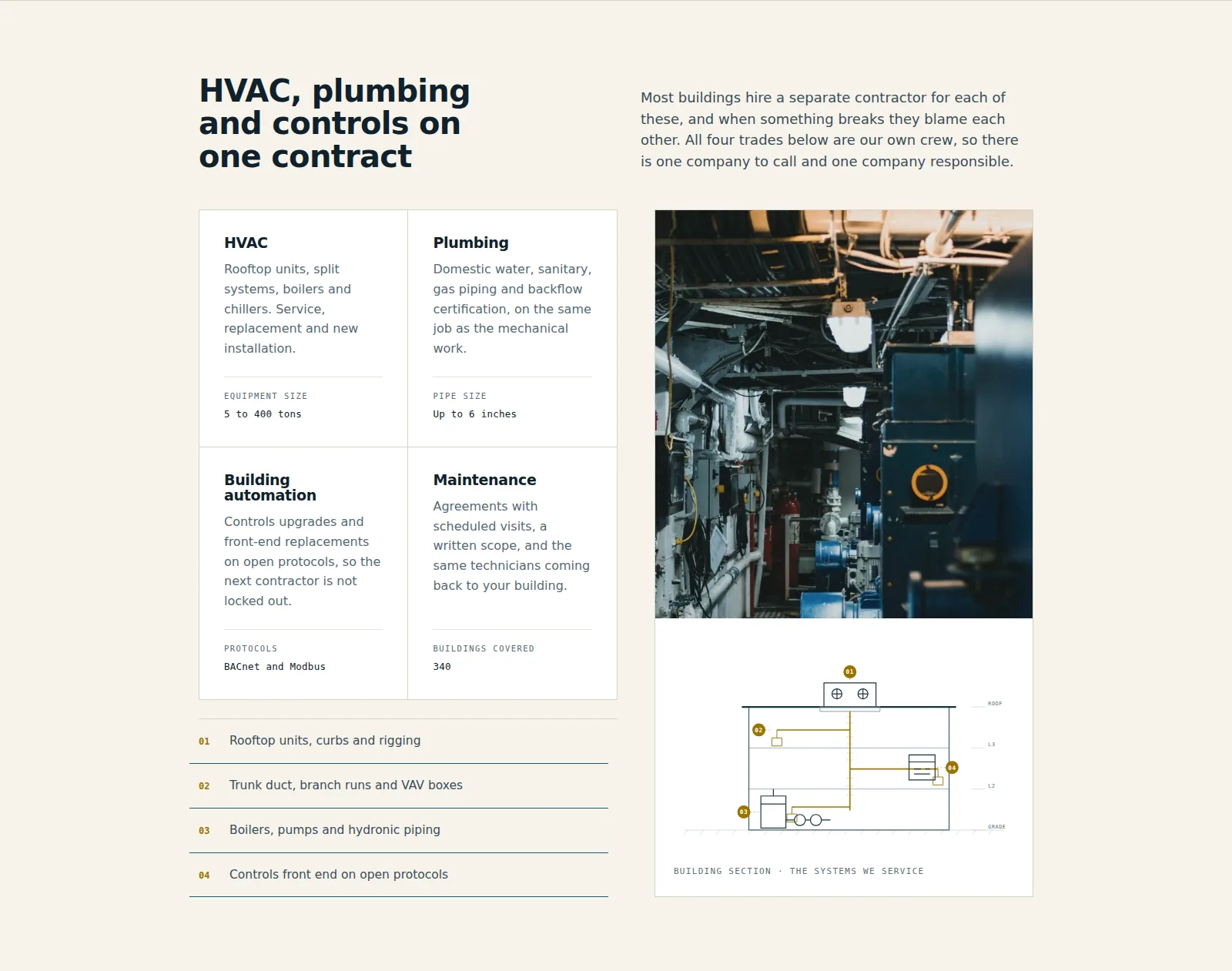
What the company doesFour trades on one contract, each card ending on a rule with the figure that matters for that trade: equipment size, pipe size, protocols, buildings covered. Beside them a photograph of a plant room sits directly above a drawn building section, and the four numbered callouts under the cards highlight the matching part of the drawing on hover or tap. 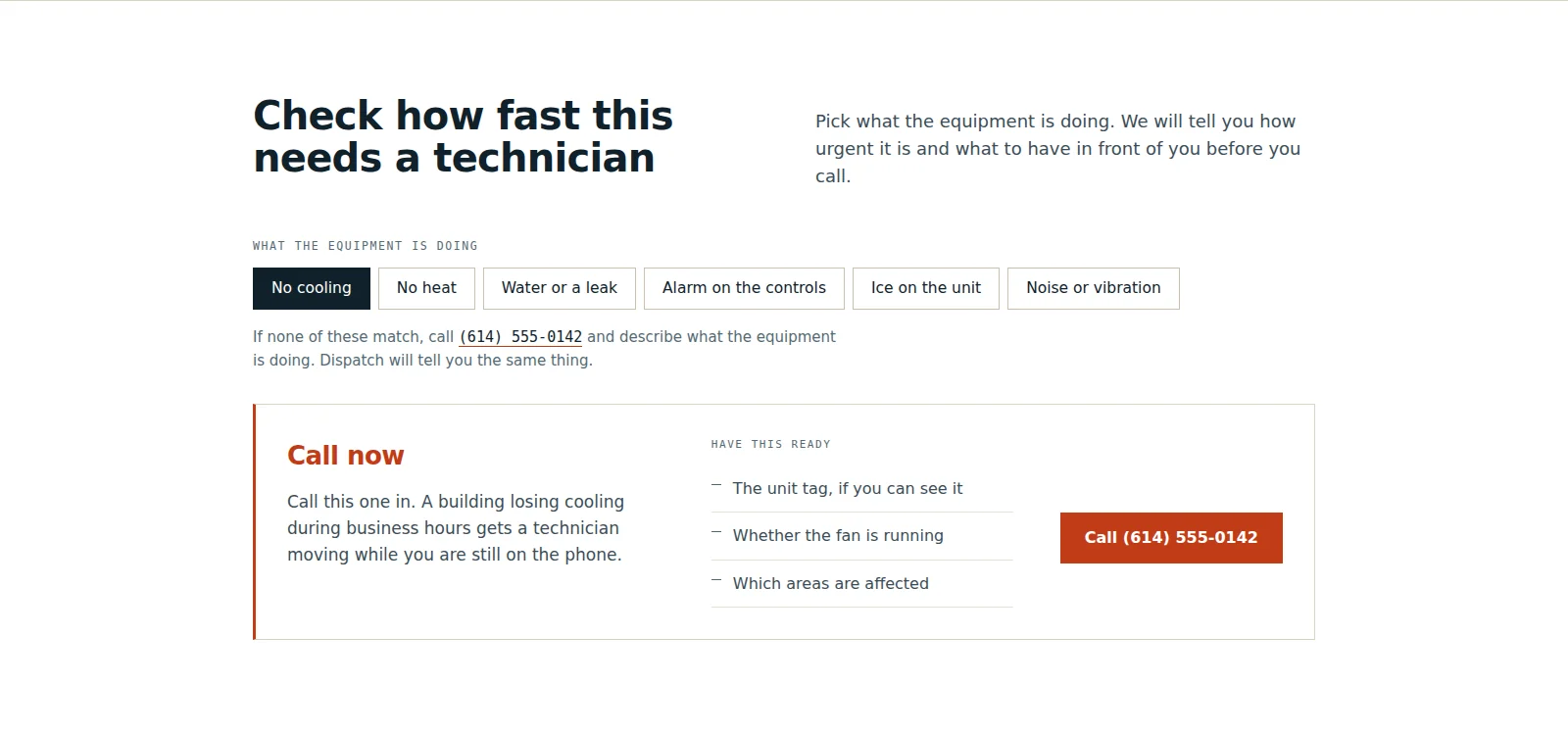
TriageSix symptoms, each one producing a verdict, a short checklist and an action. The action swaps between a phone link and the estimate form depending on how urgent the verdict is. One symptom is open at rest so the panel is never an empty half of the section. 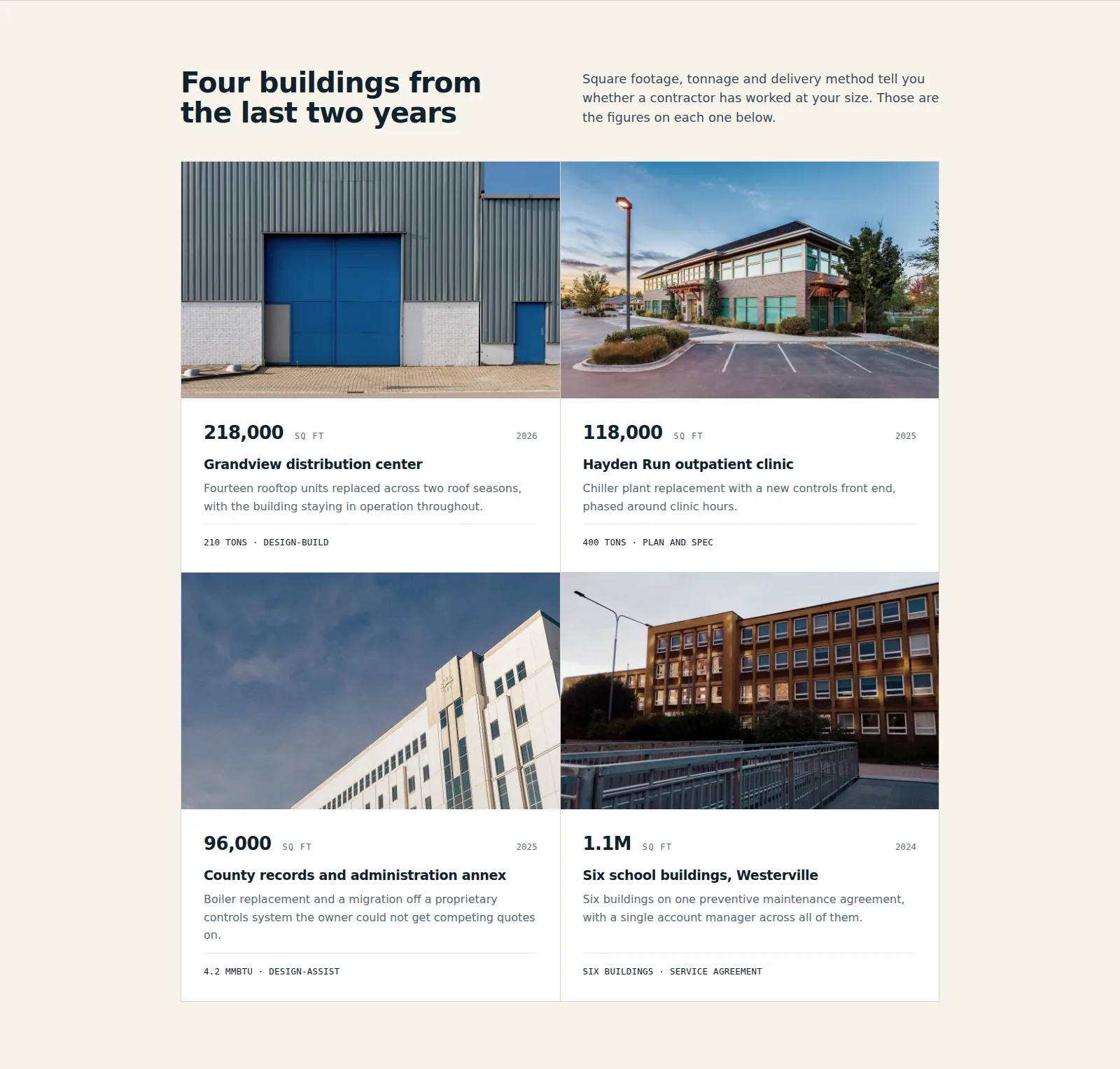
ProjectsFour buildings from the last two years. Square footage in Archivo with tabular numerals, then the scope in one sentence, then tonnage and delivery method on a rule at the foot of every card. Those are the figures a contractor uses to work out whether this company works at their size. 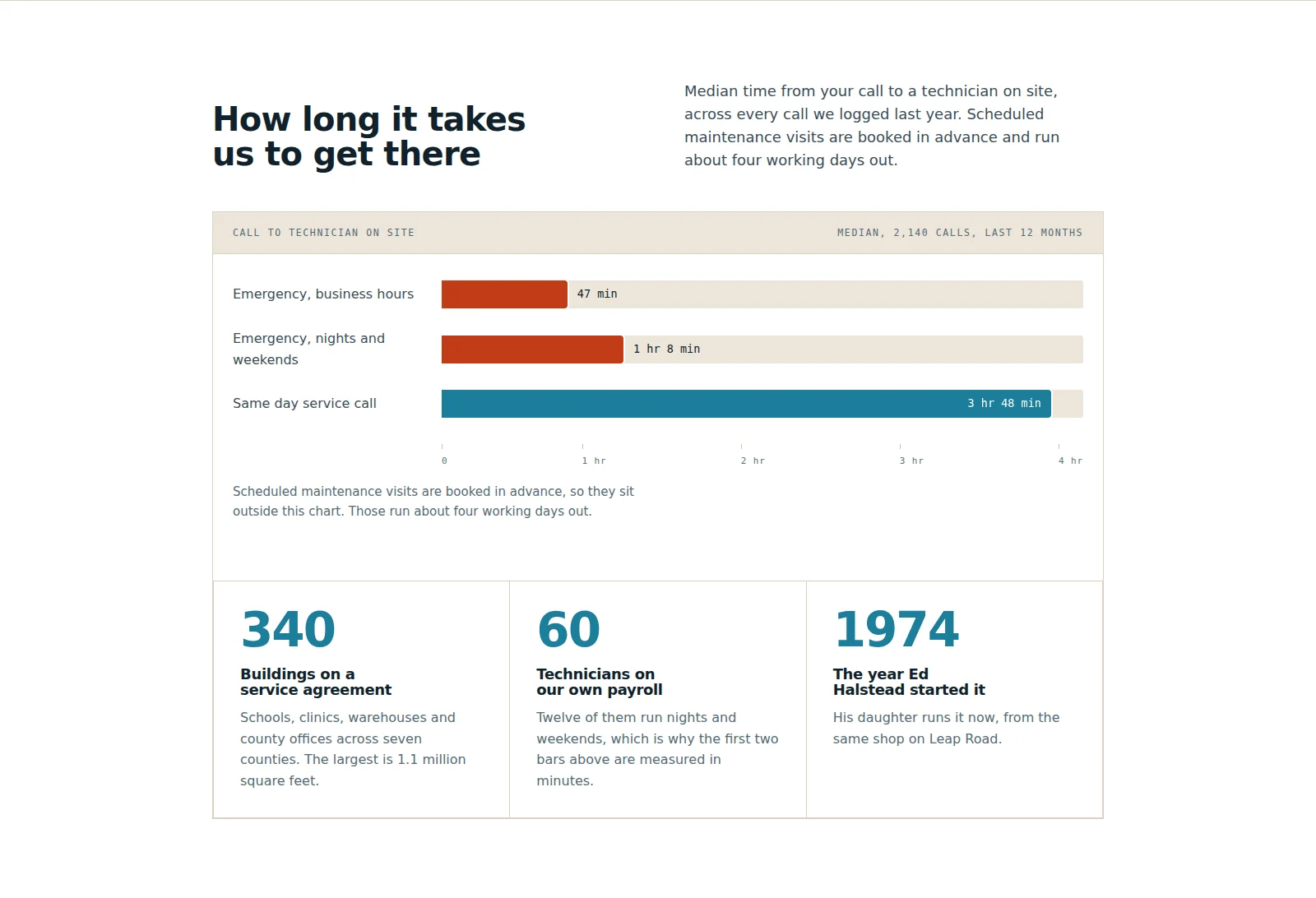
Response timesMedian time from the call to a technician on site, drawn as three bars on one scale that fill when the panel comes into view. The two emergency rows are in the alert color and the routine row is not, so the chart encodes urgency as well as duration. Three figures underneath give the size of the operation. 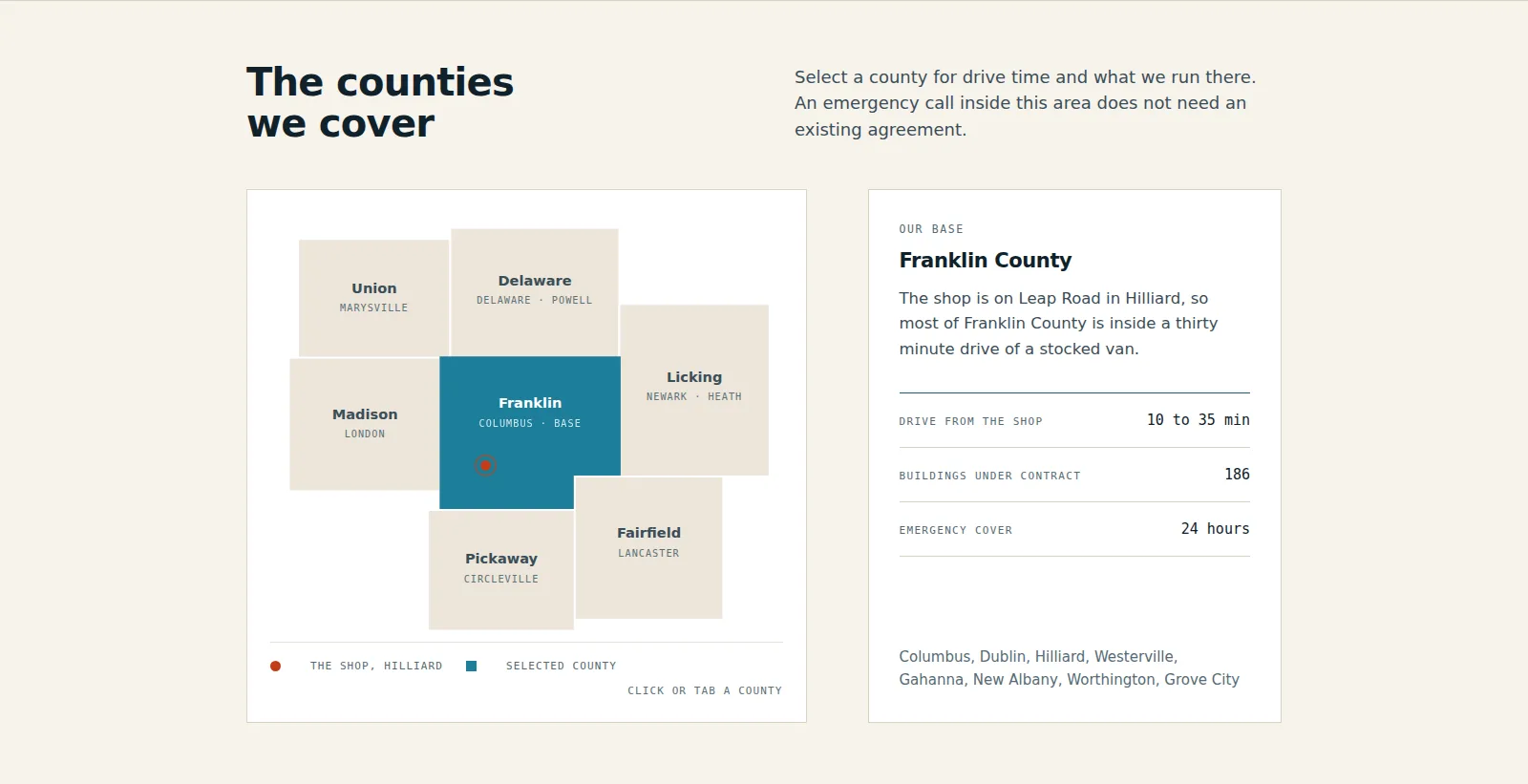
Service areaSeven central Ohio counties drawn as buttons in an inline SVG, each one tabbable, driving the readout beside it. Selection is carried by the readout as well as by the fill, so it does not depend on color alone. 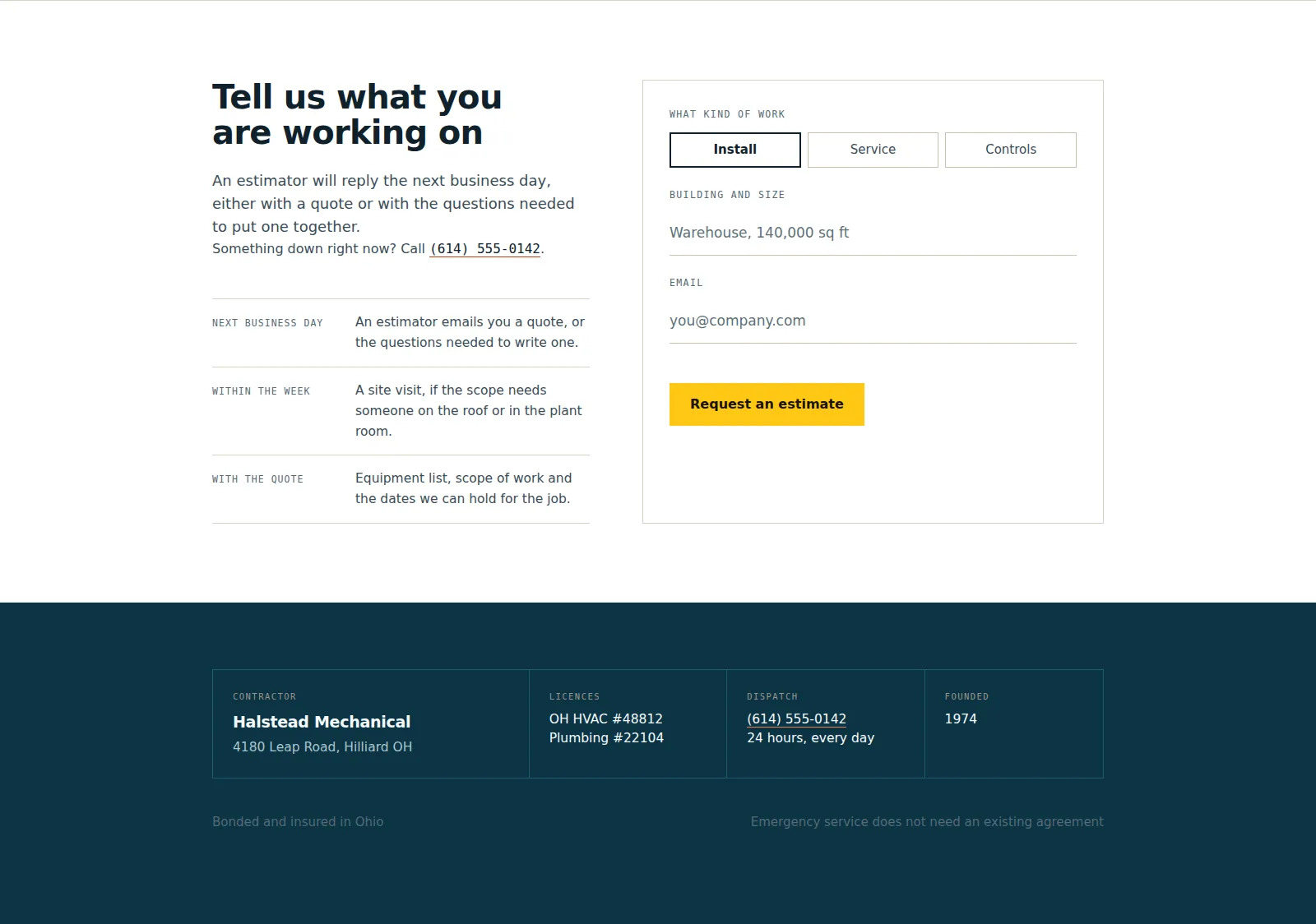
Estimate and title blockThree fields and a required work type, because a dropdown of building types loses the sentence the estimator wants. Beside it, what happens after you send it, in three rows with a time on each. The footer is set as a drawing title block, which is the one place the industrial reference is literal.
The process document
A second document at /process shows how the page was made: the brief, the user flow, the wireframe beside the finished build, the decisions and the component system. The finished page runs live inside the document.
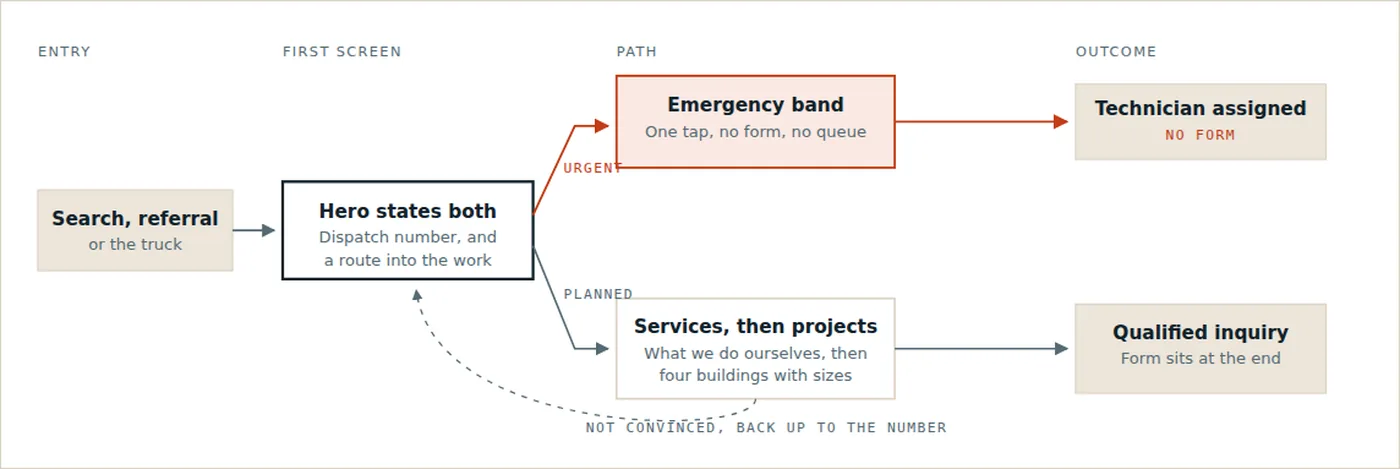
The split happens in the first screen and again in the strip under it. The urgent route never passes through a form. 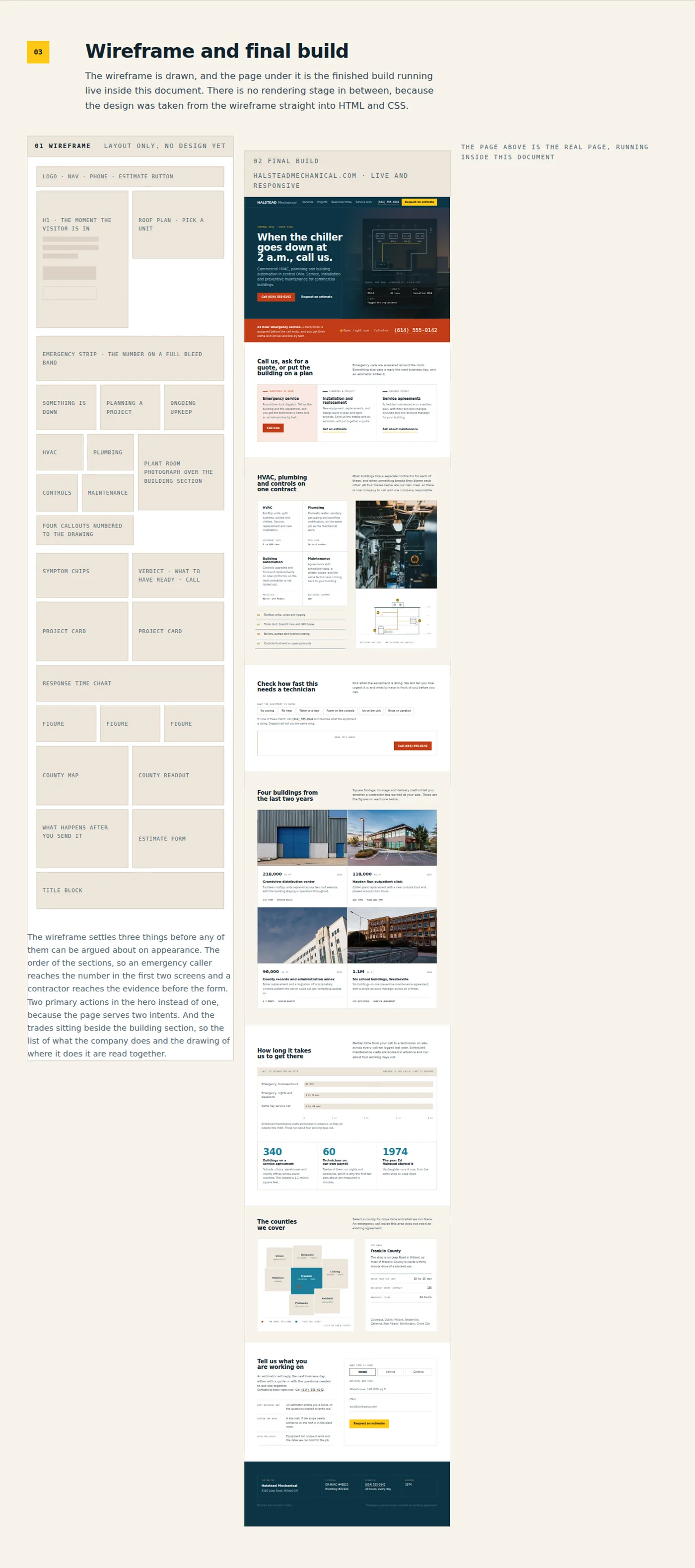
The wireframe on the left and the finished page beside it, running live inside the document. 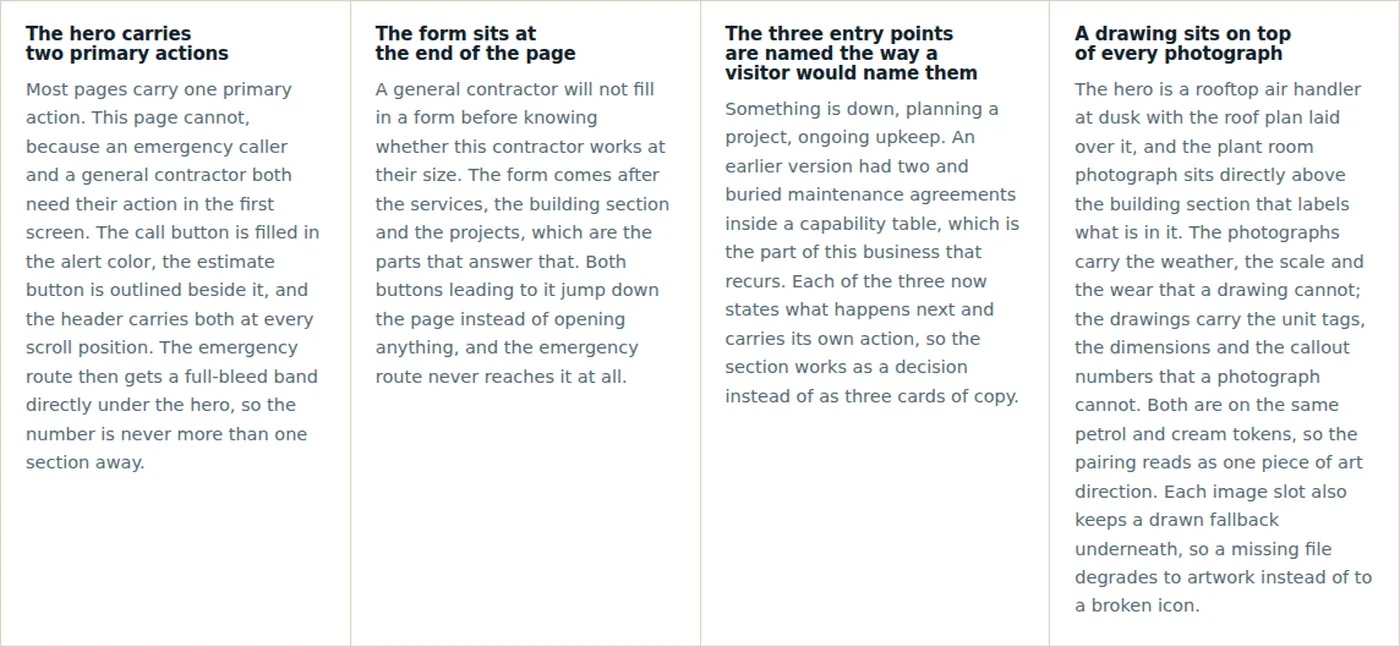
Each of the four decisions follows from the split in the flow. 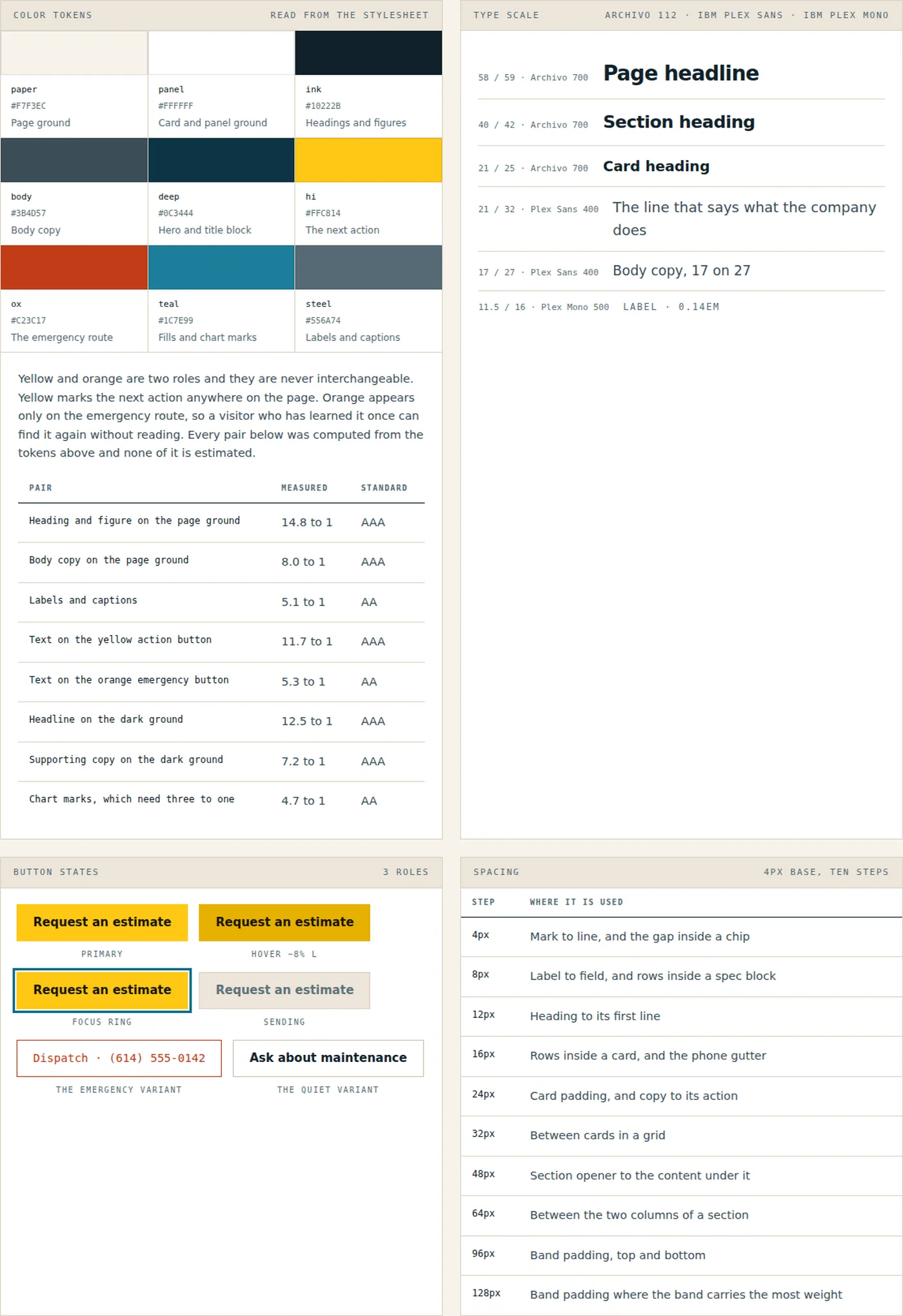
The swatches, the contrast table and the spacing scale are read out of the stylesheet when the document is built, so it cannot claim a color the page does not use. 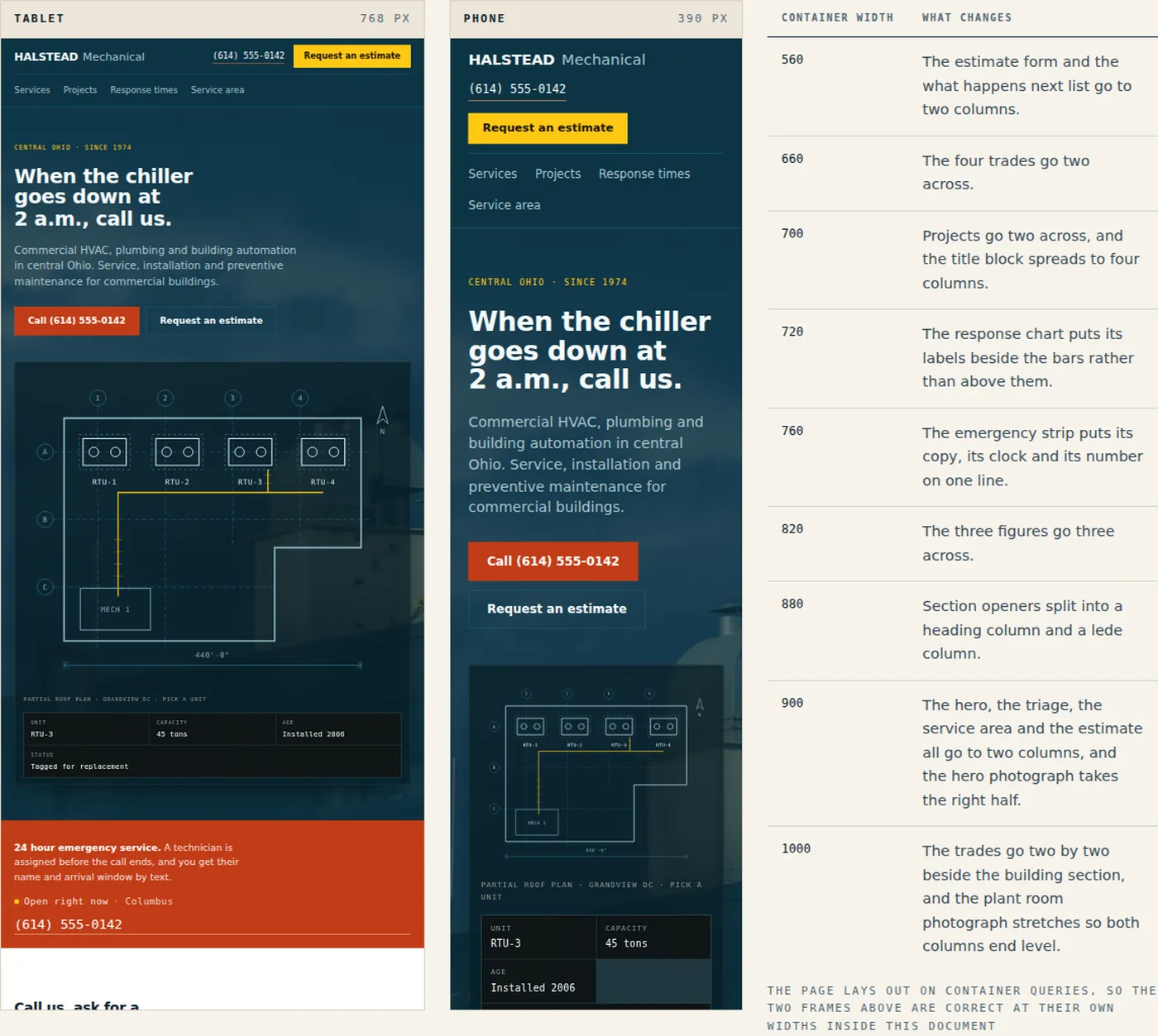
Both frames are the live page at their own widths. The page lays out on container queries, which is what makes that work inside a scaled document.
On a phone
The page on a phone. The facility manager with something broken is in a plant room holding a phone, so this is the layout that was designed first.
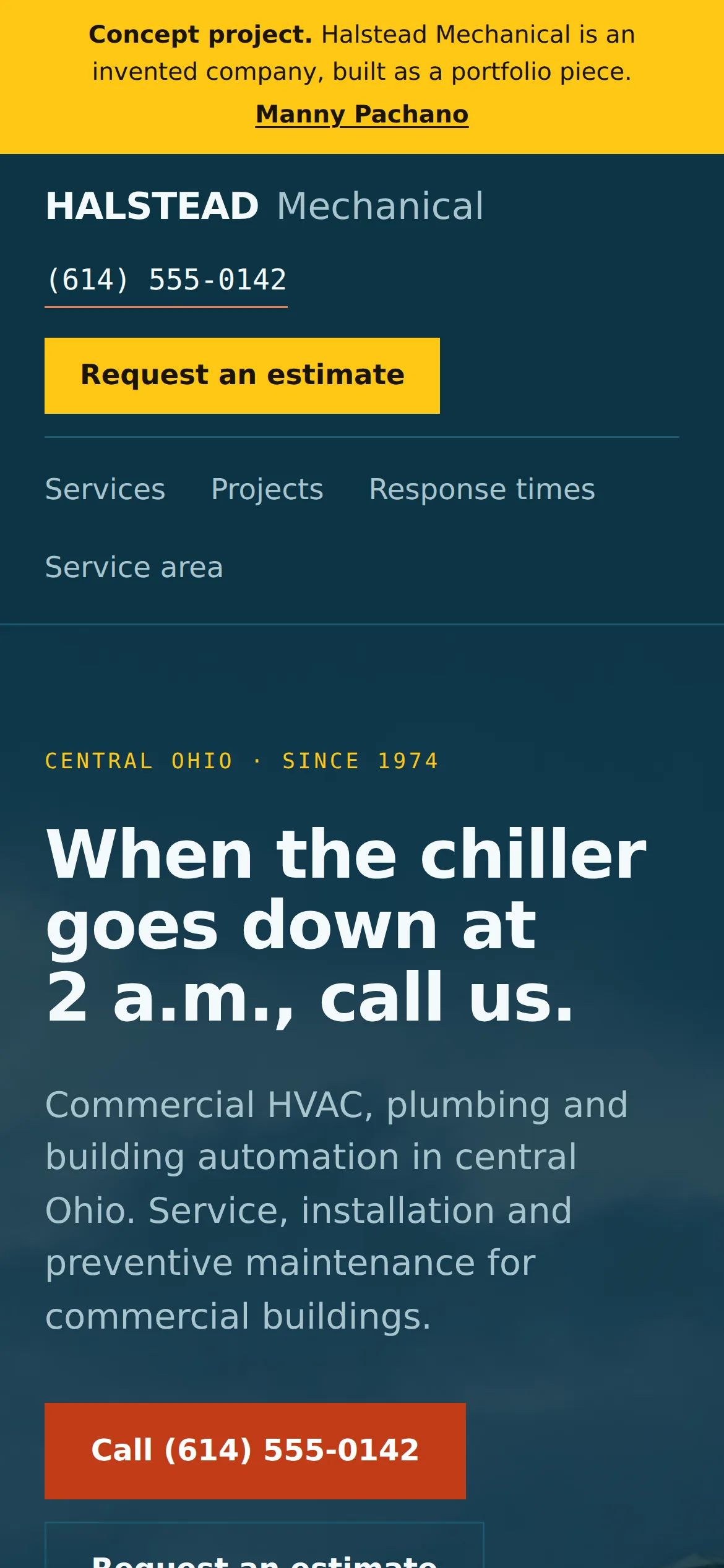
The phone number and the estimate button sit above the navigation, so the two actions are reachable before anything else loads. 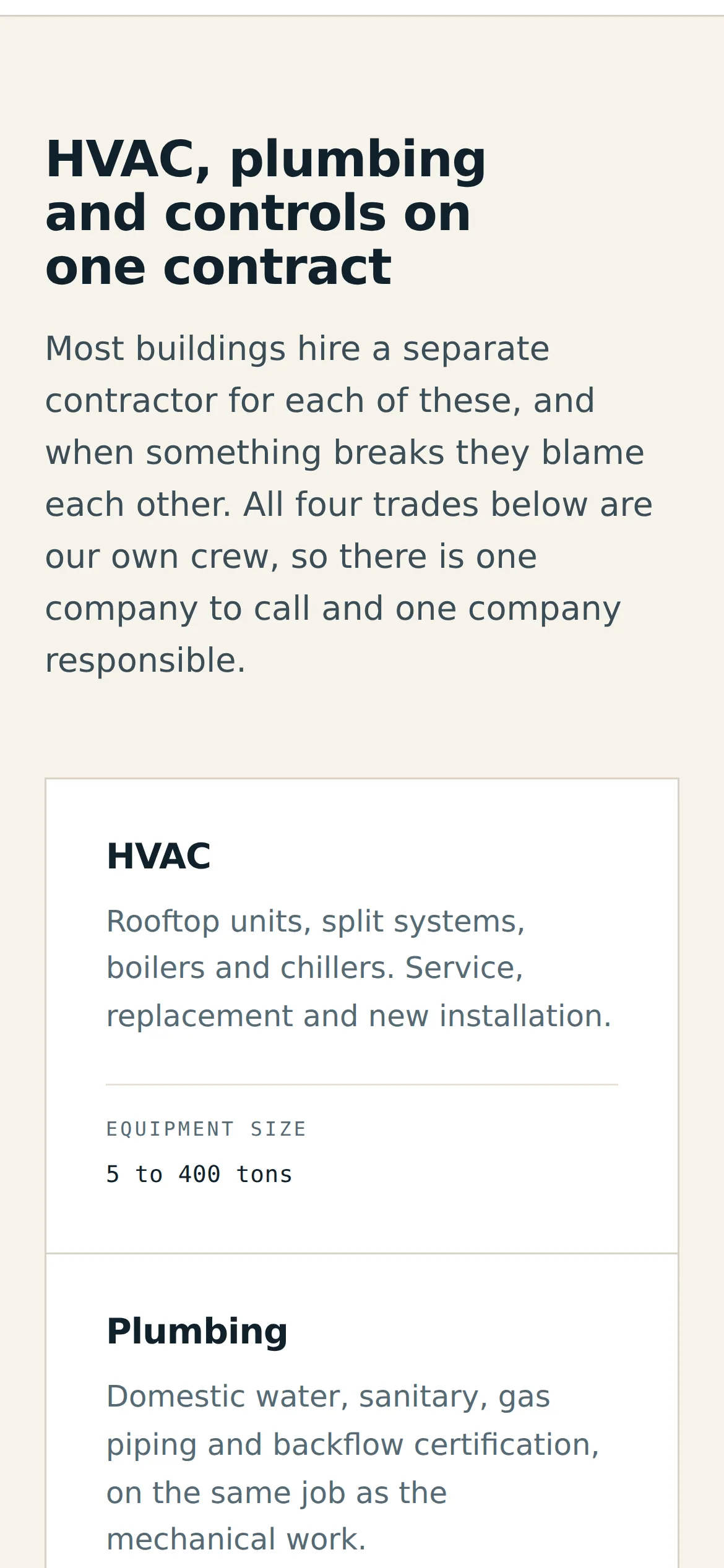
The four trade cards go one per row and each keeps its specification line on a rule at the foot, whether the heading above ran to one line or two. 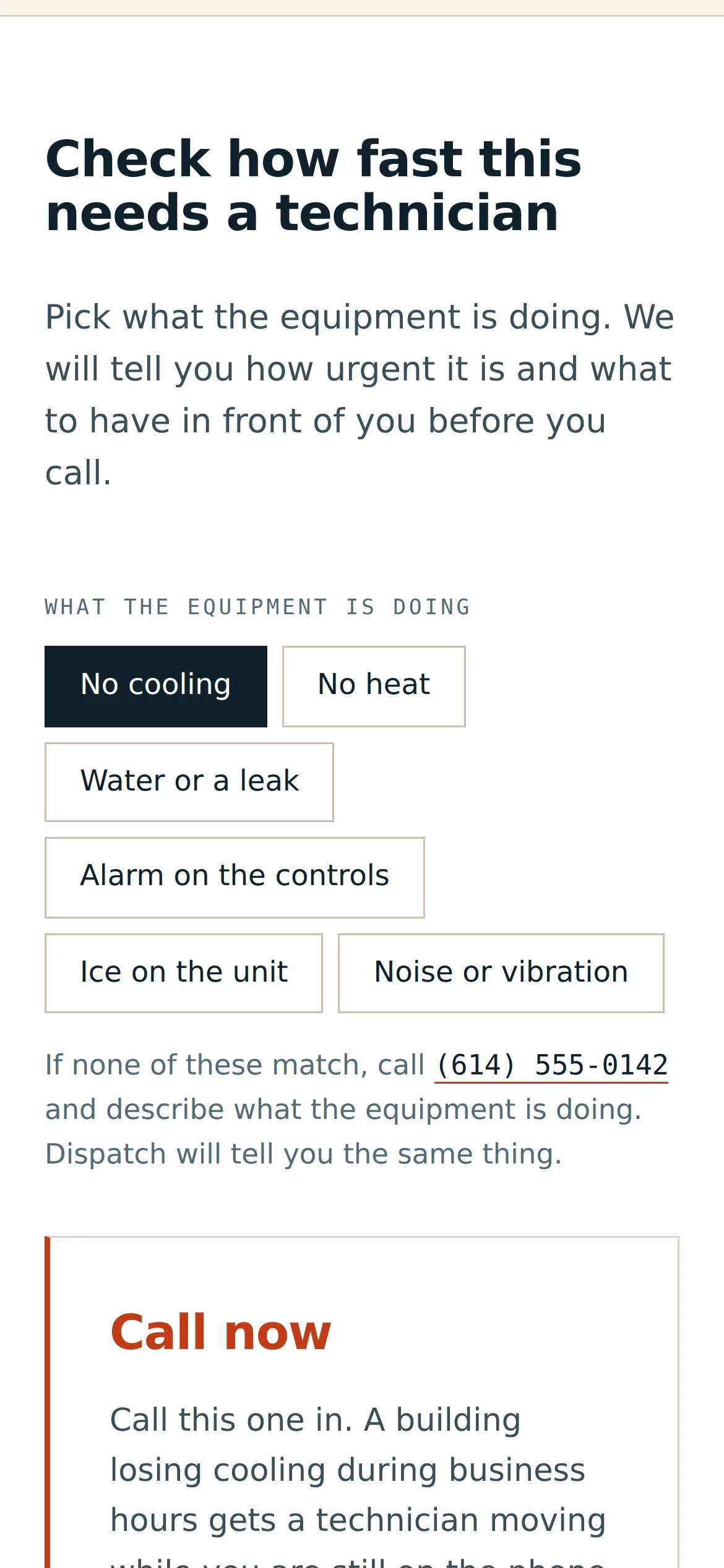
The symptom buttons wrap onto three rows, and the verdict opens directly underneath them. 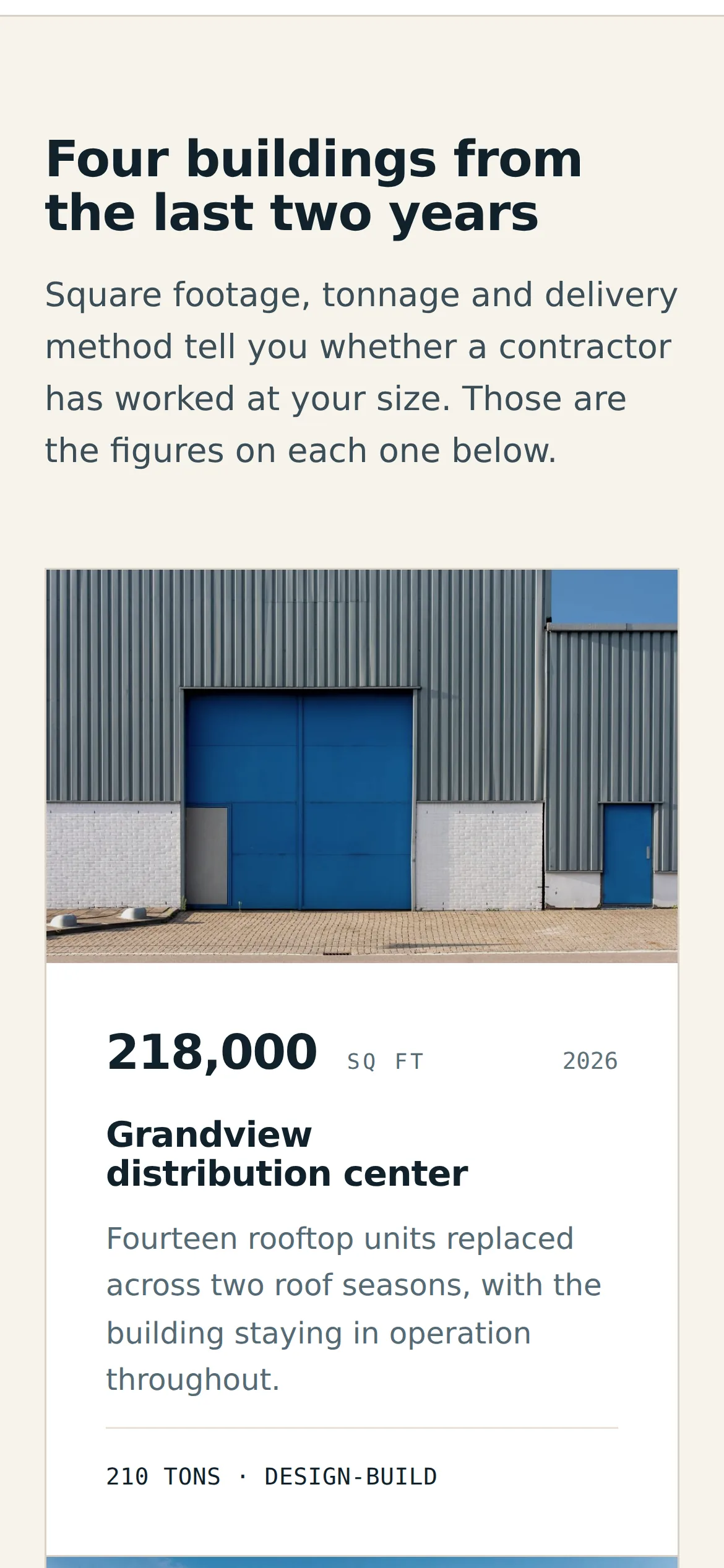
Project cards go one per screen and the square footage stays the first thing read, above the name. 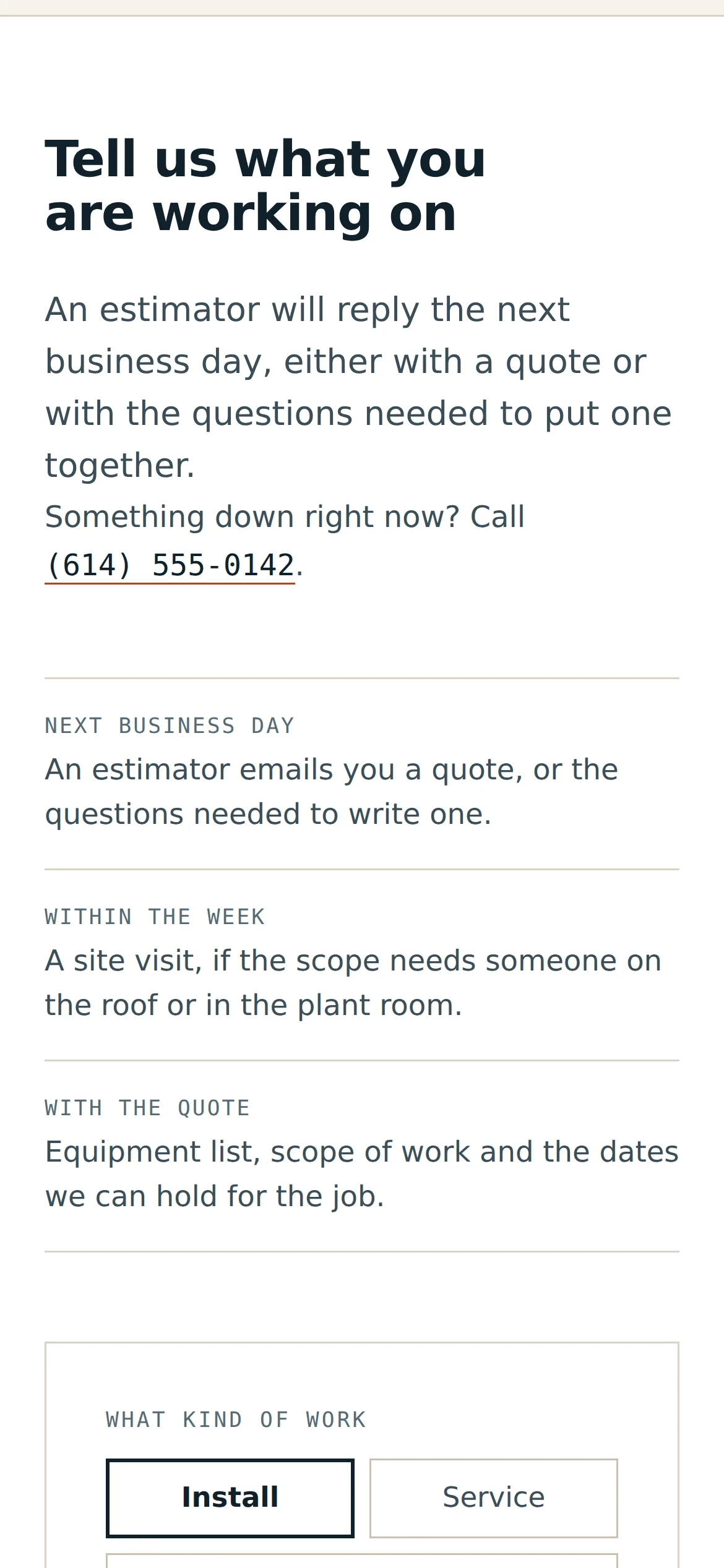
What happens after you send it moves above the form, so the form is the last thing on the screen.
What went into it
Design
- Petrol blue, warm cream and safety yellow, with a hot orange used only on the emergency route. Yellow marks the next action anywhere on the page, so a visitor who learns the orange once can find the emergency route again without reading.
- One theme on purpose. A contractor's page is read in daylight on a phone in a plant room, so the page stays light whatever the visitor's system is set to.
- Archivo set at a width of 112 for display, IBM Plex Sans for text and IBM Plex Mono for labels and every figure. The type scale has four sizes.
- Every image slot pairs a photograph with a drawing: the roof plan over the hero, the building section under the plant room. The drawings sit on their own ink tokens.
- Dark appears twice, on the hero and on the footer. Everything between them alternates white and cream, and every band sits on one of three padding steps.
- Contrast was computed from the color tokens: 14.8 to 1 for headings on the page ground, 11.7 to 1 for text on the yellow button, 12.5 to 1 for the headline on the dark ground.
Build
- One HTML file, about 115 KB, with hand-written CSS and JavaScript. No framework and no build step on the page itself, though a small Python script assembles it from the token, base and section stylesheets.
- Nine container queries, so the layout responds to the width of the page itself. That is what lets the same markup lay out correctly inside the scaled device frames in the process document.
- The roof plan, the building section and the county map are inline SVG with no raster and no text baked in. Every clickable part is a real button with aria-pressed, so they work by keyboard.
- The triage maps six symptoms to a verdict, a checklist and an action, and swaps the action between a phone link and the form depending on the verdict.
- The response chart fills on IntersectionObserver, and a bar past 72 percent of the track moves its value inside itself and waits for the fill to land before it appears.
- The clock shows Eastern time through Intl, so the 24 hour claim is checked against the hours the company keeps.
- Every image slot keeps its drawing underneath the photograph, so a missing file falls back to the drawing. The page still reads with images turned off.
- The build refuses to write the file if a class in the markup has no rule, or if an em dash, an en dash or an exclamation mark reaches visible copy.
- Deployed on Netlify.
Tools used
- HTML & CSS
- JavaScript
- SVG
- Python
- Google Fonts
- Netlify