Landing page
Apple SEO
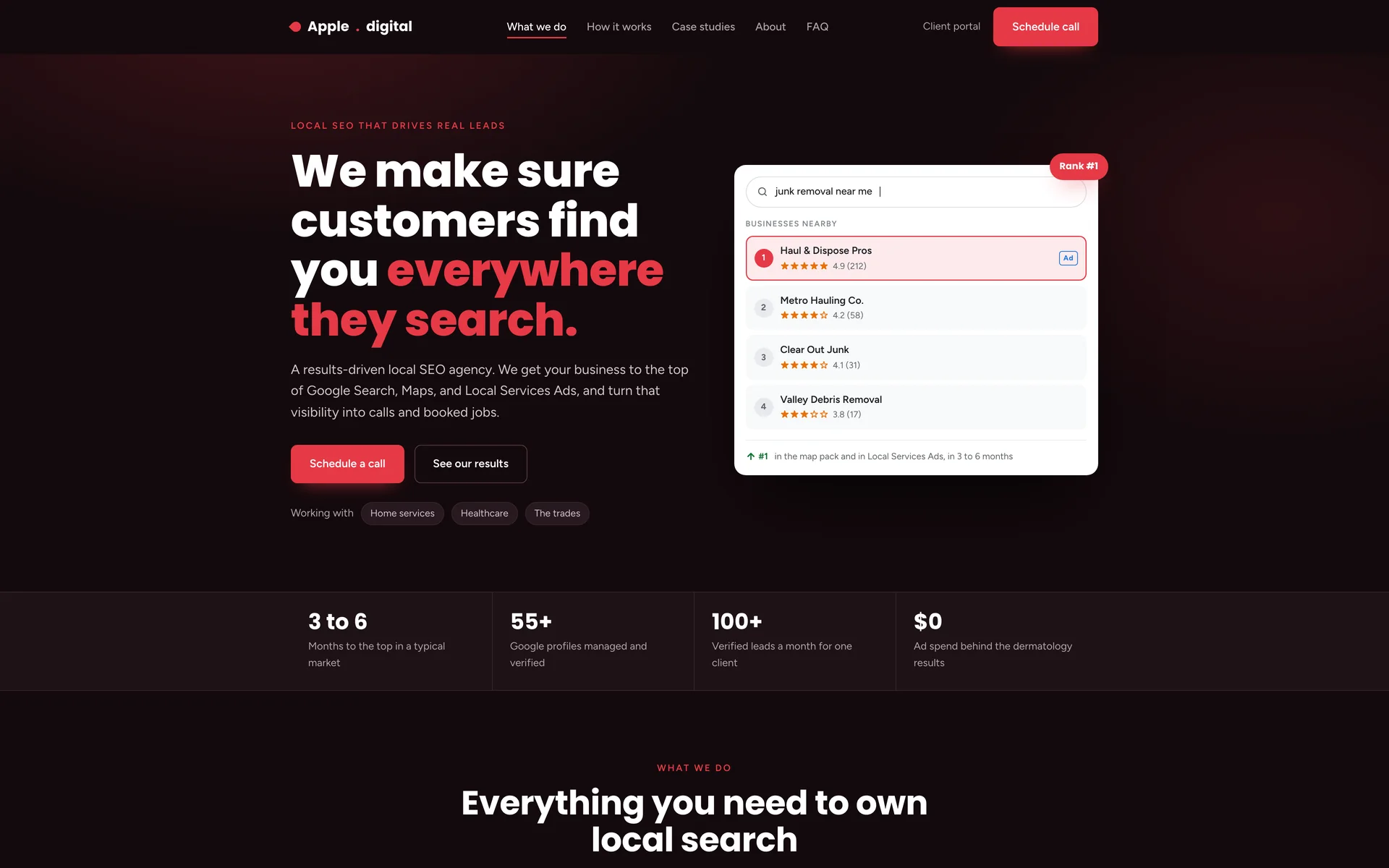
Apple SEO had three real clients, three industries and results they could name, and the homepage was not putting them in the order a buyer thinks in. I redesigned and built it in 2026 without being asked. Their copy, services and case studies are theirs; the structure, the design and the code are mine. Press Show notes on the live page to see what changed in each section and why.
- Client
- Apple SEO, a local SEO agency in State College, Pennsylvania (unsolicited concept, not commissioned)
- My role
- Design and front-end development
- Year
- 2026
- Format
- One-page site
- Answered before the callA six-month timeline and an FAQ, so the questions that eat a discovery call are handled on the page
- One proof formatAll three case studies get the same four stat tiles, so the strongest one stops outshining the other two
- One HTML fileAbout 56 KB, hand-written, no framework and no build step
About the project
Apple SEO already had the hard part: three real clients, three industries, and results they could name. What the homepage did not do was put them in the order a buyer thinks in. So the structure changed and almost none of the words did. The offer, then what you get, then what the first six months look like, then the proof, then the people, then the questions, then the form.
Two of the changes are fixes. The three case studies were each styled differently, which made the strongest one look like the only one. They now share a single format, so the three read as a repeatable process. The page also ended at a booking tool, which loses anyone not ready to pick a time, so it now ends at a form that accepts an email.
This was not commissioned and I am not affiliated with Apple SEO. The copy, the services and the case study figures are theirs. The structure, the design, the code and the three new sections are mine. The live page keeps a Show notes button that explains each change in place, which is how it was sent to them.
Section by section
The page, top to bottom.
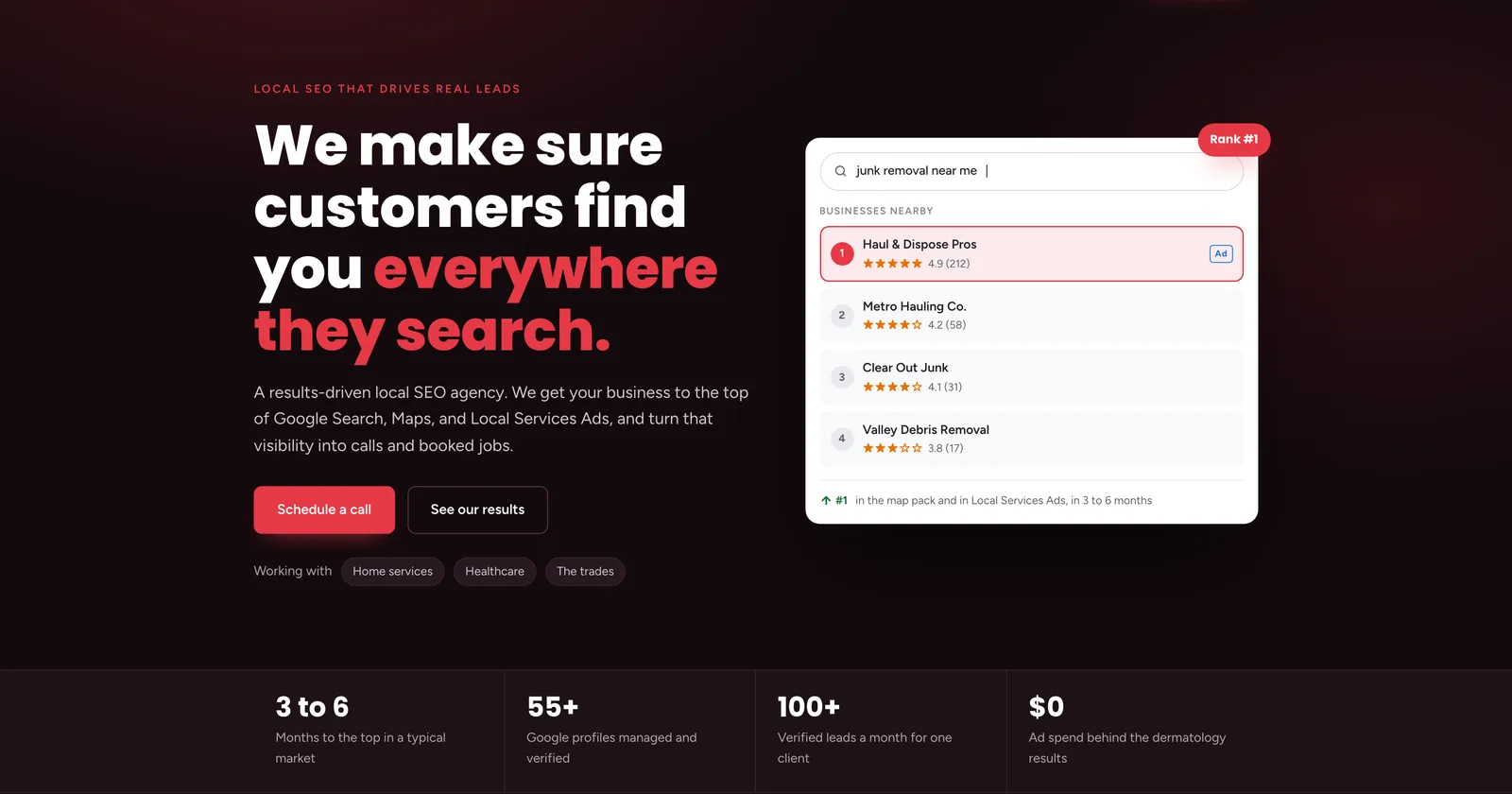
Header and heroOne sentence for what the agency does, with the word that matters in red. The panel beside it is a local search result drawn in HTML, showing a business at rank seven with the result above it highlighted. Under the fold line, four figures that hold up the claim. 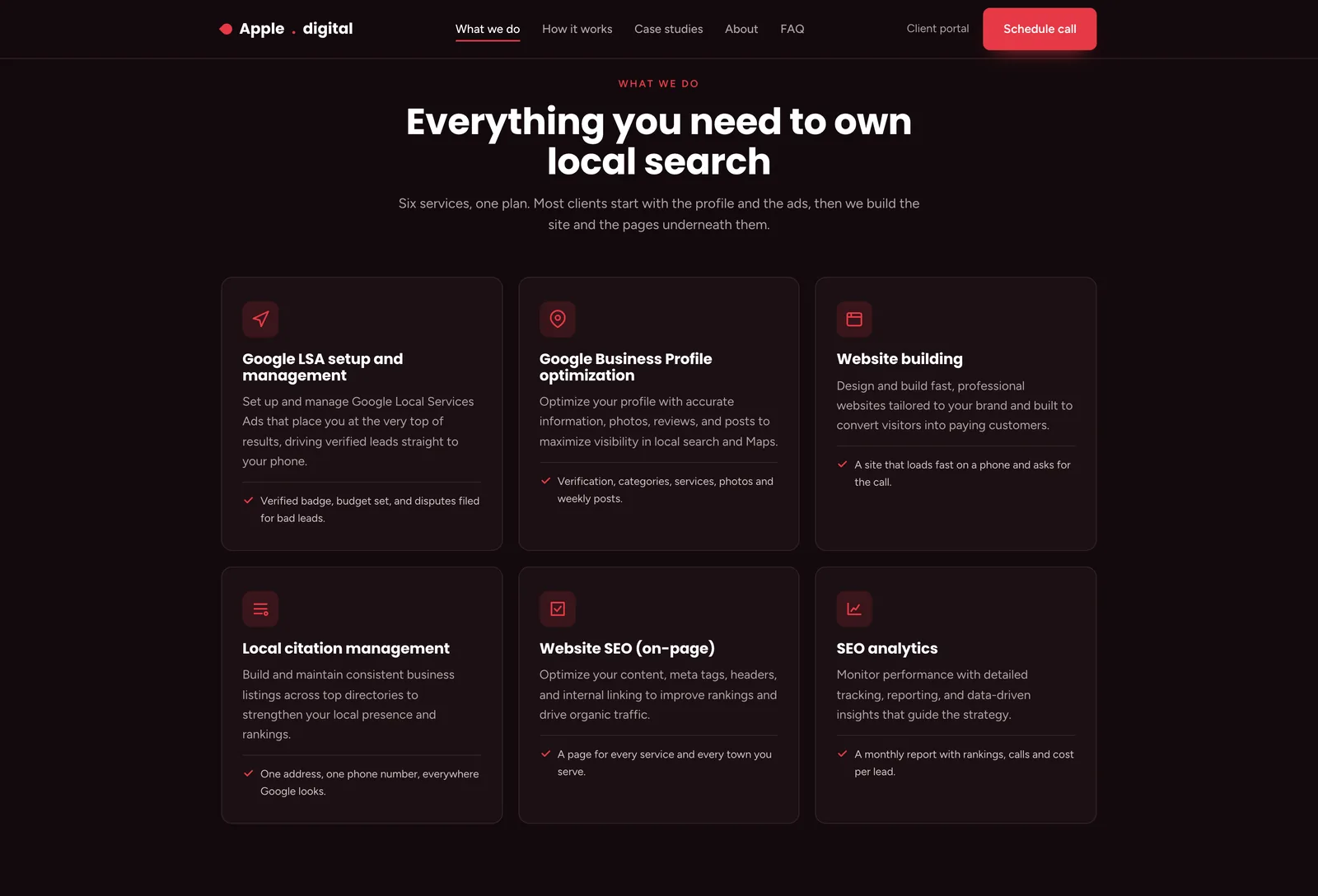
What we doSix services on one card style with one icon each. The line above them says most clients start with the profile and the ads, which turns a menu into a recommendation. 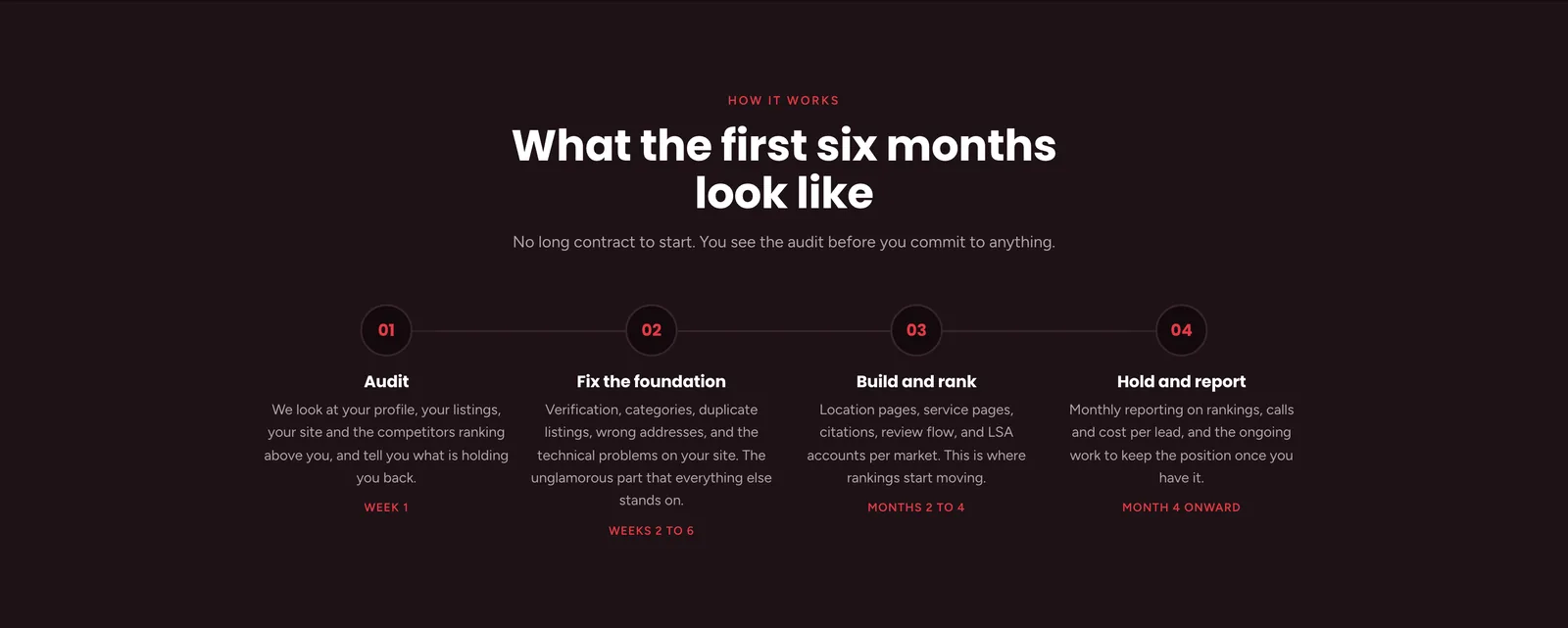
How it worksA new section. The old page listed services but never said what the first month looks like, which is the question every prospect asks on the call. Four steps with the week or month each one lands in, and a line saying there is no contract before the audit. 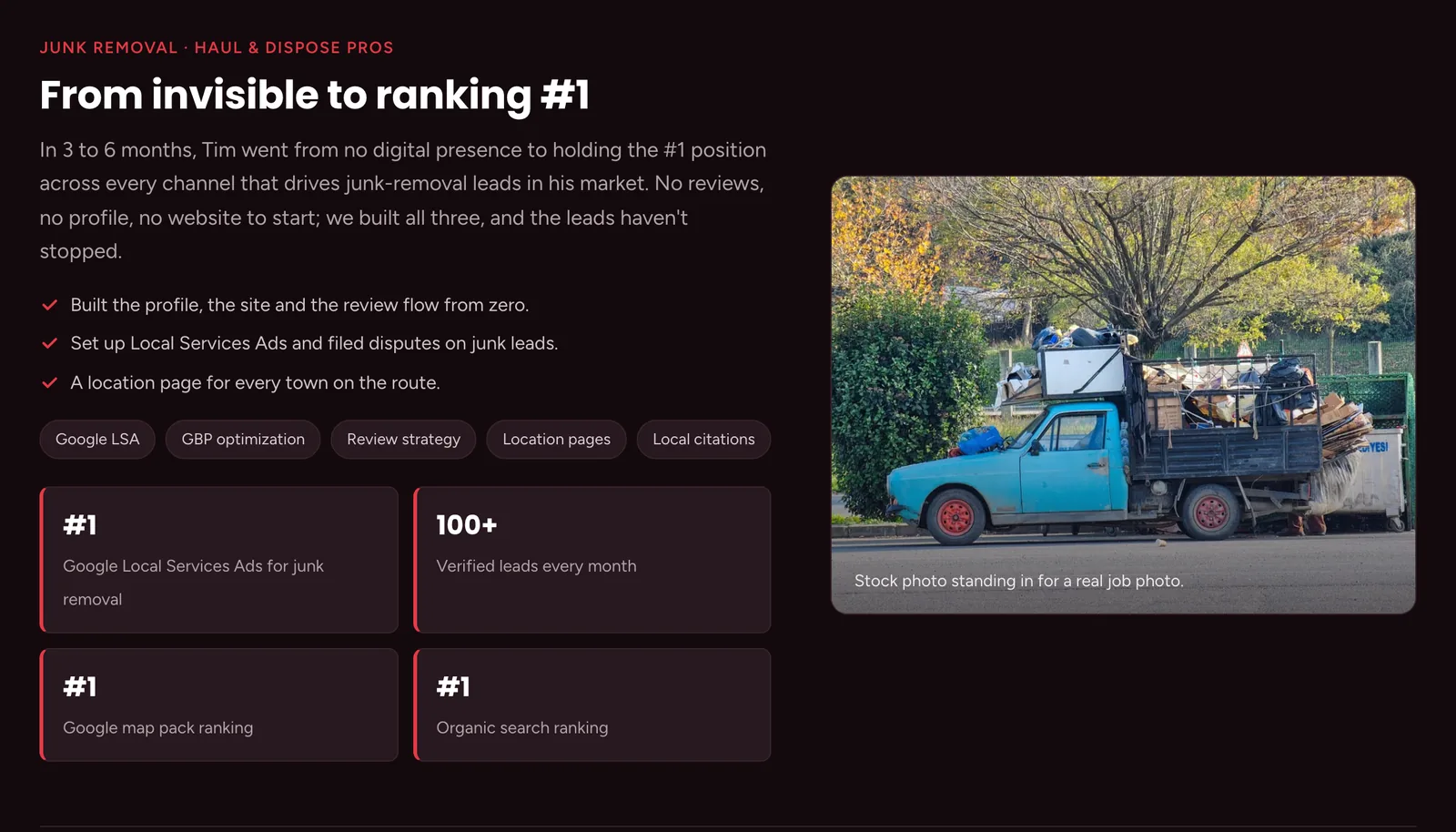
Case study: junk removalThe first of three, and the template for the other two. Their own client, their own figures. The layout gives it a paragraph of narrative, three checked specifics, the tactics as tags, four stat tiles and a photograph. The photo caption says it is a stock stand-in. 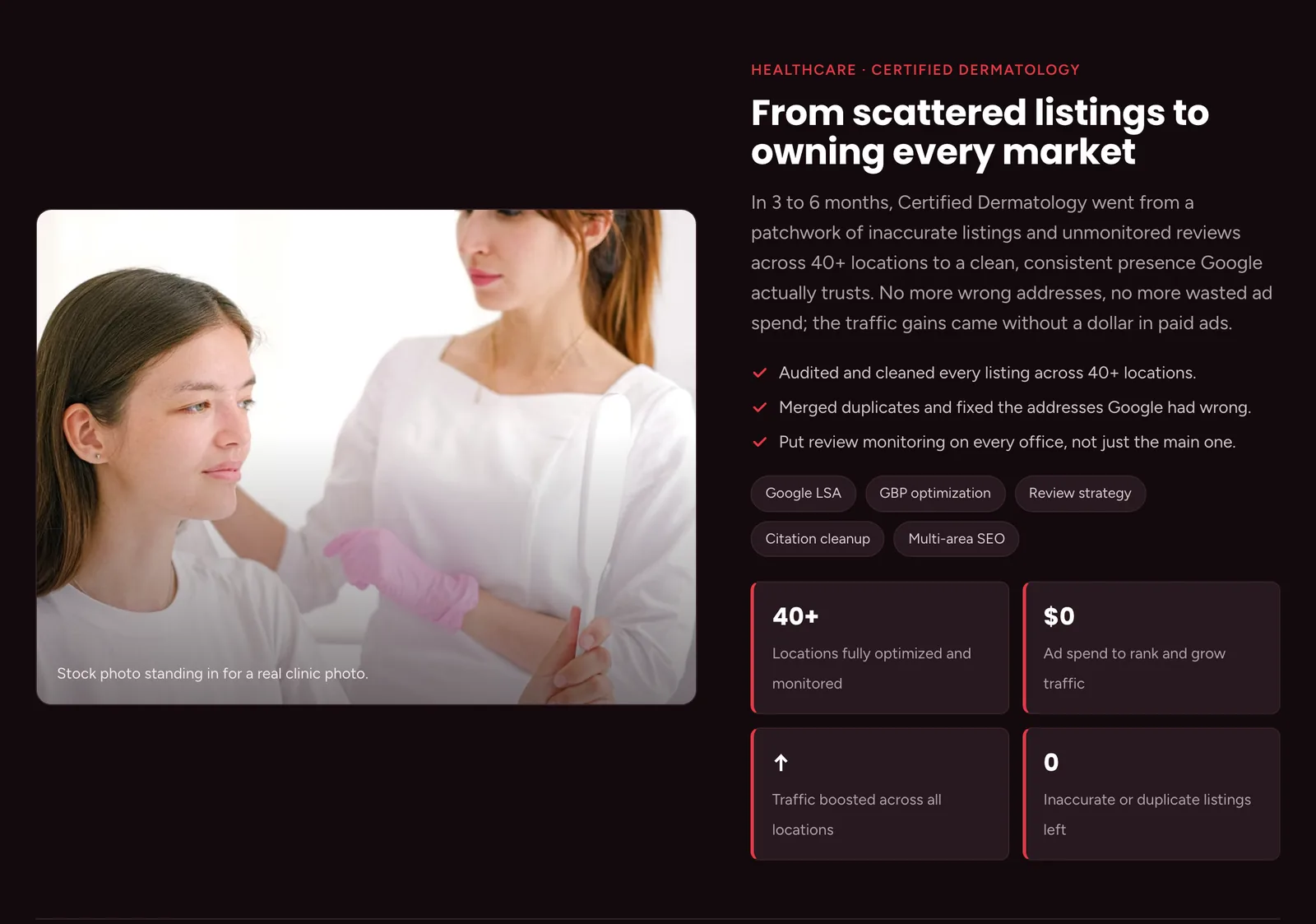
Case study: dermatologyThe same format applied to a different problem: cleaning up forty locations. Two of the tiles show a zero, for no ad spend and no duplicate listings remaining. 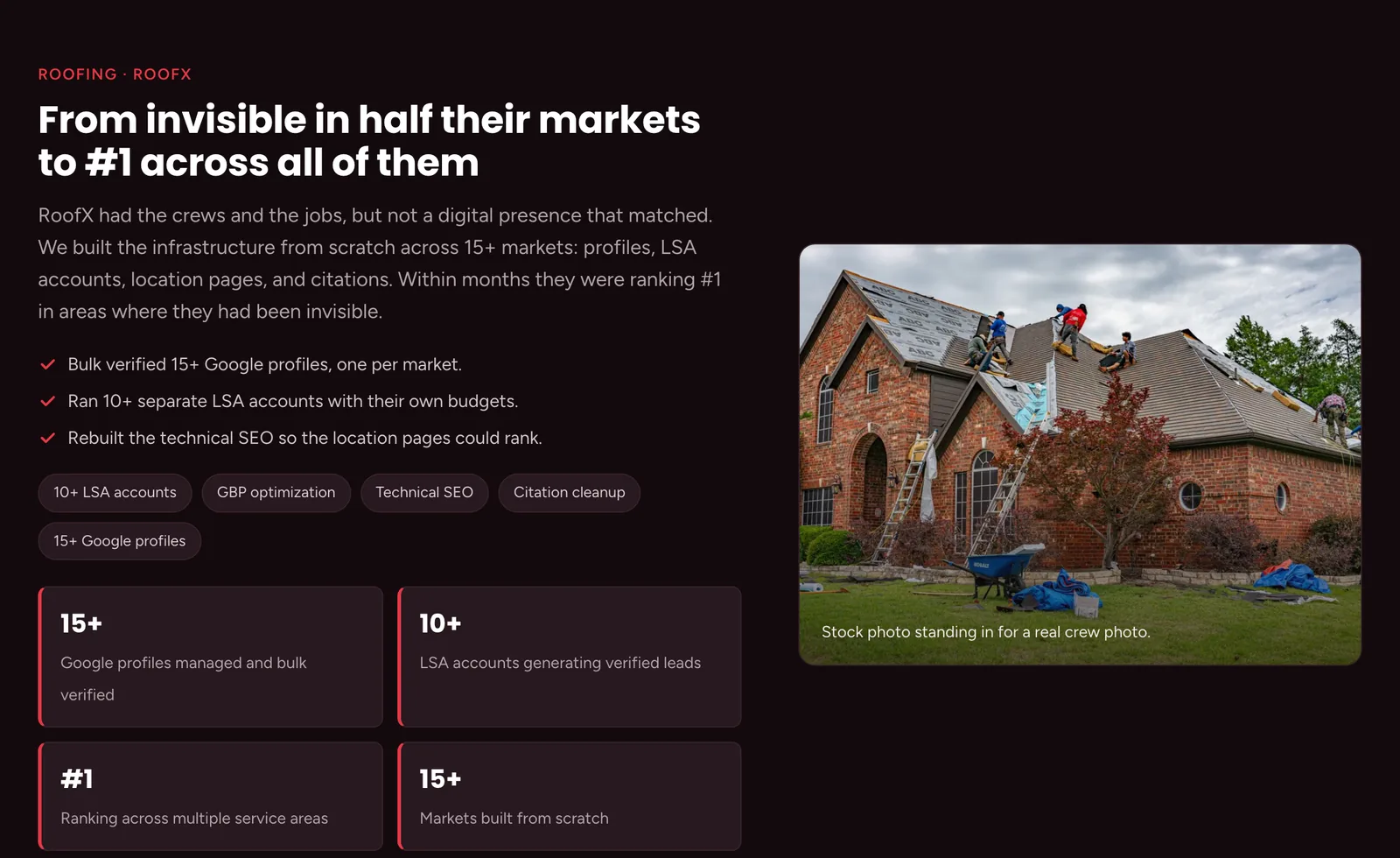
Case study: roofingThe third case study, at the largest scale: fifteen markets. The three are ordered smallest to largest so the scale builds across the section. 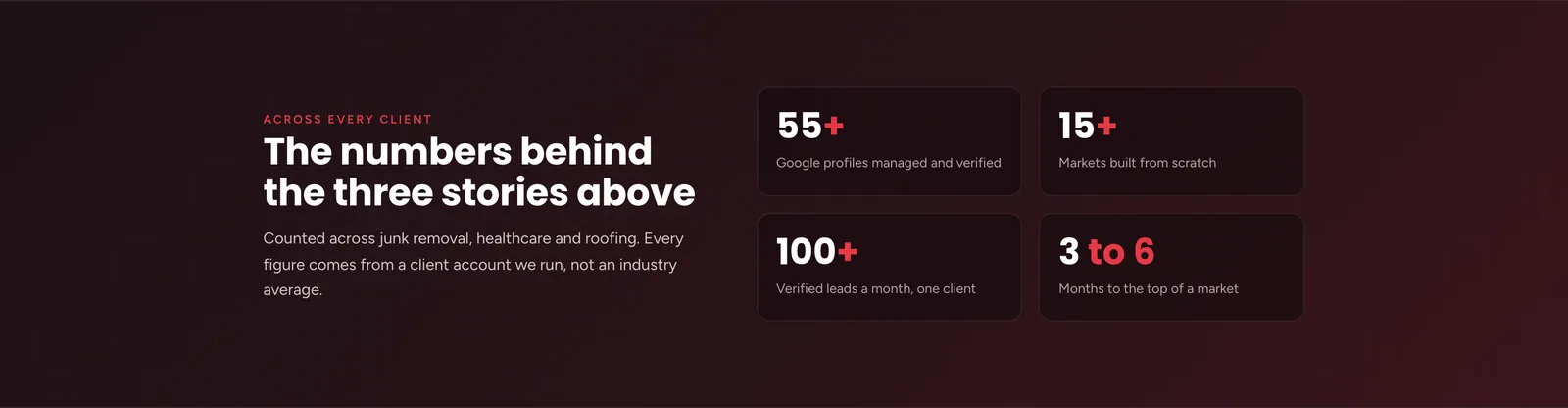
Across every clientA new section that totals the three case studies into four figures, so a visitor who skimmed them still gets the scale. The line underneath states that the figures come from accounts the agency runs, not from an industry average. 
Who we areTheir positioning and their voice, set in two columns with enough contrast to read on a dark background. Three checked promises sit under it, and each one is about access: you talk to the person doing the work. 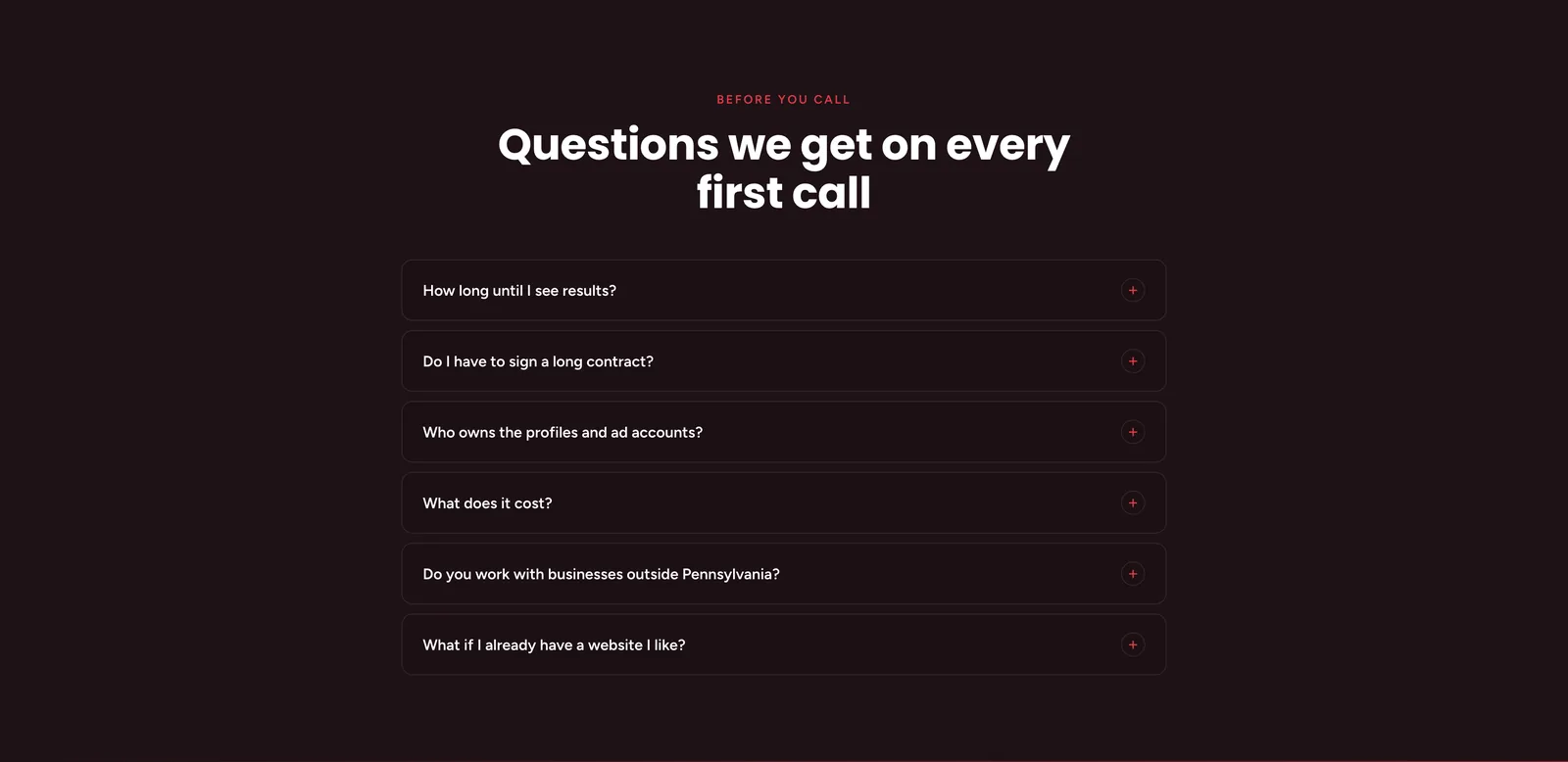
Before you callA new section. Six questions in an accordion, and the two that matter most are the uncomfortable ones: whether there is a long contract, and who owns the profiles and ad accounts afterwards. An agency that answers those on the page saves itself the defensive half of every first call. 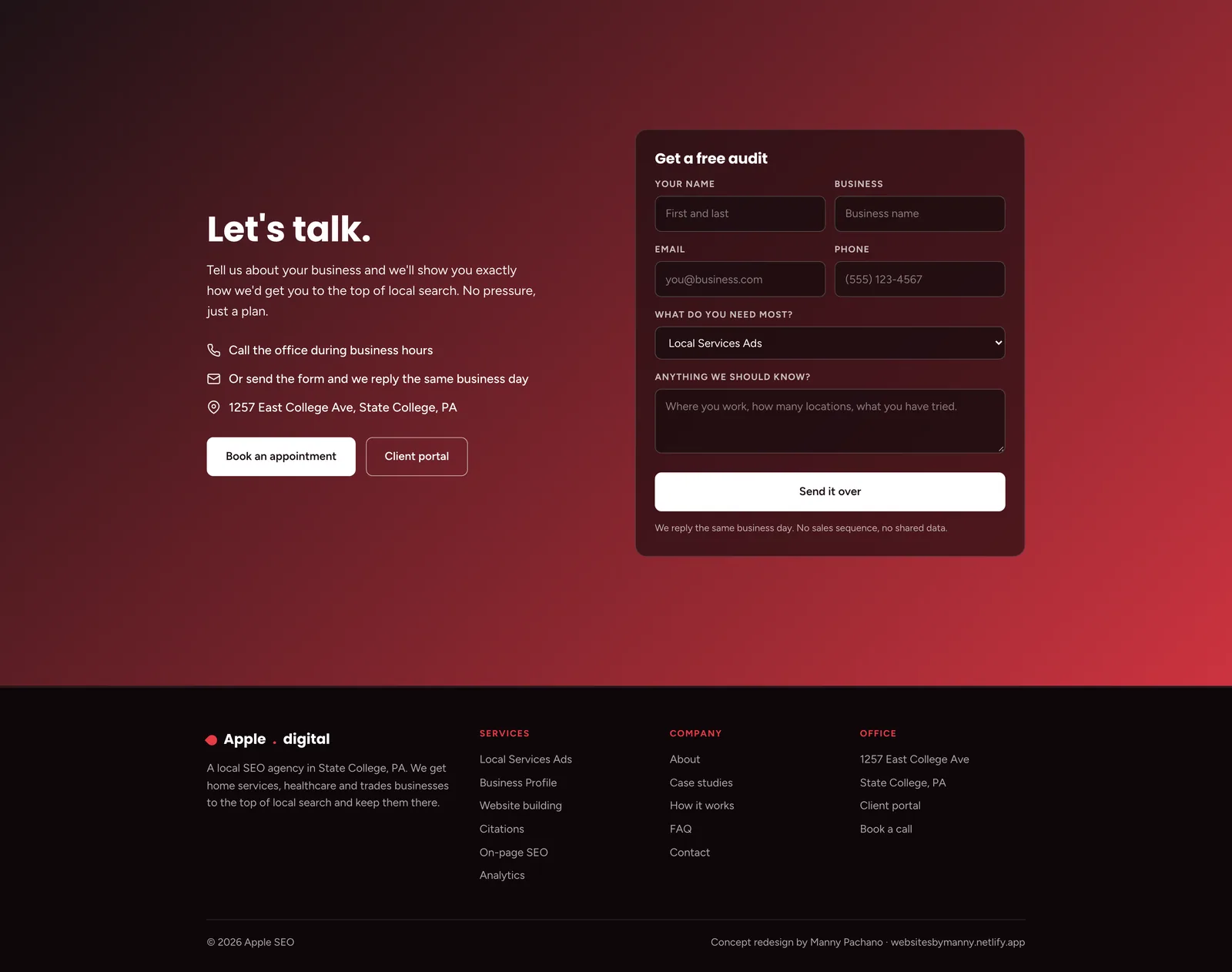
Contact and footerThe old page ended at a button that opened a booking tool, which loses anyone not ready to pick a time on the spot. This one offers both: call during business hours, or fill in the form and get a reply the same business day. The form asks what they need first, so the reply can already be specific.
The process document
A second document at /process shows how the redesign was made: the brief, the reading order, the wireframe beside the finished build, the changes and the component system. The finished page runs live inside the document.
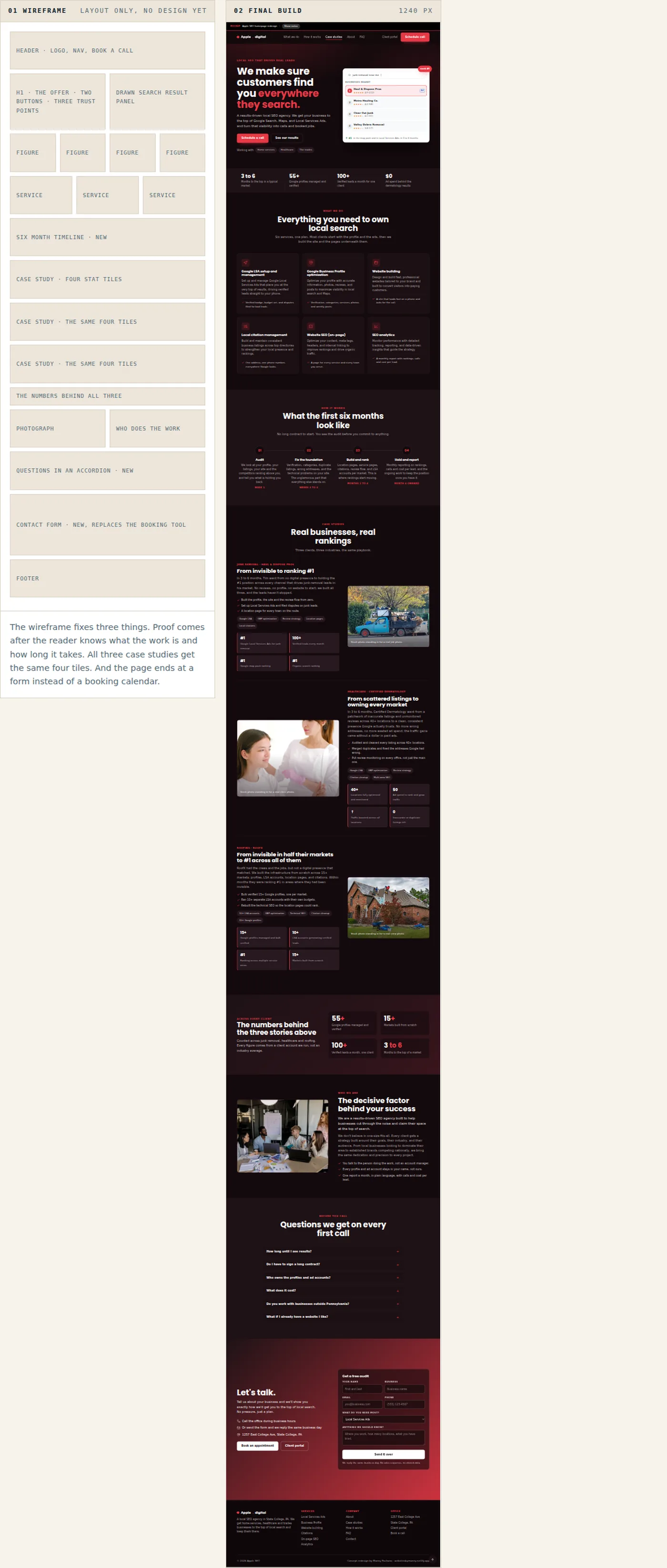
The wireframe on the left and the finished page on the right, running live in the document at 1240 pixels. 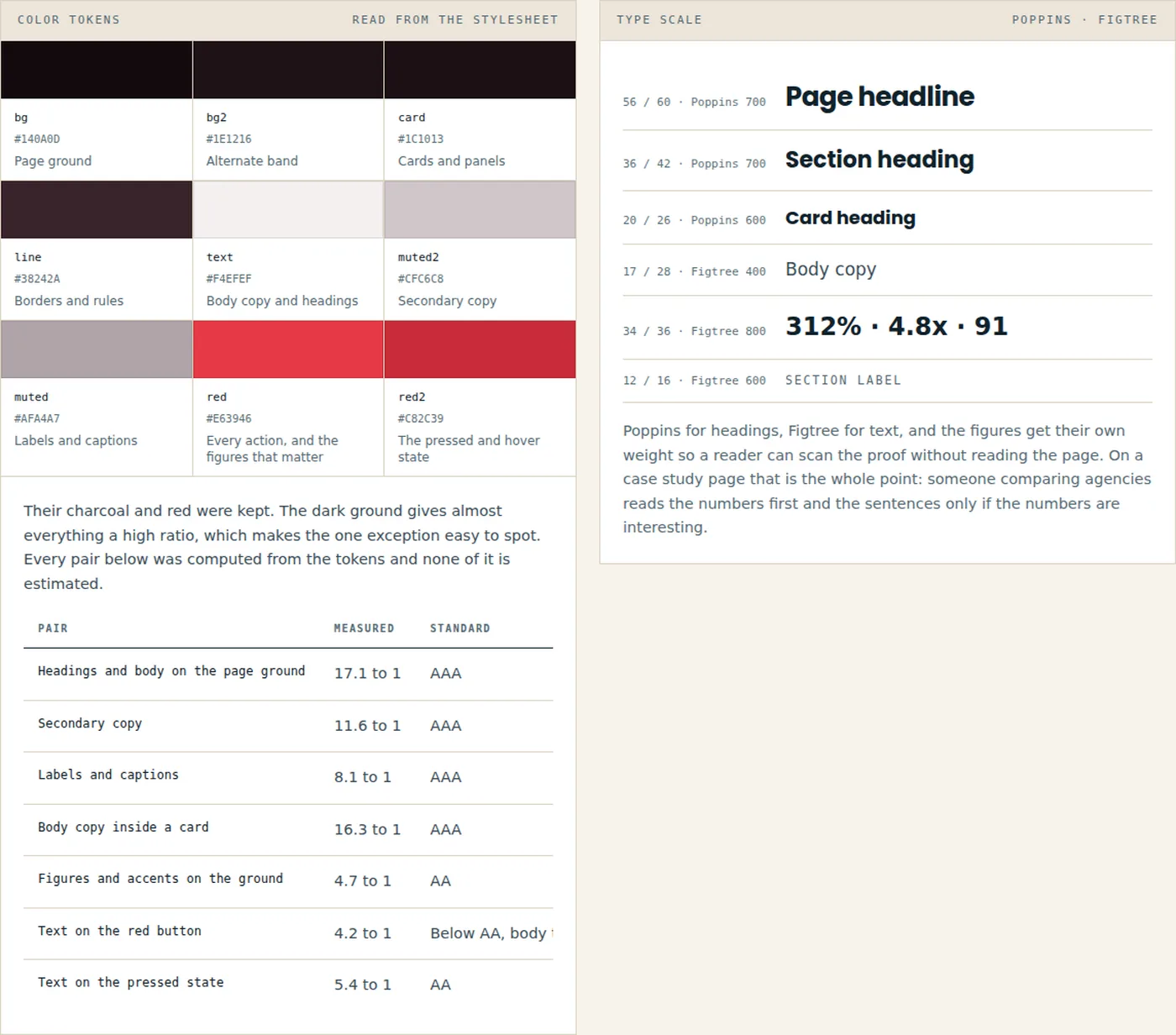
The swatches and the contrast table are read out of the page stylesheet when the document is built. White on the red button measures 4.17 to 1, where body text needs 4.5, and their own darker red already in the token set reaches 5.42. 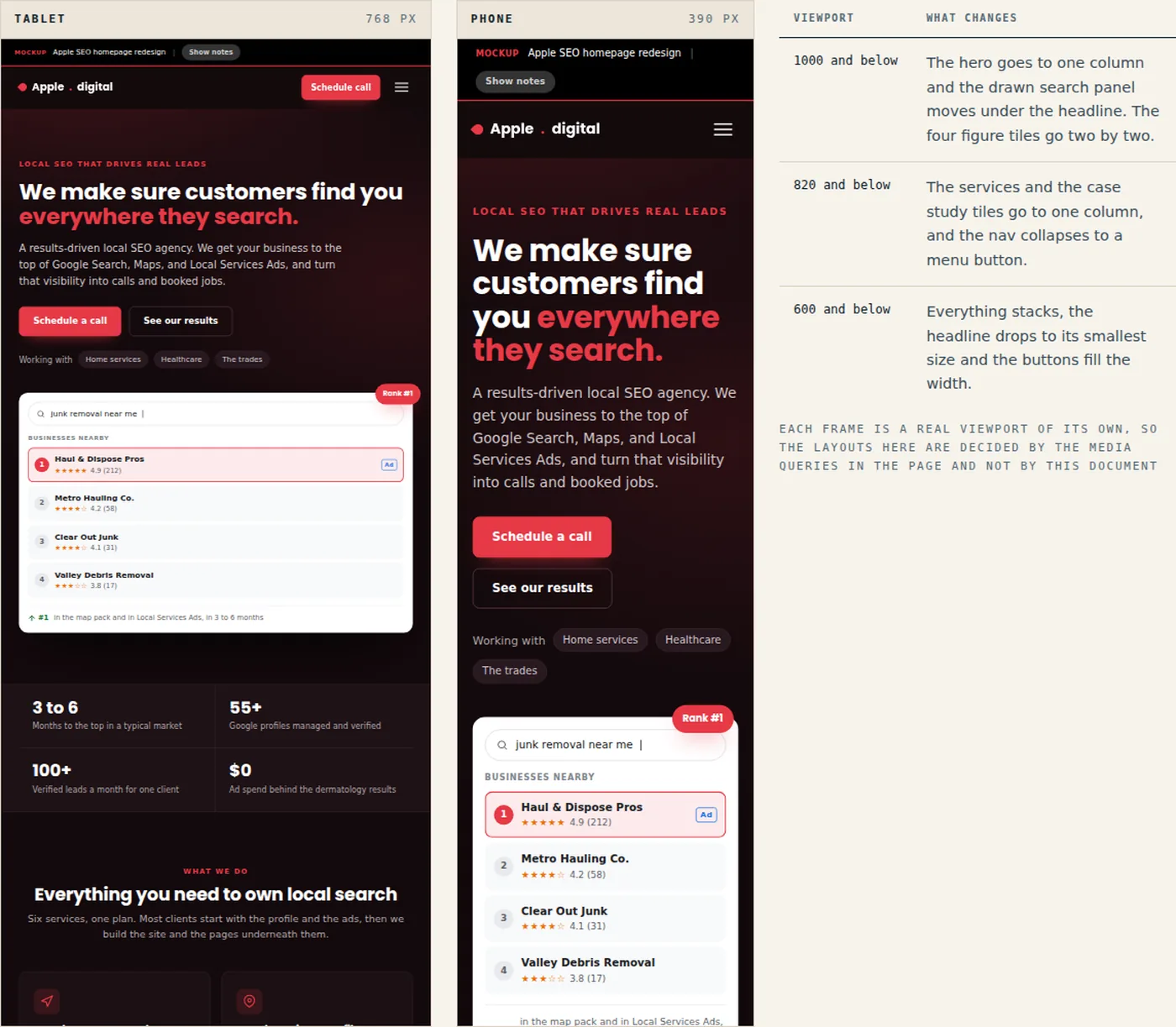
Both frames show the live page at its own width. The table lists the three breakpoints in the stylesheet.
On a phone
The page on a phone, where most local search traffic arrives.
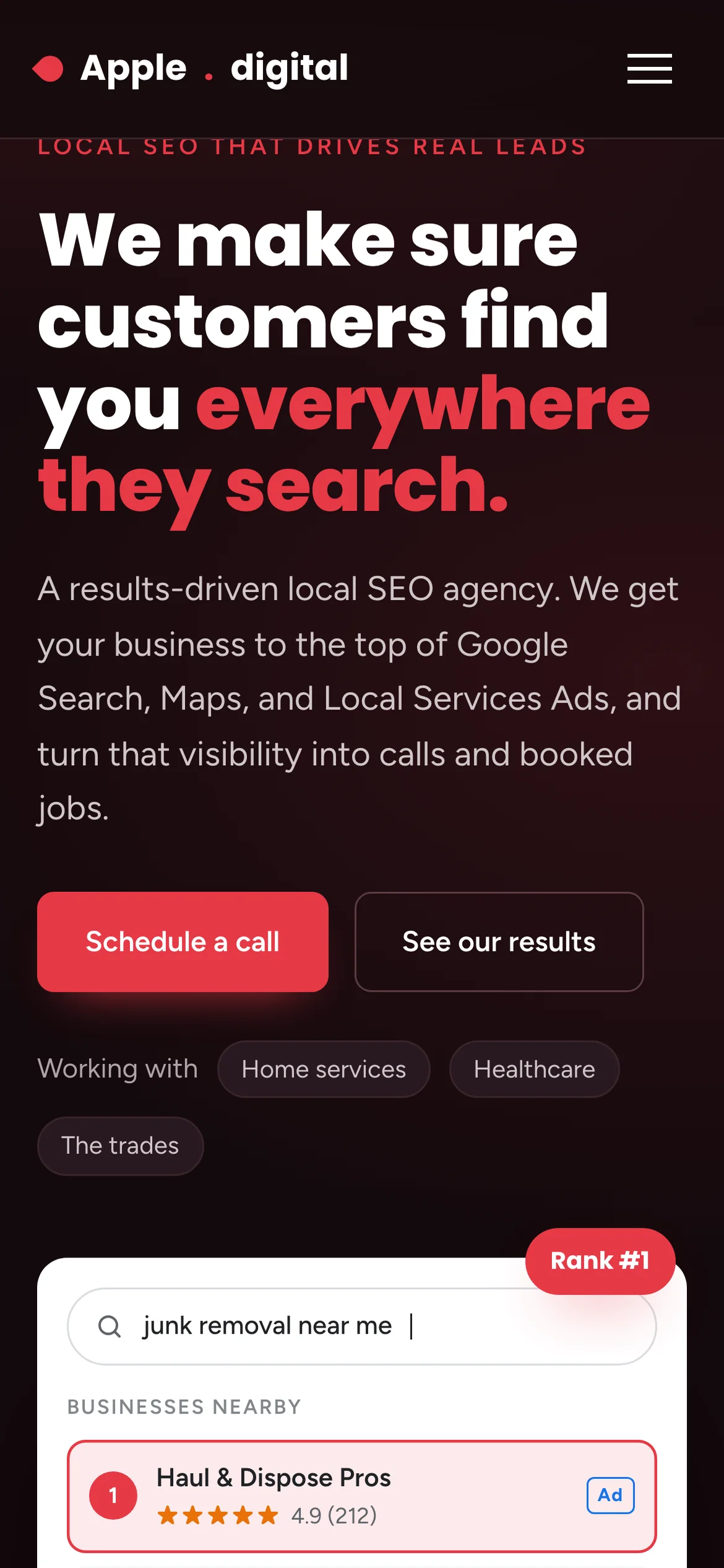
The search result panel moves below the buttons, so the claim is read before the illustration of it. 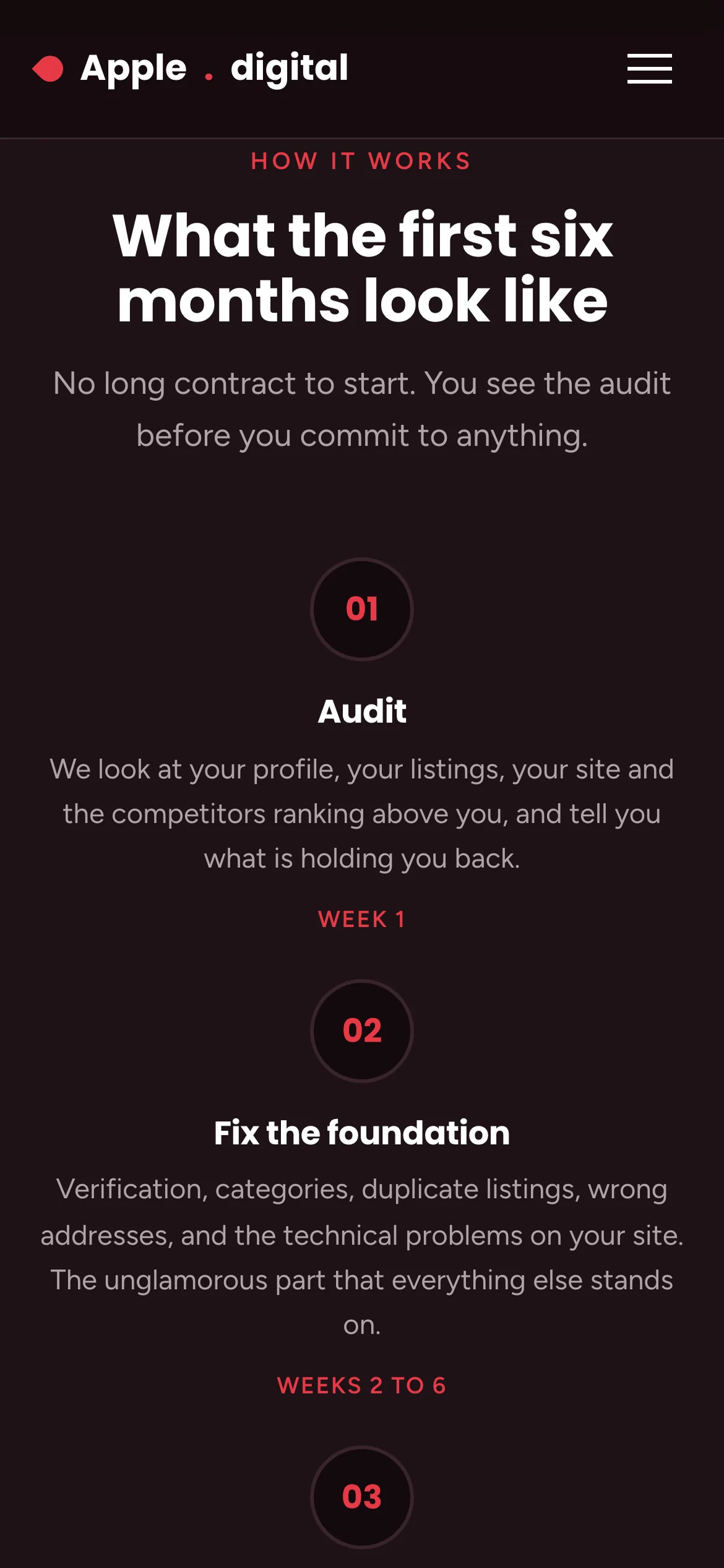
The timeline becomes vertical, with the numbered markers holding the eye down the column. 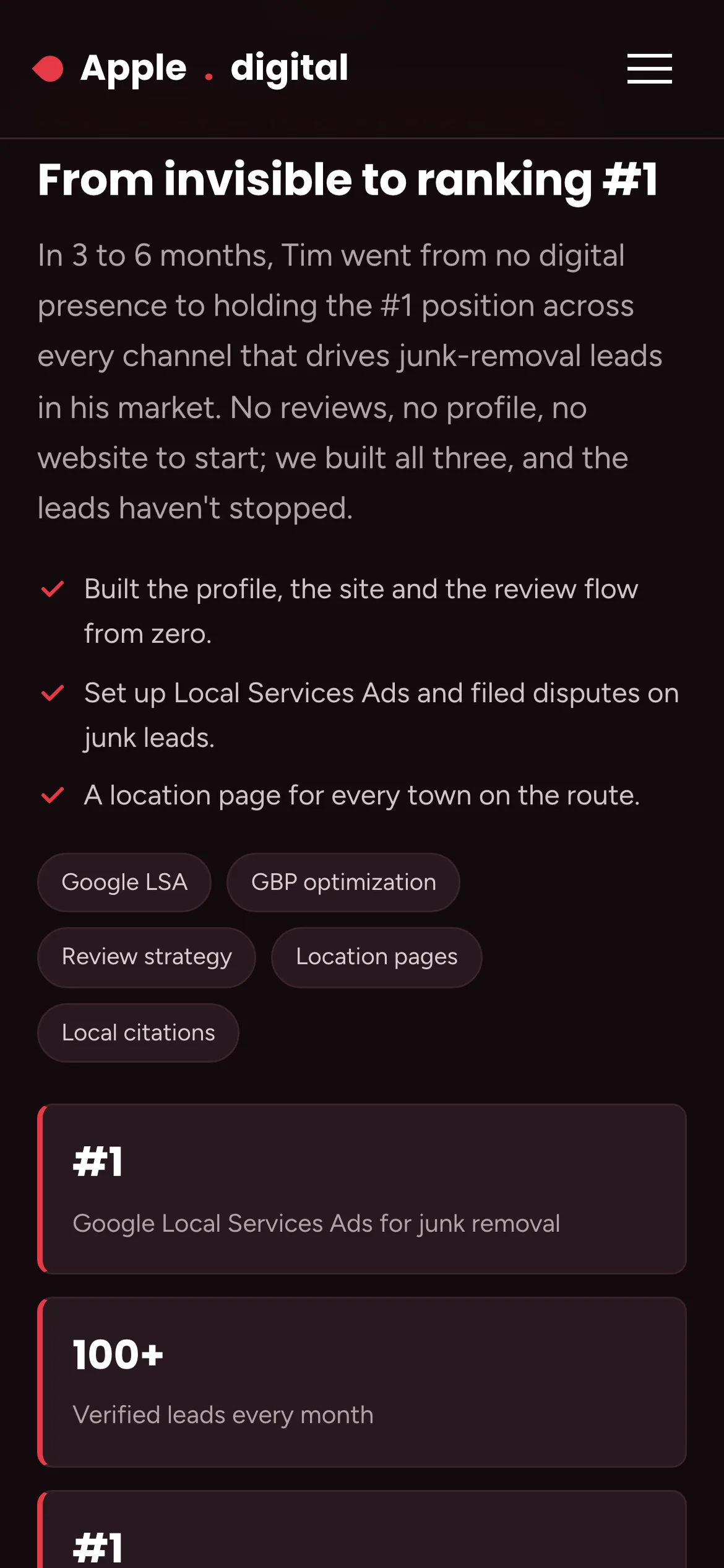
Case study tiles go one per row, so the numbers stay legible. 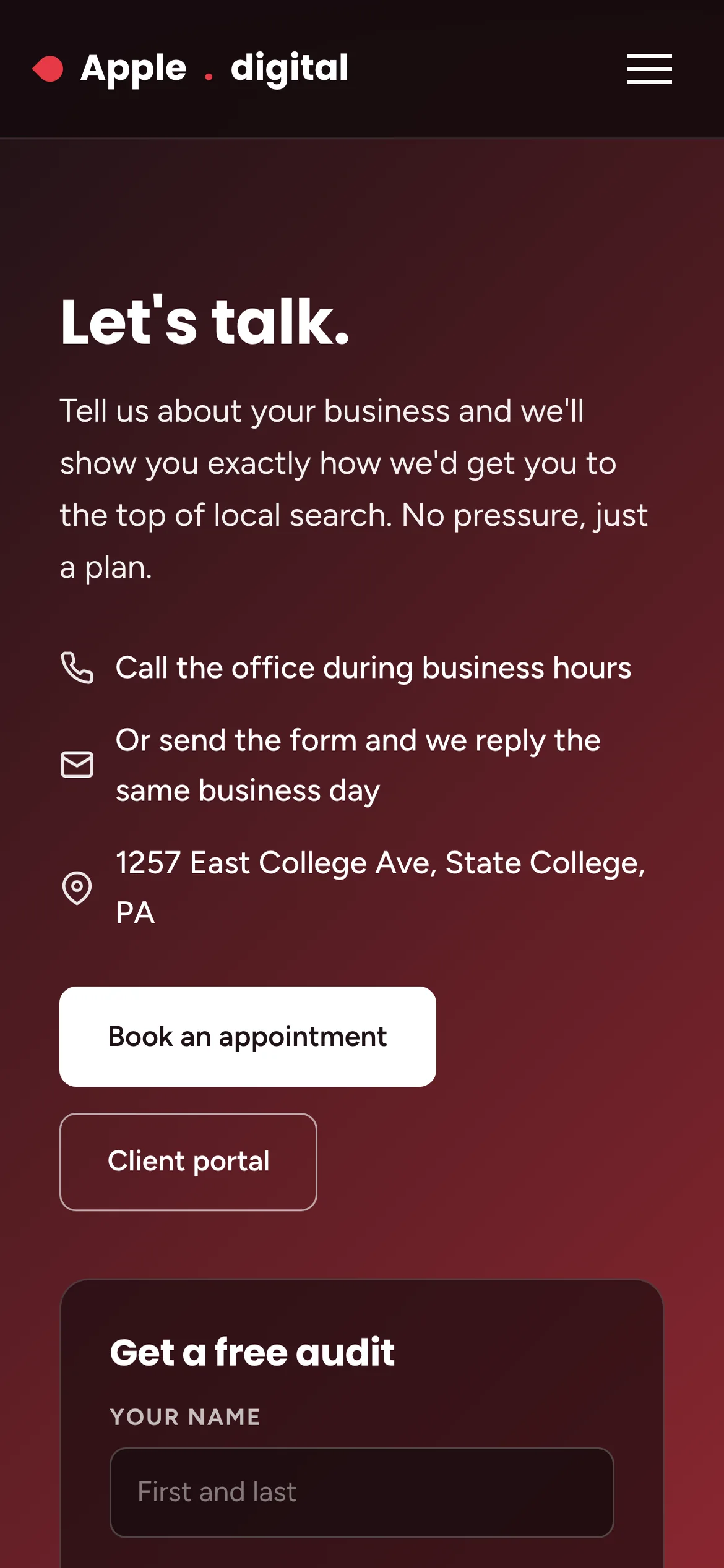
Call and form sit one above the other, so whichever the visitor prefers is one tap away.
What went into it
Design
- Their dark charcoal and red were kept. What changed is that red now marks one thing at a time.
- The three case studies use one shared format. Styling them differently made the best one look like the only one.
- Two typefaces: Poppins for headlines, Figtree for text. Figures get their own weight so a reader can scan the proof without reading the page.
- The search result panel in the hero is drawn in HTML, so it stays sharp and cannot go out of date.
- Every section that could lead to contact ends in the same red button, and the header carries one the whole way down.
Build
- One HTML file, about 56 KB, with hand-written CSS and JavaScript. No framework and no build step.
- Seven figures count up when their block comes into view, on IntersectionObserver, and hold their value for anyone who prefers reduced motion.
- The FAQ uses native details elements, so it opens before the JavaScript runs.
- Three breakpoints, 1000, 820 and 600 pixels.
- The annotation layer is part of the file: a Show notes button reveals a note on every section explaining what changed. It is off by default so the page loads as a normal page.
- Deployed on Netlify.
Tools used
- HTML & CSS
- JavaScript
- SVG
- Google Fonts
- Netlify