Landing page
Almanac Coffee Bar
A menu behind a PDF or a photograph of a chalkboard is the most common problem on a hospitality site, and it ends the visit. I invented this coffee bar in 2026 so I could design and build a small hospitality site around readable prices, and write every drink, price, roast note and event myself. Almanac is not a real business.
- Client
- Almanac Coffee Bar (an invented business)
- My role
- Design and front-end development
- Year
- 2026
- Format
- One-page site
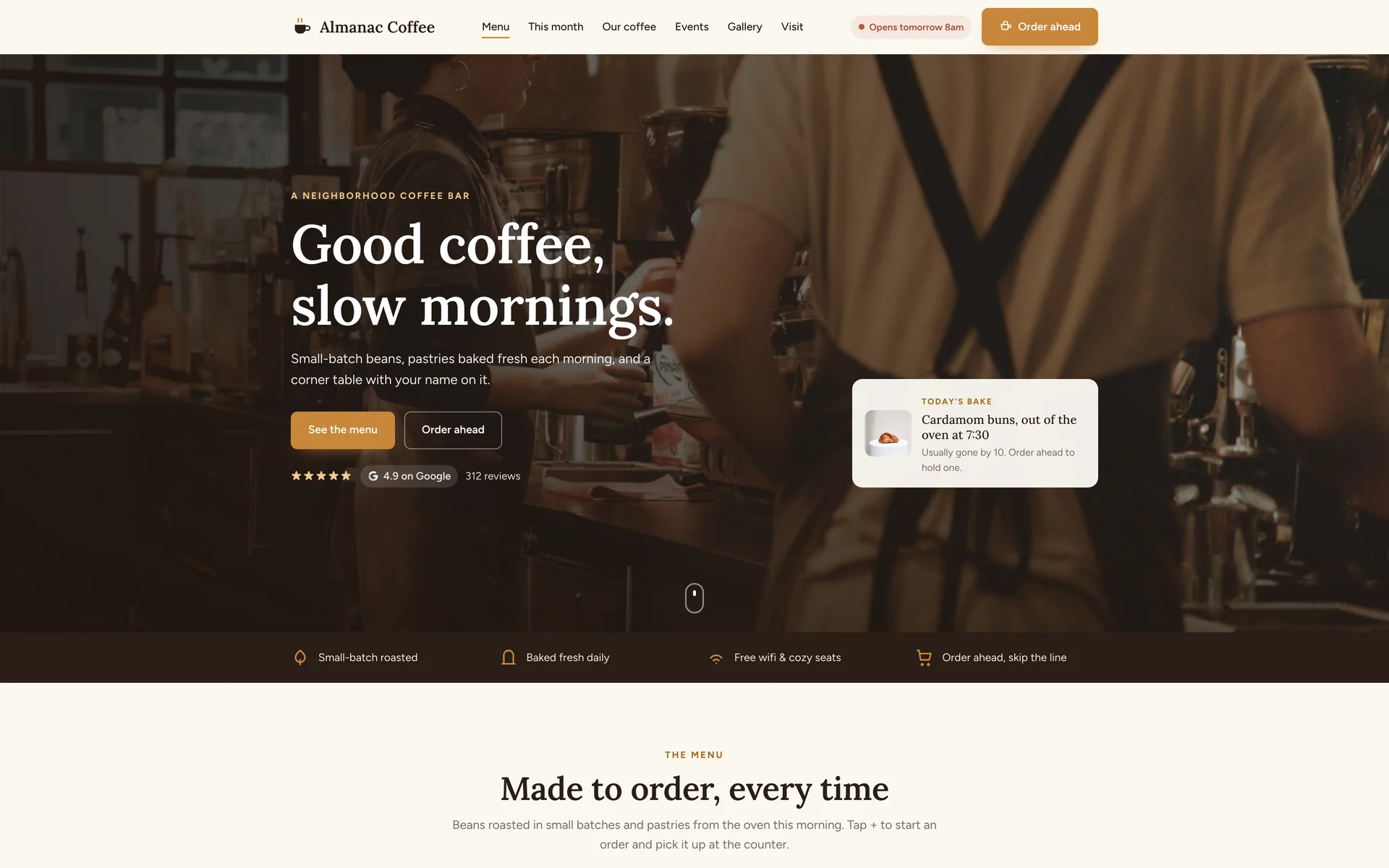
- Order aheadThe plus button on any menu row opens a drawer and builds the order without leaving the page
- Bookable eventsEach event shows what is left and books through a dialog
- One HTML fileAbout 94 KB, hand-written, no framework and no build step
About the project
A coffee bar gets two kinds of visitor: someone deciding whether to walk in, and a regular checking the hours or what is on today. Both questions have to be answered without hunting, so the menu with prices, the hours and the address are all on the one page, and an order-ahead button rides in the header the whole way down.
The order of the sections follows how someone decides. The menu first, because that is what people came for, then the coffee of the month and where the beans come from, then the things that make it a place: the events, the photo wall, the reviews and the three people behind it. The page ends with the practical part, hours and address and a map, next to an email club for people who want to hear when the roast changes.
Almanac is not a real business. I invented it so every detail would be mine to write: the drinks, the prices, the roast notes, the events and the staff are all written out. I built it to have a complete hospitality site to show.
Section by section
The page, top to bottom.
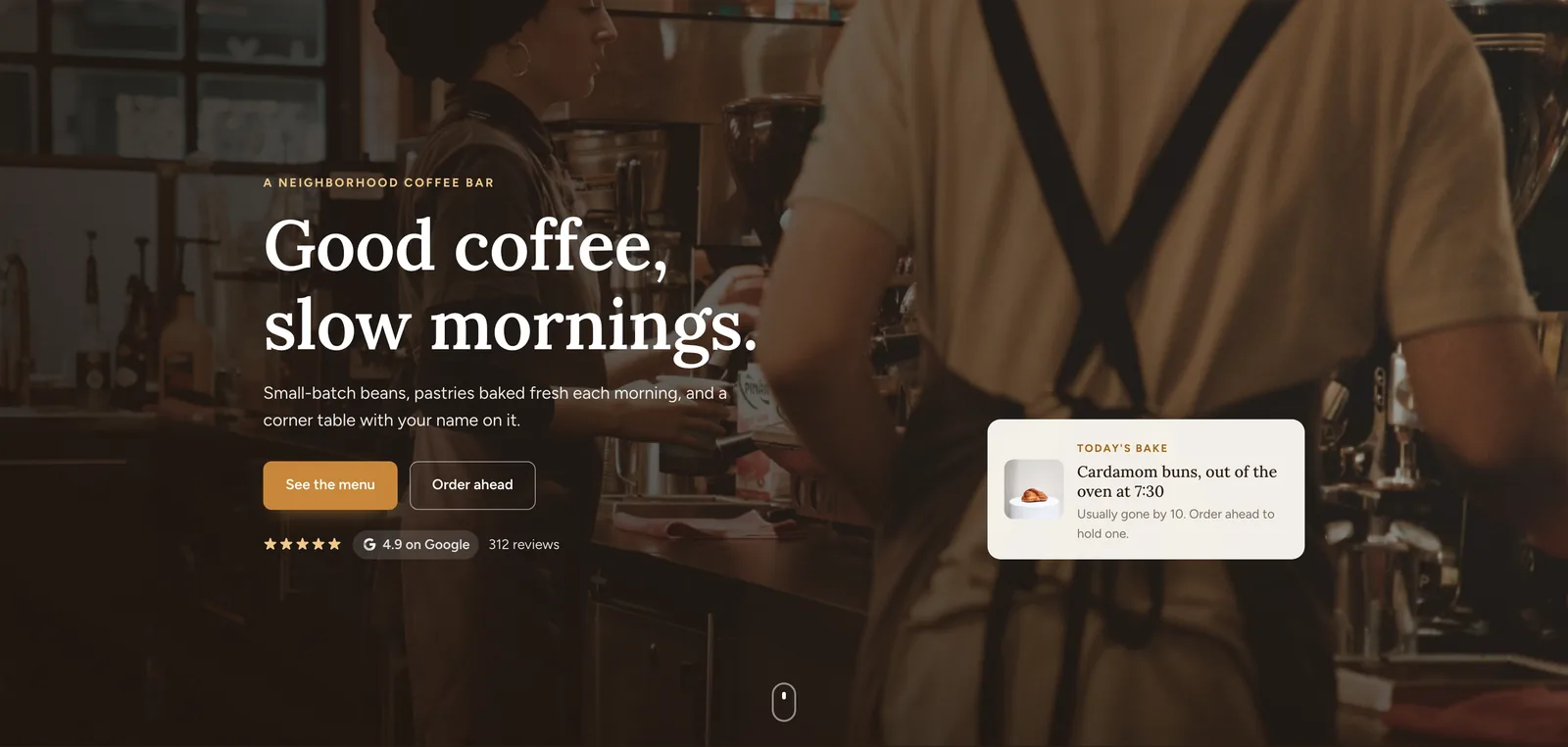
Header and heroA photograph of the bar being worked, one line saying what the place is, and two buttons. The card on the right is today's bake, which turns the page from a brochure into something worth checking again. The Google rating sits under the buttons. 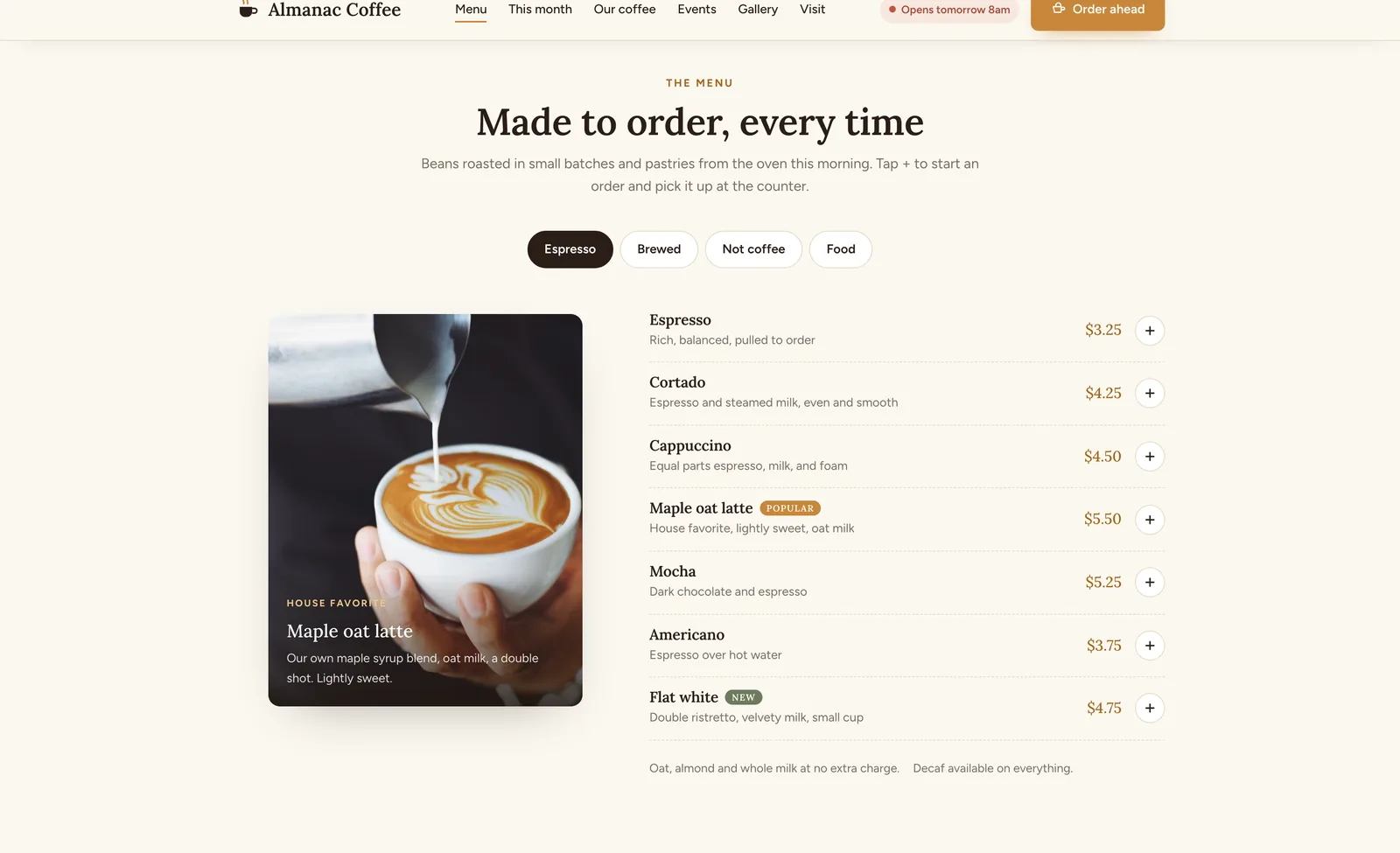
The menuThe menu, with prices, on the page. Four tabs switch between espresso, brewed, not coffee and food without a reload, and they are built as a real tab list, so the arrow keys move between them. The plus button on any row adds it to an order drawer that totals at the bottom and says you pay at the counter. 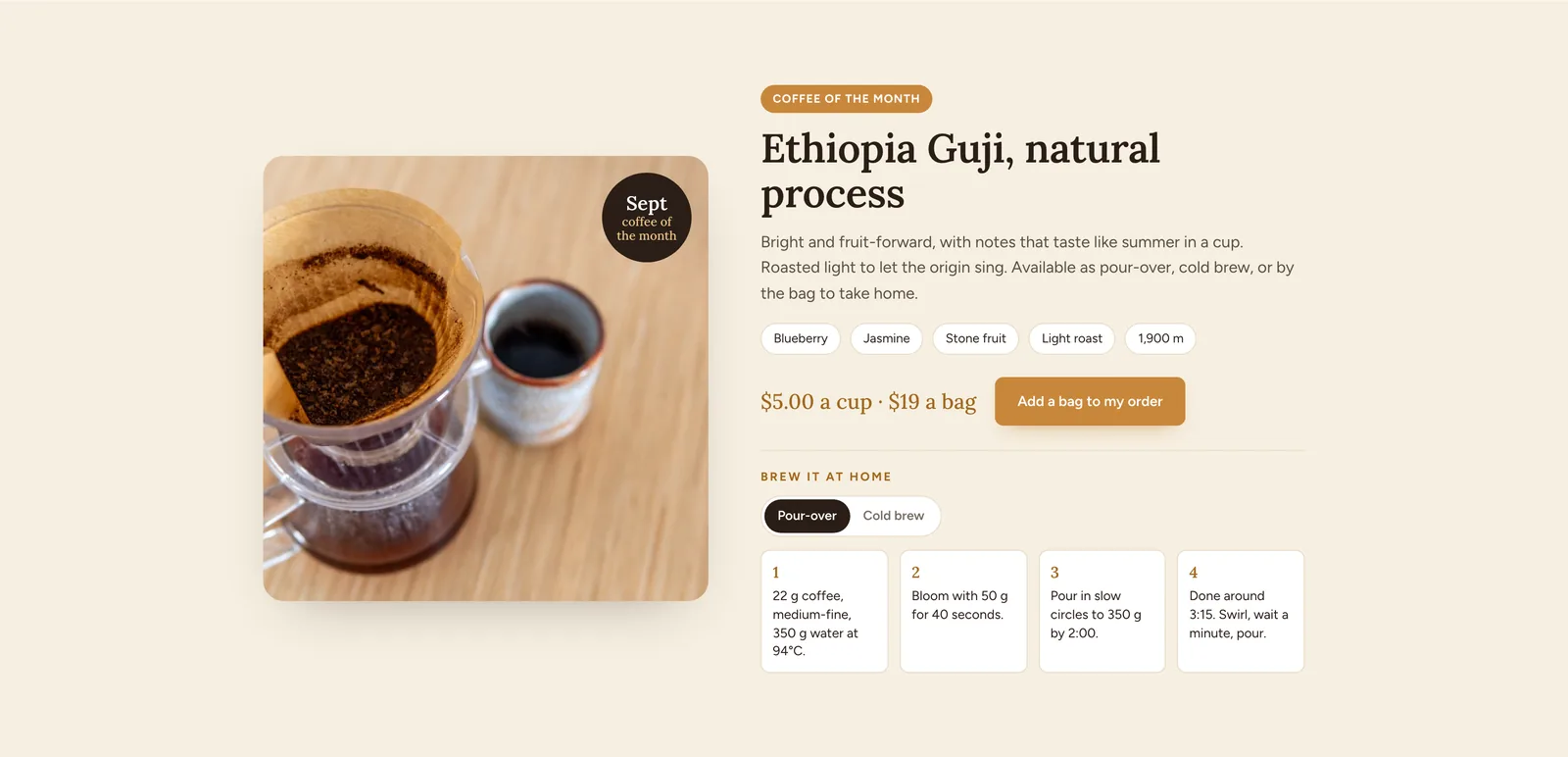
Coffee of the monthOne roast given a whole section: where it grew, what it tastes like, and four numbered steps for brewing it at home. It ends with both prices, a cup and a bag, because the people who read this far are the ones who buy beans. 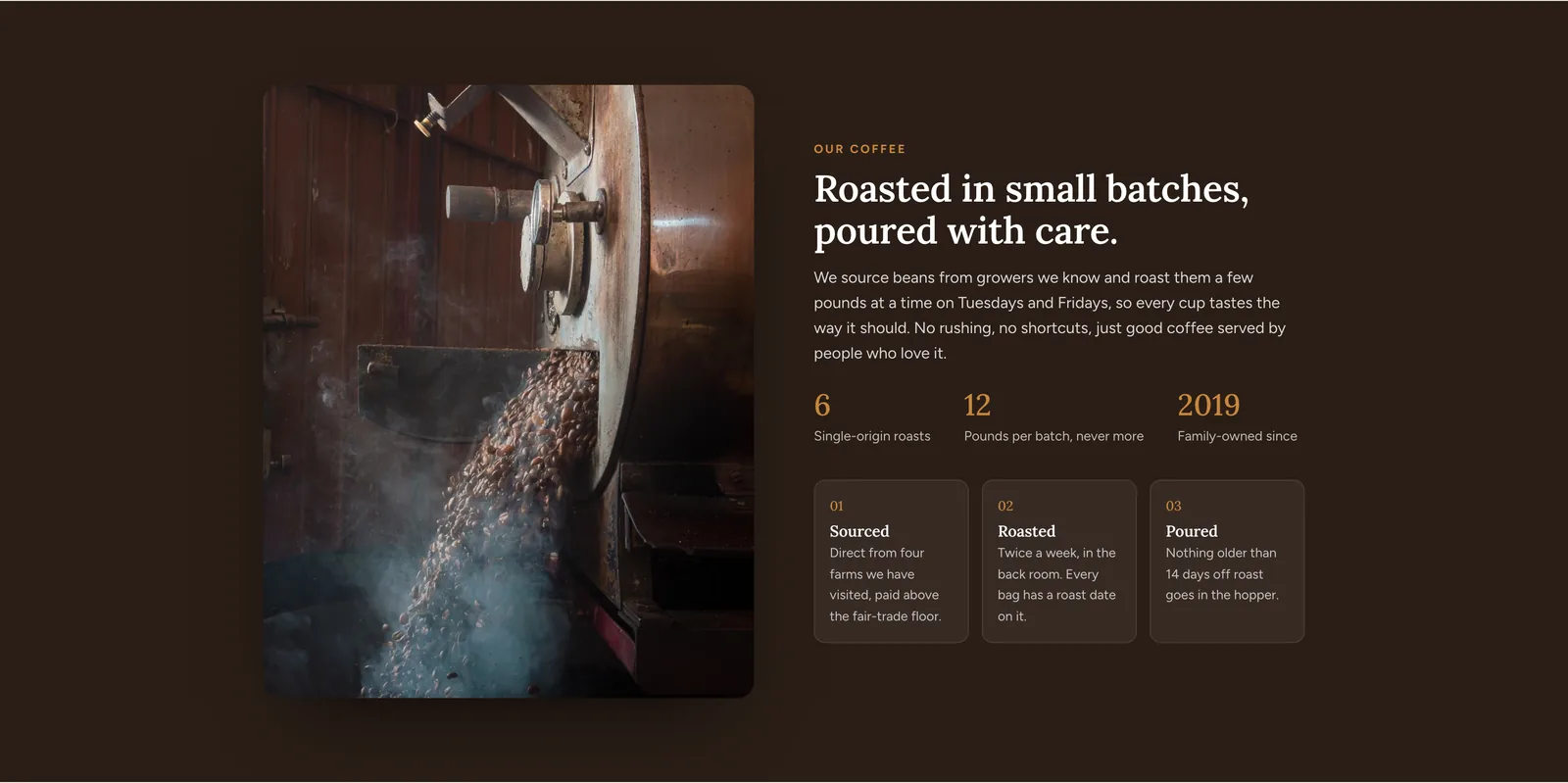
Our coffeeWhere the beans come from and how they are roasted, in plain sentences. Three figures sit under it, and the three stages from green bean to cup are named, so the sourcing claim is specific. 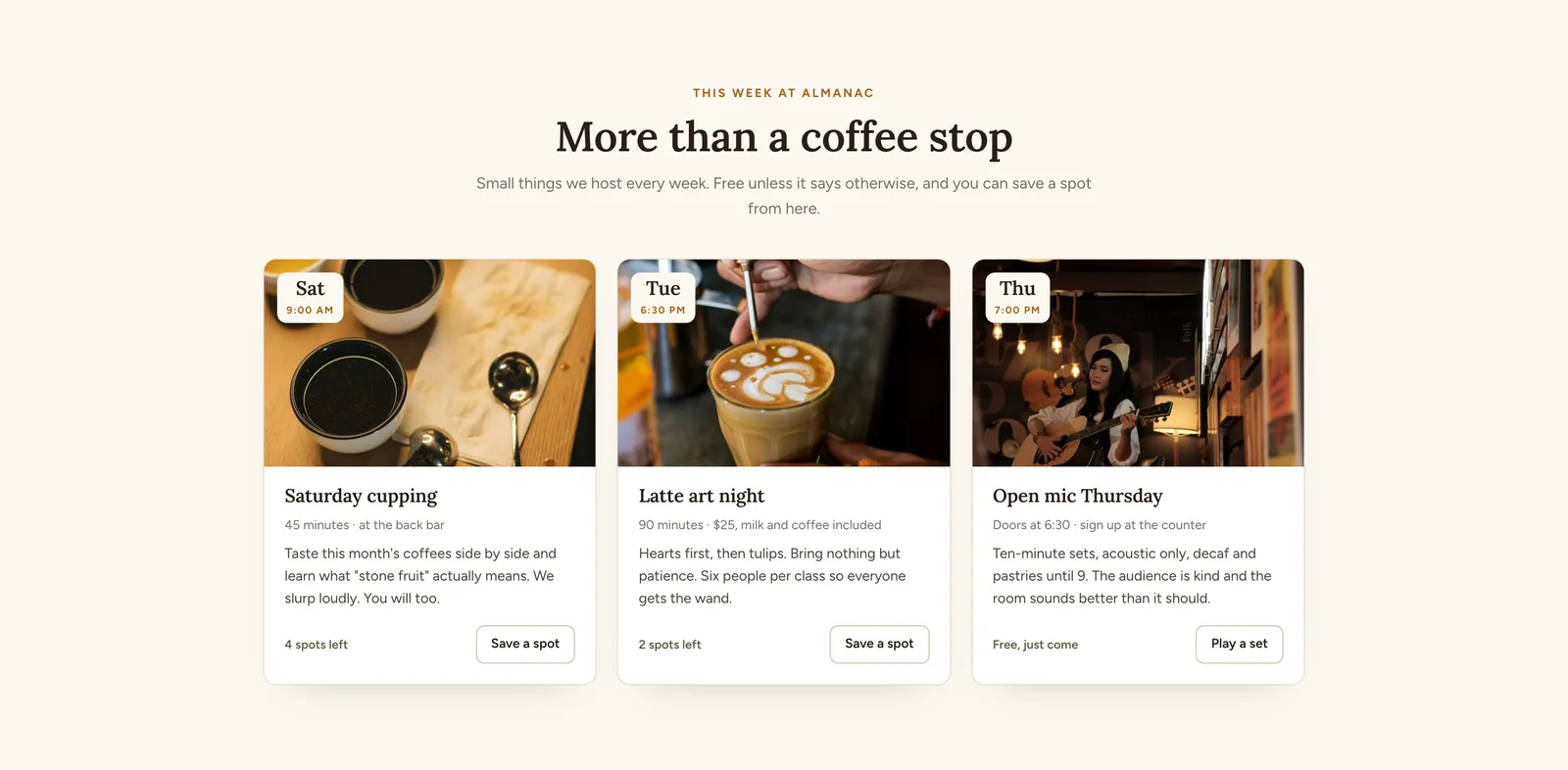
This week at AlmanacThree events this week, each with the day, the time, the price and how many spots are left. Save a spot opens a dialog. The spots-left count gives a reason to book now. 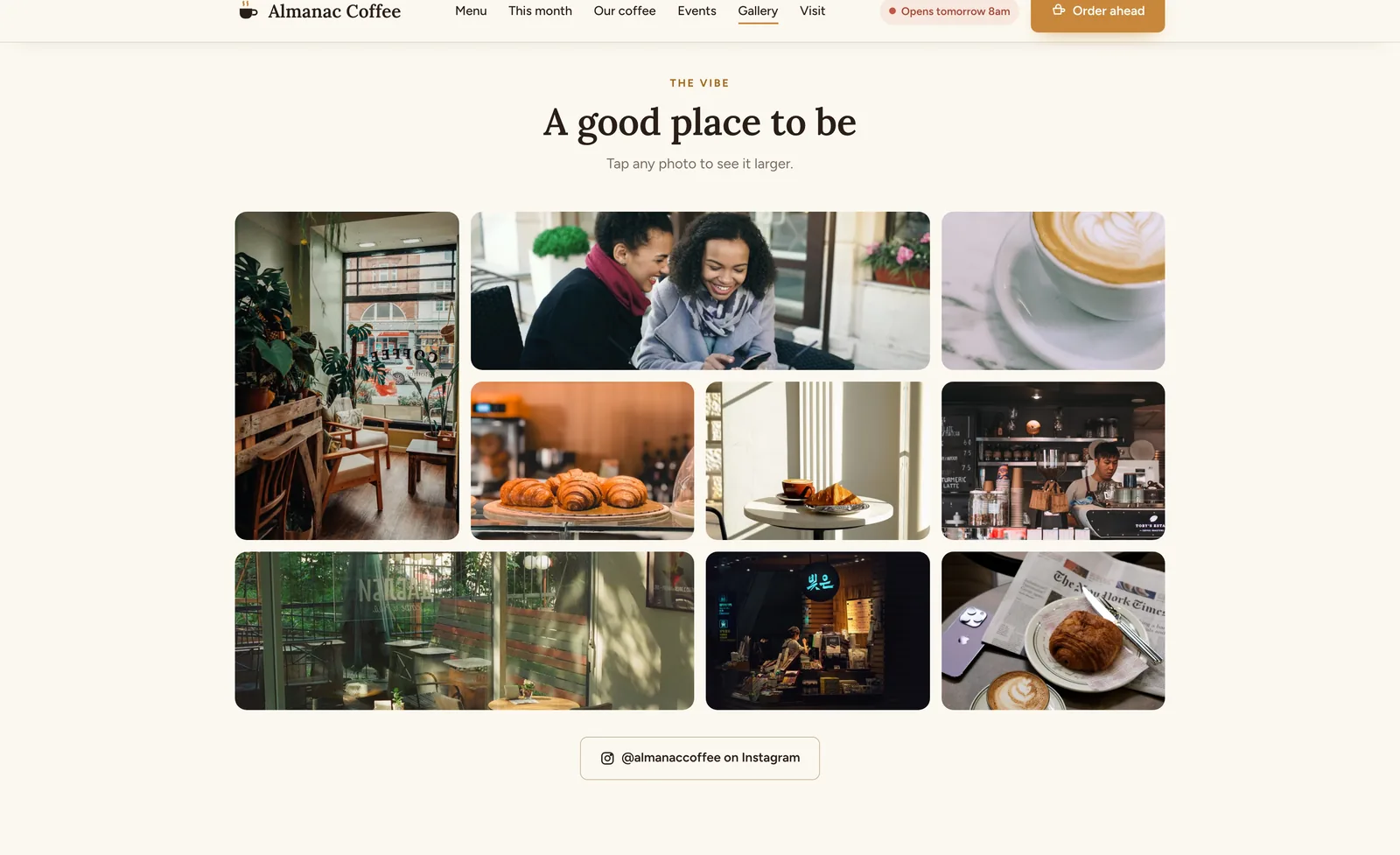
The vibeA photo wall of the room, the food and the people in it, in a grid of mixed sizes. Any photo opens full size in a viewer with arrow keys and an Escape to close. 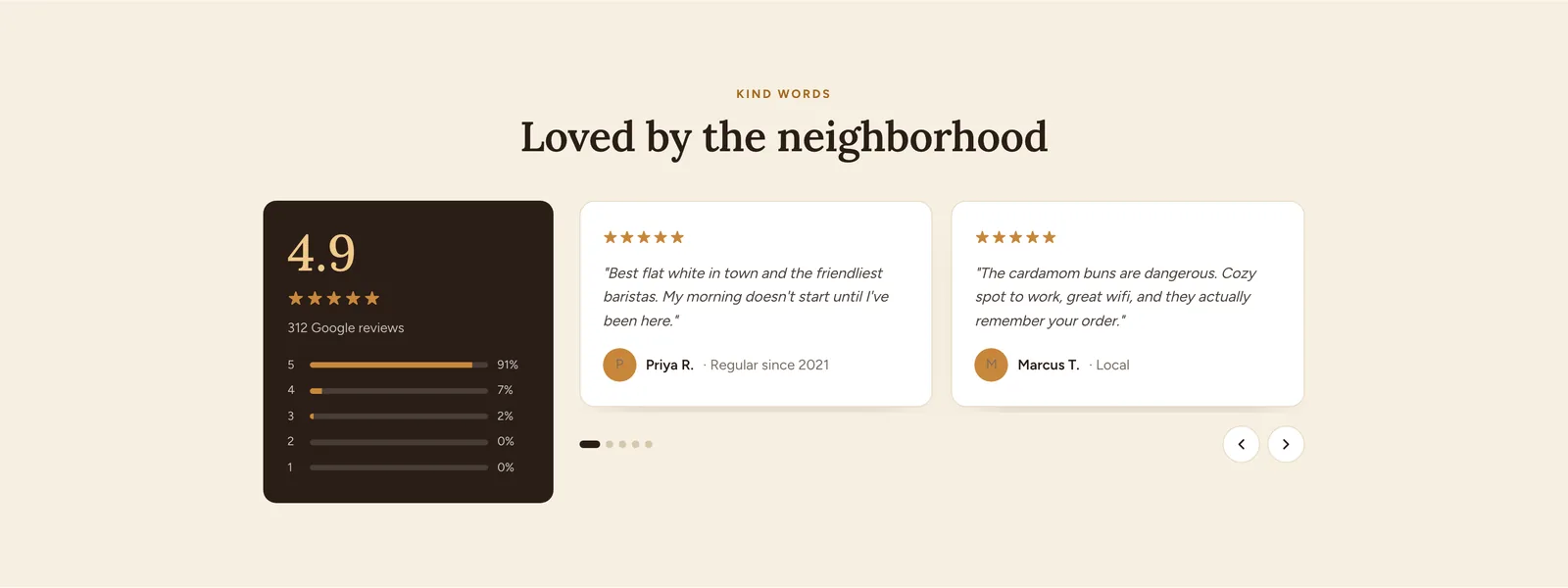
Kind wordsThe rating broken down star by star, next to the reviews themselves in a slider. The breakdown is more useful than the average on its own: 91 percent of the reviews are five stars. 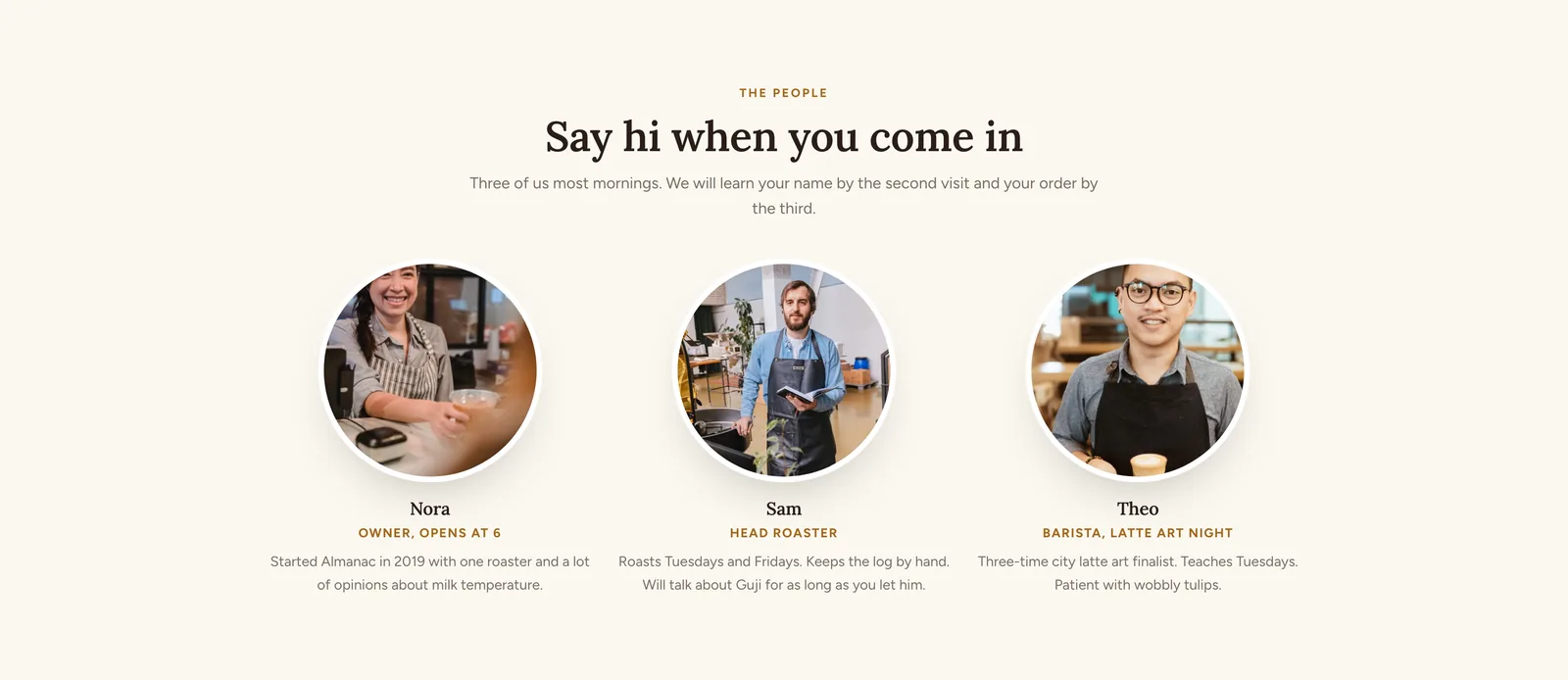
The peopleThe three people behind the counter, each with what they do and one specific thing about them. A small independent place competes on exactly this, so it gets its own section. 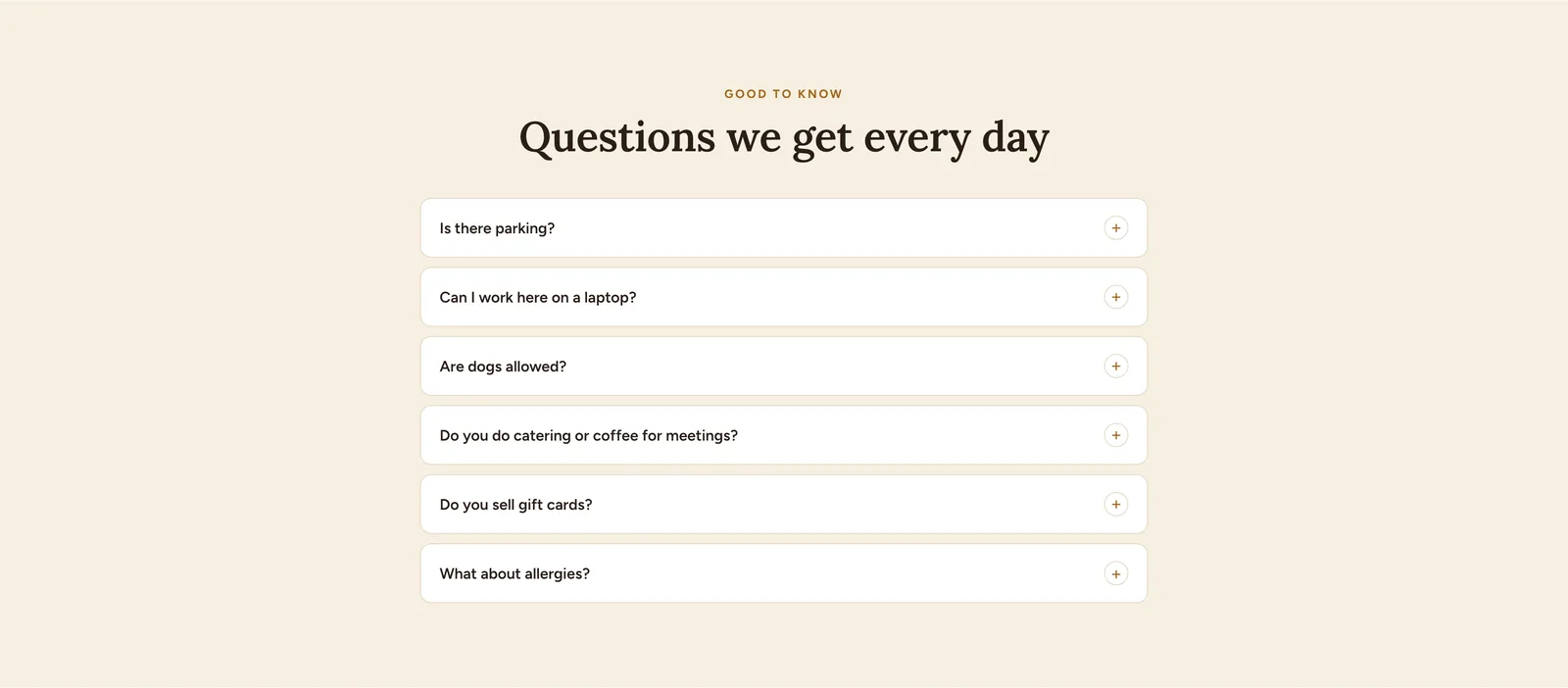
Good to knowSix questions in an accordion: parking, working on a laptop, dogs, catering, gift cards and allergens. These are the ones that otherwise arrive as Instagram messages one at a time. 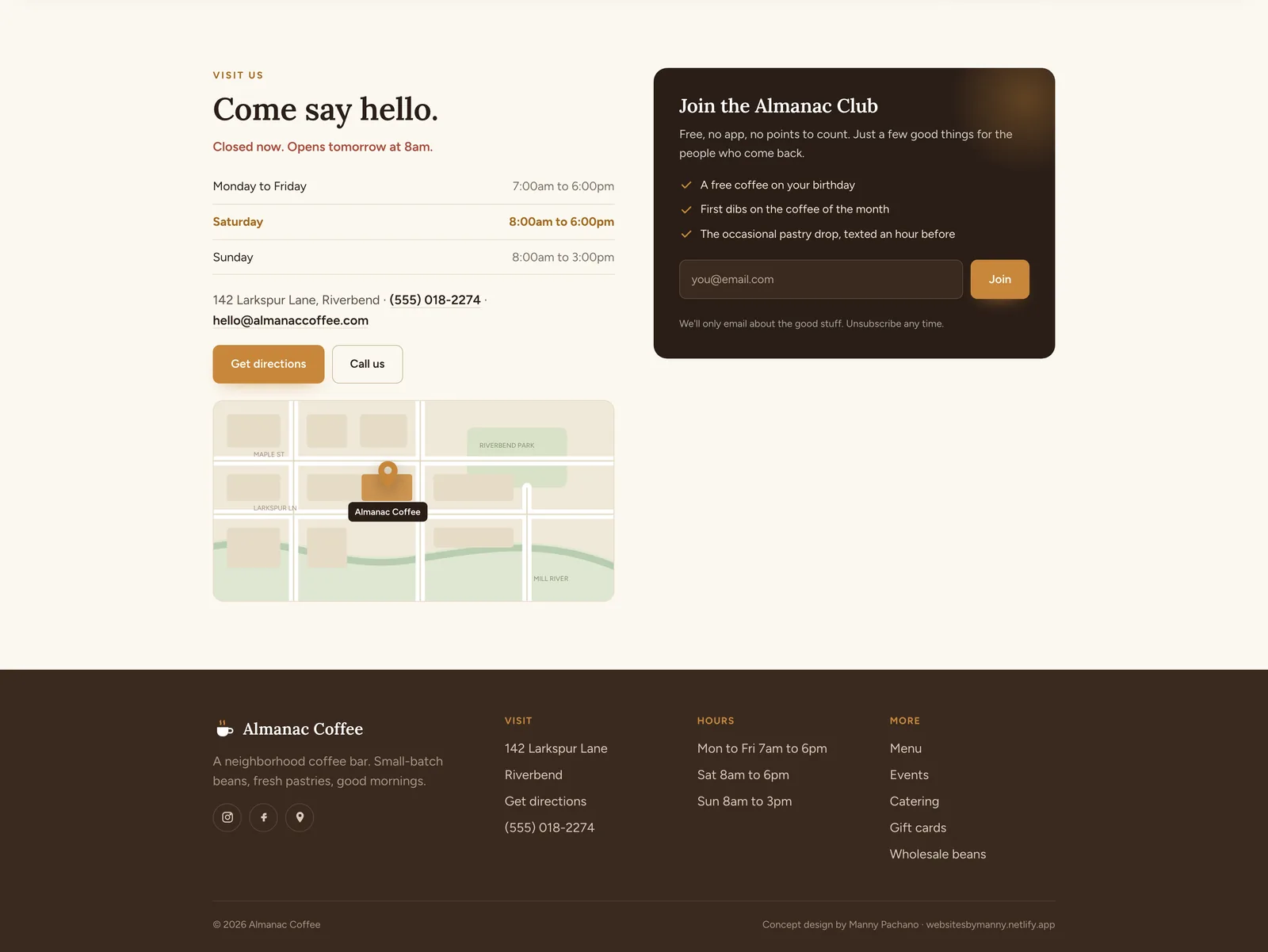
Visit us and footerHours with today picked out and an open or closed line above them, the address, a phone number, directions and a map drawn as inline SVG. The email club sits beside it, and the footer repeats the practical details for anyone who scrolled past.
The process document
A second document at /process shows how the page was made: the brief, the reading order, the wireframe beside the finished build, the decisions and the component system. The finished page runs live inside the document.
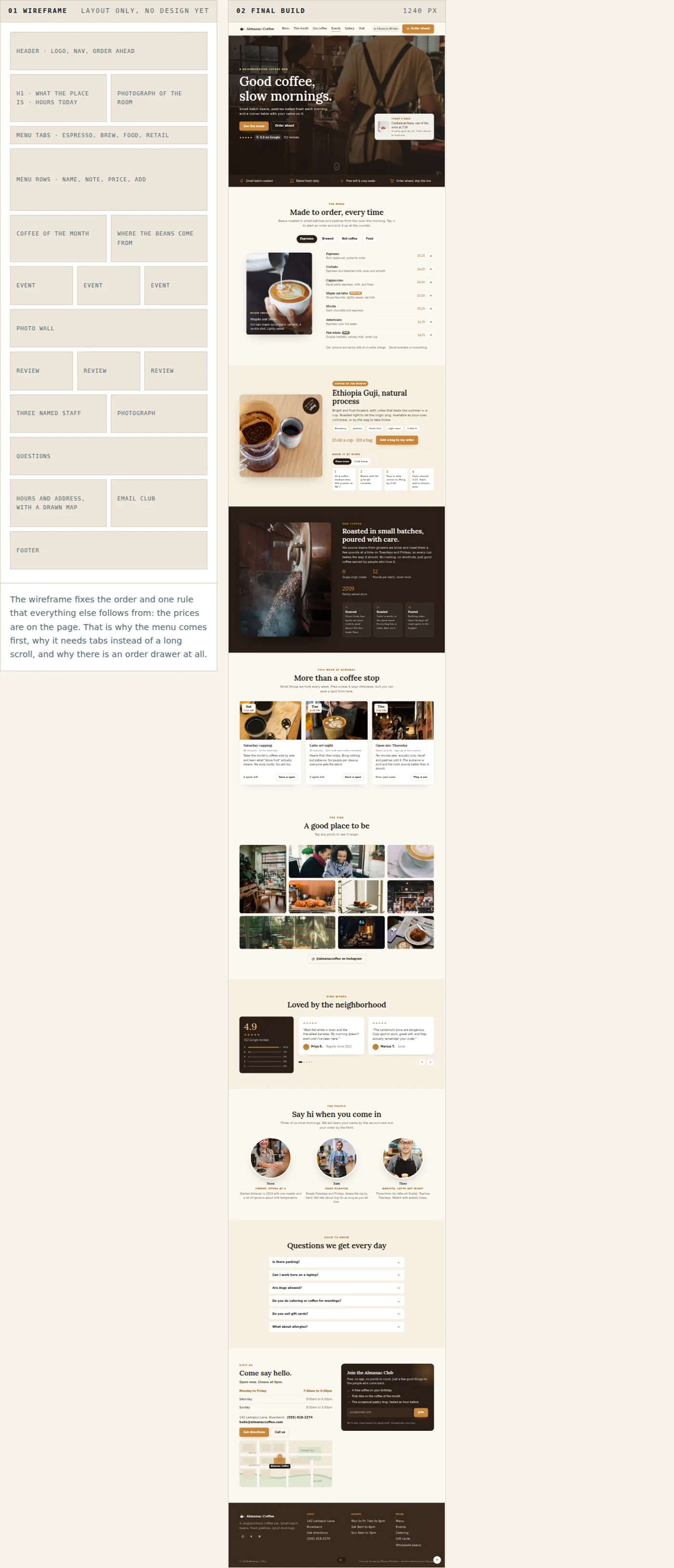
The wireframe on the left and the finished page on the right, running live in the document at 1240 pixels. 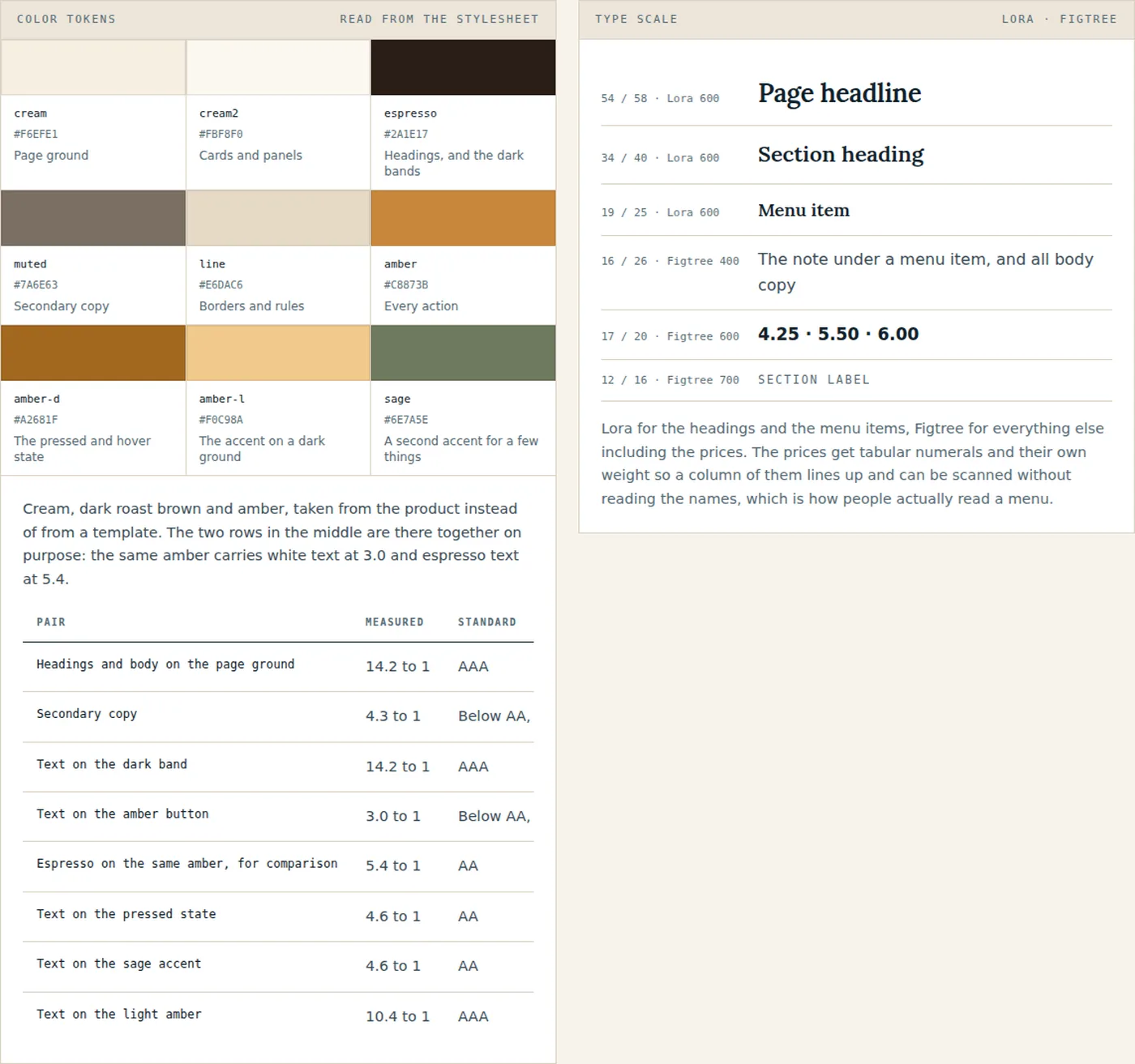
The swatches and the contrast table are read out of the page stylesheet when the document is built. White on the amber measures 3.01 to 1 and espresso on the same amber measures 5.39, which is the fix that keeps the button the color it was meant to be. 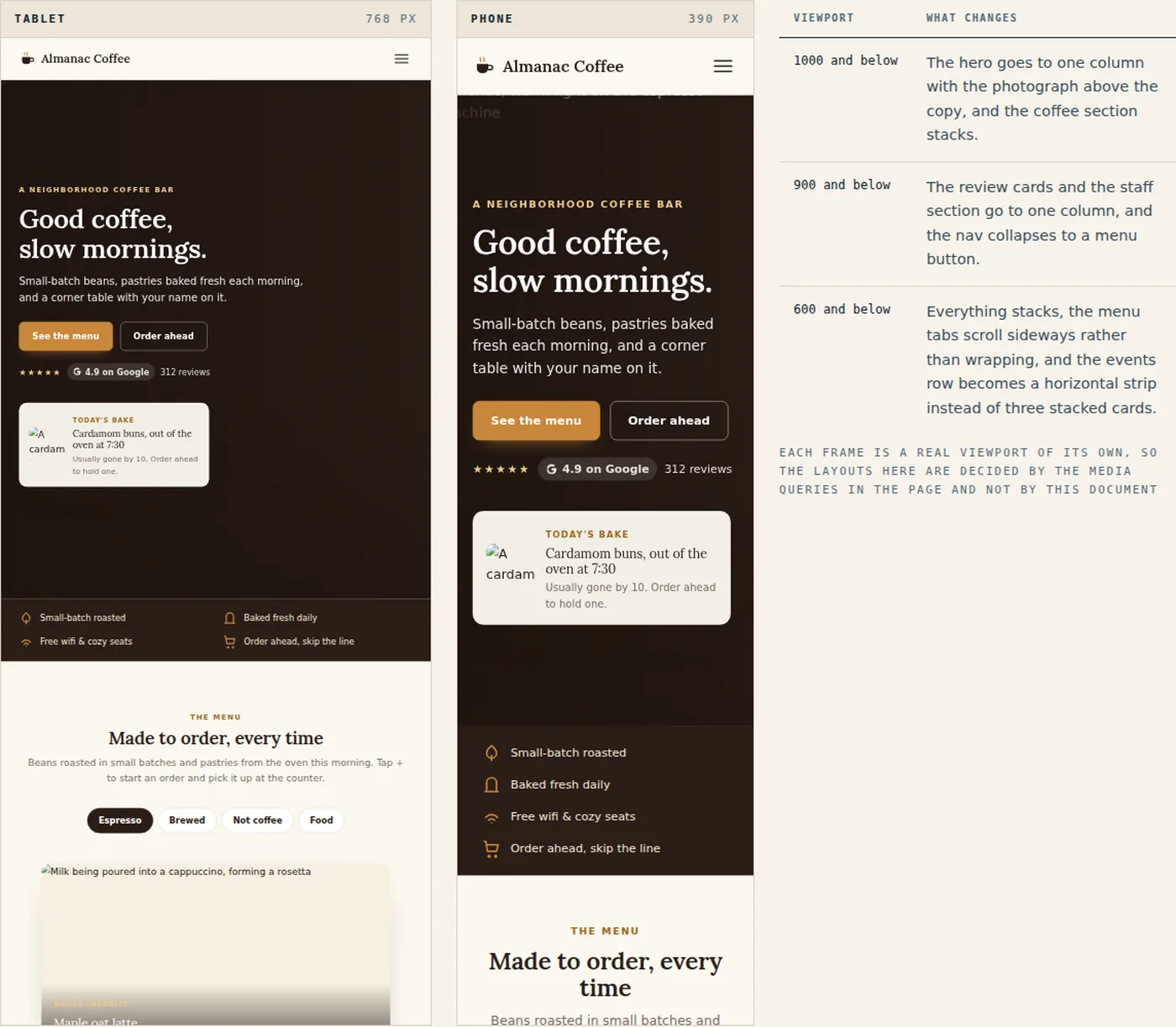
Both frames show the live page at its own width. The table lists the three breakpoints in the stylesheet.
On a phone
The page on a phone, which is where most people will open it, standing outside or on the way over.
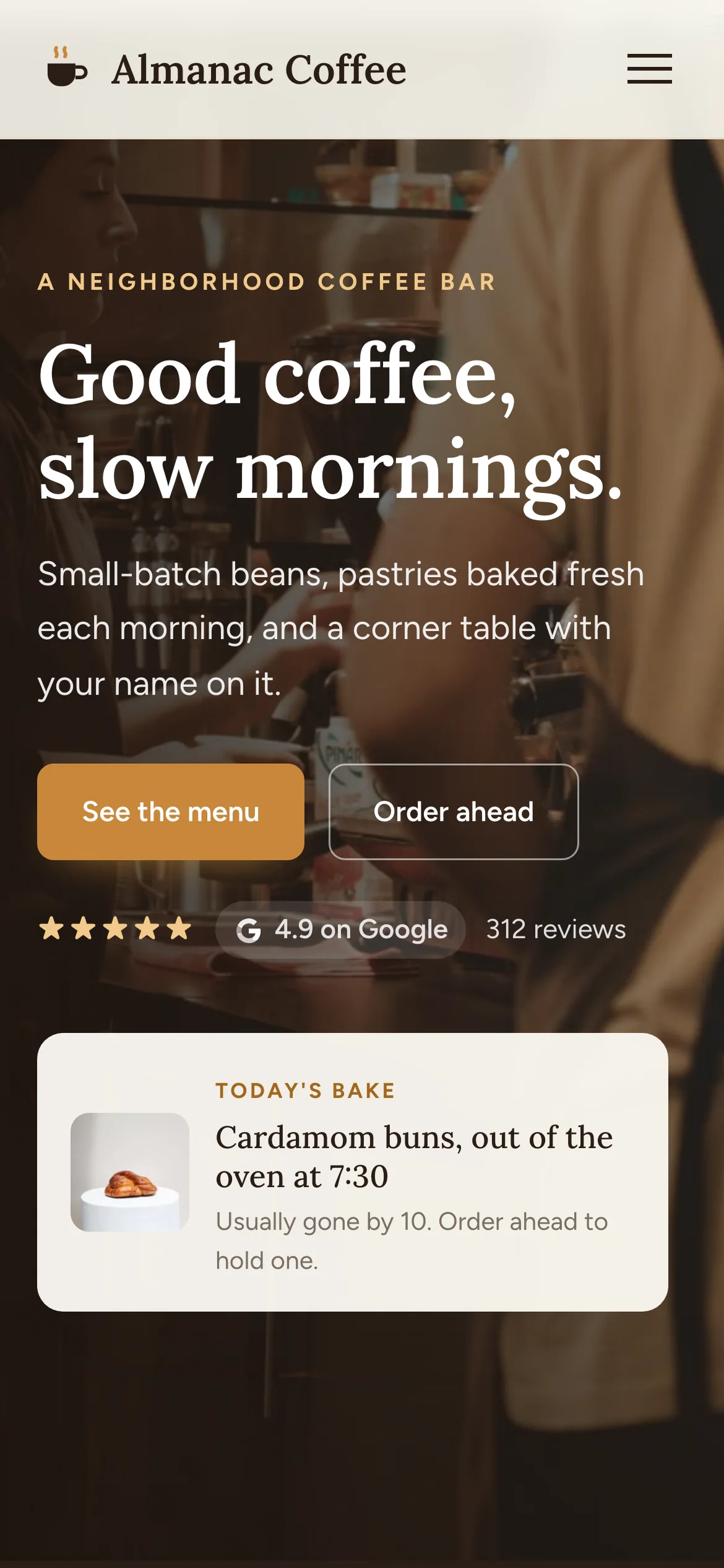
The hero keeps the photograph, the two buttons and the bake of the day above the fold. 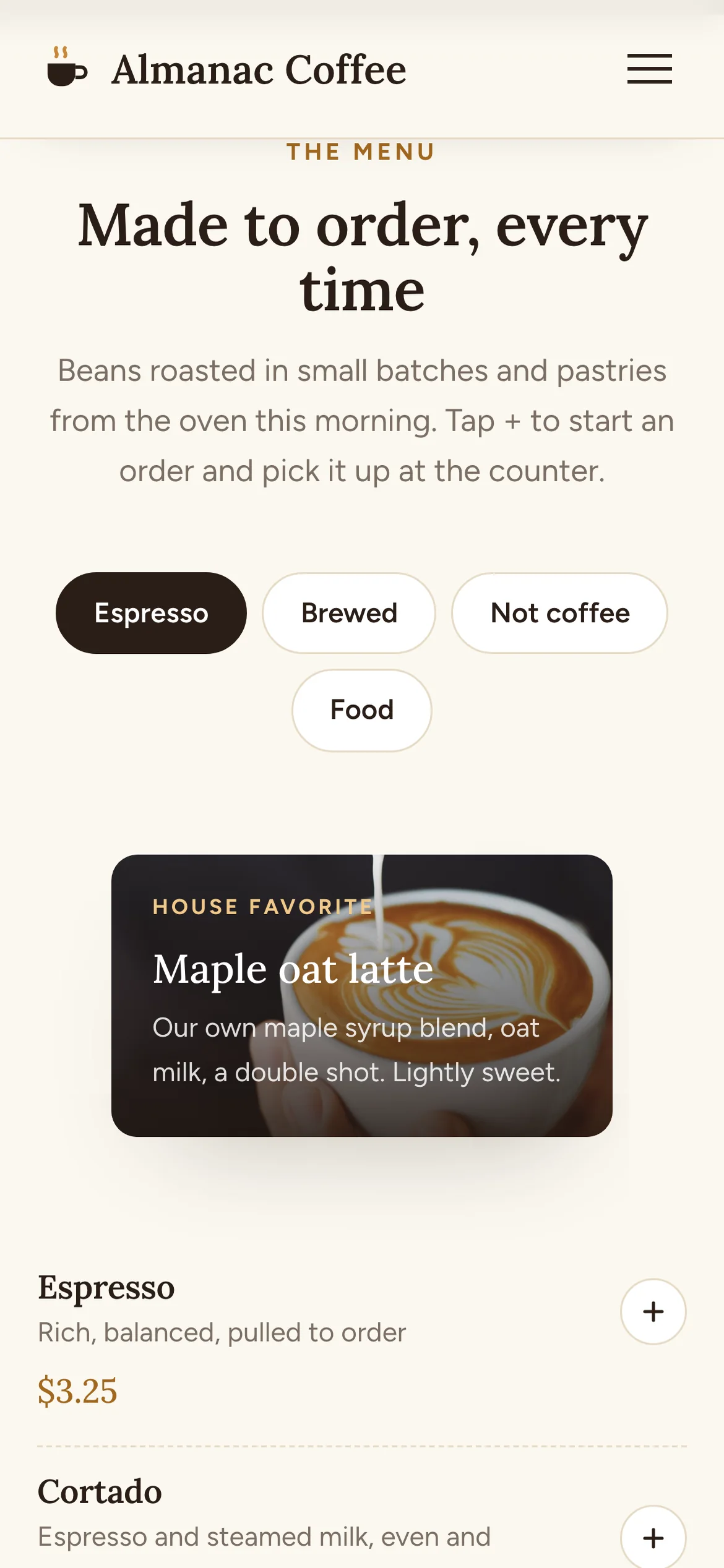
The menu tabs wrap to two lines and the prices stay full width, so ordering works one-handed. 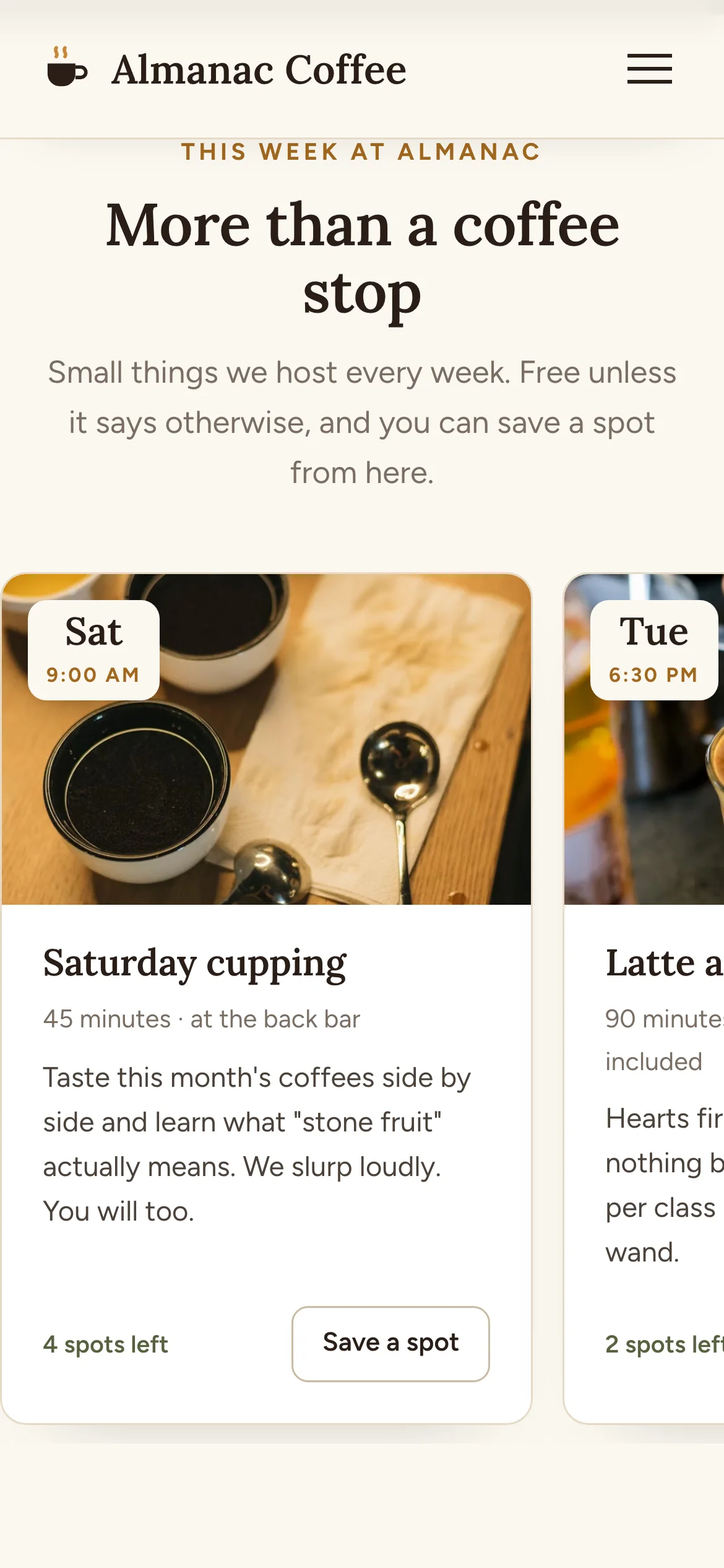
The three event cards become a strip you swipe. 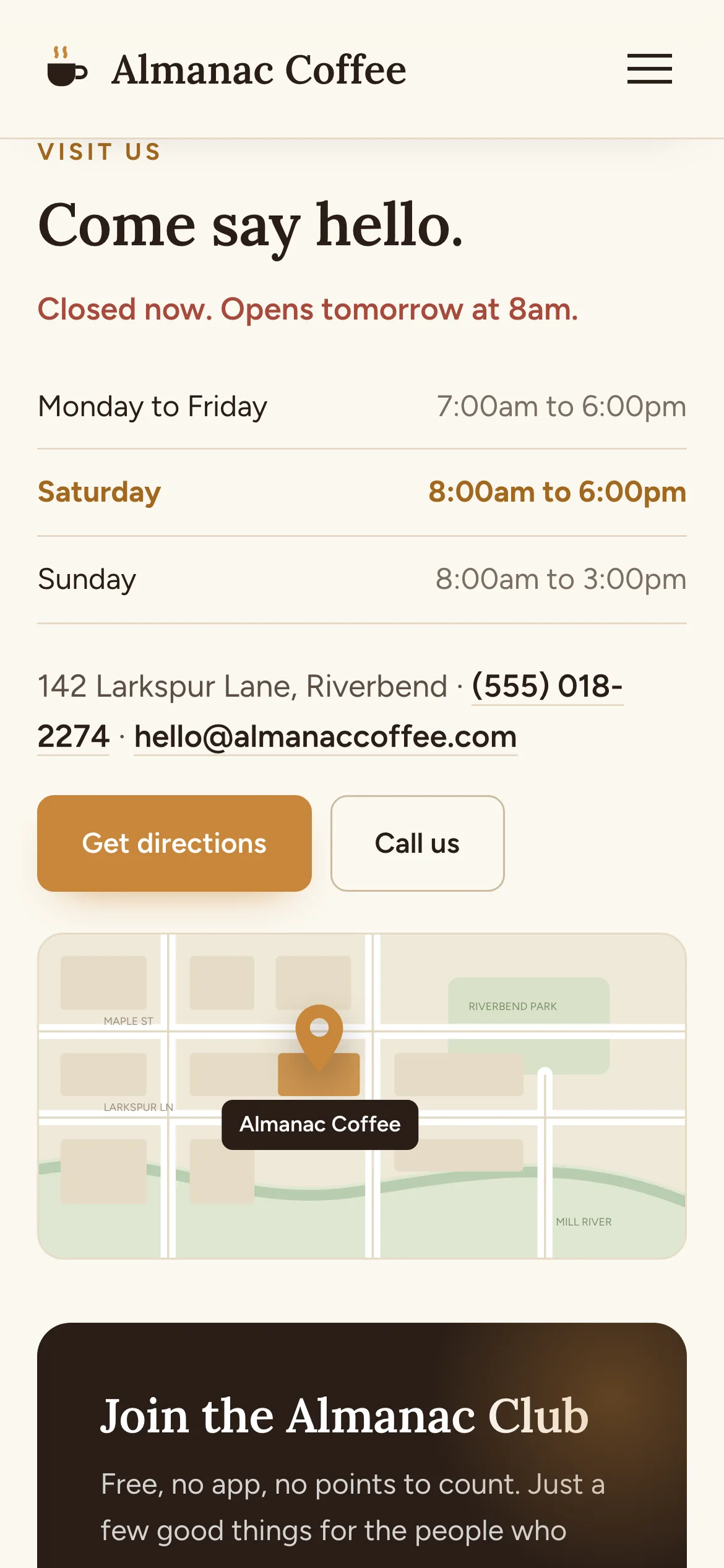
Open or closed first, then hours, then directions and a call button within thumb reach.
What went into it
Design
- Two typefaces: Lora for headlines, Figtree for everything else. The palette is cream, dark roast brown and amber, taken from the coffee itself.
- Prices are on the page. Nothing is hidden behind a PDF, a photo of a chalkboard or a delivery app.
- Photographs carry the food and the room. Everything else is type, space and one accent color.
- Every section that could end in an order ends in the same amber button, and the header carries it the whole way down.
- The details are written out: drink names, roast notes, named staff and specific events.
Build
- One HTML file, about 94 KB, with hand-written CSS and JavaScript. No framework and no build step.
- The menu is a real ARIA tab list with arrow-key navigation, and each of the 25 add buttons carries its own label for screen readers.
- Order ahead opens a modal drawer, the photo wall and the event booking use the native dialog element, so all three close on Escape and trap focus without a library.
- Reveal on scroll and the counting numbers run on IntersectionObserver, and both switch off for anyone who prefers reduced motion.
- Three breakpoints, 1000, 900 and 600 pixels. The events row turns into a horizontal strip on a phone.
- Every icon and the map are inline SVG. The photographs are the only image files. Deployed on Netlify.
Tools used
- HTML & CSS
- JavaScript
- SVG
- Google Fonts
- Netlify